JUNE 6, 2026 / DEVELOPERS
The LabelInn Label-Printing API Print & Design Labels from Any App
The LabelInn label printing API prints a thermal label with one POST and builds a fully populated design in one call. Self-serve keys, OAuth, free tier.
curl -X POST https://www.labelinn.com/v1/print/jobs \
  -H "Authorization: Bearer sk_live_xxxxxxxxxxxx" \
  -H "Content-Type: application/json" \
  -H "X-Idempotency-Key: order-45123-shiplabel" \
  -d '{
    "payload_type": "template",
    "design_id": "dsg_ship_pro",
    "printer_id": "prn_warehouse_a",
    "copies": 5,
    "data": {
      "order_id": "45123",
      "customer_name": "Acme Foods Ltd",
      "tracking_url": "https://track.example.com/45123"
    }
  }'
Video / 1:32
Watch: Automate label printing with workflows
1:32 walkthrough in the real app. Step-by-step page →
THE PROBLEM
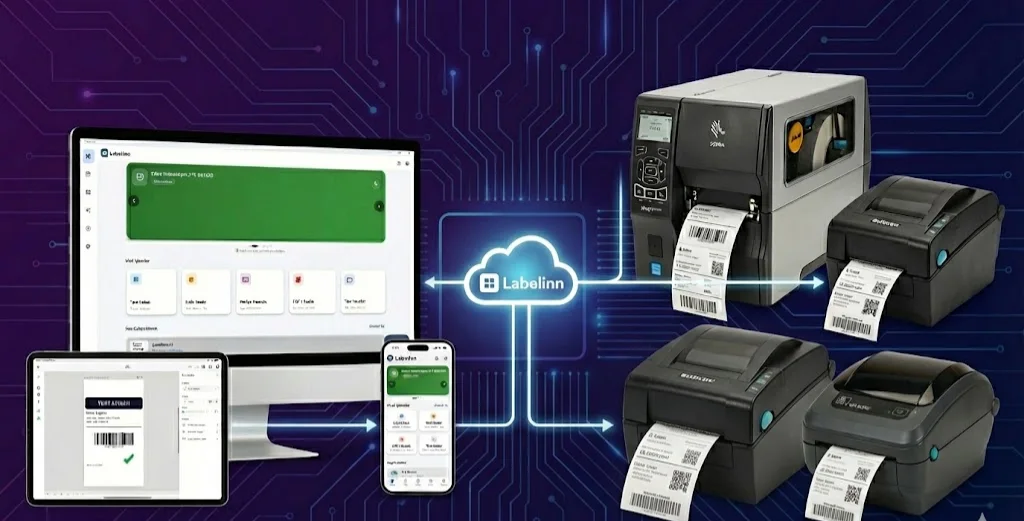
LabelInn now ships a label printing API that does two things most platforms make you choose between: it prints a real thermal label with a single HTTP POST, and it builds a fully populated label design — text, barcodes, fonts, colors, and data bindings — in one more call. No drag-and-drop required, no separate "import your template" dance. If your app can send JSON, it can print labels.
This is the self-serve, no-code-friendly side of the platform. If you're wiring print into a 50,000-jobs-a-day ERP and want the gRPC edge transport, connection pooling, and throughput tuning, that story lives in LabelInn REST API — Build Print into Your ERP. Here we focus on getting from zero to a printed label fast, and on the new design-creation endpoint that lets you generate templates programmatically.
01
Print a Label with One POST
The canonical endpoint is POST /v1/print/jobs. You pick a payload_type — zpl, image, template, or ghs_row — provide your data, the number of copies, and which design and printer to use. Here's a template print that fills a saved design's variables and runs five copies:
curl -X POST https://www.labelinn.com/v1/print/jobs \
  -H "Authorization: Bearer sk_live_xxxxxxxxxxxx" \
  -H "Content-Type: application/json" \
  -H "X-Idempotency-Key: order-45123-shiplabel" \
  -d '{
    "payload_type": "template",
    "design_id": "dsg_ship_pro",
    "printer_id": "prn_warehouse_a",
    "copies": 5,
    "data": {
      "order_id": "45123",
      "customer_name": "Acme Foods Ltd",
      "tracking_url": "https://track.example.com/45123"
    }
  }'
That's it. The data object maps onto the design's bound variables. Need a batch? Pass an array of objects in data instead of a single object and each one becomes its own rendered label in the same job. copies accepts 1 to 1000.
Idempotency: never double-print
The X-Idempotency-Key header is the single most important thing to set in production. Re-using the same key within 24 hours returns the original job instead of creating a new one. If your webhook fires twice, your retry logic kicks in, or a network blip makes you unsure whether the first call landed, you can safely send the same request again — the customer's box gets one shipping label, not two. Key it to something stable from your own system, like an order ID plus a label purpose.
02
Build a Whole Design in One Call
This is the new part. POST /v1/designs now accepts an inline elements array, so a single request creates a design that is immediately ready to print — no follow-up element calls, no manual canvas work. Each element carries its own position, size, font, color, and style; bind an element to a variable and it becomes a fillable field you can target from /v1/print/jobs.
Here's a design with a bound text element and a barcode element:
curl -X POST https://www.labelinn.com/v1/designs \
  -H "Authorization: Bearer sk_live_xxxxxxxxxxxx" \
  -H "Content-Type: application/json" \
  -d '{
    "name": "Carton Label 100x150",
    "width_mm": 100,
    "height_mm": 150,
    "elements": [
      {
        "type": "text",
        "variable": "product_name",
        "value": "Sample Product",
        "x": 8, "y": 10,
        "font_size": 28,
        "bold": true,
        "color": "#000000"
      },
      {
        "type": "barcode",
        "variable": "sku",
        "value": "1234567890128",
        "symbology": "code128",
        "x": 8, "y": 60,
        "width": 84, "height": 24
      }
    ]
  }'
The response returns a design_id you can hand straight to a print call. The variable on each element is what turns a static label into a programmable one: product_name and sku are now keys you supply in the print request's data object, while value just seeds a default and powers previews.
Prefer to grow a design incrementally? POST /v1/designs/:id/elements appends a single element to an existing design, and clone is supported so you can fork a known-good template and tweak it.
Reading a design's fillable fields
When you don't author the design yourself — say a colleague built it in the canvas and you just need to print it — call GET /v1/designs/:id/variables to discover exactly which keys it expects. Add ?advanced=1 and you get back field_specs that include per-element style overrides, each pre-filled with the element's current value:
curl https://www.labelinn.com/v1/designs/dsg_ship_pro/variables?advanced=1 \
  -H "Authorization: Bearer sk_live_xxxxxxxxxxxx"
This is what powers the mappable-field experience in the connectors below: instead of guessing at a JSON blob, a tool can render each variable as a labeled input and optionally expose font size, color, and bold as advanced overrides — already populated with what the design uses today.
03
Auth Done Right: Self-Serve Keys & OAuth
Two ways to authenticate, both fully self-serve:
- API keys — generate one from your dashboard. Live keys are prefixed
sk_live_and test keyssk_test_. Keys are SHA-256 hashed at rest and scoped, so you can issue a print-only key for a warehouse client and a broader key for a developer machine. - OAuth —
/v1/oauth/authorizeis a real LabelInn email/password sign-in that mints a scoped key for the connecting app;/v1/oauth/tokencompletes the exchange (PKCE optional). This is how third-party tools connect on a user's behalf without anyone pasting a raw key.
The important change: API access is open from the Free tier up. You no longer need a paid plan to get a key or sign in with OAuth — anyone can start building today.
04
Plans & Daily Quota
What changes across plans is your daily print throughput, not whether the API exists. Every tier can call it:
- Free — 25 prints/day, API access included
- Trial — 100 prints/day
- Starter — 250 prints/day
- Pro — 2,000 prints/day
- Enterprise — 50,000 prints/day
Start free, prototype against the same endpoints you'll ship on, and move up when your volume does. There is no separate "API plan" to buy.
05
Every Print Is Audited Automatically
You don't have to build logging. Every print — whether it came from the REST API, the Zapier or Make connectors, or the MCP server — auto-writes a hash-chained audit log and a finalized entry in your print history. That gives you a tamper-evident record of what was printed, when, with which design and data, without any extra code on your side. For regulated and traceability-heavy workflows, this is the difference between "we think we printed it" and "here is the cryptographically chained proof."
06
How Rendering Actually Happens
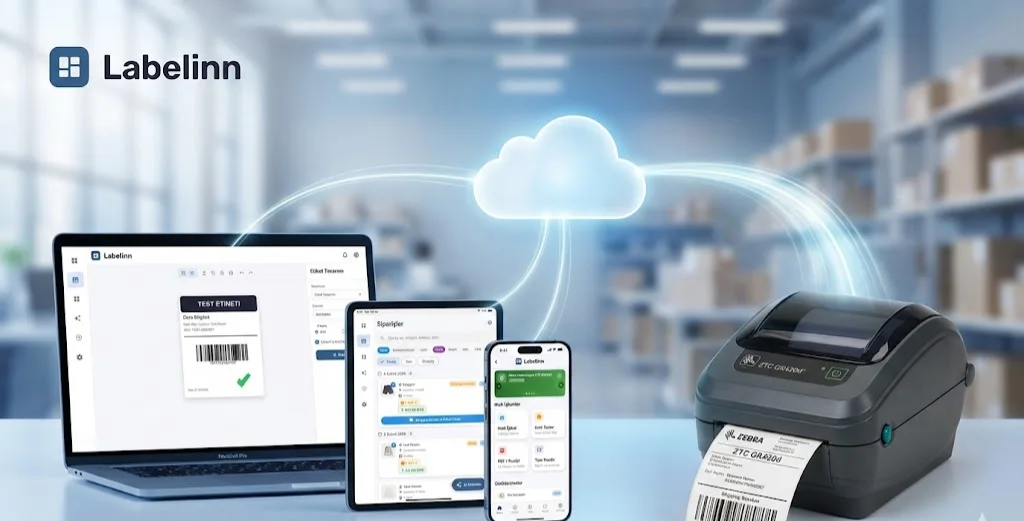
One thing to understand so your integration behaves predictably: LabelInn rasterizes designs and spools to the printer on the edge desktop app. When you POST a job, it's accepted and queued by the cloud, but a LabelInn device must be online for that queued job to actually print — or for a preview to render. The platform drives 50+ thermal models across Zebra, TSC, Brother, Honeywell, Epson ColorWorks, and more, so the same API call produces correct output whether the target is a 4-inch direct-thermal desktop unit or a color label press.
In practice: keep your edge device running, check printer status before a big batch, and treat "queued" as "accepted, not yet on paper."
07
The Same API Powers the No-Code Connectors
If you'd rather not write code at all, the endpoints above are exactly what the LabelInn connectors call under the hood — so you get the same design-binding and idempotency behavior in a visual builder:
- LabelInn on Zapier (early access, invite-based) connects via OAuth sign-in. Pick a design and its variables appear as individual mappable fields — no JSON blob — with a "Customize element styling" toggle that reveals per-element font, size, color, and bold overrides pre-filled with current values. Actions include Print From Template, Print ZPL, Print Image, Batch Print, Create Design Template (built from an Elements line-item list), Render Preview, and more, plus triggers like Job Completed and Supply Low across Zapier's 8,000+ connectable apps. See Print Labels from Zapier.
- LabelInn on Make.com (early access) offers ~22 modules with RPC-driven dynamic dropdowns for printers, designs, and each design's variables, plus instant-trigger webhooks — all in Make's visual scenario builder across its 2,000+ apps.
- MCP — for natural-language and AI-agent driven printing,
@labelinn/mcp-serverexposes ~112 tools to Claude Desktop, Cursor, VS Code Copilot Chat, or any Model Context Protocol client (there's also a cloud endpoint at/v1/mcp). Full walkthrough in Print Labels via Claude, Cursor & ChatGPT (MCP).
Not sure which path fits? Zapier vs Make vs API vs MCP — Which to Choose breaks down the trade-offs.
The mental model: design once via
POST /v1/designs, then print forever viaPOST /v1/print/jobs— binding fresh data on every call, with idempotency protecting you from doubles and the audit log recording every one.
08
A Realistic End-to-End Flow
Putting it together, a typical first integration looks like this:
- Get a key — sign up free, generate an
sk_live_key (or wire OAuth if you're building for other users). - Create the design — one
POST /v1/designswith your inlineelements, binding the fields you want to fill per print. - Discover fields (optional) —
GET /v1/designs/:id/variables?advanced=1to confirm the keys and surface style overrides. - Print —
POST /v1/print/jobswithpayload_type: "template", yourdata,copies, and anX-Idempotency-Key. - Trust the record — the hash-chained audit log and print history are written for you.
Five steps, two endpoints doing the heavy lifting, and a free tier to do it all on. Full reference and language examples live on the LabelInn developers page.
KEEP GOING
Related Articles
NEXT STEP / LABELINN
Build on the Print API
Create a fully populated design and print a real thermal label with two endpoints — idempotent, audited, and open from the Free plan up. Free 14-day trial — no credit card. · One POST to print · One call to build a design · Self-serve keys from the Free tier