Zebra GK420d: setup, calibration and label software for Mac and Windows
The GK420d is a direct-thermal desktop model commonly retained in shipping rooms long after the GK series was discontinued. Its native ZPL II path makes it a practical target for raw command printing.
Specifications and steps reviewed 17 October 2026.
Successful jobs for this exact reported model exist in LabelInn production telemetry. The connection, firmware, LabelInn version, and date were not captured unless stated below.
Production telemetry contains successful print jobs reported as Zebra GK420d; connection type and firmware were not captured.
What LabelInn supports
legacy 4-inch shipping and inventory stations. The GK420d is a direct-thermal desktop model commonly retained in shipping rooms long after the GK series was discontinued. Its native ZPL II path makes it a practical target for raw command printing.
ZPL II (native), EPL2 (native) output at the selected resolution.
Direct command printing is supported when an available interface is selected.
Start with 203 DPI and the exact label width. Network-equipped units can use raw TCP port 9100; USB setup depends on the operating system and local permissions.
GK420d at a glance
The GK420d is a direct-thermal 4 in desktop printer. Zebra's data sheet lists ZPL II, EPL2 page mode and EPL line mode, 203 dpi, a 4.09 in (104 mm) print width, programmable speeds of 2, 3, 4 and 5 in/s, and RS-232 serial plus USB as the standard interfaces. An internal 10/100 Ethernet print server was an option that replaced the serial port. The data sheet dates from 2009, so most units you meet today are long-serving ones.
Hands-on record: LabelInn engineering keeps a GK420d on a Windows PC over USB, and it appears in LabelInn as "ZTC GK420d". On 2026-10-15 we unplugged it while idle and while a job was running. The app marked it offline within 0.8 s, recognised it again 2.1 s after the cable went back in, and a job that had been waiting for it printed by itself about 2 s after reconnect. Those were connection and queue tests on one unit; they are not a certification of every GK420d, and we have not tested it on a Mac.
Zebra's published specification
Variant
Direct thermal. The thermal-transfer sibling is the GK420t, a separate model.
Resolution
203 dpi (8 dots/mm), dot pitch 0.0049 in (0.125 mm)
Maximum print width
4.09 in (104 mm)
Media width
0.75 to 4.25 in (19 to 108 mm)
Label length
Tear-off mode: 0.38 in (9.7 mm) minimum on the GK420d, 0.5 in (12.7 mm) with the dispenser. Maximum 39 in (990 mm).
Roll
Fully enclosed media compartment for rolls up to 5.0 in (127 mm); core inner diameter 0.5, 1.0 or 1.5 in
Connect the power supply and a USB cable, load the roll under the guides and power the printer on. Wait for the green status light.
Run a standard media calibration: with the top cover closed, press and hold Feed. The green status light flashes in groups; release the button after the second group. The printer sets the media type and length and feeds one to four labels (Zebra Feed Button Modes).
If you use pre-printed stock, print on the liner, or the printer will not calibrate itself, run a manual calibration instead: hold Feed through seven groups of flashes, then release. A sensor profile prints and the new settings are saved. Zebra notes that this disables auto-calibration; four flashes restore the factory defaults and re-enable it.
Hold Feed and release after one group of flashes to print the configuration label. Check the resolution (203 dpi) and the media type.
Open LabelInn and add the printer over USB. On Windows it is listed as "ZTC GK420d". LabelInn reads the dpi from a "-203dpi" style suffix when the queue name has one and otherwise assumes 203, which is right for this model.
Create a media definition at your real label size. Set Print Method to Direct Thermal, Feed Mode to gap, black mark or continuous to match the roll, and Print Speed to 5 or lower.
Print one label and measure it, then adjust Darkness in small steps before you start a batch.
Settings that matter on this model
Direct thermal only
A GK420d has no ribbon, so its ribbon sensor always reports empty. LabelInn knows this: ribbon-out alone does not stop a job, it only counts when the printer is also in an error, paused or offline state. Set Print Method to Direct Thermal so LabelInn writes ^MTD rather than the ^MTT of its transfer preset.
Darkness
LabelInn's Darkness field is Zebra's ^MD value, 0 to 30, and a job's ^MD overrides the value stored in the printer, as Zebra says of drivers and applications in general. Zebra's own darkness test (six flashes) prints a pattern and tells you to stop as soon as it is legible: past that point the bar widths distort and scanning gets worse. Begin at the preset 15.
Speed
The GK420d tops out at 5 in/s. LabelInn's built-in thermal presets write ^PR6, so set Print Speed to 5 or lower.
Sensor type
Feed Mode becomes ^MNY for gap or web, ^MNM for black mark and ^MNN for continuous. A gap setting on black-mark stock causes one-label skips. GK420d not printing or skipping labels walks through the checks.
Ethernet is an option, not a given
Only units fitted with the ZebraNet 10/100 server have a network port, and that server replaces the serial port. If yours does, raw printing uses TCP port 9100. Every unit has USB.
Unplugging mid-batch
In the desktop app an unreachable printer is a delivery state, not a failed job: a job started from the print dialog while the GK420d is unplugged or switched off waits and prints when the printer returns. Jobs that arrive from the cloud or from a workflow while the USB printer is unplugged are not covered yet and can fail after a few attempts. Small ZPL jobs reach the printer's buffer in about a second, so a cable pull rarely cuts a job in half.
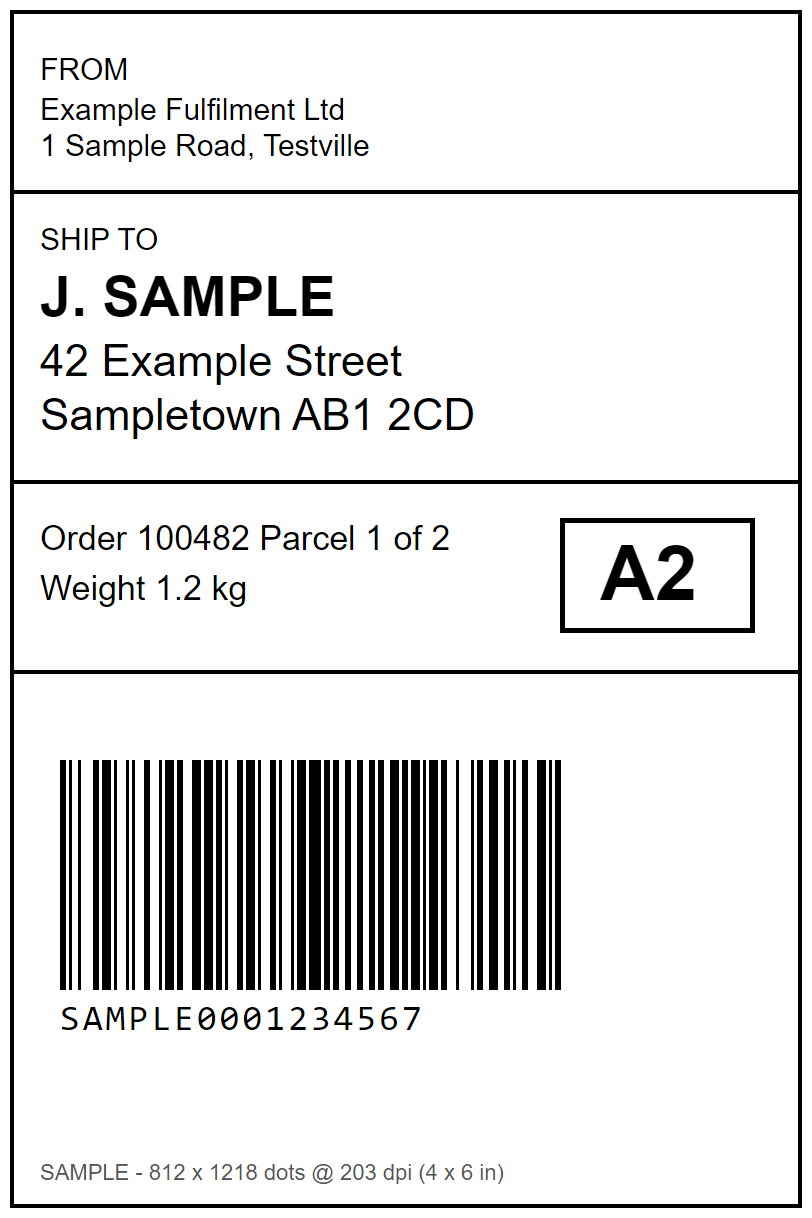
A sample label at the GK420d's real size
A 4 x 6 in (101.6 x 152.4 mm) shipping layout drawn in printer dots: 812 x 1218 pixels at 203 dpi, with a Code 128 barcode at a 3-dot module (0.37 mm). The label is 20 dots narrower than the 832-dot head.
Sample label, 812 x 1218 dots = 4 x 6 in at 203 dpi. Drawn for this page; all names and numbers are made up.
Media preamble LabelInn writes before the label for this size (direct thermal, gap, darkness 15, speed 5)
^PW812^LL1218^MD15^PR5^MTD^MMT^MNY^LS0
Operating-system notes
Windows Supported
Use either the operating-system print path or direct protocol output when this record marks direct printing as supported.
macOS Supported
Direct protocol output avoids a model-specific print driver when the selected connection is available to macOS.
Android Conditional
Android support is conditional on a supported USB, Bluetooth, or network path; the production observation did not record which path was used.
Common configuration problems
A gap/black-mark mismatch can cause one-label skips.
A 300 DPI template sent to this 203 DPI model prints at the wrong physical size.
Successful jobs for this exact reported model exist in LabelInn production telemetry. The connection, firmware, LabelInn version, and date were not captured unless stated below. Production-observed does not mean physically tested by the LabelInn team. Confirm the exact suffix, installed options, command mode, DPI, and media.
Does Zebra GK420d require a driver?
Not for LabelInn's direct command path when a supported interface is available. A vendor driver may still be useful for configuration and diagnostics.
What size labels does the Zebra GK420d print?
Media from 0.75 to 4.25 in (19 to 108 mm) wide, with a print width of up to 4.09 in (104 mm) and labels up to 39 in (990 mm) long. The common 4 x 6 in shipping label is 812 x 1218 dots at 203 dpi.
Does the GK420d have Ethernet or Wi-Fi?
Zebra's data sheet lists USB and RS-232 serial as standard. An internal ZebraNet 10/100 Ethernet server was an option that replaced the serial port. No Wi-Fi or Bluetooth is listed for this model.
How do I calibrate a Zebra GK420d?
With the top cover closed, hold the Feed button until the green status light has flashed twice and release it for a standard media calibration. For pre-printed media or a printer that will not auto-calibrate, hold Feed through seven flashes for a manual calibration. These steps are from Zebra's Feed Button Modes document.
Is the GK420d 203 or 300 dpi?
203 dpi (8 dots/mm). A design drawn for 300 dpi prints at the wrong physical size on it, so set 203 dpi before you design.
Do I need Zebra's driver to use a GK420d with LabelInn?
No. LabelInn sends ZPL II directly over USB. Zebra's driver and utilities are still useful for configuration and diagnostics, and if the driver is installed Windows lists the printer under its driver queue name.
Has LabelInn been tested with the GK420d?
LabelInn's production telemetry contains successful jobs for the GK420d, and on 2026-10-15 the engineering team ran connection tests on one USB unit on Windows: unplug and replug detection in under 3 s and automatic printing of a job that was waiting in the print dialog queue. We have not tested it on a Mac.