AUGUST 8, 2026 / MARKETPLACE
Amazon FBA, FNSKU and FBM Label Printing
Print Amazon FNSKU, FBA carton and FBM shipping labels on a thermal printer. Code 128, 2x1

THE PROBLEM

Amazon sellers deal with three different labels — FNSKU item labels, FBA carton labels and FBM shipping labels — and Seller Central hands you a PDF for each. That PDF is laid out for a sheet of A4 or Letter, which is a problem the moment you own a thermal printer.
Your printer almost certainly already works. Native ZPL, TSPL/TSPL2, TPCL, ESC/Label, EZPL and PPLB — the languages behind 50+ printer brands. Compatible brands →
HOW IT WORKS
Three screens from data to printed label.
No copy-paste, no hunting for templates. The same flow repeats for every record.
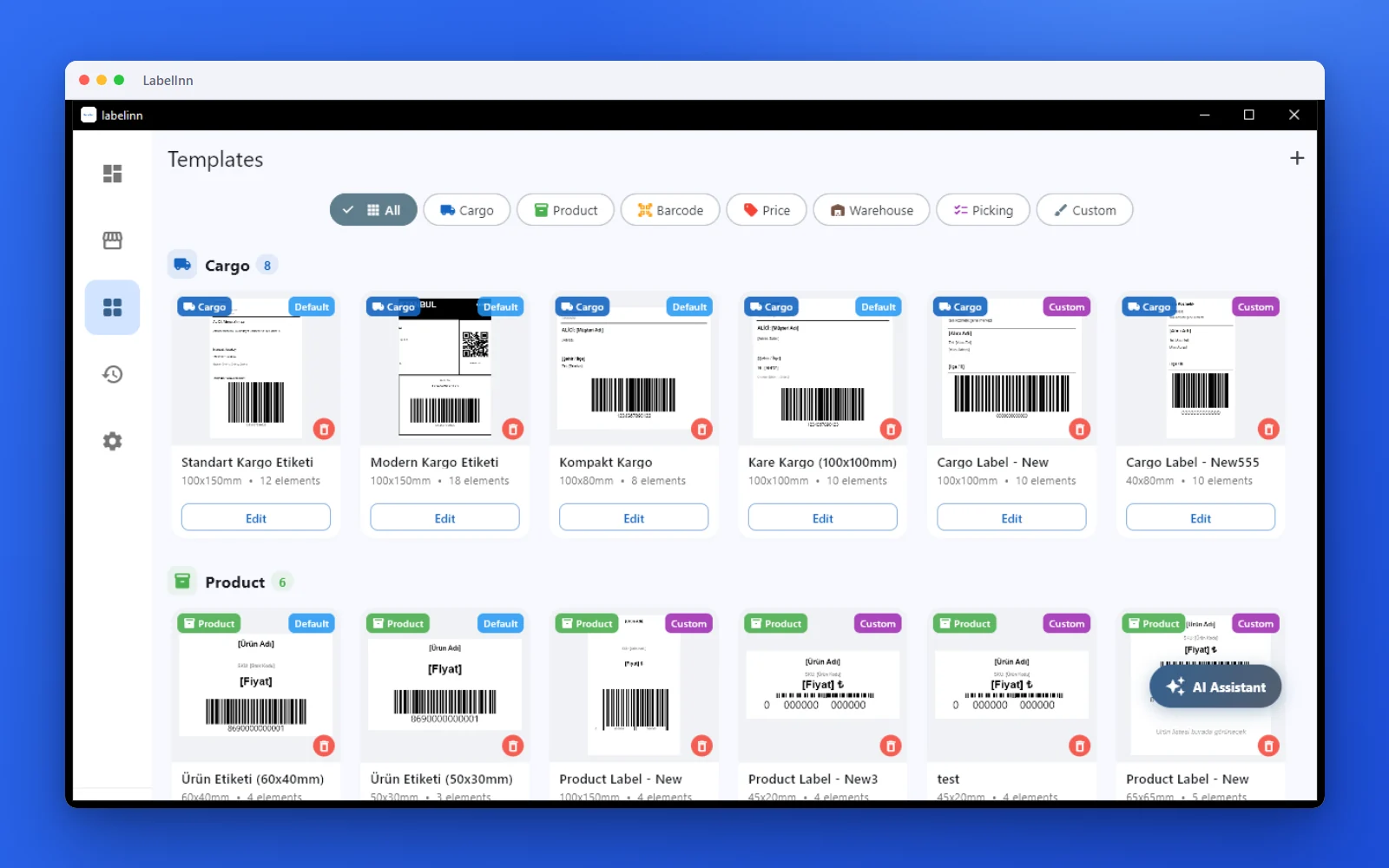
Pick a cargo label from the gallery or design one on a blank canvas.
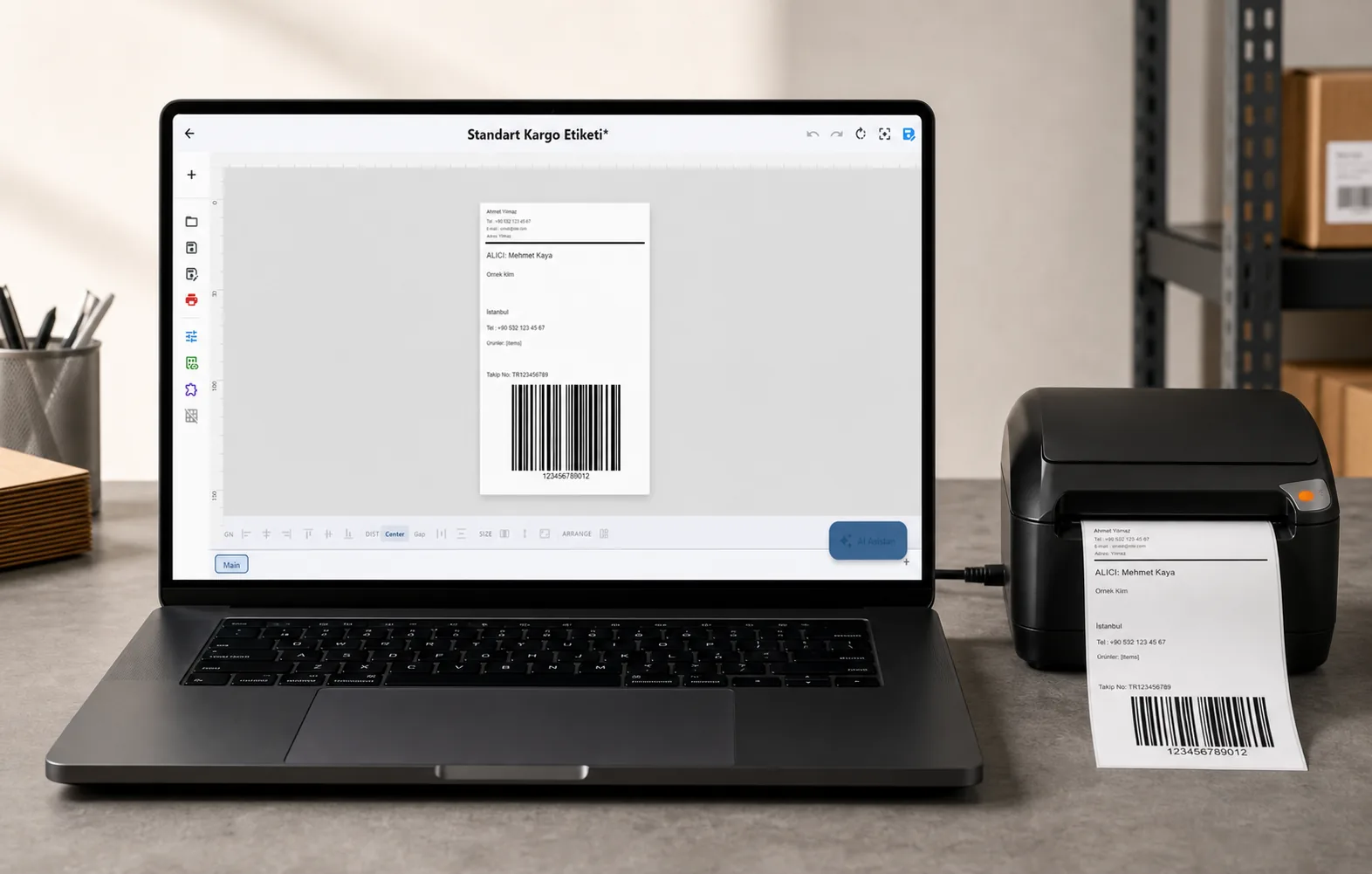
Recipient, address, tracking barcode: map once, every label fills itself.
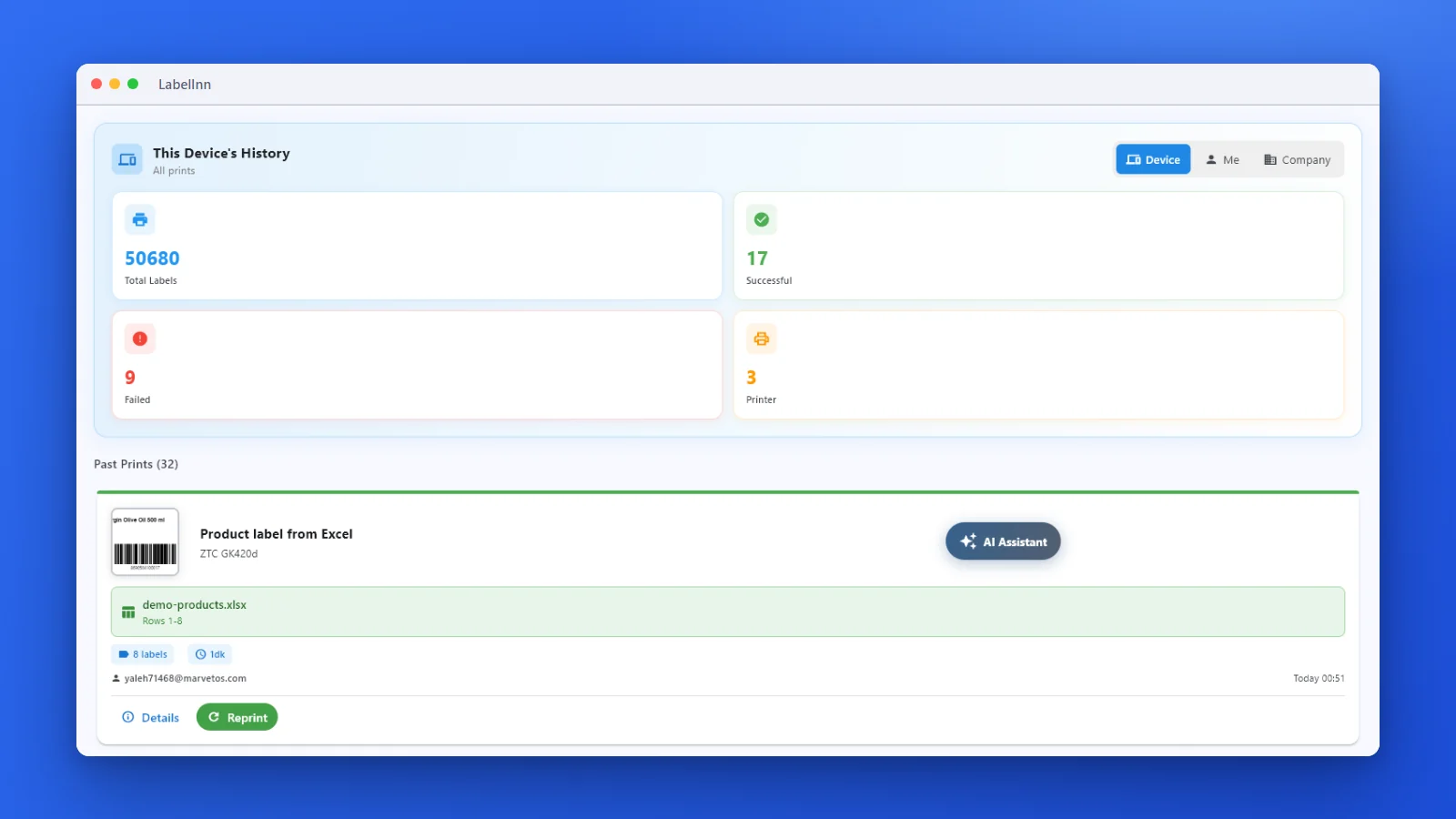
Every job is recorded. See what failed and reprint in one click.
01
The scaling trap
Printing an A4-laid-out PDF onto a 2×1" or 4×6" label means scaling, and a scaled Code 128 loses edge definition. Amazon's receiving scanners are unforgiving about that, and a rejected FNSKU is a physically returned shipment.
Generating the barcode natively at the printer's own dot pitch avoids the problem entirely: the bars land on exact dot boundaries rather than being resampled.
02
The three labels
| Label | Typical size | Barcode |
|---|---|---|
| FNSKU item label | 2×1" (50.8×25.4 mm) | Code 128 |
| FBA carton label | 4×6" (100×150 mm) | Code 128 |
| FBM shipping label | 4×6" (100×150 mm) | Carrier barcode |
03
Bulk FNSKU from a spreadsheet
Export your inventory, map the FNSKU, title and condition columns once, and print one label per row. For a 500-unit shipment that is a single batch rather than 500 PDF operations — and the batch prints in order so it matches how you packed.
04
Practical details
- Condition text ("New", "Used - Good") is required on the label and comes straight from the column
- Long titles truncate predictably rather than overflowing the label
- Reprints come from the audit record, so a damaged label is replaced exactly
- Any thermal printer — this is not a Zebra-only workflow
THE PROBLEM, THEN THE FIX
Hundreds of FNSKU labels should not take an afternoon
One sheet with your SKUs and quantities is all the input there is.
The problemCopying each FNSKU into a label by hand, then printing it, one SKU at a time.
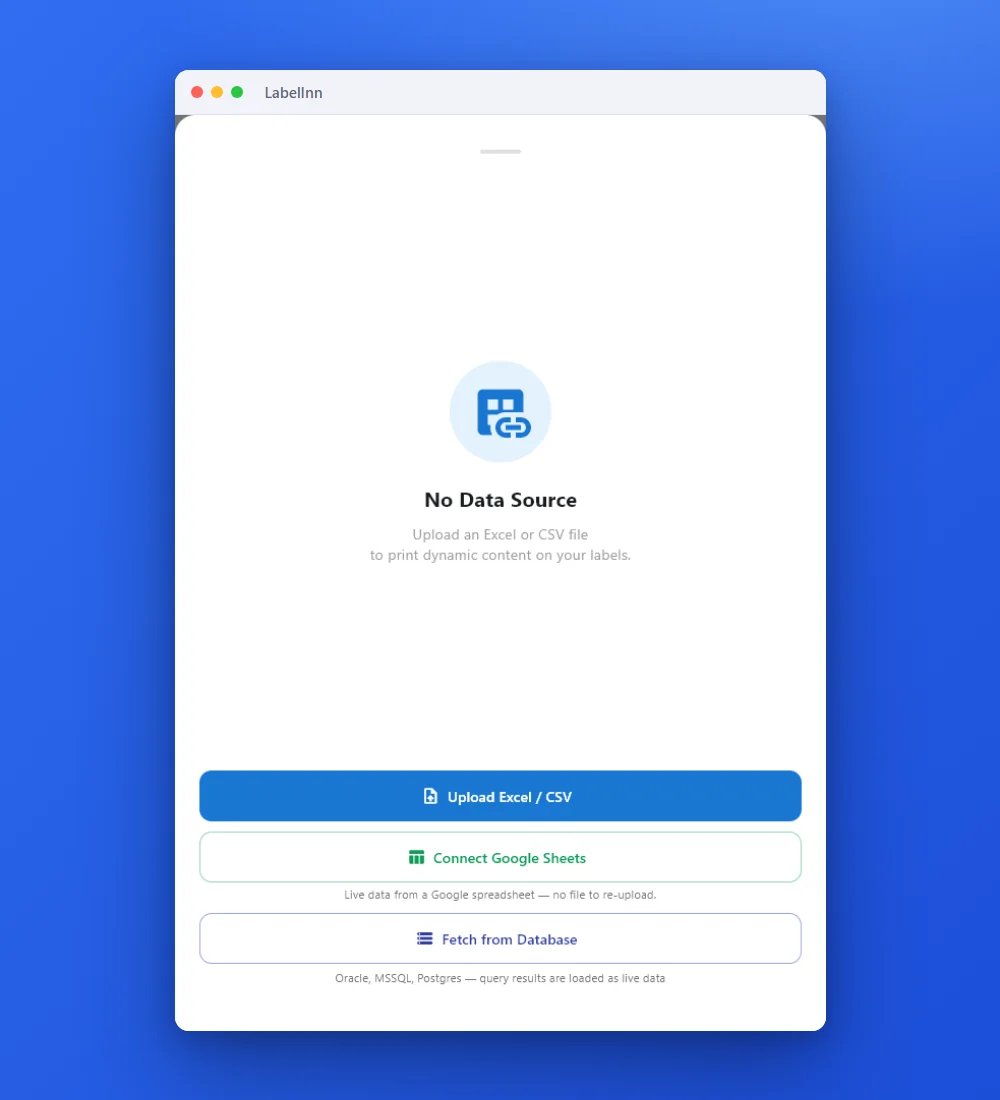 1Point the label at your dataUpload an Excel or CSV file, connect Google Sheets, or fetch from a database.
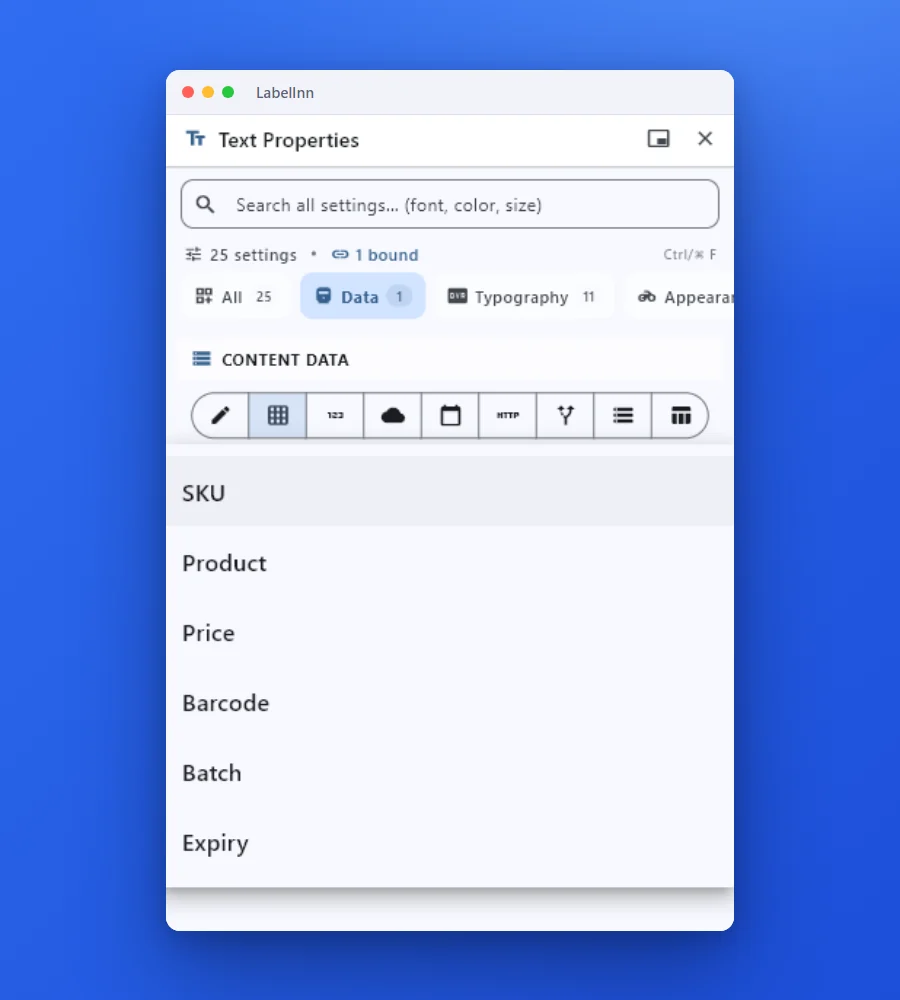 2Pick a column for each fieldChoose the column from the field data-source dropdown. The mapping is saved with the design.
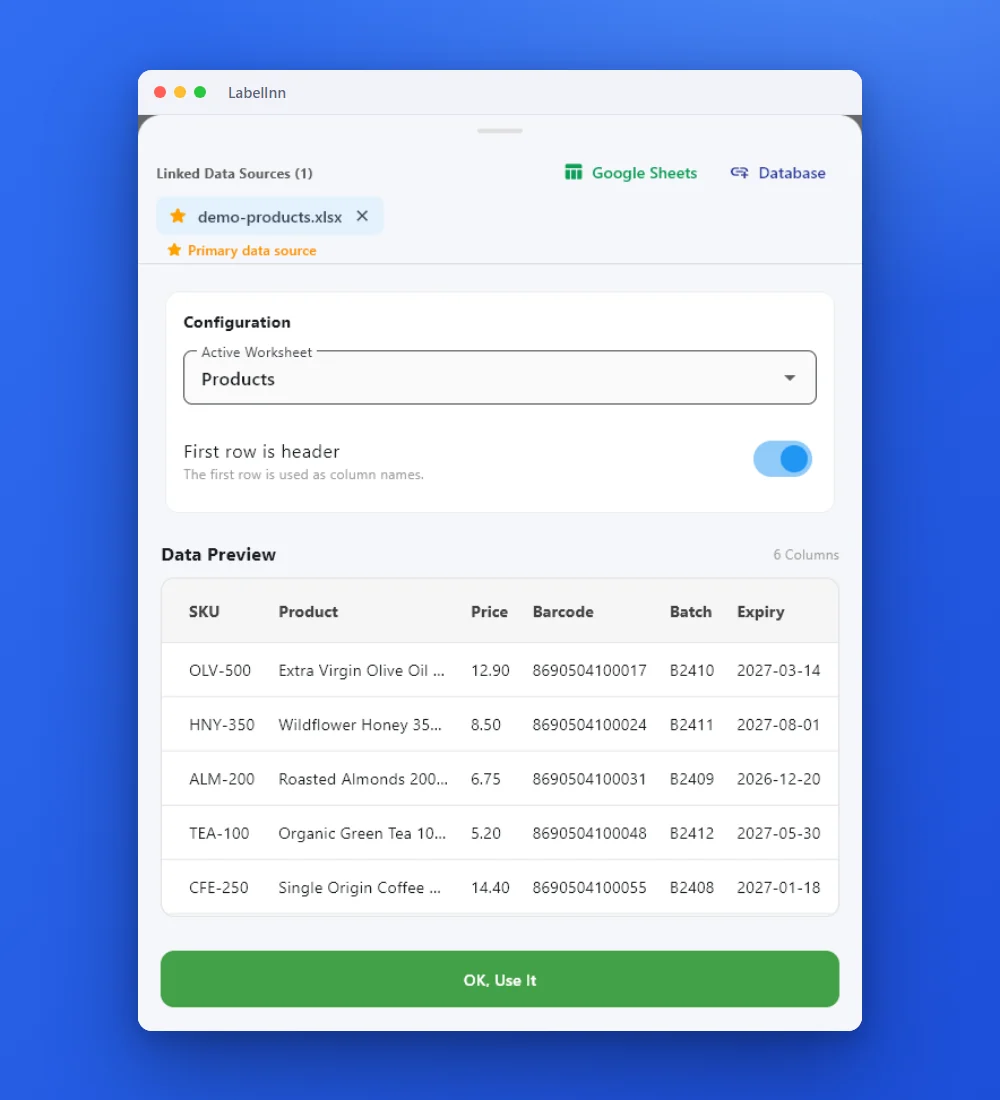 3Check the real rowsThe sheet and its header row are shown before anything prints.
 4Preview, then printCheck the real label, choose the printer and the number of copies, and print.
The fixPoint the barcode at the FNSKU column, check the real rows, print the range.Get LabelInn free
ANY PRINTER
Design it, bind your data, print on the printer you already own.
Zebra, TSC, Toshiba, Epson and more — over USB, network or Bluetooth, with no driver to install.
PRICING
Start free. Pay when it earns its keep.
KEEP GOING
Related
NEXT STEP / LABELINN
Print FNSKU labels that scan first time