UPDATED JUNE 15, 2026 / ENTERPRISE DATA
Print Labels Straight From Your Database Oracle, SQL Server, PostgreSQL, MySQL & SAP HANA
LabelInn prints labels straight from Oracle, Microsoft SQL Server, PostgreSQL, MySQL / MariaDB and SAP HANA: a read-only query returns one row per label, and the Windows app prints it on Zebra, TSC, Toshiba or Epson printers in their own language. Database sources are part of the Pro plan ($24.90/month, 14-day trial), and a workflow can print new rows as they appear.
Video / 1:27
Watch: Print labels from a database
1:27 walkthrough in the real app. Step-by-step page →
THE PROBLEM
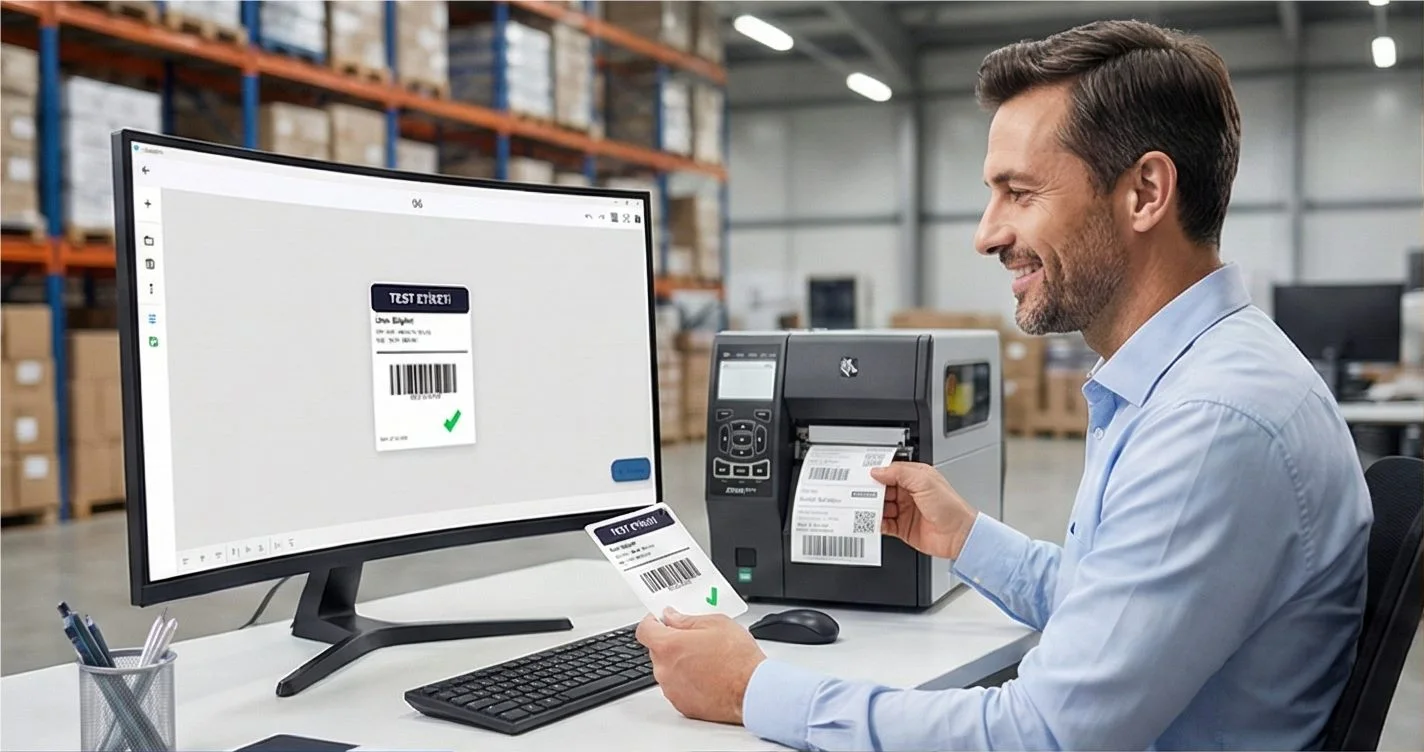
Most label data already lives in a database — your ERP, WMS, MES or LIMS. LabelInn connects to it directly, so the lot number, batch, expiry date, GHS phrases or shipping fields on a label come from the same source of truth your business runs on. No CSV export. No copy-paste. No middleware.
And you don't need to be a SQL expert to use it: describe the data you want in plain English and the AI query builder writes the read-only SQL for you.
Run your labels off live data. Connect Oracle, SQL Server, PostgreSQL, MySQL or SAP HANA, preview a query, and bind it onto a label in minutes. Start a free trial → · Download the desktop app →
HOW IT WORKS
Three screens from data to printed label.
No copy-paste, no hunting for templates. The same flow repeats for every record.
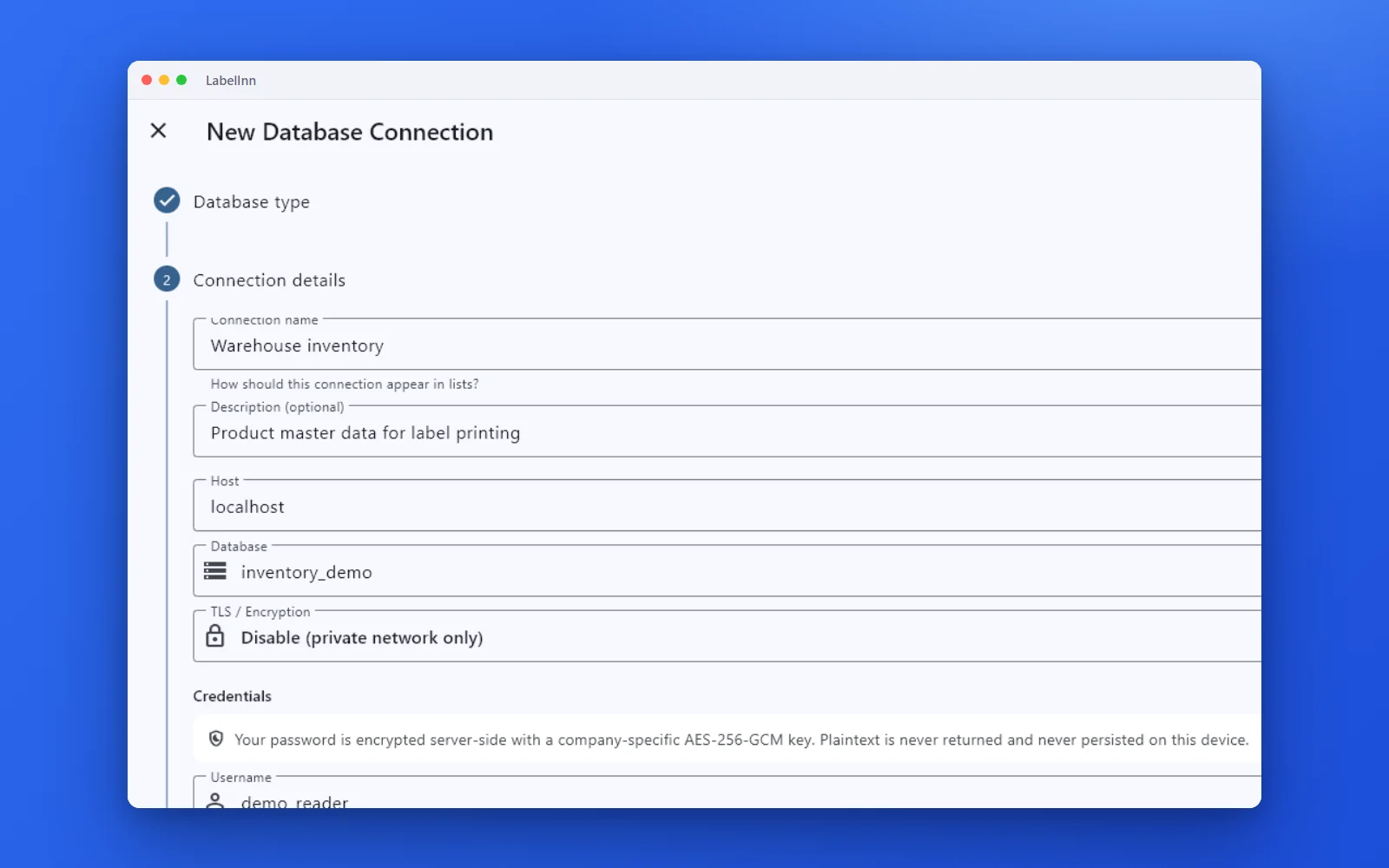
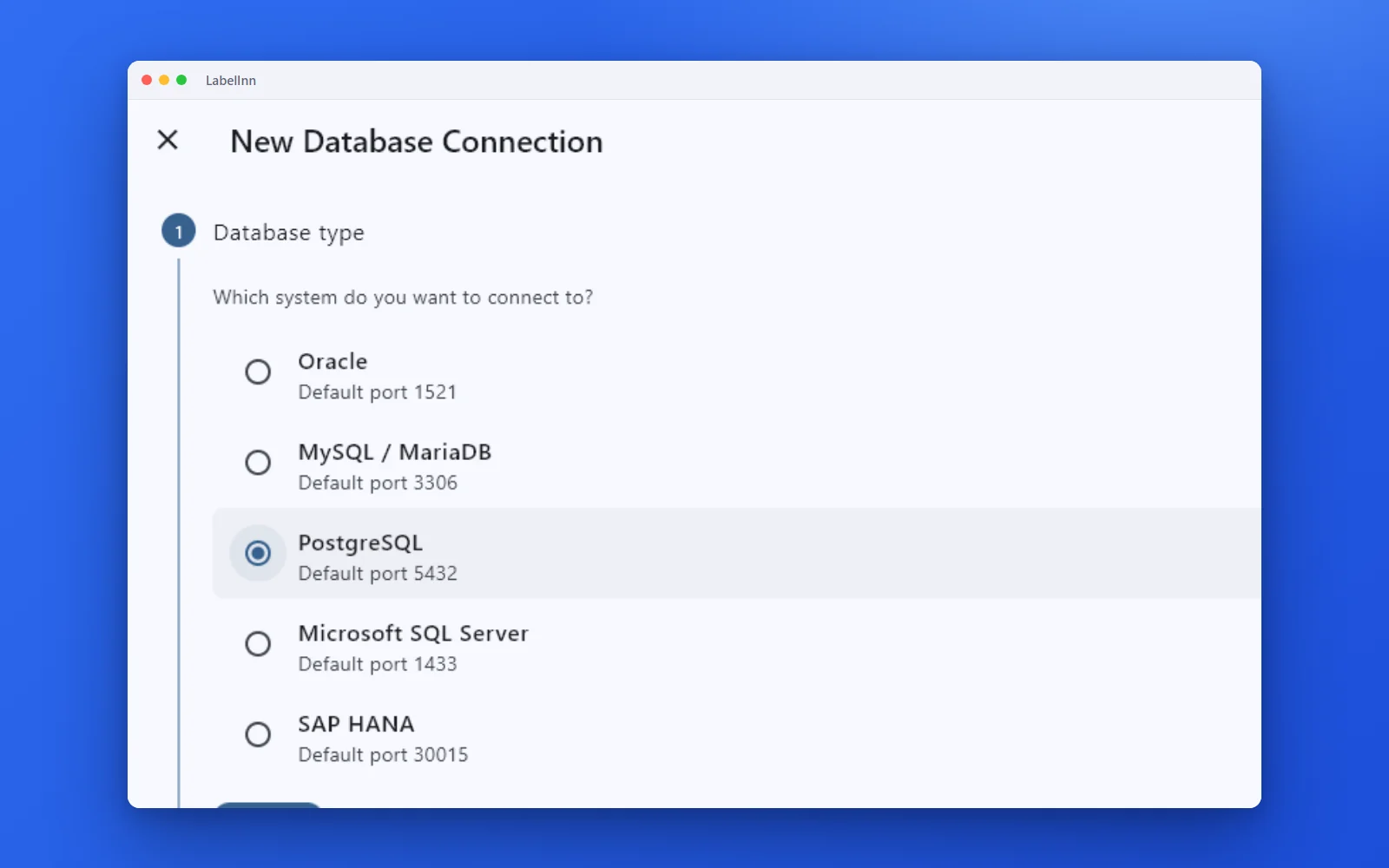
Choose the engine, test the connection and browse the schema.
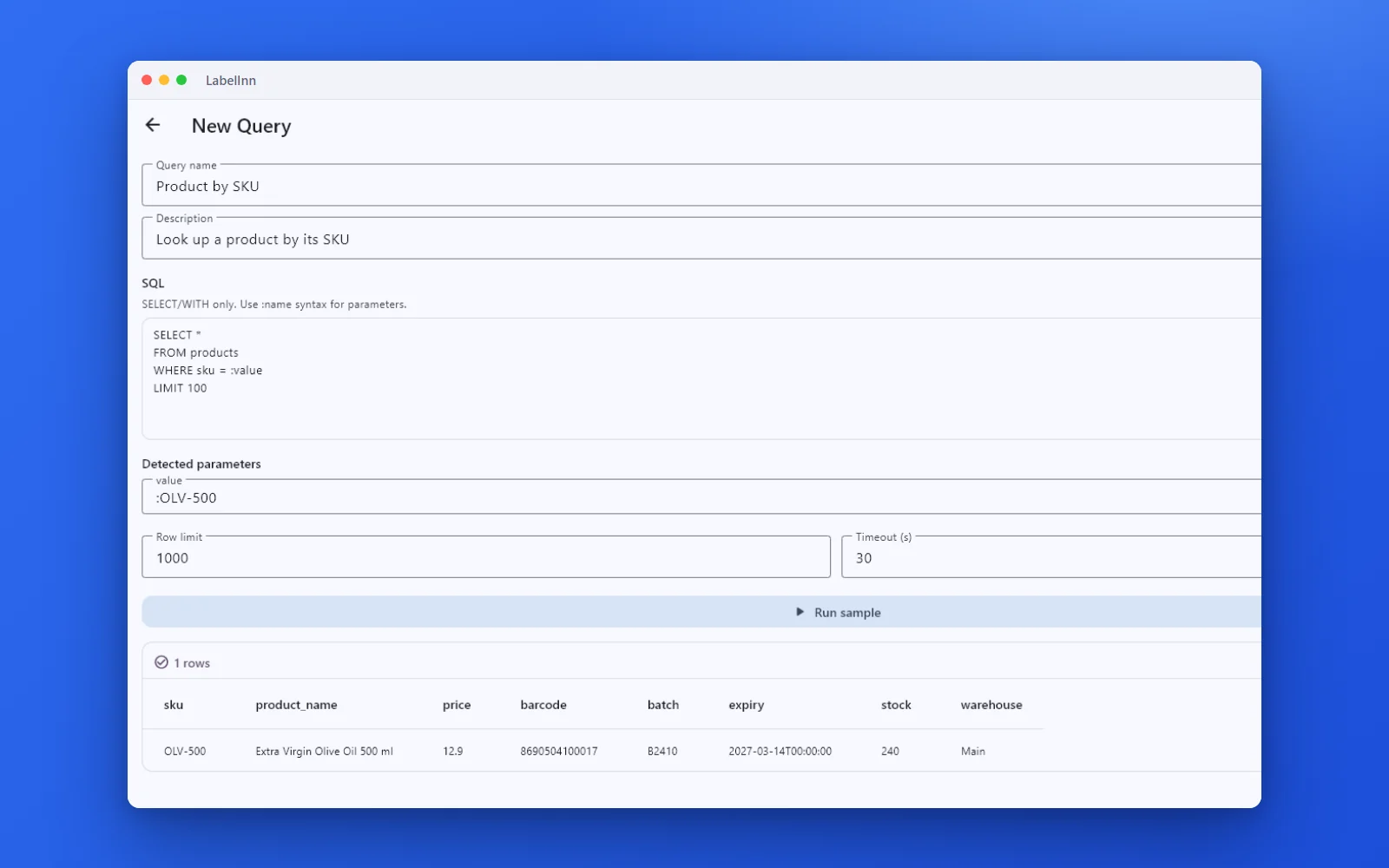
A named, parameterised query returns the rows a label needs.

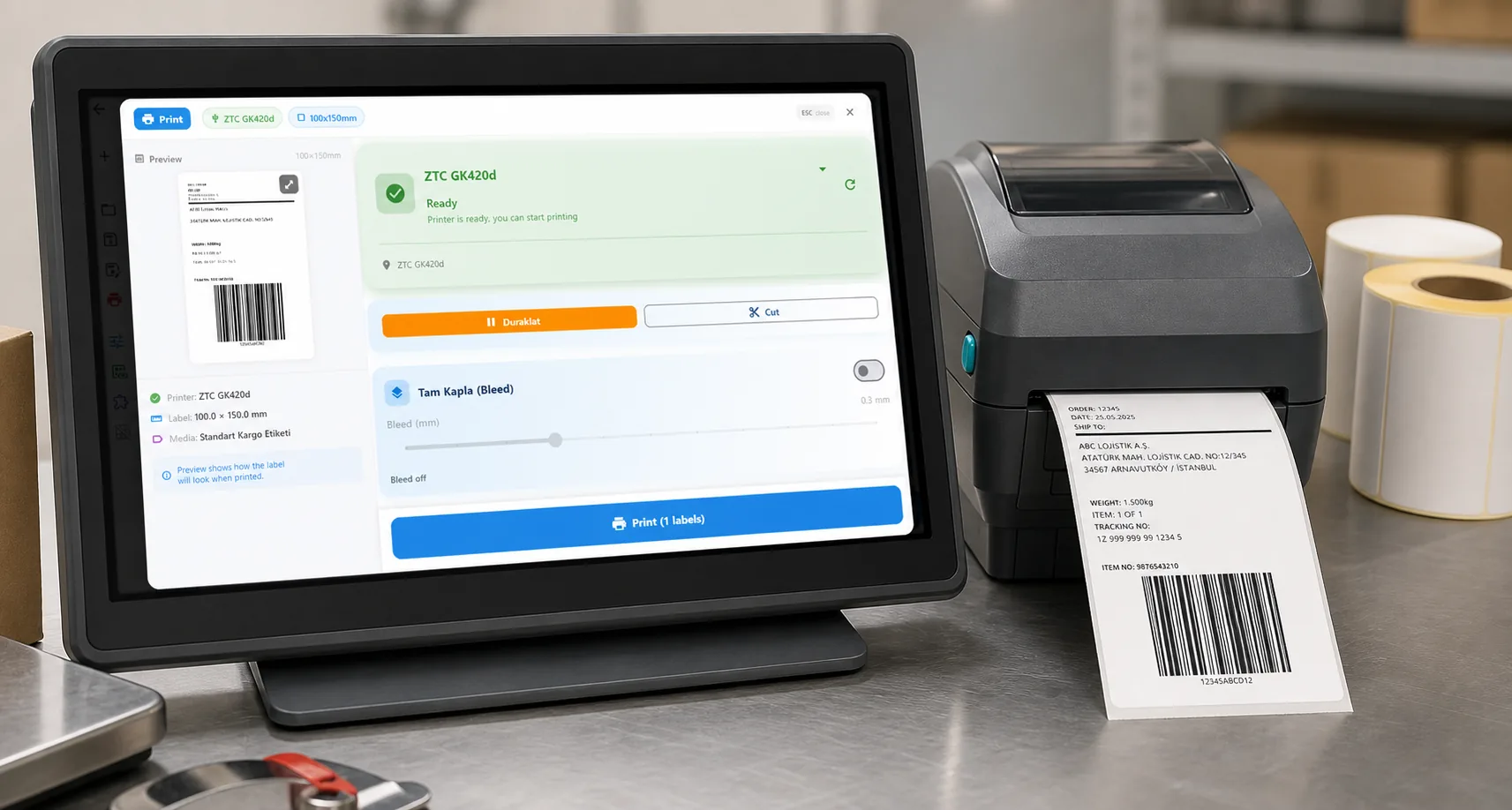
Preview, pick the printer and print the result.
01
Databases LabelInn connects to
A small LabelInn program, the database bridge, runs next to the Windows app and holds the connection. The drivers for Oracle, SQL Server, PostgreSQL and MySQL / MariaDB are built into it, so there is no ODBC or Instant Client to install; only SAP HANA needs the SAP HANA Client. Each engine has its own setup page:
- Print labels from Oracle — listener on port 1521, Oracle SQL
- Print labels from Microsoft SQL Server — port 1433, T-SQL
- Print labels from PostgreSQL — port 5432
- Print labels from MySQL / MariaDB — port 3306
- Print labels from SAP HANA — port 30015, database connection only (no RFC/IDoc/BAPI)
No database? The same field binding works from an Excel file, a CSV export or the REST API. All sources are listed on label data sources.
| Database | Supported | Notes |
|---|---|---|
| Oracle Database | ✓ | Service name or SID addressing; FETCH FIRST row limits |
| Microsoft SQL Server | ✓ | Named catalog; SELECT TOP row limits; @param binds |
| PostgreSQL | ✓ | Schema override supported; LIMIT row limits |
| MySQL / MariaDB | ✓ | Named database; LIMIT row limits |
| SAP HANA | ✓ | Optional schema; FETCH FIRST row limits |
Each connection is set up with a guided wizard — host, port, database/service, username, password and TLS mode (require / prefer / disable) — and a one-click Test connection that reports the server version and whether the account looks read-only before you save anything.
02
AI Query Builder — describe it in plain English, get safe SQL
The hardest part of connecting labels to a database is usually writing the query. LabelInn's AI Query Assistant removes that step. Type what you want in plain language and it generates dialect-correct, read-only SQL for whichever engine you're connected to:
- Quick mode — one-shot: describe the result, get a ready-to-run
SELECT. - Chat mode — agentic: the assistant reads your cached schema, runs read-only test queries to see real column values, and refines the query with you over a few turns.
- Dialect-aware — it knows
FETCH FIRST N ROWS ONLYfor Oracle & SAP HANA,LIMIT Nfor MySQL/PostgreSQL, andSELECT TOP Nfor SQL Server. - Parameterized by default — filters become bind parameters (
:lot,:warehouse) you can fill at print time, instead of brittle string concatenation. - Read-only guaranteed — the assistant only ever returns
SELECT/WITHstatements; anything that would modify data is rejected before it reaches your database.
Whether you bring your own Gemini key or use LabelInn Credits, the AI never sees your database password — it only works against the schema and the read-only bridge running on your own machine.
03
Your credentials never leave your machine
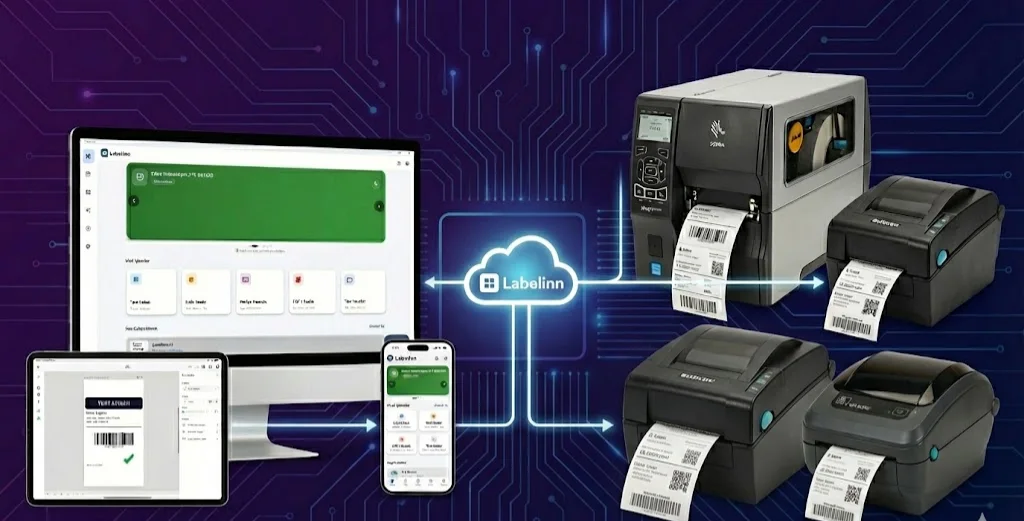
This is the part enterprise IT cares about. LabelInn does not tunnel your database to the cloud. Queries run through an on-premises sidecar — the LabelInn db-bridge — installed next to the app:
- Loopback only — the bridge listens on
127.0.0.1, not on your network. - Bearer-authenticated — every request to the bridge must present a token.
- Protected at rest — a desktop-managed connection keeps the password in OS-backed secure storage (DPAPI on Windows, Keychain on macOS) and never sends it to the cloud. A cloud-managed connection seals it with AES-256-GCM under a per-company key (master key in Secret Manager); the cloud holds only ciphertext, never returns it from any endpoint, and decrypts it solely for an authenticated, audited edge fetch. Connection metadata (host, port, username, schema) is stored in your tenant record either way.
- SELECT-only guard — the bridge rejects
INSERT,UPDATE,DELETE,DROPandEXECin a label query, so a label query cannot change your data. Writing back (for example marking a row as printed) only happens in a workflow step you add yourself, and only with a database user that has that right. - Local query audit log — every query the bridge runs is appended to a JSONL audit file on that machine (one file per UTC day, under
%PROGRAMDATA%). It records the timestamp, request id, endpoint, connection fingerprint, a SHA-256 of the statement, row count, duration and outcome — deliberately not the SQL text and not any result rows. So you can answer "what did the label system read, and when?" without the audit file itself becoming a copy of your data. It stays on your machine and is never sent to us. - Bring a read-only user — for defense in depth, point the bridge at a database account that only has
SELECTrights.
04
Where database data shows up on a label
Once a connection is live, the data can flow into labels three ways:
- Print-dialog lookup — the operator types a value (a lot number, an order ID) and LabelInn runs the filter on the bridge (
WHERE match = :key), so even a 500,000-row table returns the matching rows instantly. The operator picks a row and the label fills in. - Canvas table importer — drop a database table onto the canvas, preview the result set, and bind columns to text, barcodes or list elements for a sheet of labels.
- Saved query library — store reusable, parameterized queries per connection so the whole team prints from the same vetted SQL.
From there it's the same LabelInn you already know: render to the printer's native language (ZPL, TSPL, Toshiba TPCL, Epson ESC/Label), print over driverless USB / TCP-IP / Bluetooth, or push the job through a visual workflow or the REST API.
05
LabelInn vs traditional label software for database printing
| Capability | Typical label software | LabelInn |
|---|---|---|
| Database connectors | Often a paid/Enterprise add-on | Oracle, SQL Server, PostgreSQL, MySQL / MariaDB, SAP HANA |
| Write the query | Hand-write SQL or map columns manually | AI query builder — plain English → read-only SQL |
| Where credentials live | Varies; sometimes stored centrally | On-prem loopback bridge — OS keystore (DPAPI/Keychain) for desktop-managed connections, AES-256-GCM under a per-company key for cloud-managed ones |
| Write protection | Depends on the DB account you give it | SELECT-only guard rejects writes at the bridge |
| Query audit | Rarely built in | Local append-only query log on the PC (statement hash, row count, outcome) |
| Large tables | Often pulls the whole table client-side | Push-down filter on the bridge — 500k+ rows stay fast |
| Platforms | Windows only | Design anywhere; bridge runs on Windows next to your DB |
06
How it works, end to end
- Connect — run the wizard, point it at your Oracle / SQL Server / PostgreSQL / MySQL / SAP HANA host, and Test connection.
- Query — describe the rows you need in plain English; the AI query builder writes the read-only SQL, or pick a saved query.
- Bind — map the columns onto a label design (text, barcodes, GHS phrases, colors — even color bound to a data field).
- Print — operators look up a row in the print dialog and print; or automate it through a workflow or the REST API.
BEFORE YOU START
Limits and requirements
- Windows only. Database connections run in the LabelInn Windows desktop app, on a PC that can reach the database server. Designs open everywhere, but the query runs on that PC. On a Mac, use Excel, CSV or Google Sheets.
- Drivers: built in for Oracle, SQL Server, PostgreSQL and MySQL / MariaDB. SAP HANA needs the SAP HANA Client on the same PC.
- Read-only label queries: one
SELECTorWITHper query; stored procedures,INSERT,UPDATE,DELETEand multi-statement batches are refused. A database user withSELECTrights is all printing needs. - Defaults per saved query: at most 1000 rows and a 30-second timeout, both editable.
- Automatic printing of new rows needs the Windows app open and signed in on a PC that can reach the database.
- Plan: Pro ($24.90/month or $249/year) or the 14-day trial to bind and print. Every plan can connect and preview 10 rows. See pricing.
- What it reads: tables and views in the database. It does not call ERP application interfaces (RFC, IDoc, BAPI and similar); if your ERP only exports files, use a hot folder, and if it can call a web address, the label printing API.
AUTOMATION
Print new rows automatically
The same saved query can drive a workflow, so labels print as rows appear without anyone opening LabelInn.
- Create a workflow and add a Source step of kind Database. Pick the connection and the saved query.
- Switch on watching new rows. Choose a key column (an order or lot number) so each row is recognised; without one, the whole row is compared.
- The query runs every 30 seconds by default (from 5 seconds to an hour). Each row it has not seen before goes through the workflow once: pick a design, choose the printer, print.
- Optional: add a write-back step that marks the row as printed in your database. It needs a database user that may update that table.
Not in a database? A Google Sheet or a hot folder can start the same kind of workflow. The overview of every source is on label data sources.
ANY PRINTER
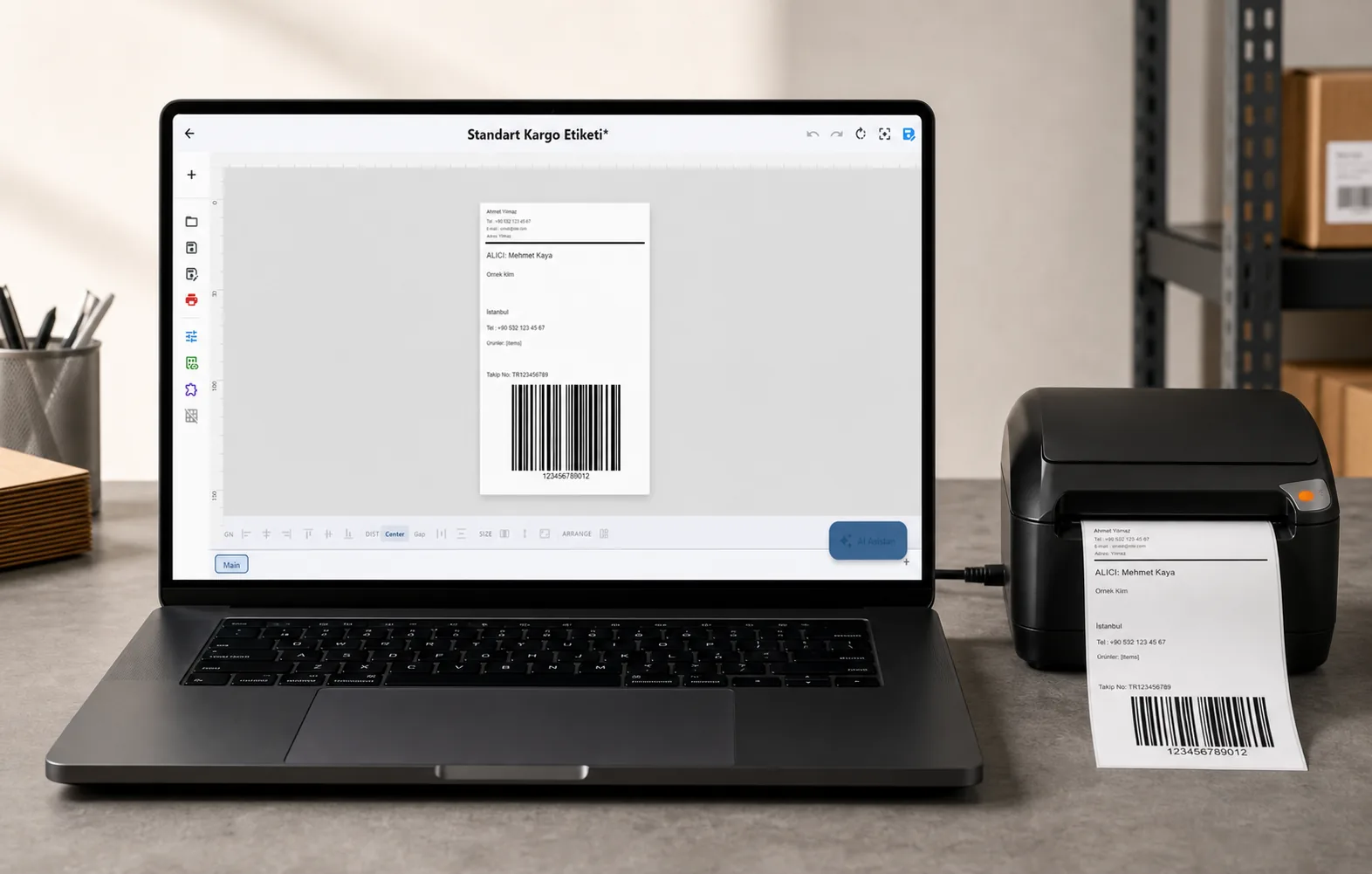
Design it, bind your data, print on the printer you already own.
Zebra, TSC, Toshiba, Epson and more — over USB, network or Bluetooth, with no driver to install.
PRICING
Start free. Pay when it earns its keep.
QUESTIONS / FAQ
Frequently asked questions
Can LabelInn print labels directly from an Oracle or SQL Server database?
Yes. LabelInn connects directly to Oracle, Microsoft SQL Server, PostgreSQL, MySQL / MariaDB and SAP HANA. You select a connection and a query (or let the AI query builder write one), preview the rows, and bind them straight onto a label design — there's no CSV export step.
What is the AI query builder?
It's a natural-language-to-SQL assistant inside LabelInn. Describe the data you want in plain English and it generates dialect-correct, read-only SQL — FETCH FIRST for Oracle and SAP HANA, LIMIT for MySQL/PostgreSQL, TOP for SQL Server — using bind parameters. It can read your cached schema and run read-only test queries to refine the result. Only SELECT / WITH statements are ever returned.
Do I need to write SQL?
No. The AI query builder writes the SQL for you from a plain-English description, and operators can simply type a value (like a lot number) into the print dialog to look up the matching row. SQL-fluent users can still write and save parameterized queries by hand.
How large a table can it handle?
Lookups push the filter down to the database (WHERE match = :key) and run on the bridge, so tables with 500,000+ rows still return the matching records quickly instead of being pulled client-side.
Which label printing software works with thermal printers, an ERP database and shipping carriers?
LabelInn covers all three on the Pro plan ($24.90/month). It reads ERP data straight from Oracle, SQL Server, PostgreSQL, MySQL / MariaDB or SAP HANA, or from Excel/CSV files and its REST API. It prints Shopify and marketplace orders and connects to shipping carriers; today those are Turkish carriers, see carrier integrations. Labels go to Zebra, TSC, Toshiba and Epson printers in their own language, with no printer driver.
Is LabelInn a good fit for a small logistics or e-commerce company with an ERP?
It fits when your ERP data sits in one of the five supported databases, or when the ERP can export Excel/CSV files or call a web address. One Windows PC that can reach the database runs the queries; the Pro plan includes 3 users and 3 devices. Without a database connection, the Starter plan prints from Excel, CSV and Google Sheets.
Can labels print automatically when a new row appears in the database?
Yes. Use the saved query as the source of a workflow and switch on watching new rows. LabelInn runs the query every 30 seconds by default, prints each new row once, and can mark it as printed with a write-back step. The Windows app must be open and signed in on a PC that can reach the database.
Does printing from a database work on a Mac?
No. Database connections run in the Windows desktop app, because the database bridge is a Windows program. On a Mac you can print from Excel, CSV or Google Sheets, or design on the Mac and let a Windows PC run the database workflow.
Do my database credentials get sent to the cloud?
It depends on where the connection is created. A connection made in the Windows app keeps its password on that PC in Windows secure storage (DPAPI) and never sends it. A connection made from the dashboard or the REST API stores the password encrypted (AES-256-GCM, per-company key) in your company's cloud record, and the PC fetches it when it runs a query. Host, port, database and user name are saved with the connection either way. Queries always run on your own PC, through the bridge.
Is the database connection read-only and safe?
Label queries are read-only: the bridge accepts only one SELECT or WITH statement and refuses INSERT, UPDATE, DELETE, DROP, EXEC and multi-statement batches. Writing to the database only happens if you add a write-back step to a workflow (for example to mark a row as printed); that step has its own checks, such as requiring a WHERE for UPDATE and DELETE. Give LabelInn a database user with SELECT rights only and the database itself enforces read-only. Every query is recorded in a local log on that PC (a hash of the statement, the row count and the outcome, never the SQL text or the rows).
KEEP GOING
Related
NEXT STEP / LABELINN
Put your labels on live data
Connect your database, describe the rows you need in plain English, and print labels straight from your ERP — read-only, encrypted, and audited. · Oracle · SQL Server · PostgreSQL · MySQL · SAP HANA · AI query builder · Credentials stay on-prem