FREE PLAN AVAILABLE / 14-DAY PRO TRIAL
Print Labels From Excel on a Mac
Yes. LabelInn runs natively on macOS (Apple Silicon and Intel): import an .xlsx or .csv, bind columns to text and barcode elements, and print one label per row. Excel and CSV work on a Mac; direct database connections do not, they need the Windows app.
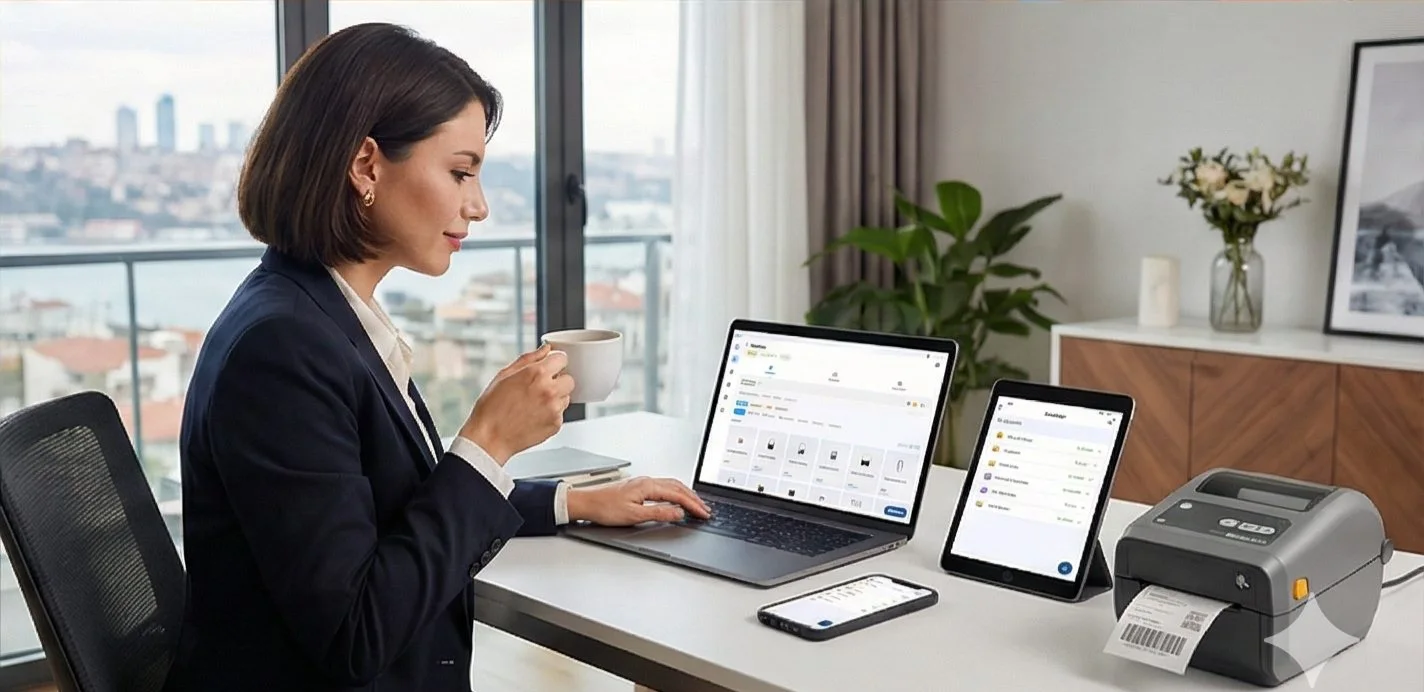
Video / 1:08
Watch: Print labels from Excel
1:08 walkthrough in the real app. Step-by-step page →
HOW IT WORKS
Three screens from data to printed label.
No copy-paste, no hunting for templates. The same flow repeats for every record.
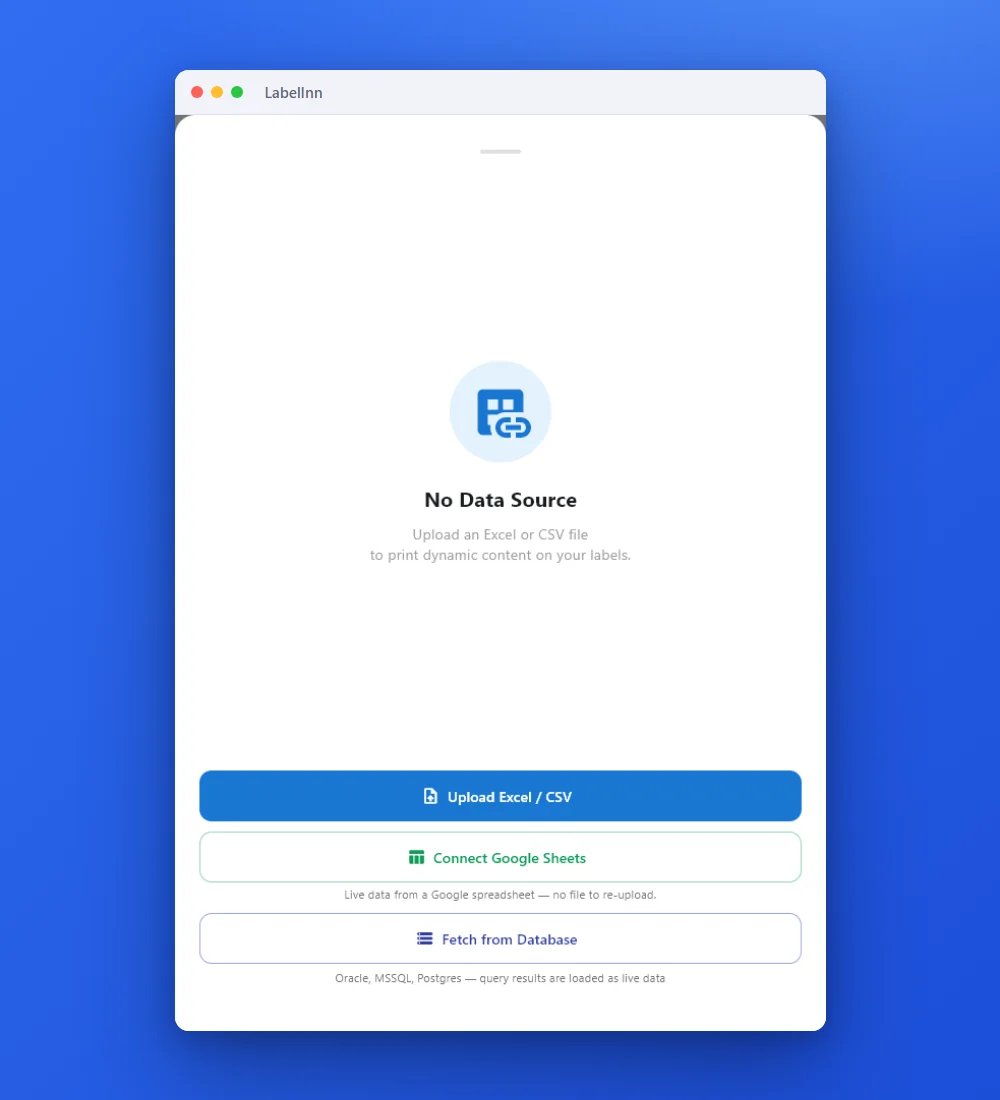
Add the Excel or CSV file as the data source; no export step.
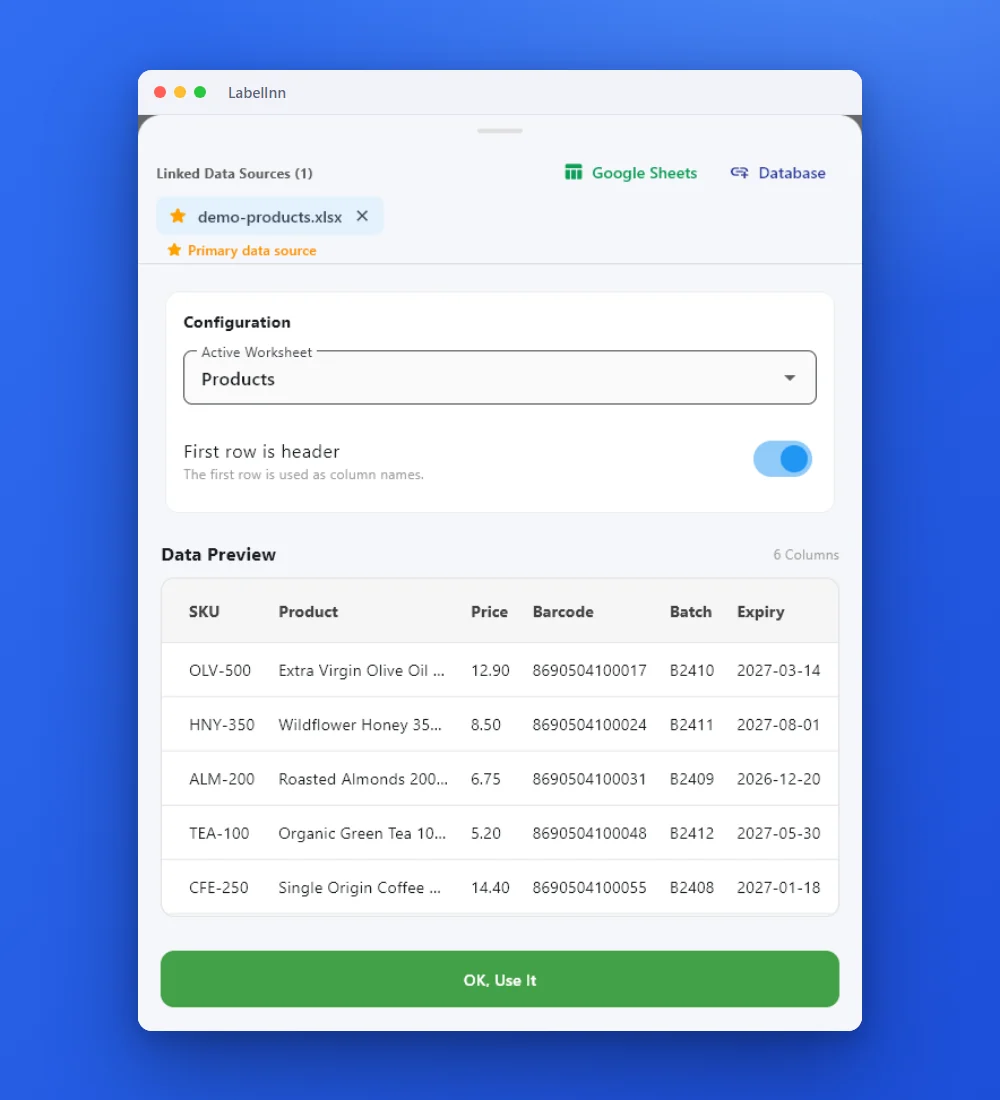
Preview the data, then drop a column onto a text, barcode or QR field.

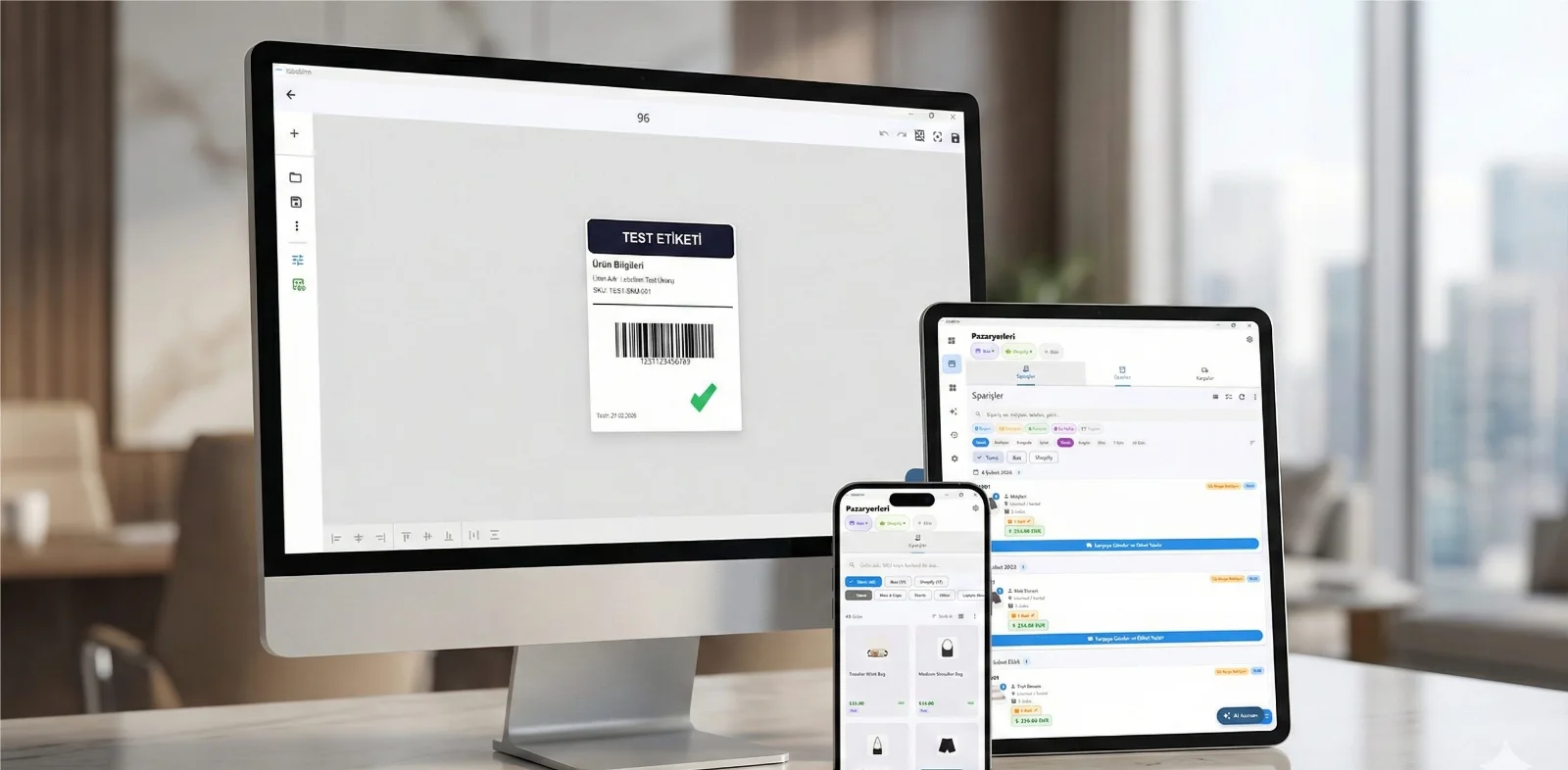
Rows × copies = total labels, shown before you press print.
01
The gap nobody fills
If your labels are driven by data — an inventory sheet, a production order, a batch record, a table in your ERP — the professional tools are BarTender, NiceLabel and ZebraDesigner. All three are Windows-only.
So a Mac-based operations team has two bad options. Run a Windows VM just to print labels, which means a Windows licence, vendor drivers and a second machine image to maintain. Or give up on variable data and retype every label by hand, which is exactly the error-prone process the software was supposed to remove.
The consumer label apps that do run on macOS mostly assume you are printing one address at a time. They have no concept of binding a barcode to a column, let alone querying a database.
LabelInn is a native macOS application (Apple Silicon and Intel) that does variable-data labelling properly: import the data, bind the fields, print the batch — on the Mac, without drivers.
02
From spreadsheet to printed batch in four steps
1. Add the printer — no driver install
LabelInn speaks each printer's own language directly: Zebra ZPL, TSC TSPL, Toshiba TPCL and Epson ESC/Label, over USB, network (TCP 9100) or Bluetooth. There is no vendor driver to install and no CUPS queue to configure, which is what usually breaks label printing on macOS in the first place.
2. Import the spreadsheet
Drop an .xlsx or .csv onto the canvas. LabelInn reads the sheet, lists the columns, and caches the file locally with a content hash — so reopening the design tomorrow does not re-download the same workbook.
3. Bind columns to the label
Select a text or barcode element and point it at a column. The canvas previews real rows, so you can page through actual records and see how a long product name or a 14-digit GTIN behaves before you commit a roll of media to it.
Barcodes are generated from the bound value, so an EAN-13, GS1-128 or Data Matrix is regenerated per row rather than pasted in as an image.
4. Print one label per row
Pick the row range and print. Each label is rendered on the Mac and sent to the printer individually rather than handed over as one serialised printer-side job. That sounds like an implementation detail until a run gets interrupted: because the app knows exactly which label was last confirmed, pausing or cancelling stops where you expect and you can resume from the correct row instead of reprinting 400 labels.
03
When a spreadsheet isn't the source of truth
Exported files go stale. If the real data lives in a database, LabelInn connects to it read-only — Oracle, Microsoft SQL Server, PostgreSQL, MySQL / MariaDB and SAP HANA — so the label is driven by live records instead of yesterday's export. Direct database connections currently run on the Windows desktop app; on macOS, keep using Excel or CSV.
On the Windows app, a connection created in the desktop app keeps its password in the operating system's secure storage on that PC; the host name and user name are saved with the connection. Connections created from the dashboard or the API store the password encrypted in your company's cloud record instead. Full detail on the connectors is on the database label printing page.
For teams whose orders arrive from somewhere else entirely, labels can also be triggered over the REST API — the same design, printed from a script, an ERP job or a warehouse system.
04
Honest comparison
| Capability | LabelInn on macOS | BarTender / NiceLabel |
|---|---|---|
| Runs natively on macOS | Yes — Apple Silicon & Intel | No — Windows only |
| Excel / CSV binding | Yes | Yes (on Windows) |
| SQL database binding | Not on macOS: database connections need the Windows desktop app | Yes (on Windows) |
| Vendor driver required | No | Typically yes |
| Runs without a Windows licence | Yes | No |
| Free plan | Yes | No |
BarTender and NiceLabel are mature Windows products with capabilities LabelInn does not claim to match feature-for-feature. The point of this table is narrower and factual: on a Mac, they do not run at all without a Windows environment underneath.
05
Frequently asked
Can I print labels from Excel on a Mac?
Yes. LabelInn imports .xlsx and .csv, binds columns to text and barcode elements, and prints one label per row — on Apple Silicon or Intel, with no Windows VM and no vendor drivers.
Does BarTender run on macOS?
No. BarTender is a Windows application, as are NiceLabel and ZebraDesigner. Mac users normally run them under Parallels, Boot Camp or a VM, which means maintaining a Windows licence and printer drivers alongside macOS.
Can labels come straight from a database?
Not on a Mac today. Read-only connections to Oracle, SQL Server, PostgreSQL, MySQL / MariaDB and SAP HANA run through a Windows-only component, so on macOS export the rows to Excel or CSV. On Windows the connections are a Pro plan feature.
What if a batch is interrupted?
Labels are rendered on the host and sent one at a time, so pause and cancel stop at the last confirmed label and you resume from the correct row.
Which printers work?
Thermal label printers speaking ZPL (Zebra), TSPL (TSC), TPCL (Toshiba) or ESC/Label (Epson ColorWorks). See the Mac label software page for the wider printer list and setup notes.
Stop maintaining a Windows VM just to print labels Download LabelInn for macOS, import a spreadsheet and print a real batch. The free plan is enough to prove it works with your data and your printer. Download for Mac →
FROM YOUR MAC TO A CLEAN FILE
Save the file so it imports without surprises
Most "wrong label" reports on a Mac start with how the file was saved, not with the printer. These are the menu paths in current versions of the apps; they come from the vendors' documentation and were not re-tested here.
| Source | Export as | Why |
|---|---|---|
| Excel for Mac | File, Save As, format CSV UTF-8 (Comma delimited), or keep .xlsx | The plain "CSV (Macintosh)" option writes the old Mac Roman encoding, which LabelInn reads as Latin-1 and garbles accented letters. |
| Numbers | File, Export To, CSV (check that the encoding is Unicode UTF-8) or Excel | Numbers' own format (.numbers) cannot be imported. |
| Google Sheets | File, Download, Microsoft Excel (.xlsx) or Comma Separated Values (.csv) | The download is an ordinary file that imports like any other. |
SAME IMPORTER AS WINDOWS
What the importer does to the cells, on either system
The Mac and Windows apps read workbooks with the same code, so the rules are identical. The short version:
| In the file | On the label |
|---|---|
SKU stored as a number, displayed as 00417 | 417: store codes as Text |
| Price 4.90 stored as a number | 4.9 (a CSV keeps 4.90) |
| A date cell | 31.03.2027 |
| A formula returning a number | the formula text, so paste values first |
.xls or .xlsb | refused: save as .xlsx |
The full table with measured outputs is on print labels from Excel; the CSV rules (delimiters, UTF-8, BOM) are on print labels from CSV.
WHAT DOES NOT RUN ON A MAC
Windows-only parts, said plainly
- Database connections (Oracle, SQL Server, PostgreSQL, MySQL / MariaDB, SAP HANA) run through a Windows-only bridge program. On a Mac, export to Excel or CSV.
- Excel and CSV binding needs Starter ($7.99/month) or the 14-day trial; on the Free plan the first 10 rows are visible.
- A copy of an attached workbook is stored with the design in your company's cloud storage when you are signed in with design sync on.
ANY PRINTER
Design it, bind your data, print on the printer you already own.
Zebra, TSC, Toshiba, Epson and more — over USB, network or Bluetooth, with no driver to install.
PRICING
Start free. Pay when it earns its keep.
KEEP GOING
Related Pages
NEXT STEP / LABELINN
Print your first label today