TSC / MACOS / TSPL OVER USB OR NETWORK
TSC Printer on a Mac: Driver or No Driver
Two ways to print to a TSC from macOS: TSC's own macOS driver where your model has one, or LabelInn, which sends TSPL straight to the printer over USB or TCP 9100 and needs no driver.
Video / 1:17
Watch: Print labels on a TSC printer
1:17 walkthrough in the real app. Step-by-step page →
THE SHORT ANSWER
01
TSC's driver or LabelInn?
Both are legitimate. Which one fits depends on what you print.
| You want to | Use | Trade-off |
|---|---|---|
| Print from Pages, Preview, a browser or any Mac app | TSC's macOS driver (if your model is covered) plus a CUPS queue | Label size and gap come from driver settings, and each Mac needs the driver installed. |
| Design labels with barcodes and print one per spreadsheet row | LabelInn | The data binding is a Starter feature; only LabelInn can print to the TSC this way, other apps still need the driver. |
| Print shop or marketplace order labels | LabelInn | Marketplace actions need the Pro plan. |
| Change firmware or run TSC's Windows utilities | A Windows PC | TSC's configuration tools are Windows software. |
You can run both: install the driver for general printing and still add the same TSC to LabelInn over USB for label jobs.
02
Set up a TSC on a Mac without a driver
The usual problemThe TSC works on Windows. On the Mac you have no driver for your model, or a driver that gets the label size wrong.
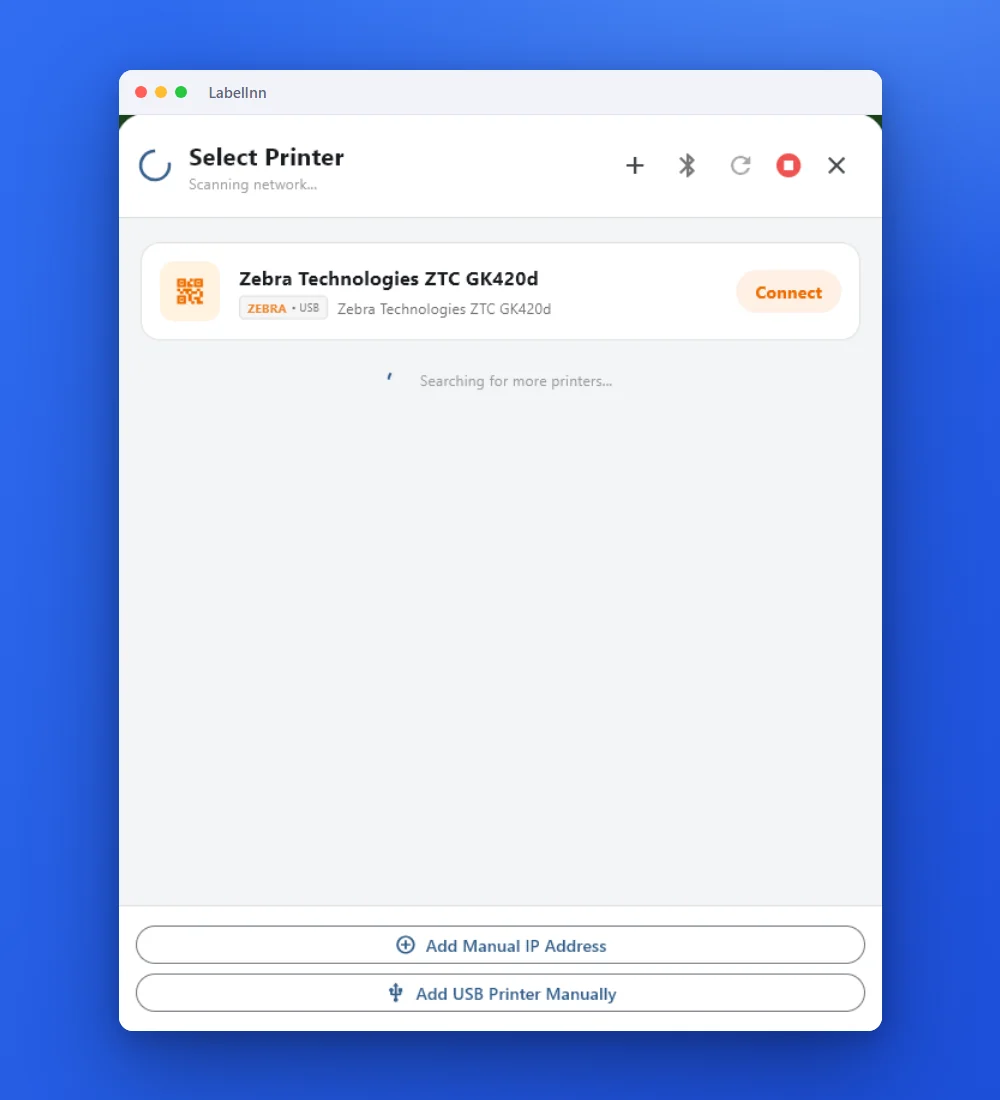 1Find the printerConnect the TSC by USB and open the printer list, or choose Add Manual IP Address for an Ethernet or Wi-Fi model.
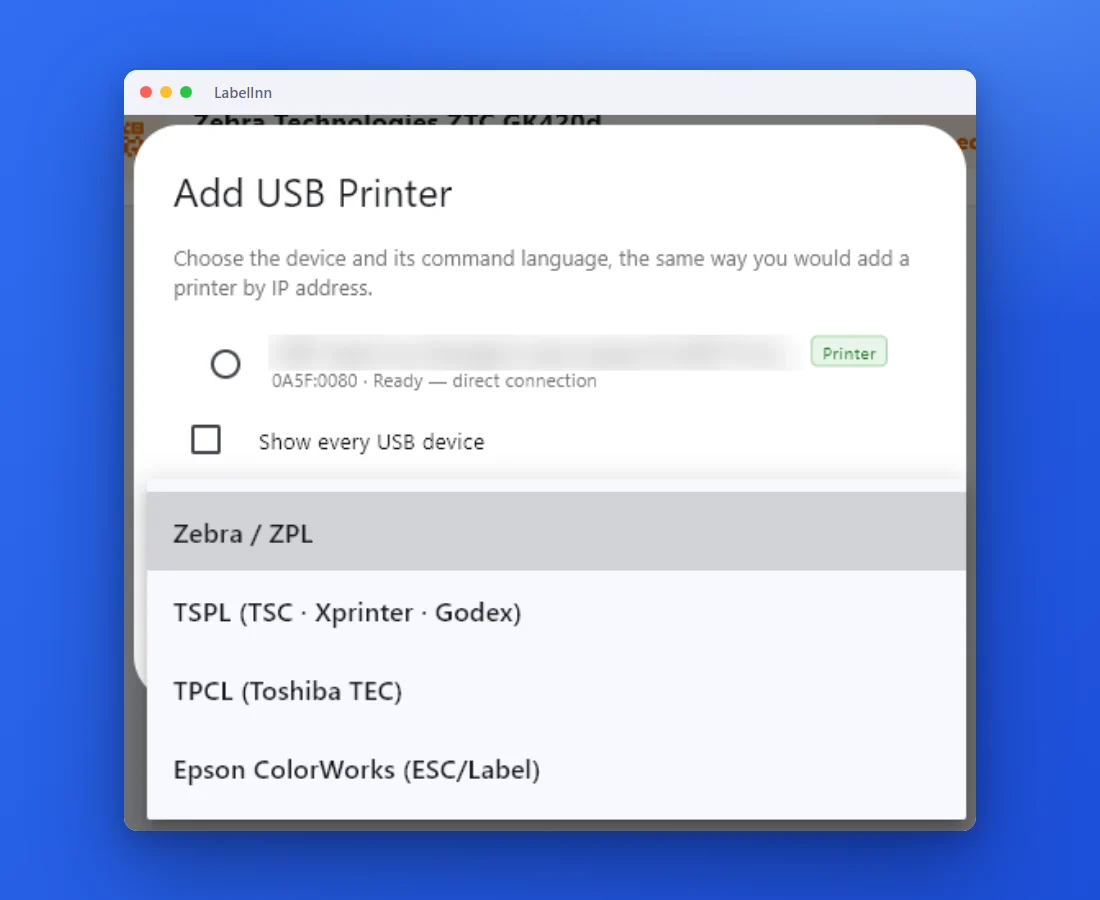
- 2Choose TSPLIf the language is not detected, pick TSPL (TSC, Xprinter, Godex) from the list.
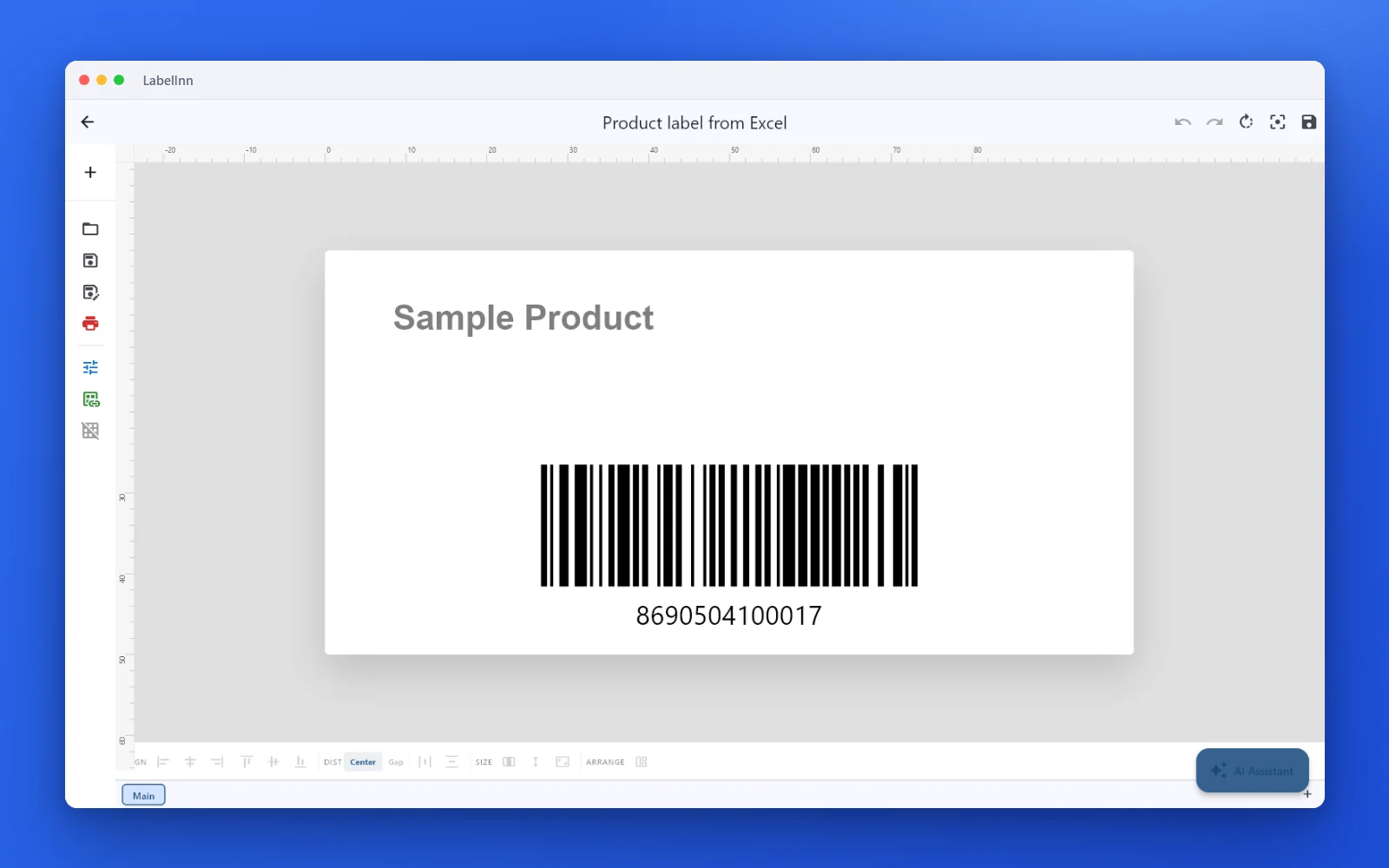 3Set the label size and designEnter the real label width and height of your roll, then add text, barcodes and images.
 4Preview and printCheck the preview and the copy count, then print.
The resultThe TSC receives TSPL with the size and gap you set, not what a driver guessed. Screenshots come from the Windows build of the same app, taken with a Zebra printer connected; the macOS app uses the same screens.Download for Mac
03
Blank labels and the gap sensor
The most common TSC complaint is a blank label between prints or several labels feeding for one job. It comes down to gap or black-mark sensing plus the declared label length, which are TSPL parameters. LabelInn lets you set the media size and can send TSPL's AUTODETECT command so the printer re-learns the gap; the printer's own panel-calibrated darkness and speed are left alone unless you change them. The full diagnosis is in the TSC gap sensor and black mark guide.
04
TSC models
Any TSC that accepts TSPL can be added. Commonly used ones:
- TSC TE200, TE210, TE244, TE310
- TSC TDP-225, TTP-244 Pro, TTP-247
- TSC DA210
Which of these have actually been seen working, and on which operating system, is on the TSC printer evidence page. Model names belong to their manufacturer; LabelInn is not affiliated with TSC. Try your model on the free plan before you commit to anything.
QUESTIONS / FAQ
Frequently Asked Questions
Is there a TSC driver for Mac?
TSC publishes a macOS printer driver for a range of its models, so check TSC's download page for your exact model; a TE244 or TTP-244 Pro may not be on the list. If you only want to print to a TSC from LabelInn you do not need the driver at all, because LabelInn sends TSPL directly over USB or network.
Do I need a driver to use a TSC TE244 on a Mac?
Not with LabelInn. It opens the TSC over USB (or connects to its IP address on port 9100) and sends TSPL commands itself. You need the driver, or a CUPS queue, only to print to the TSC from other Mac apps through the normal print dialog.
Which TSC printers work from a Mac?
Printers that accept TSPL, for example the TE200, TE210, TE244, TE310, TDP-225, TTP-244 Pro, DA210 and TTP-247. The TSC evidence page shows which models have been seen working in production and which are only protocol-compatible. Neither is a claim that we held the hardware.
My TSC prints a blank label between labels. Can LabelInn fix it?
Often the cause is gap or black-mark sensing combined with a wrong label length. In LabelInn you declare the media type and size, and the app can send TSPL's AUTODETECT command so the printer re-learns the gap. The full diagnosis is in the TSC gap sensor guide.
What is TSPL and why does it matter on a Mac?
TSPL is TSC's own printer command language, the same way ZPL is Zebra's. A Mac app that speaks TSPL can print to a TSC with no driver, because the printer receives exactly the commands it understands.
Can I print a batch from a spreadsheet on a Mac?
Yes, on the Starter plan or higher: bind an Excel or CSV column to the label and print one label per row. The free plan prints unlimited labels with typed values.
KEEP GOING
Related
NEXT STEP / LABELINN
Print to your TSC from the Mac
The free plan is enough to add the printer and print a real label.