UPDATED OCTOBER 2026 / MACOS
Best Label Printer App for Mac (2026)
Which label app runs on a Mac depends on the printer. Here are the real options, who each one suits, and where LabelInn is the wrong choice.
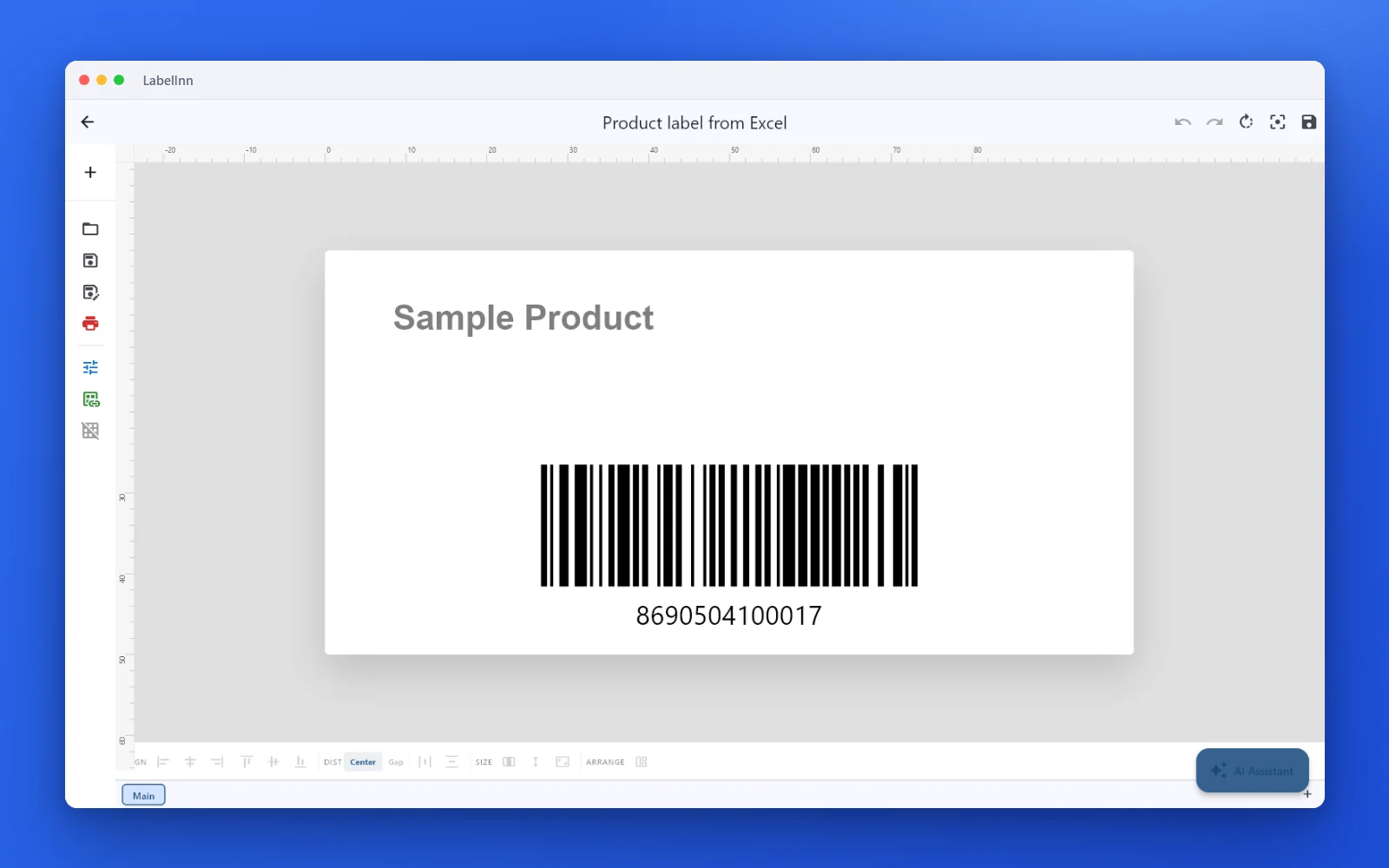
THE SHORT ANSWER
We make LabelInn, so weigh the first line accordingly. The table below is built to be useful even when the answer is not us.
01
Label apps for Mac, by what you print
Six realistic options.
| Option | Best for | Runs on Mac | Limit |
|---|---|---|---|
| LabelInn | Thermal printers (Zebra, TSC, Toshiba, Epson) fed from Excel, CSV, Google Sheets or a shop | Native macOS app, macOS 11 or later | Spreadsheet binding needs Starter ($7.99/month); SQL databases are Windows-only; DYMO on Mac not hardware-tested |
| DYMO Connect (DYMO) | A DYMO LabelWriter used by hand | Yes, made by DYMO | DYMO printers only |
| Brother's Mac apps | A Brother QL or P-touch used by hand | Yes, made by Brother | Brother printers only |
| Avery Design & Print | Sheet labels on a laser or inkjet | Runs in the browser | Sheet stock only, no thermal roll printers |
| Word or Pages | A few labels now and then | Yes | Weak barcode and data support, no direct thermal printing |
| BarTender or NiceLabel in a VM | Teams with existing Windows label files | Only inside Parallels or VMware plus a Windows licence | Two operating systems to maintain; printers must be passed through to the VM |
02
Why this is awkward on a Mac
Most thermal label printers ship with a Windows driver and a Windows designer. macOS has its own printing system (CUPS), and the printer maker's macOS driver, when there is one, usually covers only some models. A Mac app that speaks the printer's language itself (ZPL, TSPL, TPCL, ESC/Label) avoids the driver question for the app's own prints, which is what LabelInn does over USB and TCP port 9100.
The trade-off: the driver route lets any Mac app print to the label printer through the standard print dialog; the direct route is faster to set up and gives exact label sizes, but only for the app that holds the connection.
03
A batch from a spreadsheet, step by step
The jobPrint a label for every row of a product sheet on a thermal printer.
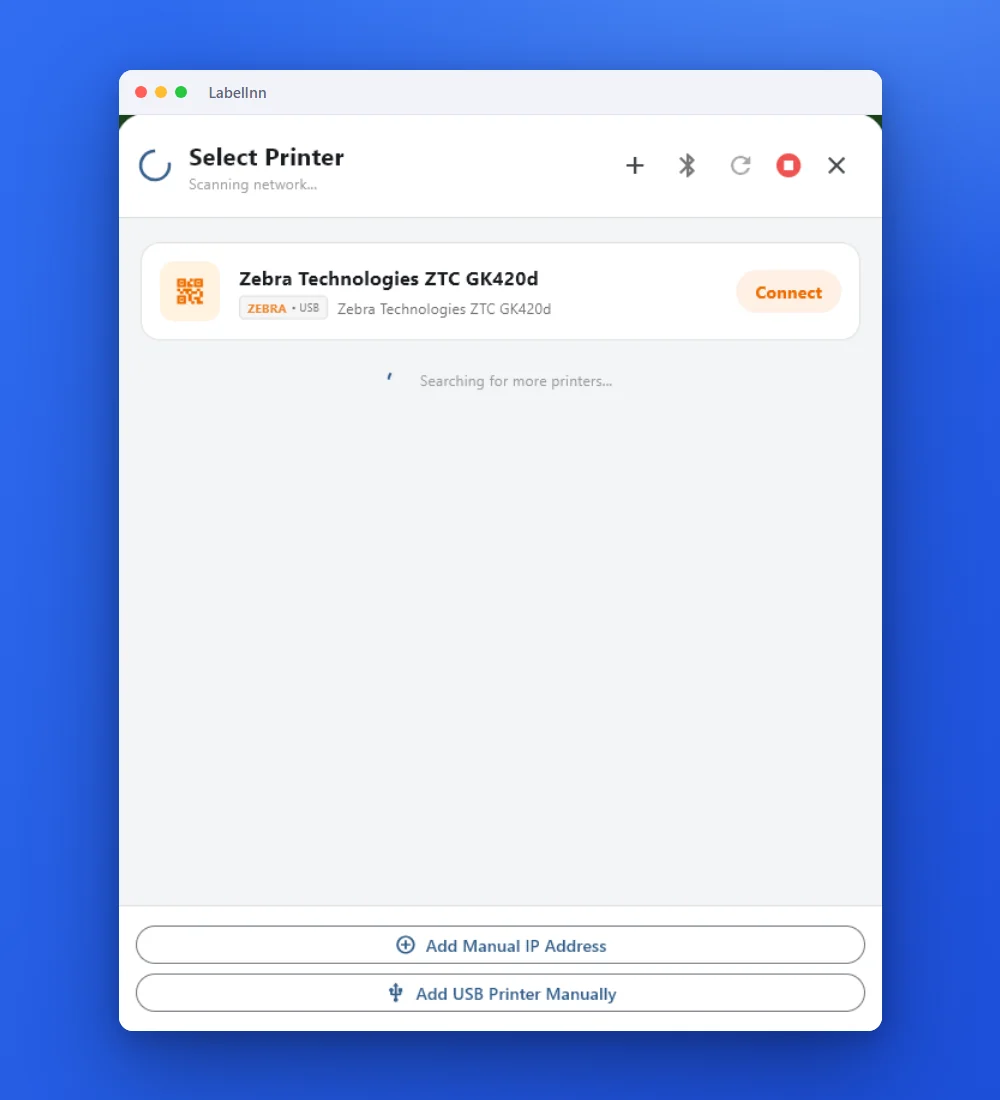 1Connect the printerPlug it in over USB or add its IP address. The app lists it with a Connect button.
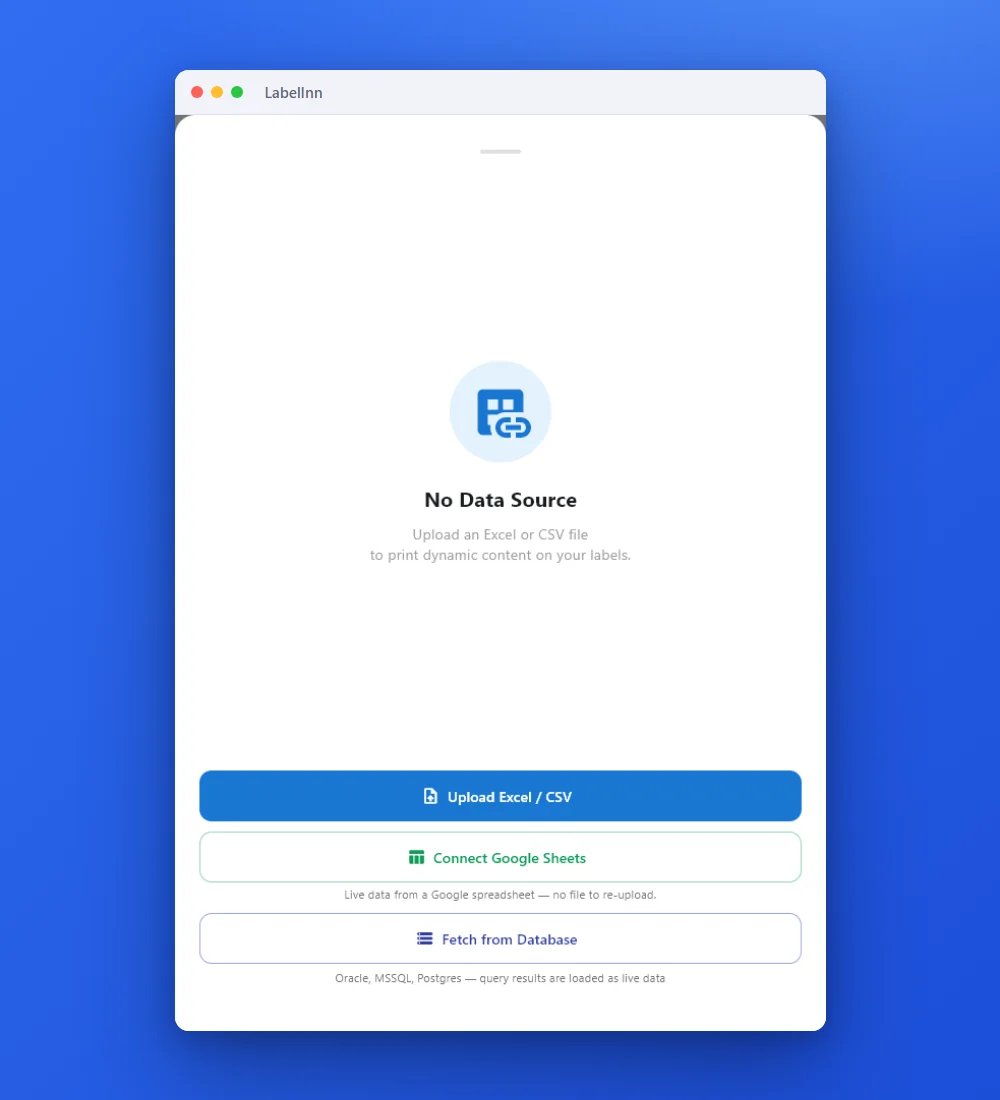 2Choose the dataUpload an Excel or CSV file or connect Google Sheets (Starter plan or higher).
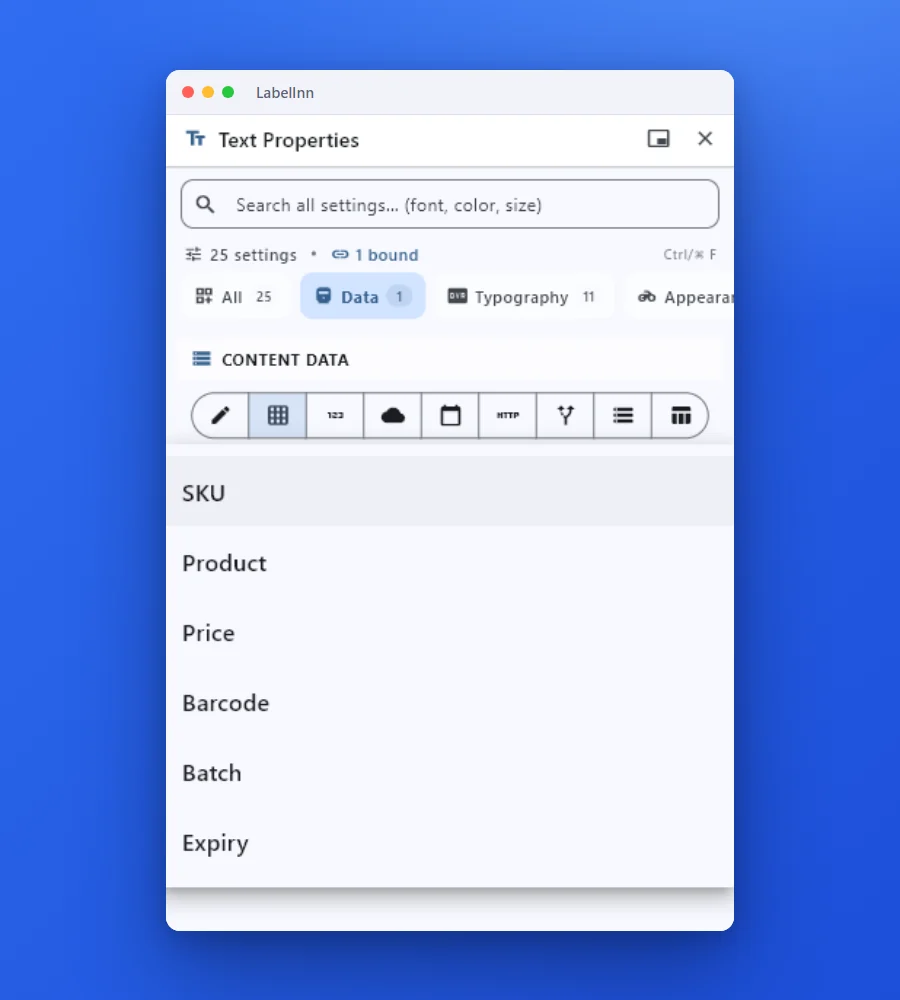 3Pick a column per fieldSelect the column for each text or barcode element. The mapping is saved with the design.
 4Preview and printCheck the real label and the copy count, then print. Eight rows with one copy each is eight labels.
The resultOne design, one label per row. Screenshots were taken in the Windows build of the same app; the macOS app uses the same screens.Download for Mac
04
Which printer to use with which app
| Printer | Easiest app on a Mac | Note |
|---|---|---|
| Zebra ZD, GK, ZT series | LabelInn (ZPL over USB or network) | ZebraDesigner is Windows-only. See Zebra on Mac. |
| TSC TE, TDP, TTP series | LabelInn (TSPL over USB or network) | TSC offers a macOS driver for some models; check yours. See TSC on Mac. |
| Toshiba TEC | LabelInn (TPCL) | See Toshiba on Mac. |
| Epson ColorWorks | LabelInn (ESC/Label) or Epson's own tools | See Epson on Mac. |
| DYMO LabelWriter | DYMO Connect | LabelInn has a macOS path for the 450 family, not yet hardware-tested by us. See DYMO page. |
| Brother QL, P-touch | Brother's Mac apps | LabelInn's Brother route is documented on the Brother page. |
Models that have worked, with the evidence behind each, are on the printer evidence pages.
05
What LabelInn does on a Mac, and what it does not
- Does: design labels at real size, QR and 1D/2D barcodes, bind Excel, CSV and Google Sheets columns (Starter), AI-assisted design, shop order labels for connected marketplaces (Pro), print history, templates synced to the cloud.
- Does not (yet) on macOS: SQL database sources (Windows bridge), a verified virtual printer for printing from other Mac apps, classic Bluetooth printers. Bluetooth LE is beta.
- Prices: free plan with unlimited labels; Starter $7.99/month; Pro $24.90/month. See pricing.
QUESTIONS / FAQ
Frequently Asked Questions
What is the best label printer app for Mac?
For thermal printers (Zebra, TSC, Toshiba, Epson) fed from a spreadsheet or an online shop, LabelInn is a native macOS app that sends the printer's own language over USB or network. For a DYMO or Brother desk printer used by hand, the maker's own Mac app is simpler. BarTender and NiceLabel are Windows programs.
What label printer should I buy for a Mac?
Pick by the label, not the operating system. For 4x6 inch (100 x 150 mm) shipping labels, a desktop thermal printer that speaks ZPL or TSPL (the Zebra ZD and GK lines, TSC TE and TDP lines and similar) works from a Mac with software that sends those languages directly. For small address or name labels, a DYMO LabelWriter or a Brother QL has a Mac app from its maker. Before buying, check that the model has a USB or Ethernet port and look it up on the printer evidence pages.
What is the best thermal shipping label printer for a Mac?
Any 4-inch thermal printer with USB or Ethernet that speaks ZPL, TSPL or TPCL can work, because the Mac does not need a driver when the app sends the printer language itself. The practical differences are print speed, label roll size and whether the model is on our list of production-observed printers for macOS.
Can I print labels from Excel on a Mac?
Yes. In LabelInn, bind an Excel or CSV column to a text or barcode element and print one label per row (Starter plan or higher). See printing labels from Excel on Mac.
Is there a free label printing app for Mac?
Yes. LabelInn's free plan prints unlimited labels from the macOS app. Avery Design & Print is free for sheet labels, and DYMO and Brother provide free apps for their own printers.
Do I need to install a driver for my label printer on a Mac?
Not for LabelInn, which opens the USB printer itself or connects over the network. A driver or CUPS queue is only needed if you want to print to the label printer from other Mac apps through the normal print dialog.
Does LabelInn run on Apple Silicon?
LabelInn for macOS needs macOS 11 (Big Sur) or later and is built for Apple Silicon and Intel Macs. Download it from the download page.
Is LabelInn on the Mac App Store?
The download on this site is a .pkg installer. The download page always shows the current version and size.
Does it work on Windows too?
Yes. The same account works on the Windows and macOS apps, and templates sync through the cloud. A few features differ: SQL database sources, for example, need Windows.
KEEP GOING
Related
NEXT STEP / LABELINN
Try it with your own printer
The free plan is enough to connect a printer and print a real label. No credit card.