STARTER — $7.99/MO / 14-DAY PRO TRIAL ON SIGNUP
Print labels from a CSV file
Add the .csv file as a data source, map columns to label fields and print one label per row. LabelInn detects comma, semicolon and tab delimiters, strips a UTF-8 BOM, reads every value as text (so 00417 stays 00417), and falls back to Latin-1 for non-UTF-8 files, which is why Turkish ANSI exports need one extra step.
Video / 1:52
Watch: Connect your data to labels
1:52 walkthrough in the real app. Step-by-step page →
HOW IT WORKS
Three screens from data to printed label.
No copy-paste, no hunting for templates. The same flow repeats for every record.
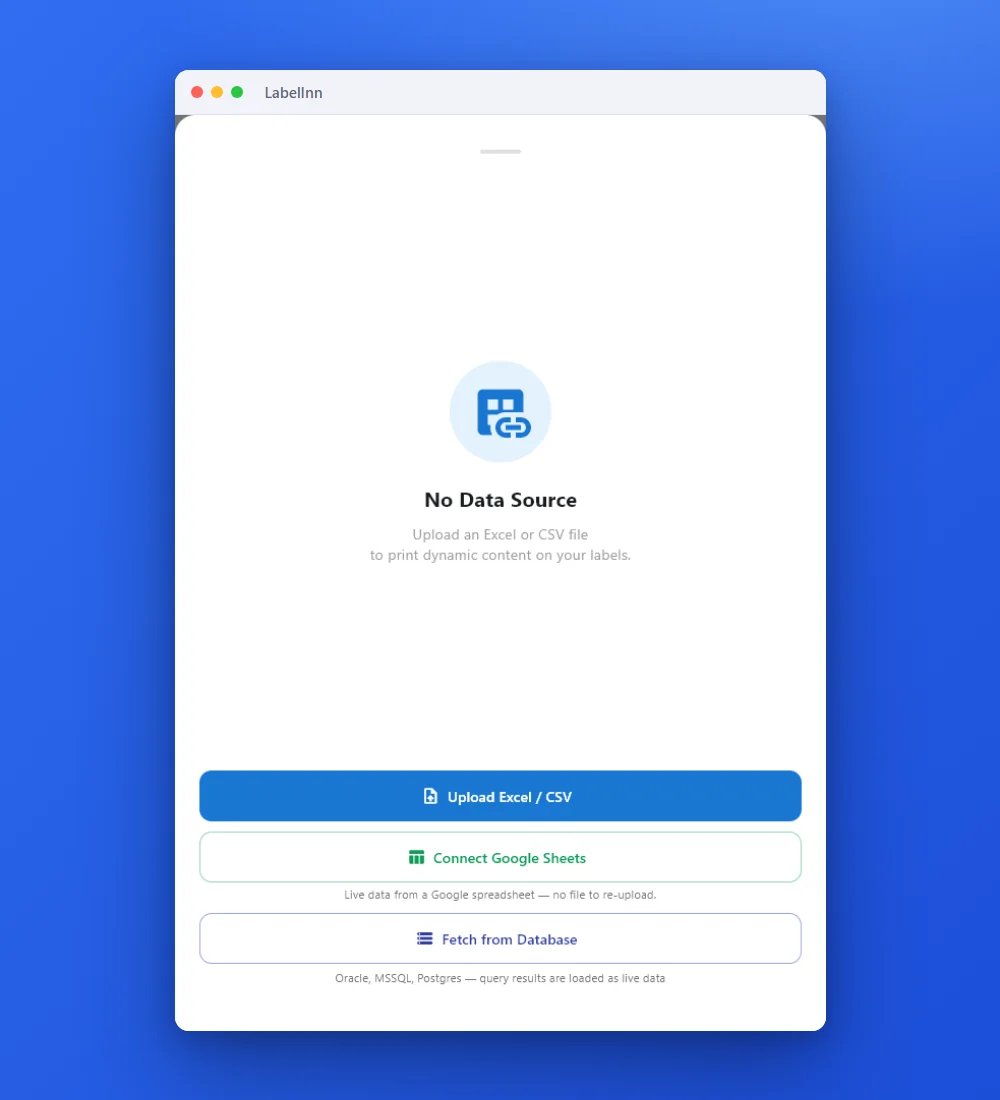
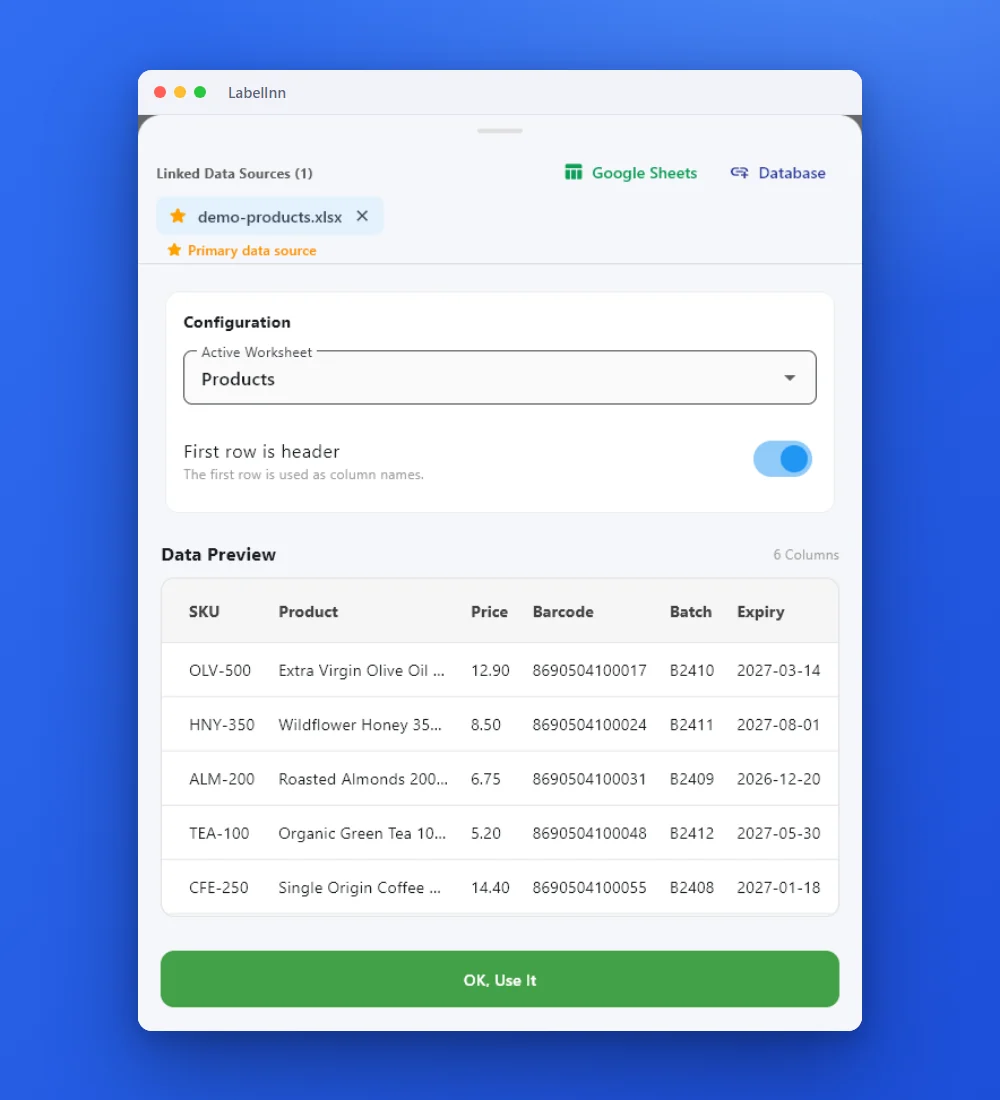
Add the Excel or CSV file as the data source; no export step.
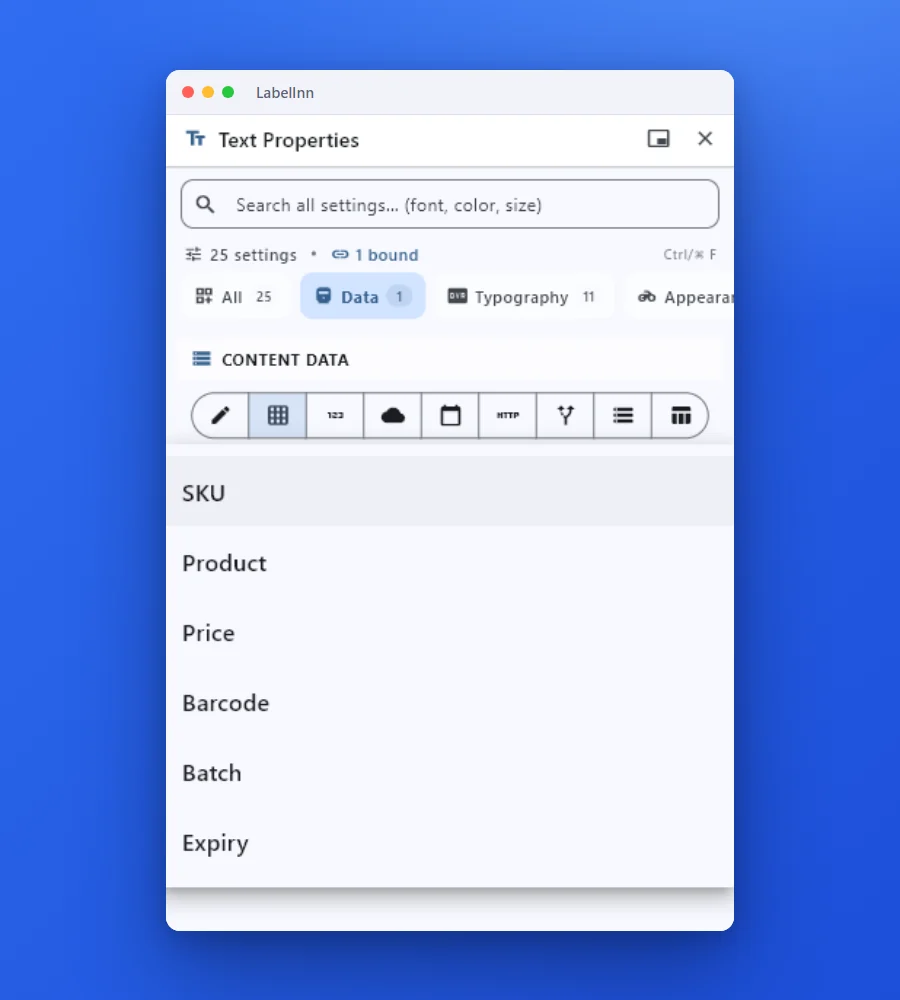
Preview the data, then drop a column onto a text, barcode or QR field.

Rows × copies = total labels, shown before you press print.
01
Who this is for
Teams whose ERP, WMS, marketplace panel or in-house script can produce an export but has no printing integration of its own.
02
Step by step
- Export the rows you want to print from your existing system.
- Add the .csv file as a data source and confirm the header row.
- Map each column onto a label field — text, barcode, QR or RFID.
- Preview a few rows, then print the range or the whole file.
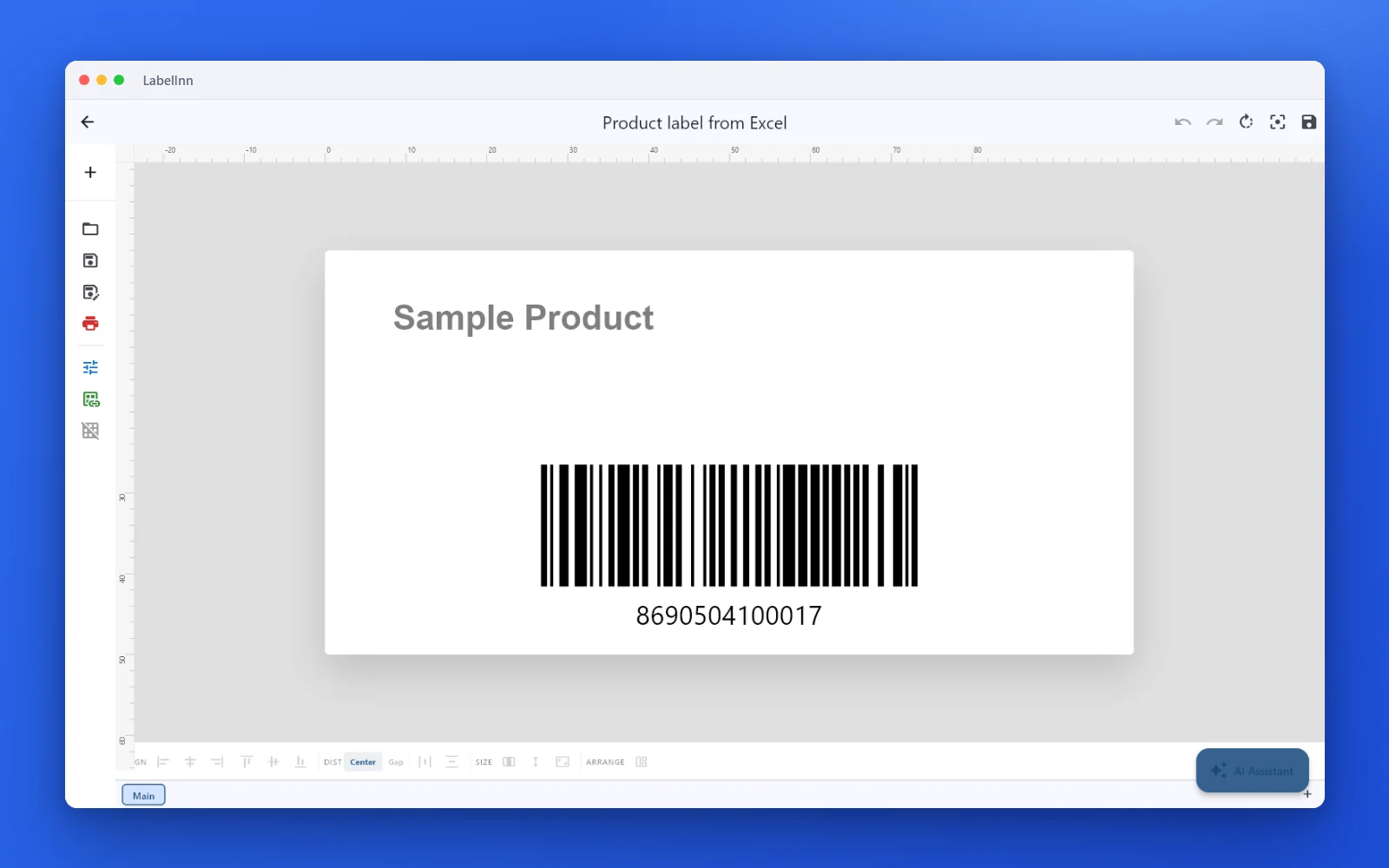
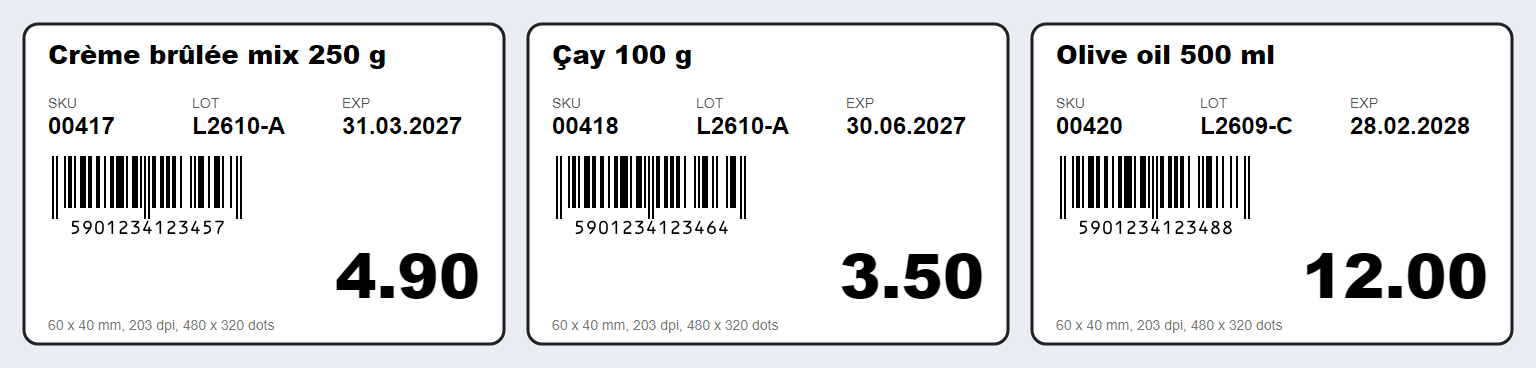
Every row of the sheet is a label in the preview, so you can check a few before you print.
Try it with your own data — signing up starts a 14-day Pro trial, no credit card. After that this feature needs Starter at $7.99/mo. Download now → | See pricing →
03
What you can do
- Any column can feed barcode content, so identifiers print exactly as exported.
- Combine CSV columns with static text, counters and date fields on the same label.
- Re-import an updated export over the same mapping instead of rebuilding the template.
- Printed rows are recorded in the print history for reprint and traceability.
04
Technical details
| Item | Detail |
|---|---|
| Delimiter | Detected from the first line: comma, semicolon or tab, whichever occurs most. Quoted fields with commas, quotes and line breaks are read correctly. |
| Encoding | UTF-8 first (a BOM is removed so the first header is not \ufeffSKU). If the file is not valid UTF-8 it is read as Latin-1. |
| Header | First row is the header by default; switch First row is header off and columns become A, B, C. |
| Values | Everything is kept as text. 00417, 4.90 and 2027-03-31 print exactly as written. |
| Sheets | One sheet, named Sheet1. |
| Where the file is read | Parsed on your PC; when you are signed in with design sync on, a copy is stored with the design in your company's cloud storage. |
| Plan | Starter and above ($7.99/month); the Free plan shows the first 10 rows. 14-day trial on sign-up. |
05
Limits and honest caveats
- Non-UTF-8 files are read as Latin-1, not Windows-1254: in a Turkish ANSI export the letters Ş, İ, ğ and ı come out as Þ, Ý, ð and ý. Save as CSV UTF-8.
- Excel's "Unicode Text" export is UTF-16 and is not read correctly. Use "CSV UTF-8 (Comma delimited)".
- Because values are text, nothing is converted: dates and decimals print as the exporting system wrote them (
31.03.2027,4,90). - CSV binding needs Starter or higher. Printing automatically whenever a new export lands is an automation feature of paid plans.
07
What we verified
The capability is implemented in the LabelInn codebase and the referenced source file names the exact format, engine, port or endpoint described on this page.
lib/providers/data_manager.dart — file picker accepts csv alongside Excel formats
SAMPLE FILES
Two CSV files to test with
The same eight products in the two shapes ERP and spreadsheet exports usually take.
Both import with the same six columns (SKU, Product, Price, Barcode, Batch, Expiry). The comma file keeps the price as 4.90 and the expiry as 2027-03-31; the semicolon file keeps 4,90 and 31.03.2027. Nothing is reformatted, which is the main reason to prefer CSV over a spreadsheet for codes and dates.
CSV OR XLSX?
What changes between a CSV and an Excel workbook
Same data, two files. Measured with the app's own readers.
| Value in the file | From the .csv | From the .xlsx |
|---|---|---|
SKU 00417 | 00417 | 00417 if stored as text, 417 if stored as a number |
| Price 4.90 | 4.90 | 4.9 (number cell), 4.90 only if the cell is text |
| Expiry 2027-03-31 | 2027-03-31 (as written) | 31.03.2027 (real date cell) |
SSCC 305901234000000012 | 305901234000000012 | exact if text; 305901234000000000 if a number |
Formula =A2*B2 | not applicable | the formula text A2*B2 |
| Cell with a comma, quote or line break | read correctly when quoted | read as is |
The CSV reader was run on 17 October 2026 over four files: UTF-8 with BOM (header read as SKU), UTF-8 with semicolons (delimiter detected), Windows-1254 Turkish text (read as Latin-1: Ş became Þ) and UTF-16 "Unicode Text" (unreadable, NUL characters between letters).
TROUBLESHOOTING
Garbled letters, one wide column, shifted headers
- Accented or Turkish letters are wrong. The file is not UTF-8. In Excel use Save As, "CSV UTF-8 (Comma delimited)". In Notepad choose Save As, encoding UTF-8.
- Everything lands in one column. The first line has no delimiter or a different one than the rest of the file. Keep one delimiter and make sure the header row uses it.
- The first column name starts with an invisible character. A UTF-8 BOM. LabelInn removes it, so the symptom points to another tool in your chain.
- Quotes in text break the row. Double them inside quoted fields (
"say ""hi"""), which is standard CSV; both Excel and most exporters do this. - Numbers print with the wrong separator. CSV is text:
4,90stays4,90. Export with the decimal mark you want on the label. - A date or code looks different from Excel. Excel shows what its format says; the CSV holds what was exported. Open the CSV in a text editor to see the truth.
GOING FURTHER
Related paths
Prefer a workbook? See print labels from Excel. To turn a CSV into raw printer code without installing anything, use the free CSV to ZPL converter. To print new exports without opening the app, read about hot folder printing. The long guide is Bulk label printing from Excel.
ANY PRINTER
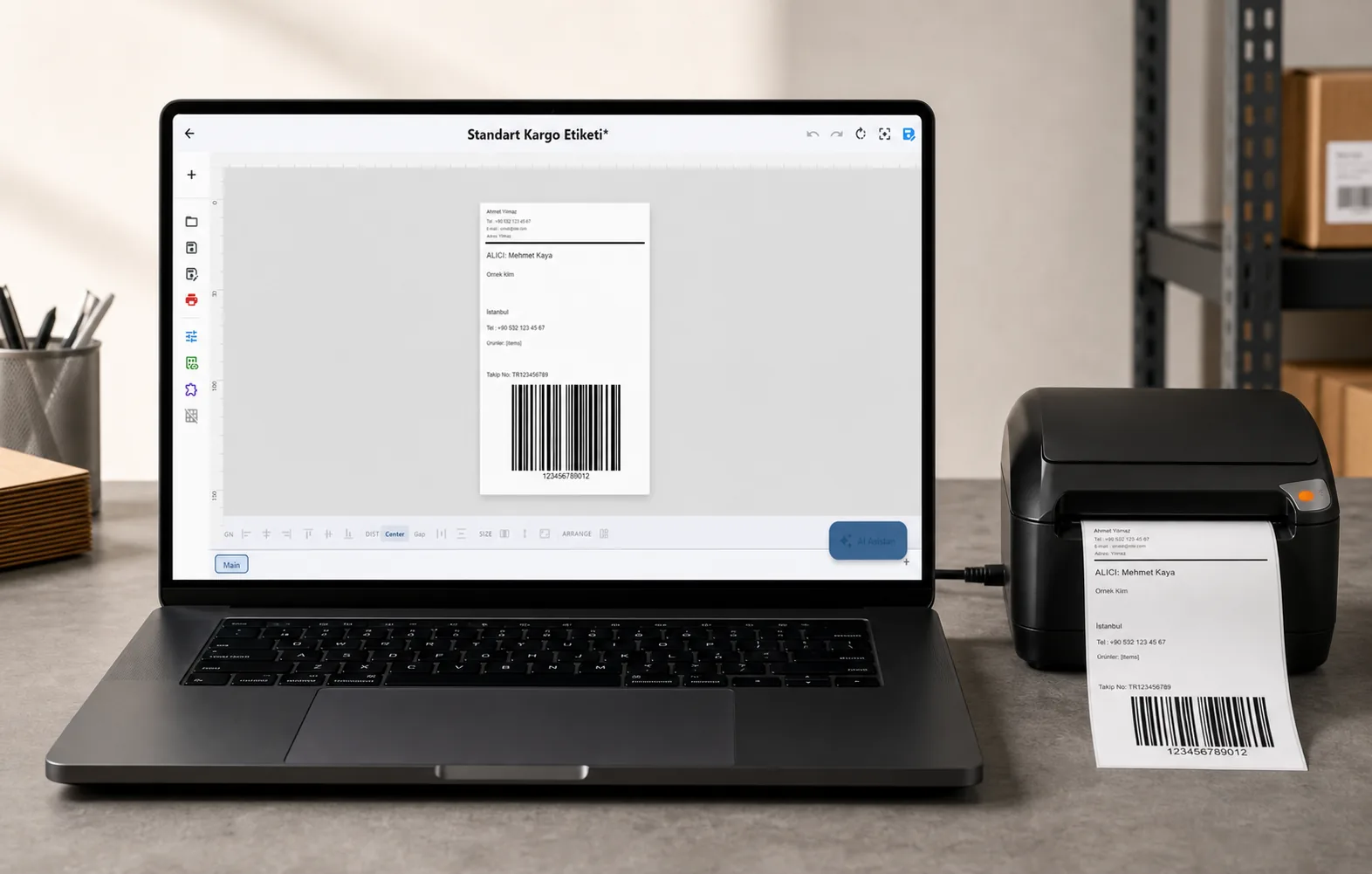
Design it, bind your data, print on the printer you already own.
Zebra, TSC, Toshiba, Epson and more — over USB, network or Bluetooth, with no driver to install.
PRICING
Start free. Pay when it earns its keep.
QUESTIONS / FAQ
Frequently asked questions
My system only exports CSV. Is that enough?
Yes. A CSV export is a complete data source for LabelInn — you do not need an API or a database connection to print variable data.
Can I reuse the same mapping next week?
Yes. The mapping belongs to the label template, so a new export with the same column names prints without any re-configuration.
Can I print labels from a CSV file?
Yes. Add the .csv file as a data source, keep First row is header on, bind columns to label fields and print one label per row.
Which CSV delimiters does LabelInn understand?
Comma, semicolon and tab. The delimiter is detected from the first line, so exports from European-locale spreadsheets that use semicolons import without changes.
Does a UTF-8 BOM or Excel "CSV UTF-8" file work?
Yes. A leading byte order mark is removed before the header is read, so the first column name is clean.
Why do Turkish or accented characters come out wrong?
A file that is not valid UTF-8 is read as Latin-1, which differs from Windows-1254 for Ş, İ, ğ and ı. Save the CSV as UTF-8 and import again.
Will leading zeros in a CSV survive?
Yes. Every CSV value is read as text, so 00417 prints as 00417. The zeros disappear only if you open the CSV in a spreadsheet, resave it and let the spreadsheet treat the column as numbers.
Can LabelInn watch a folder and print new CSV files automatically?
Yes, with a hot-folder workflow, which is a paid-plan automation feature. See the hot folder page for how files are remembered so nothing prints twice.
KEEP GOING
Related pages
NEXT STEP / LABELINN
Print your CSV data on the printer you already own
This feature runs on Starter — $7.99/mo, or $79.90/year (pay for 10 months, use 12). Signing up starts a 14-day Pro trial, so you can bind your own CSV data and print a real label before you pay anything. · 14-day Pro trial on signup · No credit card required · Windows, macOS, Android, Web