PRO — $24.90/MO / 14-DAY PRO TRIAL ON SIGNUP
Label printing API
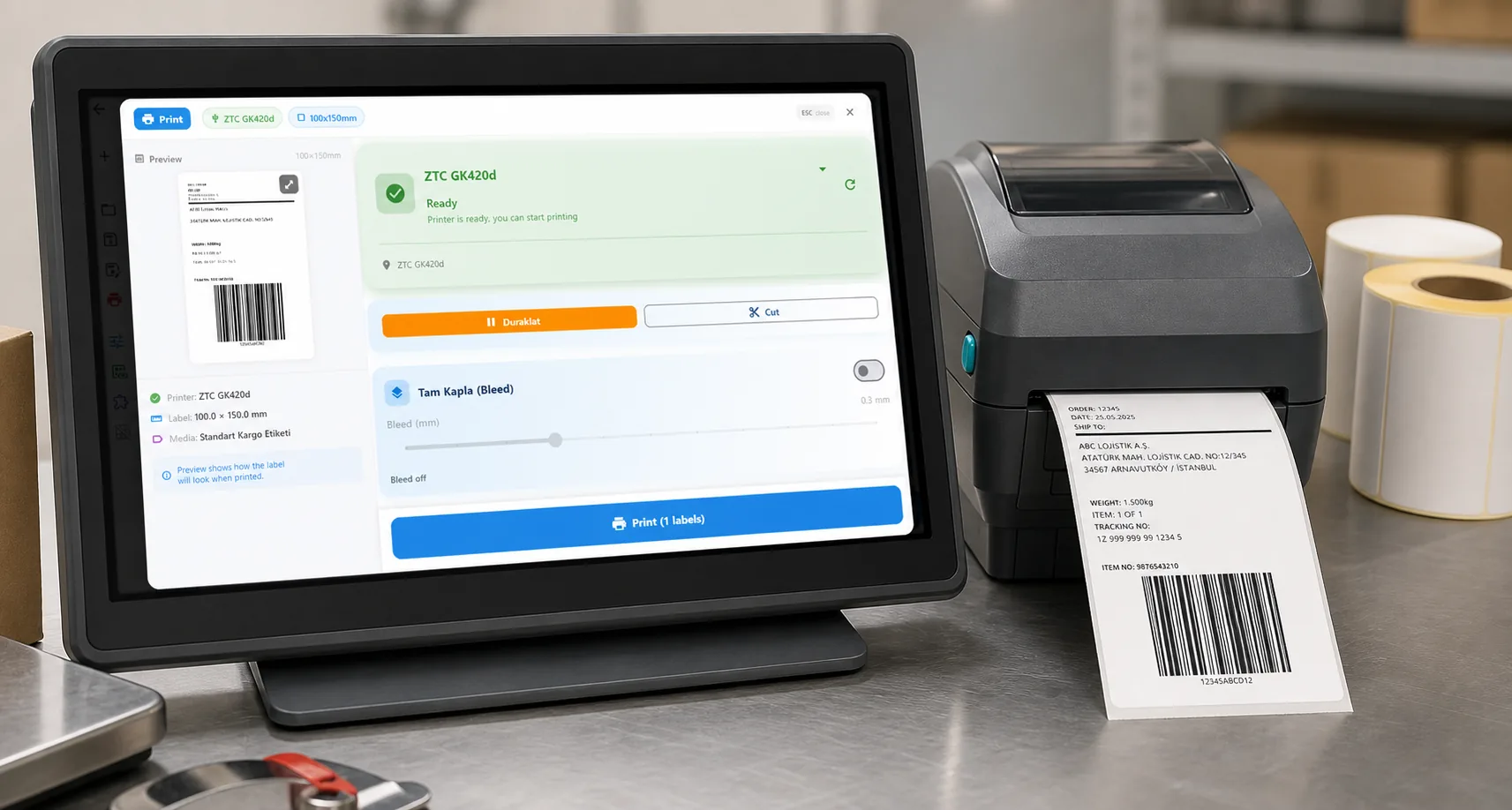
To print a label through a REST API, send POST https://labelinn.com/v1/print/jobs with a Bearer API key, a printer_id, a payload_type (template, zpl or image) and your data. The job is queued for the PC that runs the printer, which renders it in the printer's own language; poll GET /v1/print/jobs/{id} until the status is completed. API writes need the Pro plan; a sk_test_ key lets you build first without printing.
01
Who this is for
SaaS and in-house developers who need their web or desktop application to reach a thermal label printer that they do not control.
02
Step by step
- Create an API key from your LabelInn account.
- Choose a direction: push a print job to the API, or configure a label to pull JSON from your own endpoint.
- Send a request to https://labelinn.com/v1/print/jobs with the design and the field values.
- Read the job status back, and subscribe to a webhook if you need completion events.
Try it with your own data — signing up starts a 14-day Pro trial, no credit card. After that this feature needs Pro at $24.90/mo. Download now → | See pricing →
03
What you can do
- One request shape regardless of whether the target speaks ZPL, TSPL, TPCL or Epson.
- A label can also be the client: point a field group at your JSON endpoint with Bearer, Basic or API-key auth.
- Webhooks report job events back to your system instead of making you poll.
- The same operations are exposed over MCP, so an AI agent can drive printing through the identical surface.
04
Technical details
| Public API base | https://labelinn.com/v1 |
|---|---|
| Submit a print job | POST /v1/print/jobs |
| Inbound data source auth | Bearer, Basic or API key header |
| Two directions | Your app calls LabelInn, or a label pulls JSON from your endpoint |
| Agent access | An MCP server exposes the same operations to AI agents |
05
Limits and honest caveats
- A physical printer still needs a LabelInn runtime near it: the PC that has the printer must be online with cloud printing enabled for that printer. The API routes the job; it does not create a network path to hardware.
- API writes (creating jobs) need Pro ($24.90/month) or the 14-day trial. Free and Starter keys can read and use the read-only sandbox quota.
- A
201means the job was queued, not printed. Poll the job, or subscribe to webhooks, to learn the outcome. - Limits are counted in requests, not labels: see the table below before designing a loop that sends one label per call.
THE FIRST LABEL
Four calls from a key to a printed label
This is the order the API reference recommends. Every request body below was validated against the CreateJobRequest schema in openapi.yaml.
- Create a key in LabelInn under Settings, API Keys.
sk_test_keys run against a sandbox that never prints and has its own quota;sk_live_keys send jobs to physical printers. GET /v1/fleet/printers: pick a printer withis_online: trueandcloud_print_enabled: true. The second flag is switched on in the desktop app by the customer; the API cannot enable it. A job for an offline printer waits in the queue.GET /v1/designs/{designId}/variables: returns the exact field names and a ready-madeexample_payload. Keys you send that the design does not know are ignored silently, which looks identical to a binding bug.POST /v1/print/jobswithpayload_type: "template", thenGET /v1/print/jobs/{id}about every 2 seconds until the status is terminal.
curl https://labelinn.com/v1/print/jobs \
  -H "Authorization: Bearer sk_live_..." \
  -H "Content-Type: application/json" \
  -H "X-Idempotency-Key: order-SO-10442-line-1:1" \
  -d '{
    "printer_id": "prt_abc123",
    "payload_type": "template",
    "design_id": "dsg_shipping",
    "data": { "order_id": "SO-10442", "customer": "Maya Brandt", "barcode": "TR123456789" },
    "copies": 2
}'HTTP/1.1 201 Created
{
"success": true,
"data": {
"id": "job_...",
"status": "queued",
"printer_id": "prt_abc123",
"payload_type": "template",
"copies": 2,
"is_test_mode": false,
"created_at": "2026-10-17T12:00:00Z"
}
}The response shape is the JobResponse / PrintJob schema of the OpenAPI file; the values above are placeholders, not output captured from the live service.
PHYSICAL AND ASYNCHRONOUS
What each job status means
| Status | Meaning | Terminal? |
|---|---|---|
scheduled | Waiting for its print_at time (at most 30 days ahead). | no |
queued | Accepted, not yet picked up by the printer's PC. | no |
claimed | The PC has taken the job. | no |
waitingForPrinter | The printer is switched off or unreachable. The job prints by itself when the printer is back, and ends cancelled after 24 hours if it never does. waiting_since is set. | no (keep polling) |
rendering, printing | Being rendered and sent. | no |
completed | Delivered to the printer. | yes |
failed | Render or hardware error, in error_message. Retrying needs a new idempotency key. | yes |
cancelled | Cancelled by you (POST /print/jobs/{id}/cancel, or DELETE) or after 24 hours waiting. | yes |
Render and hardware errors never appear in the create response, only in the job. A job you never poll is a job whose failure you will never see.
NO DOUBLE LABELS
Idempotency keys, and the retry trap
Send X-Idempotency-Key on every create. For 24 hours a repeated key returns the original job and prints nothing, which is what protects you from a double label after a network retry. A second request with the same key while the first is still running gets 409 IDEMPOTENCY_IN_PROGRESS with Retry-After; the same key with a different body gets 409 IDEMPOTENCY_KEY_REUSED.
The trap: after a job comes back failed, sending the same key again returns the old failed job instead of reprinting. Put an attempt counter in the key, for example order-SO-10442-line-1:<attempt>. A request refused with a 4xx releases its key, so a corrected request may reuse it.
LIMITS
Rate limits per plan
From entitlements.json and middleware.js. Daily counters reset at midnight UTC; test keys use a separate counter with at least 500 requests a day.
| Plan | Requests per day | Requests per minute | Notes |
|---|---|---|---|
| Free | 0 production (25 read-only sandbox) | 5 | Can authenticate and read; cannot create print jobs |
| Starter | 0 production (250 read-only sandbox) | 20 | Same: read-only evaluation |
| 14-day Pro trial | 100 | 10 | Includes writing, so you can build against the real endpoints |
| Pro ($24.90/month) | 2,000 | 60 | The first plan with production print jobs |
| Enterprise (contact sales) | 50,000 | 300 | Higher volume |
Over a limit the API answers 429 with RATE_LIMIT_EXCEEDED (daily) or BURST_RATE_LIMIT (per minute) and a Retry-After header. The unit is a request, not a label. One POST /v1/print/batch carries up to 100 jobs, and one job whose data is an array carries up to 1000 rows (one label per row), so printing 500 labels is one request. A loop that posts one label per call tops out at 2,000 labels a day on Pro.
ERRORS
Errors you will meet
| HTTP | Code | What to do |
|---|---|---|
| 400 | INVALID_REQUEST, BATCH_TOO_LARGE | Fix the body. A batch is 1 to 100 jobs. |
| 401 | unauthorized | Missing or wrong key. Header is Authorization: Bearer sk_.... |
| 403 | PLAN_NO_API | The plan has no API quota at all; upgrade or start the trial. |
| 409 | IDEMPOTENCY_IN_PROGRESS, IDEMPOTENCY_KEY_REUSED, AMBIGUOUS_WORKFLOW | Wait and retry with Retry-After; use a new key for a different body; name the workflow explicitly. |
| 409 | cloud printing off | The company switched cloud printing off; jobs from the API are refused by design. |
| 429 | RATE_LIMIT_EXCEEDED, BURST_RATE_LIMIT | Back off for Retry-After seconds. |
The official SDKs raise a typed rate-limit error that carries the wait time; see the language pages for Python, Node.js, C# and Go.
WHICH PAGE FOR WHAT
This API next to the neighbouring pages
| You want to | Go to |
|---|---|
| See the call from your language with tested snippets | Python, Node.js, C#, Go |
| Keep layout out of code: design once, send only data | Print labels from code |
| Start a no-code workflow from your system (webhook, polling) | Print labels from any API or webhook and trigger a workflow from code |
| Talk to a Zebra only, with ZPL | Zebra printer API and send ZPL to a Zebra printer |
| Replace the API of a label tool you already use | NiceLabel alternative: API, BarTender alternative: API, ZebraDesigner alternative: API |
ANY PRINTER
Design it, bind your data, print on the printer you already own.
Zebra, TSC, Toshiba, Epson and more — over USB, network or Bluetooth, with no driver to install.
PRICING
Start free. Pay when it earns its keep.
QUESTIONS / FAQ
Frequently asked questions
Can I print ZPL from a browser without building a print bridge?
That is the case this API exists for. Your web app calls LabelInn, and the LabelInn runtime next to the printer performs the actual output — you never ship printer-specific code.
Do I have to generate ZPL myself?
No. You send data and a design reference; LabelInn generates the command language the target printer actually speaks.
Is there an MCP server?
Yes. The same print, design and fleet operations are exposed over MCP so AI agents can call them directly.
How do I print labels via a RESTful API?
POST JSON to https://labelinn.com/v1/print/jobs with Authorization: Bearer sk_live_..., a printer_id, payload_type (template, zpl or image) and data for a template. Then GET /v1/print/jobs/{id} until status is completed. A sk_test_ key does the same against a sandbox that never prints.
Is there a label printer with an API?
Thermal printers take printer language (ZPL, TSPL, TPCL, ESC/Label) over USB or TCP port 9100; a REST API needs software in front of them. LabelInn is that layer: a runtime next to the printer connects out to the cloud, and your code calls one HTTPS API from anywhere.
Does the API return "printed" immediately?
No. 201 Created means queued. The job moves through claimed, rendering and printing to completed or failed, so poll the job or use webhooks.
What are the API rate limits?
Production keys: 100 requests a day on the trial, 2,000 on Pro and 50,000 on Enterprise, with 10, 60 and 300 requests per minute. Requests are counted, not labels, so batch calls and array data print many labels per request.
How do I avoid printing a label twice when I retry?
Send an X-Idempotency-Key. A repeated key returns the original job for 24 hours. After a failed job use a new key, for example with an attempt counter, or the retry returns the failed job again.
Is there a sandbox?
Yes. Keys starting sk_test_ never print, have their own counter and at least 500 requests a day.
KEEP GOING
Related pages
NEXT STEP / LABELINN
Print your REST API data on the printer you already own
This feature runs on Pro — $24.90/mo, or $249/year (pay for 10 months, use 12). Signing up starts a 14-day Pro trial, so you can bind your own REST API data and print a real label before you pay anything. · 14-day Pro trial on signup · No credit card required · Windows, macOS, Android, Web