NICELABEL / API / UPDATED 17 OCT 2026
NiceLabel Alternative With a REST API: Swap the HTTP Trigger
Replace a NiceLabel HTTP trigger with a REST print job or webhook workflow: request shape, idempotency, Pro plan, and what stays in Loftware.
SHORT ANSWER
Short answer. NiceLabel Automation exposes HTTP and web-service triggers on a Windows service. LabelInn offers two ways in: the REST API (POST /v1/print/jobs, with a batch array and an idempotency key) and workflow webhooks that can require an HMAC signature. Both need Pro and a LabelInn runtime near the printer. NiceLabel Automation configurations are not imported, so the trigger is rebuilt by hand.
NiceLabel (Loftware) is licensed per printer or by quote and we found no public price list we could verify, so we quote no figure. LabelInn: The REST API is on Pro at $24.90 a month ($249.00 a year). Yearly billing is ten months for twelve; signing up starts a 14-day Pro trial. See pricing.
Send one test request before you migrate anything. Download →
HOW IT WORKS
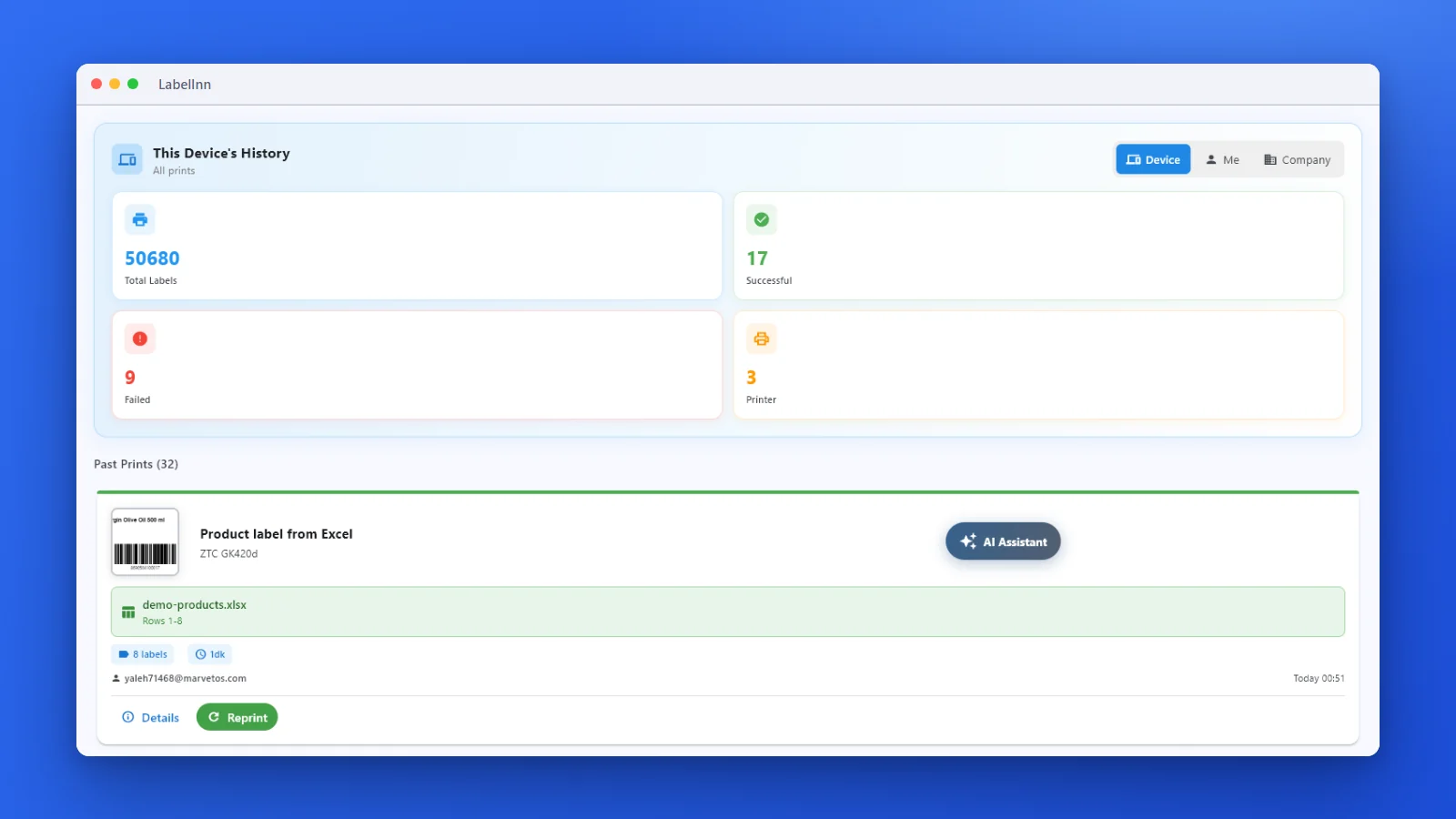
Three screens from data to printed label.
No copy-paste, no hunting for templates. The same flow repeats for every record.
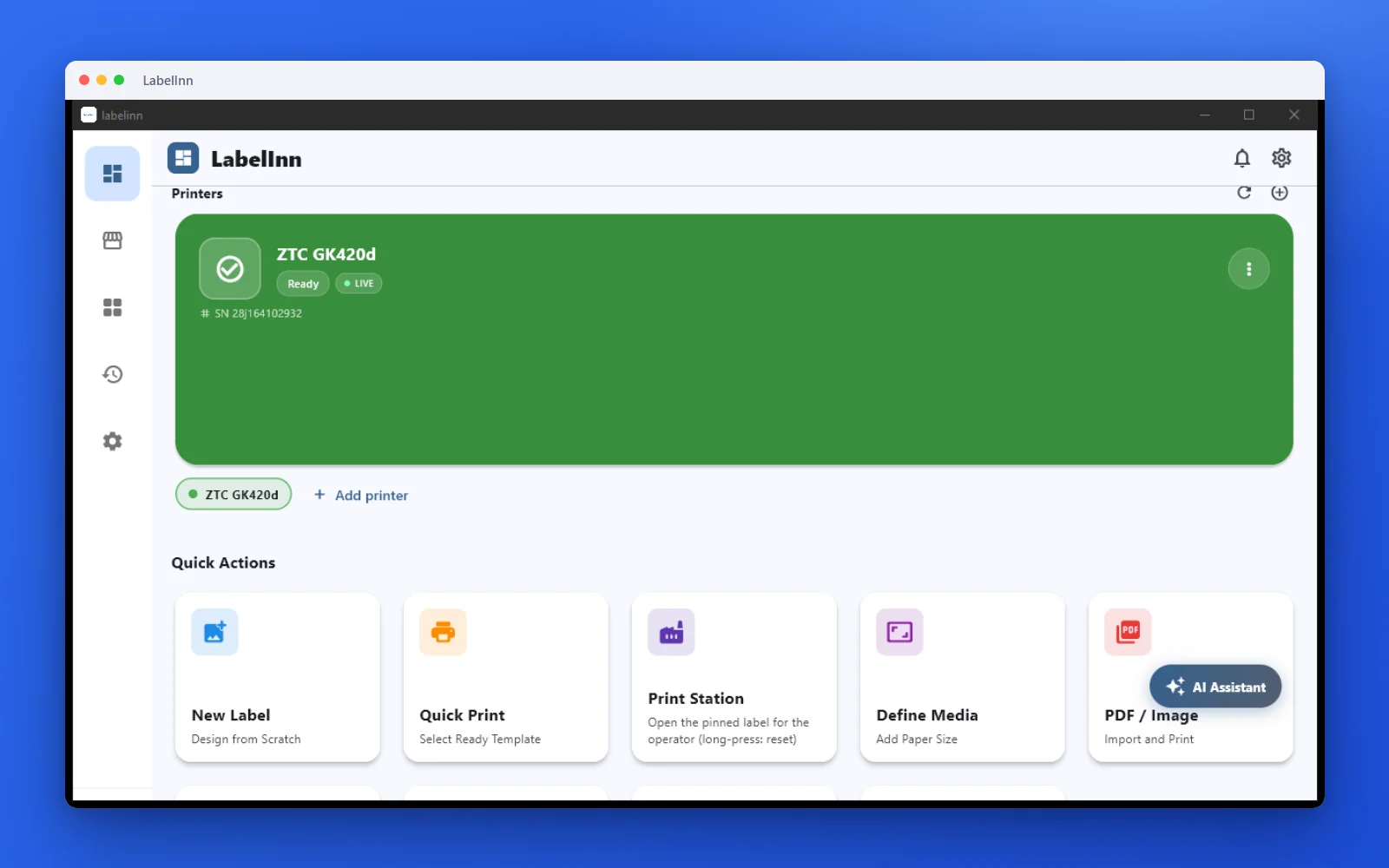
Printer status, quick actions and recent work in one place.
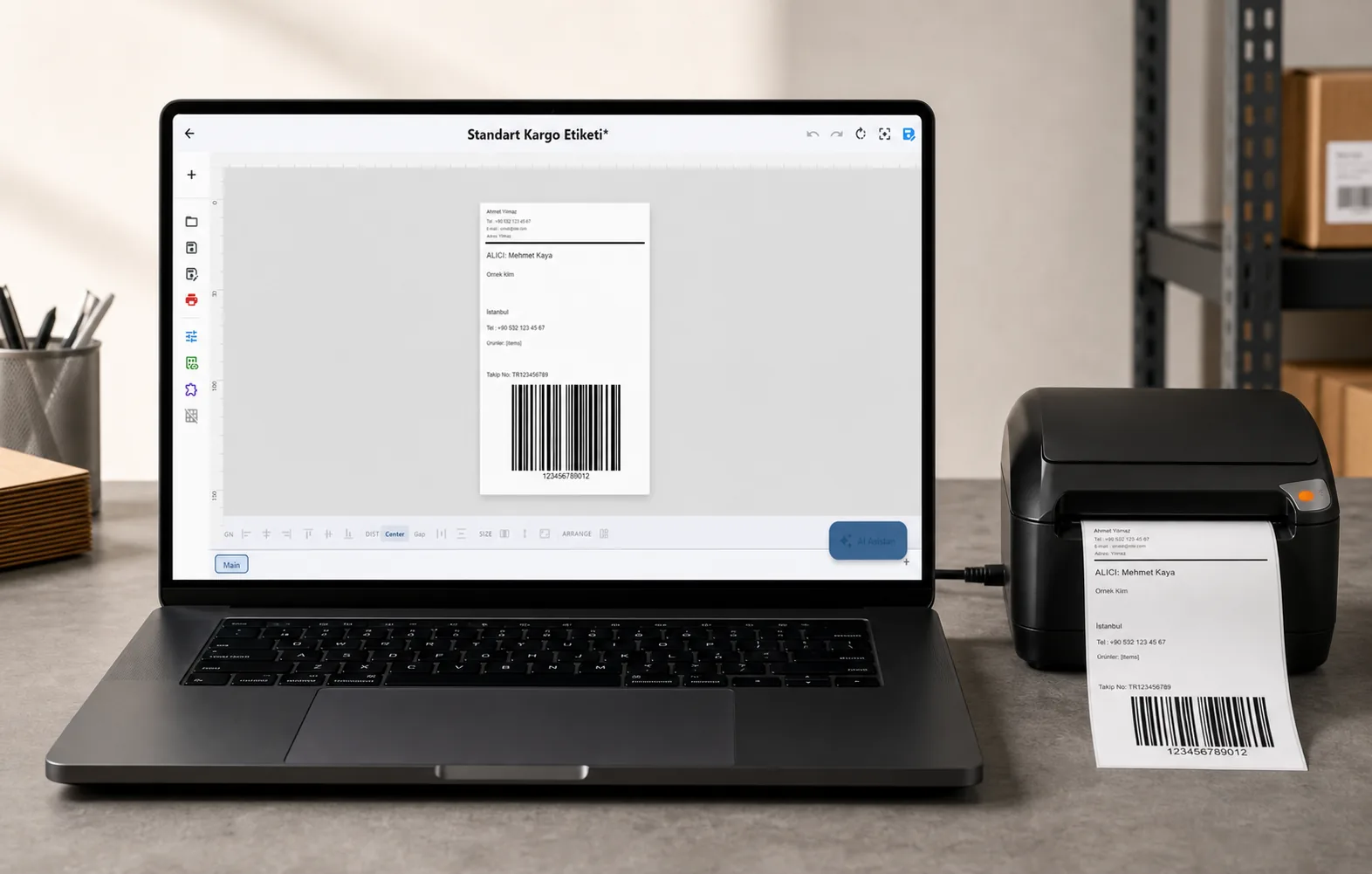
Text, barcodes, QR and images placed on the real media size.

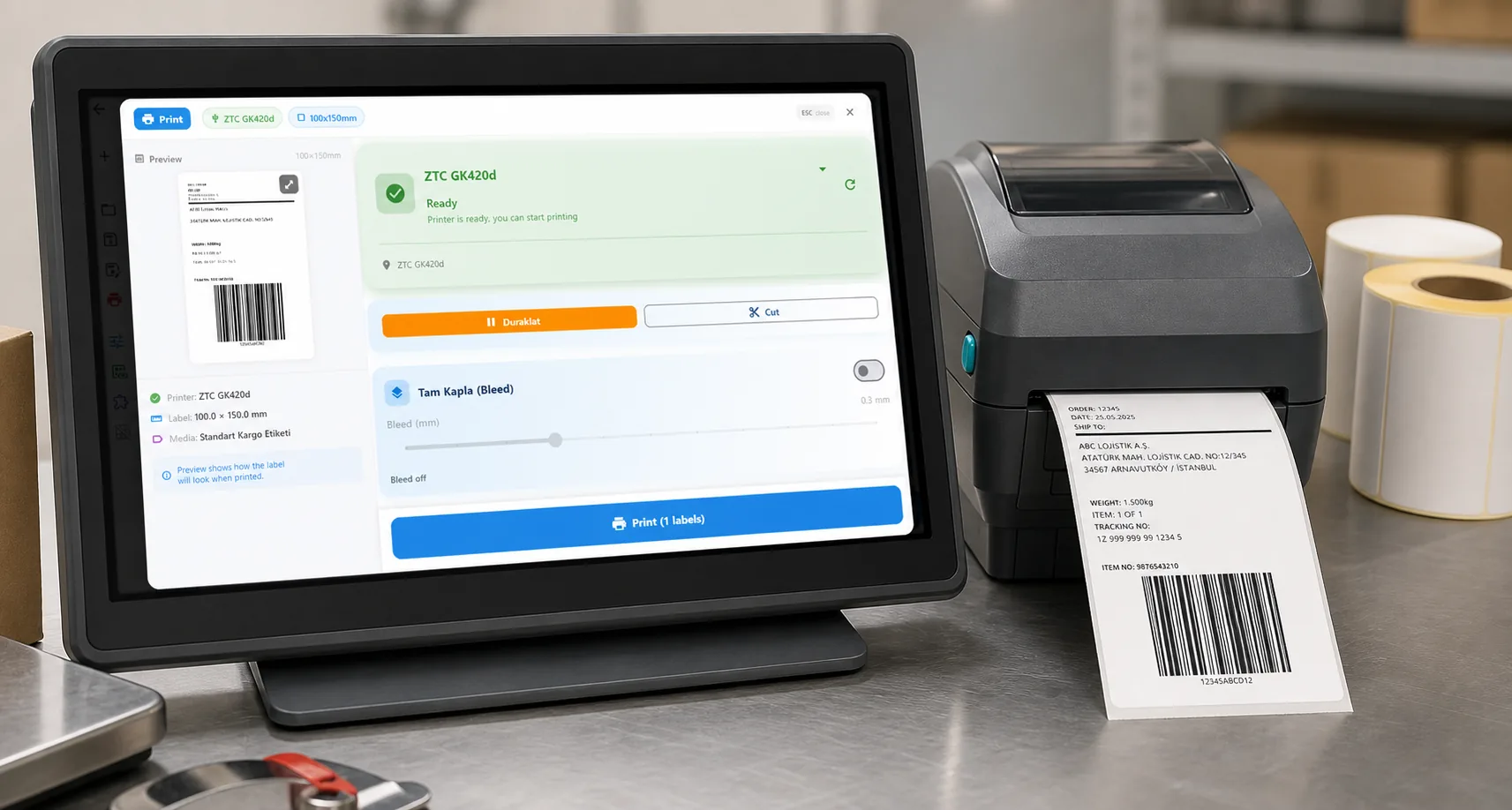
See the label, the printer state and the copy count before it prints.
01 / DECISION
Switch or stay for this job
Find your situation in the left column.
| Your situation | Better choice | Why |
|---|---|---|
| An app, shop or WMS posts JSON when a label is needed | LabelInn (Pro) | Call the print-jobs endpoint directly, or post to a workflow webhook if a Router must choose the design. |
| The printer sits on a private network the caller cannot reach | LabelInn (Pro) | The runtime next to the printer connects out, so no VPN or inbound port. |
| Callers send XML, SAP IDocs or use a TCP trigger | Stay on NiceLabel | LabelInn takes JSON, CSV and Excel; other payloads need your own mapping. |
| You need approval routing and revision control around every template change | Stay on NiceLabel | That is Loftware's label management ground; LabelInn's approval queue is on Enterprise. |
| Occasional prints from a script, one printer | LabelInn | A single request is simpler than running an automation service. |
02 / MAP
What maps one to one, and what does not
| In NiceLabel | In LabelInn | Status |
|---|---|---|
| HTTP or web-service trigger | POST /v1/print/jobs, or a workflow webhook trigger | Rebuild by hand |
| Label name and data fields | design_id and a data object or array | Rebuild by hand |
| Printer selection | printer_id | One to one |
| Copies | copies from 1 to 1000 | One to one |
| Trigger-level scripts | Workflow nodes (Router, Lookup, Notify) | Rebuild by hand |
| Signed requests | HMAC option on webhook triggers; Bearer keys on the API | Different mechanism |
03 / WORKED EXAMPLE
Worked example: one request, three different labels
A batch request prints three labels with different values in one call:
curl -X POST https://labelinn.com/v1/print/jobs \
  -H "Authorization: Bearer sk_test_YOUR_KEY" \
  -H "X-Idempotency-Key: BATCH-2026-10-17-01" \
  -H "Content-Type: application/json" \
  -d '{
    "printer_id": "printer_abc123",
    "payload_type": "template",
    "design_id": "design_xyz789",
    "data": [
      {"product_name": "Coffee", "sku": "COF-001"},
      {"product_name": "Tea", "sku": "TEA-002"},
      {"product_name": "Juice", "sku": "JCE-003"}
    ],
    "copies": 1
  }'
The response reports total_labels: 3. Re-sending the same request with the same key does not print again. Use an sk_test_ key while you compare against the NiceLabel trigger.
04 / STEPS
Moving it across, step by step
- Import the .nlbl label and give each field the name your system will send.
- Create an API key and note the design id and printer id.
- Replace the call to the NiceLabel HTTP trigger with the request above, or create a workflow with a webhook trigger.
- Run both on the same message for a week and compare the printed labels.
- Switch the caller over and retire the trigger at renewal.
All NiceLabel comparisons: NiceLabel alternative. Moving the labels themselves: import .btw and .nlbl files.
ANY PRINTER
Design it, bind your data, print on the printer you already own.
Zebra, TSC, Toshiba, Epson and more — over USB, network or Bluetooth, with no driver to install.
PRICING
Start free. Pay when it earns its keep.
QUESTIONS / FAQ
Frequently asked questions
Does LabelInn have an HTTP trigger like NiceLabel Automation?
It has two: the REST API (POST /v1/print/jobs) and workflow webhook triggers, which can require an HMAC signature. Both need Pro. The trigger is rebuilt by hand; nothing is imported from NiceLabel Automation.
How do I avoid duplicate prints on retries?
Send an X-Idempotency-Key header. The same key with the same body returns the first result instead of printing again.
Can I try the API for free?
A read-only sandbox with an evaluation quota is available on every plan, and the 14-day Pro trial at signup covers production calls.
What does the NiceLabel / Loftware API cost?
NiceLabel is licensed per printer or by quote and we found no verifiable public price list, so we quote none. LabelInn API access is on Pro at $24.90 a month.
KEEP GOING
Related
NEXT STEP / LABELINN
Replace one HTTP trigger with one request
Use a test key to send a batch request today. · POST /v1/print/jobs · Webhook workflows · Pro, 14-day trial