NICELABEL / COMPARISON / UPDATED 17 NOV 2026
NiceLabel Alternative: Open Your .nlbl Files and Keep Printing
Replace NiceLabel with LabelInn: it opens .nlbl files, runs on Windows and Mac, and has published prices from free. A plain table of who should switch.
Free plan prints unlimited labels; Starter $7.99/month, Pro $24.90/month. Runs on Windows, macOS, Linux and Android.
Video / 1:10
Watch: Switch from BarTender or NiceLabel
1:10 walkthrough in the real app. Step-by-step page →
SHORT ANSWER
Short answer. NiceLabel, now part of Loftware, is an enterprise label design and management platform. LabelInn is the lighter alternative for teams that mostly design labels, fill them from a spreadsheet, a store or an API, and print to ZPL, TSPL, TPCL or ESC/Label thermal printers. It opens .nlbl files, runs natively on Windows and on Mac, and its prices are published. It is the wrong choice if you need Loftware's label management system, certified SAP connectors or hundreds of validated labels across many plants. The table below says which side you are on.
NiceLabel is licensed per printer or by quote, and we could not verify a public price list, so this page quotes no NiceLabel price. Ask for a written quote and compare it with the plans at the end.
Check your own files first. Download LabelInn, import one .nlbl file and print it next to the NiceLabel original. Free plan, no credit card. Download →
THE APP
Three screens from a .nlbl file to a printed label.
Open the file, check what came across, print one label.
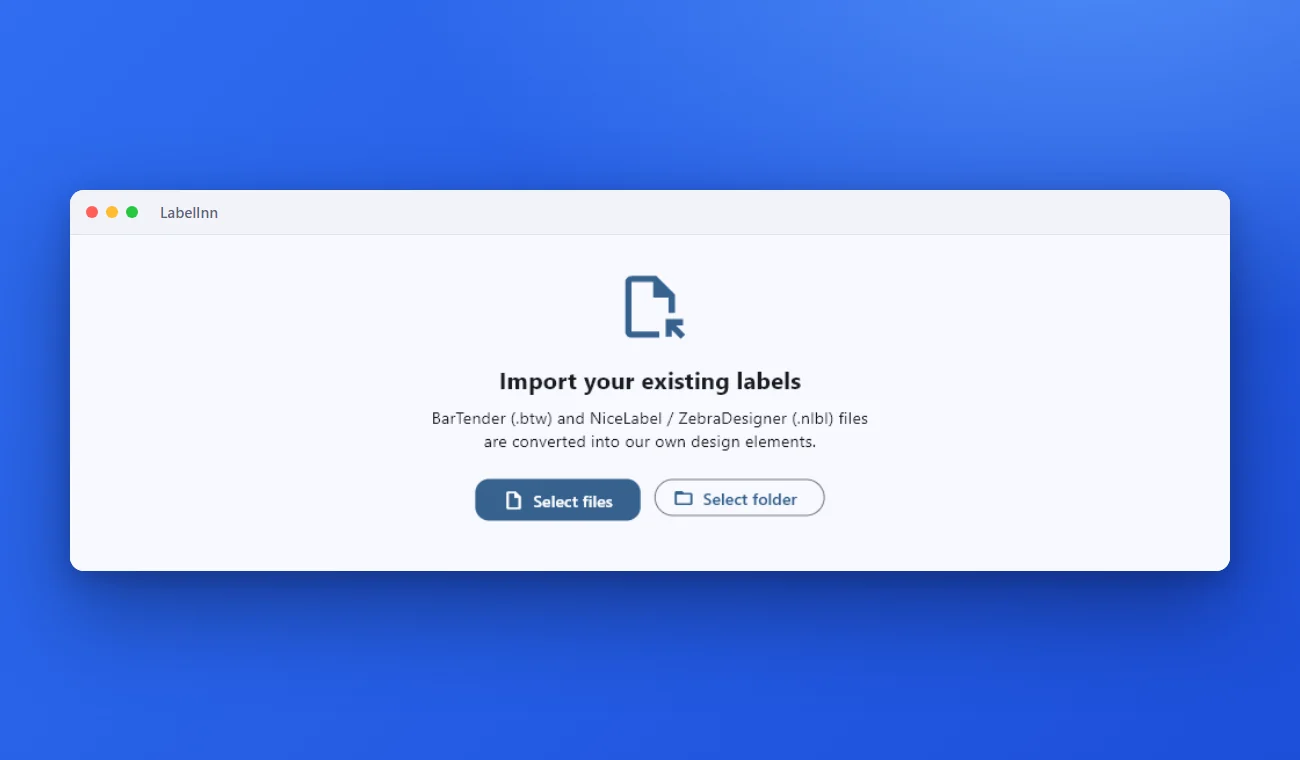
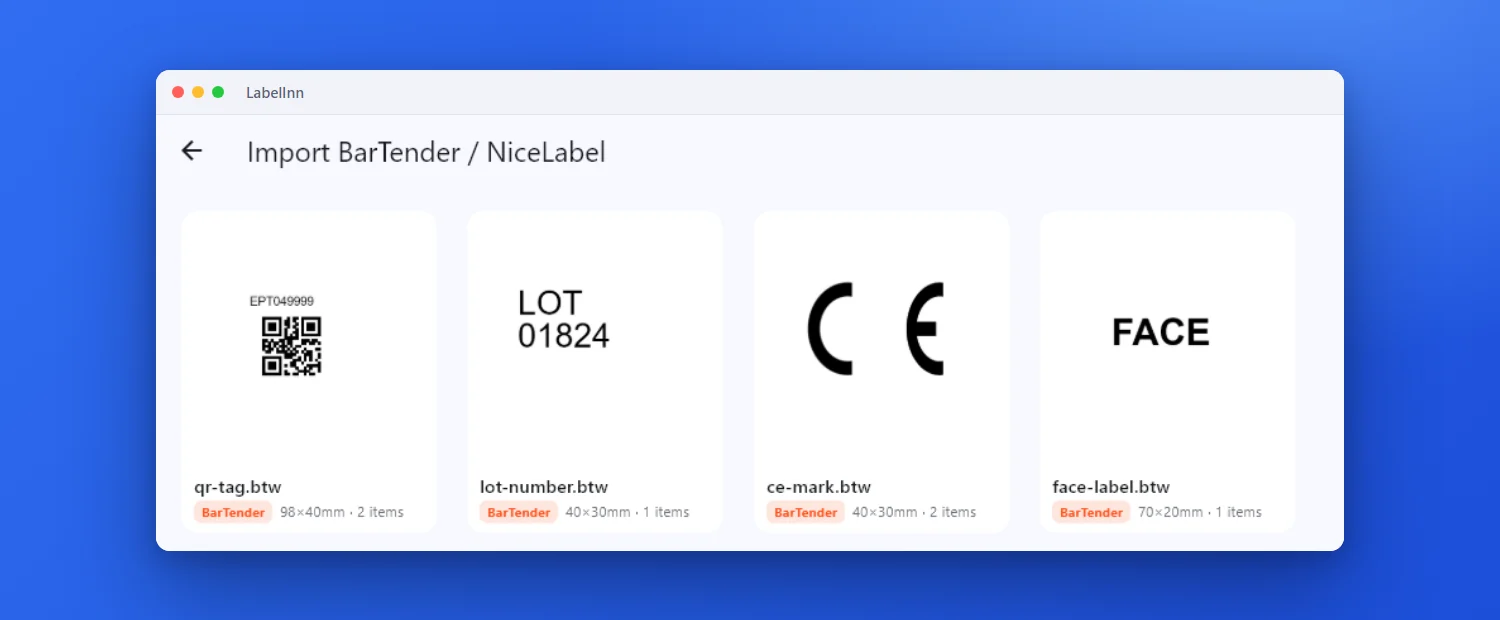
NiceLabel and ZebraDesigner files are read directly; NiceLabel does not need to be installed.
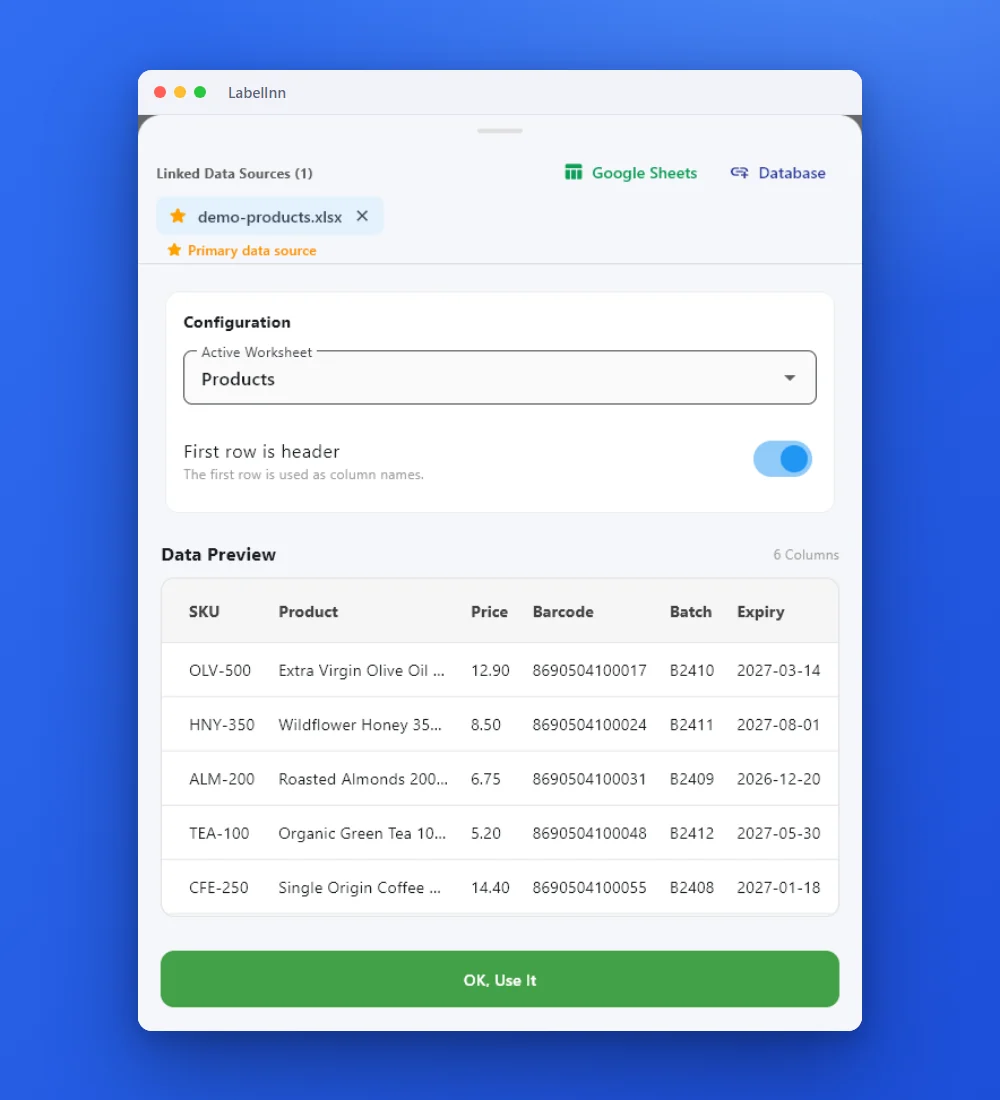
Fields that were variables in NiceLabel arrive as plain values; drop a column onto each.
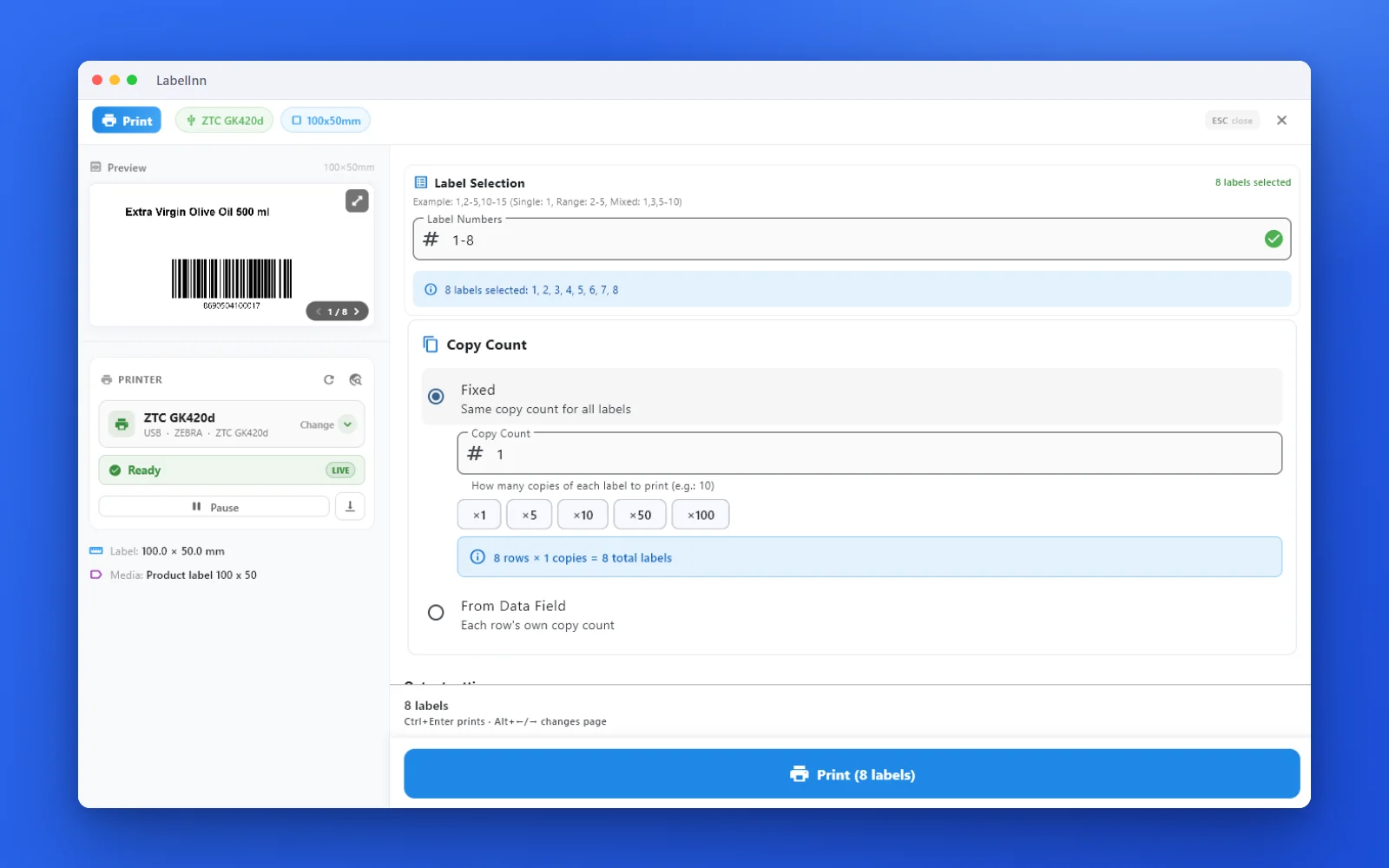
See the label, the printer state and the copy count before it prints.
01 / DECISION
Switch or stay: an honest table
Find your situation in the left column.
| Your situation | Better choice | Why |
|---|---|---|
| A small or mid-size team printing product, shipping or asset labels to thermal printers | LabelInn | Design, bind a spreadsheet or order data and print without a server, a per-printer licence or a consultant. |
| You are on a Mac | LabelInn | Loftware's system requirements list Windows for the NiceLabel desktop Designer. LabelInn has a native macOS app. Loftware also sells a browser-based cloud designer; check with them whether it fits your printers. |
| A global manufacturer with a label management system, approval routing and a consultant network | Stay on NiceLabel / Loftware | That ecosystem is built for central governance across plants. LabelInn has an approval queue, audit log and compliance mode on Enterprise, but it is a younger product with a smaller partner network. |
| SAP-certified middleware (RFC, IDoc) is a purchasing requirement | Stay on NiceLabel / Loftware | LabelInn has no RFC, IDoc or BAPI connector. SAP can call its REST API instead, which works but is not a certified add-on. |
| You run NiceLabel Automation with file, database, HTTP or TCP triggers on a server | Plan a rebuild | Triggers do not import. Rebuild each as a workflow; see the NiceLabel Automation alternative. |
| Operators fill NiceLabel data-entry forms before printing | Check first | LabelInn has an operator print dialog and, on Pro, kiosk mode, but forms are not imported. Recreate the prompts and test with an operator. |
| You print on a device that only has a Windows driver | Stay on NiceLabel | LabelInn drives ZPL, TSPL, TPCL and ESC/Label printers. |
02 / IMPORT
What a .nlbl import converts
In the desktop app, open Import and pick files or a folder (up to 300 files at once). ZebraDesigner 3 saves the same .nlbl format, so those files open too. Your originals are only read.
| In your .nlbl file | What LabelInn builds | Check this |
|---|---|---|
| Text | Editable text with font, size, colour, bold, italic, underline, alignment, inverse and rotation | Fonts that are not installed on your machine fall back to another font. Confirm each typeface. |
| Barcodes | Barcode elements with symbology, data and human-readable text. Code 128, QR, Data Matrix, PDF417, Aztec, EAN-13, EAN-8, UPC-A and Code 39 are mapped | Any other symbology becomes Code 128 (or QR for 2D). Scan a printed label. |
| Pictures | Embedded images, with their fit mode | An image without embedded data is skipped, with a warning. |
| Lines and boxes | Shapes with stroke and fill | Compare thin lines at print size. |
| Variables, counters, date functions and data sources | The value saved in the file, as plain text | Rebind these. See the worked example. |
| Label size | Read from the file | Confirm against the stock you load. |
| Older ZebraDesigner 1 and 2 files (.lbl) | Not supported | Only .nlbl and BarTender .btw are read. |
03 / WORKED EXAMPLE
Worked example: a product label with four fields
A 100 x 60 mm NiceLabel product label with a name, a price, an EAN-13 and a batch line, fed from a spreadsheet. We use this sample file to test LabelInn; the three rows below are its first three.
| SKU | Product | Price | Barcode (EAN-13) | Batch |
|---|---|---|---|---|
| OLV-500 | Extra Virgin Olive Oil 500 ml | 12.90 | 8690504100010 | B2410 |
| HNY-350 | Wildflower Honey 350 g | 8.50 | 8690504100027 | B2411 |
| ALM-200 | Roasted Almonds 200 g | 6.75 | 8690504100034 | B2409 |
- Import the .nlbl file. The four objects arrive as three text elements and one barcode, placed where they were. The values are the ones saved in the file, for example the last test product.
- Attach the spreadsheet and pick the worksheet and the header row. Excel and CSV binding is on Starter.
- Drop
Product,PriceandBatchonto the three text elements andBarcodeonto the EAN-13. Preview row by row. - Print the whole sheet: one label per row. Eight rows give eight labels.
- Print row 1 and hold it next to a NiceLabel printout. Check the EAN with a scanner.
04 / LIMITS
What you will rebuild
- NiceLabel Automation triggers and actions. Rebuild as workflows, watched folders (Pro) or the REST API (Pro).
- Variables and data-source links. Rebind to Excel or CSV columns on Starter; databases need Pro and the Windows app.
- Printer settings and drivers. Choose the printer again. LabelInn sends the printer's own language, so there is no driver to match.
- Print history. It starts fresh in LabelInn.
05 / PRICE
What it costs
| NiceLabel (Loftware) | LabelInn | |
|---|---|---|
| Model | Per printer or by quote; we found no public price list to verify | Published plans, not per printer |
| Free | Ask Loftware about trials | Free plan: designer, import, unlimited printing by hand. 14-day Pro trial on signup |
| Spreadsheet binding | Depends on edition and quote | Starter $7.99 a month, $79.90 a year |
| API, webhooks, watched folders, databases | Depends on edition and quote | Pro $24.90 a month, $249.00 a year |
| Enterprise governance | Loftware label management system | Enterprise, by quote: approval queue, audit log, compliance mode, edge server |
Yearly billing is ten months for twelve. See pricing for the plan limits.
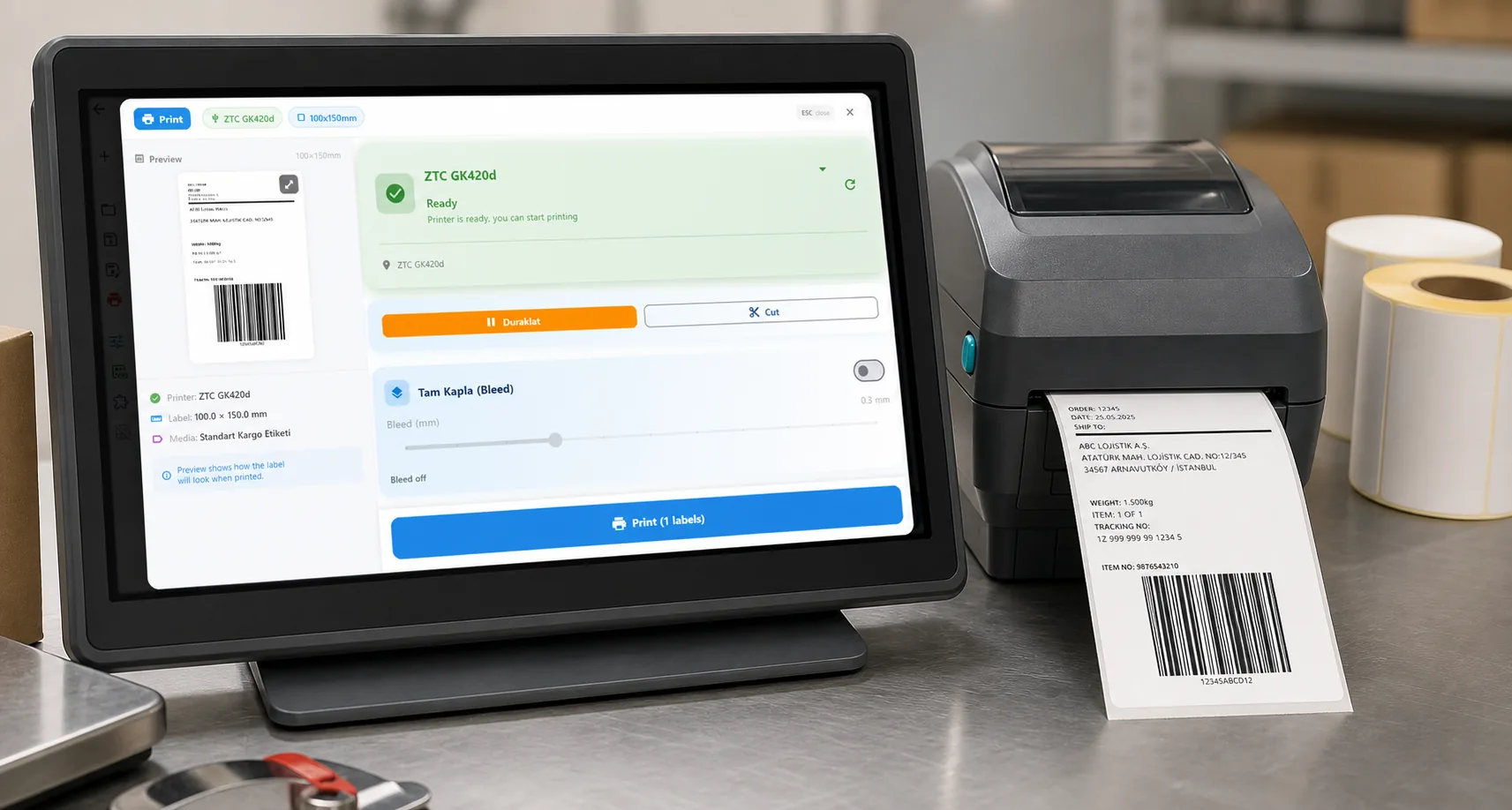
ANY PRINTER
Design it, bind your data, print on the printer you already own.
Zebra, TSC, Toshiba, Epson and more — over USB, network or Bluetooth, with no driver to install.
PRICING
Start free. Pay when it earns its keep.
QUESTIONS / FAQ
Frequently asked questions
What is the best NiceLabel alternative?
For teams that design labels, bind a spreadsheet, store or API and print to ZPL, TSPL, TPCL or ESC/Label thermal printers, LabelInn is a lighter alternative that opens .nlbl files and runs on Windows and Mac. For a global label management system with approval routing or certified SAP connectors, stay on NiceLabel / Loftware.
Is there a NiceLabel for Mac?
Loftware's published system requirements for the NiceLabel desktop Designer list Windows. Loftware also sells a browser-based cloud designer, so check with them whether it fits your printers. LabelInn has a native macOS app that opens .nlbl files.
How much does NiceLabel cost?
NiceLabel is licensed per printer or by quote and we found no public price list we could verify, so we quote no figure. LabelInn publishes its prices: Free, Starter at $7.99 a month, Pro at $24.90 a month.
Can I open a .nlbl file without NiceLabel?
Yes. LabelInn reads .nlbl files from NiceLabel and ZebraDesigner 3 directly and rebuilds text, barcodes, pictures, lines and boxes as editable elements. Variables and data sources arrive as plain saved values and need rebinding.
Will the converted label match my original?
Often closely, not guaranteed. Print one and compare it with the NiceLabel original, and scan the barcode, before you use it in production.
Does LabelInn replace NiceLabel Automation?
It covers the common triggers (file drop, database watching, HTTP, scheduled jobs) with workflows, but they must be rebuilt by hand and some depend on the Pro plan. See the NiceLabel Automation alternative page for a trigger-by-trigger table.
KEEP GOING
Related
NEXT STEP / LABELINN
Open one NiceLabel file and compare
Import the label you print most and put it next to the original. · Opens .nlbl files · Windows and Mac · Published prices