LOFTWARE / ENTERPRISE LABELING / UPDATED 17 OCT 2026
Loftware Alternative: When You Need Automation, Not a Rollout
Loftware is built for enterprise label management. See who should move to LabelInn (ERP and WMS printing, multi-site, audit trail) and who should stay.
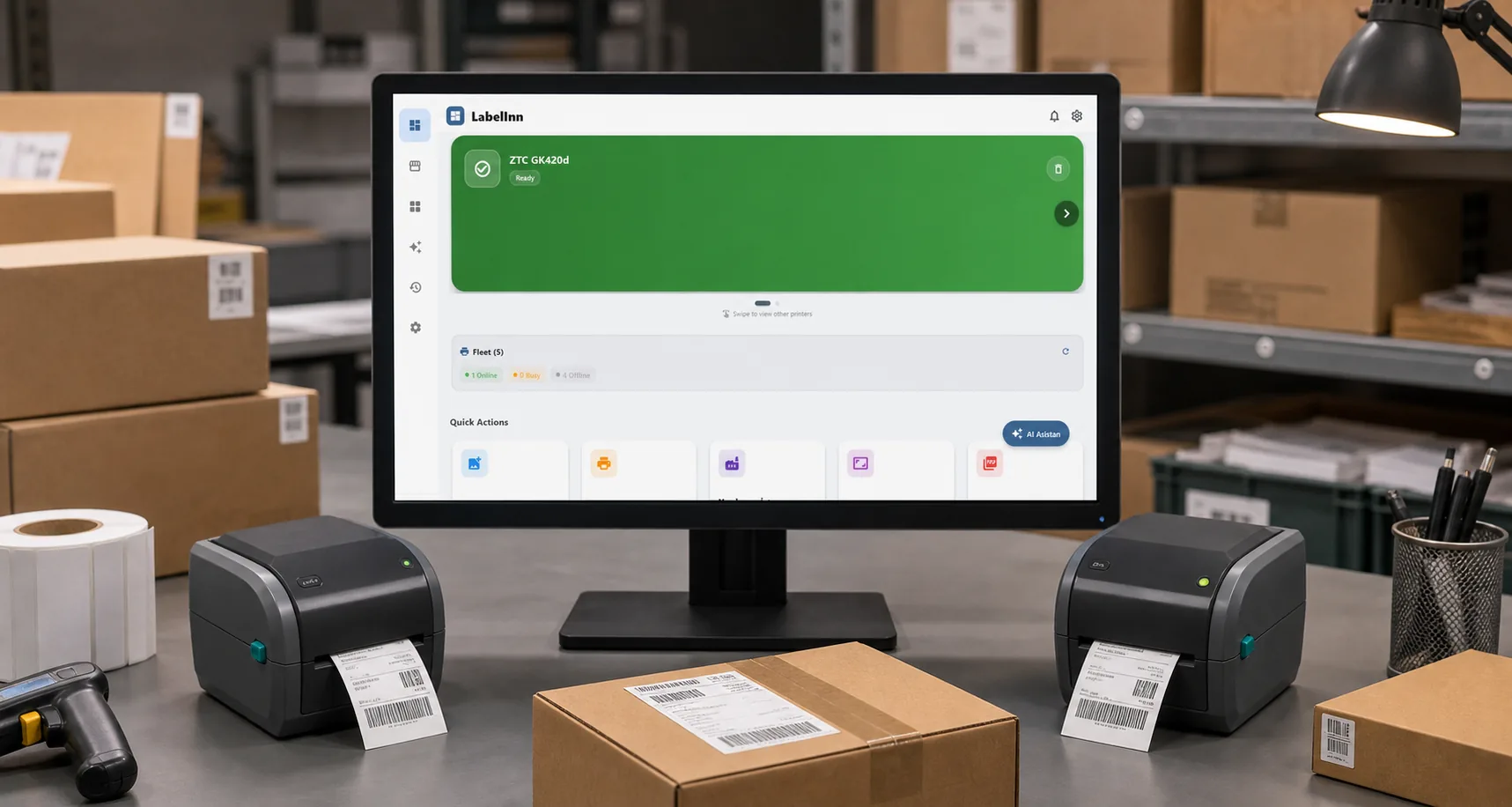
SHORT ANSWER
Short answer. Loftware is one of the largest names in enterprise labeling: label management, ERP integration, document control and, since it bought NiceLabel, a broad product family, usually sized and quoted per customer. LabelInn is the smaller alternative for companies that need part of that: print the right label automatically from an ERP or WMS, at several sites, with a record of what printed, without an enterprise rollout. It is the wrong choice for a global manufacturer that needs a central label management system with approval routing, validated document control and certified SAP connectors; stay on Loftware for that.
We quote no Loftware price: it is sold by quote and we could not verify a public list. Ask for a written quote and compare it with the plans below.
Enterprise-grade automation, mid-size effort. Cloud API, workflows, multi-site printers and an audit trail, priced per plan. Start free →
01 / DECISION
Switch or stay: an honest table
Find your situation in the left column.
| Your situation | Better choice | Why |
|---|---|---|
| An ERP or WMS must print labels without a person, at a handful of sites | LabelInn | REST API and webhooks (Pro), watched folders and tables, one dashboard for the printers at every site. |
| You are replacing desktop label software that never got automated | LabelInn | Start with one automated flow instead of a rollout project. Import your .btw and .nlbl files first. |
| Many plants, hundreds of operators, a label management team | Stay on Loftware | Central template repositories, approval routing and revision governance across an enterprise are its home ground. LabelInn's approval queue and compliance mode are on Enterprise and younger. |
| Validated document control or a validation package that names Loftware | Stay on Loftware | Switching would be a documentation project before it is a software project. |
| Certified SAP middleware (RFC, IDoc) is a requirement | Stay on Loftware | LabelInn has no RFC, IDoc or BAPI connector. SAP calls its REST API, which reaches the same outcome for many workflows but is not a certified add-on. |
| Regulated chemical labels | Either, with review | LabelInn builds GHS / CLP drafts from H and P codes. A qualified person must still review them before use. |
02 / NEEDS
What most teams actually need from Loftware
| Need | How LabelInn does it |
|---|---|
| ERP / WMS prints automatically | REST API, SAP / Oracle / NetSuite via API, watched tables and folders (Pro) |
| Right label per product, customer, country | Router rules in a visual workflow |
| Many sites, one system | Printers registered at each site, managed from one dashboard |
| Operators cannot change templates | Per-user permissions and kiosk mode (Pro) |
| Proof of what was printed | Print history, and a hash-chained audit log on Enterprise |
| Regulated content | GHS / CLP labels built from H and P codes |
| Line integration | MQTT and gRPC on the factory network |
03 / WORKED EXAMPLE
Where the effort differs
| Typical enterprise labeling rollout | LabelInn | |
|---|---|---|
| Getting started | Scoping, quote, server setup | Sign up, register a printer, print |
| Infrastructure | Server components per environment | A runtime on a PC next to the printers; the rest is cloud |
| Pricing | Quoted per deployment | Published plans |
| Developers | Integration through the platform connectors | REST API and SDKs for Python, Node.js, .NET and Go |
| Where it runs | Windows server components on-premises, or Loftware Cloud | Windows and macOS desktop runtime, browser dashboard, cloud API |
04 / LIMITS
Worked example: a goods receipt prints a pallet label
The ERP posts one request per received pallet to the LabelInn API, with an idempotency key so a retry cannot print twice. This is the request shape from our API reference:
curl -X POST https://labelinn.com/v1/print/jobs \
  -H "Authorization: Bearer sk_live_YOUR_KEY" \
  -H "X-Idempotency-Key: GR-100245-1" \
  -H "Content-Type: application/json" \
  -d '{
    "printer_id": "printer_abc123",
    "payload_type": "template",
    "design_id": "design_xyz789",
    "data": { "sku": "OLV-500", "batch": "B2410", "qty": "24" },
    "copies": 2
}'- Create the pallet label in LabelInn (or import the .nlbl or .btw) and note its design id.
- Register the printer at the site and copy its id. A LabelInn runtime next to the printer delivers the job.
- Create an API key in your account (API access is on Pro) and point the ERP step at the endpoint above.
- Send a test request with an
sk_test_key first, then a live one. The response gives a job id and a status you can read back. - Run the ERP step and the existing Loftware step side by side on one line for a week and compare the labels.
05 / PRICE
Moving the labels
If your labels were made in NiceLabel (which Loftware owns) or BarTender, Import opens the .nlbl and .btw files as editable designs. Loftware's own label formats are not imported. Variables, data-source links, actions and scripts do not come across and have to be rebuilt.
Workflows are on Starter ($7.99 a month) and above. The REST API, webhooks, watched folders, scheduled printing and database sources are on Pro ($24.90 a month, $249.00 a year); Enterprise is quoted. Signing up starts a 14-day Pro trial. See pricing.
THE PROBLEM, THEN THE FIX
Changing one label should not need a project
Add the element, pick the code, print.
The problemWhen labels live in an enterprise system, a small change can turn into a request to someone else.
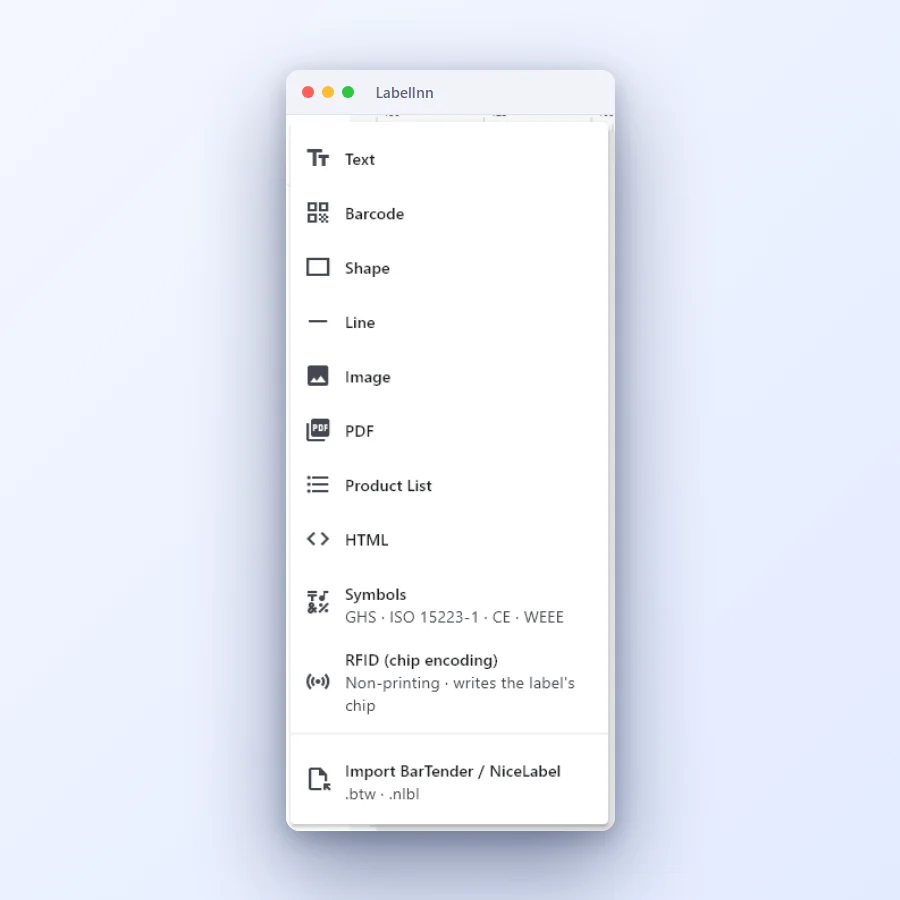 1Add what the label needsText, barcode, shape, line, image, PDF, product list, HTML, symbols and RFID are one click away.
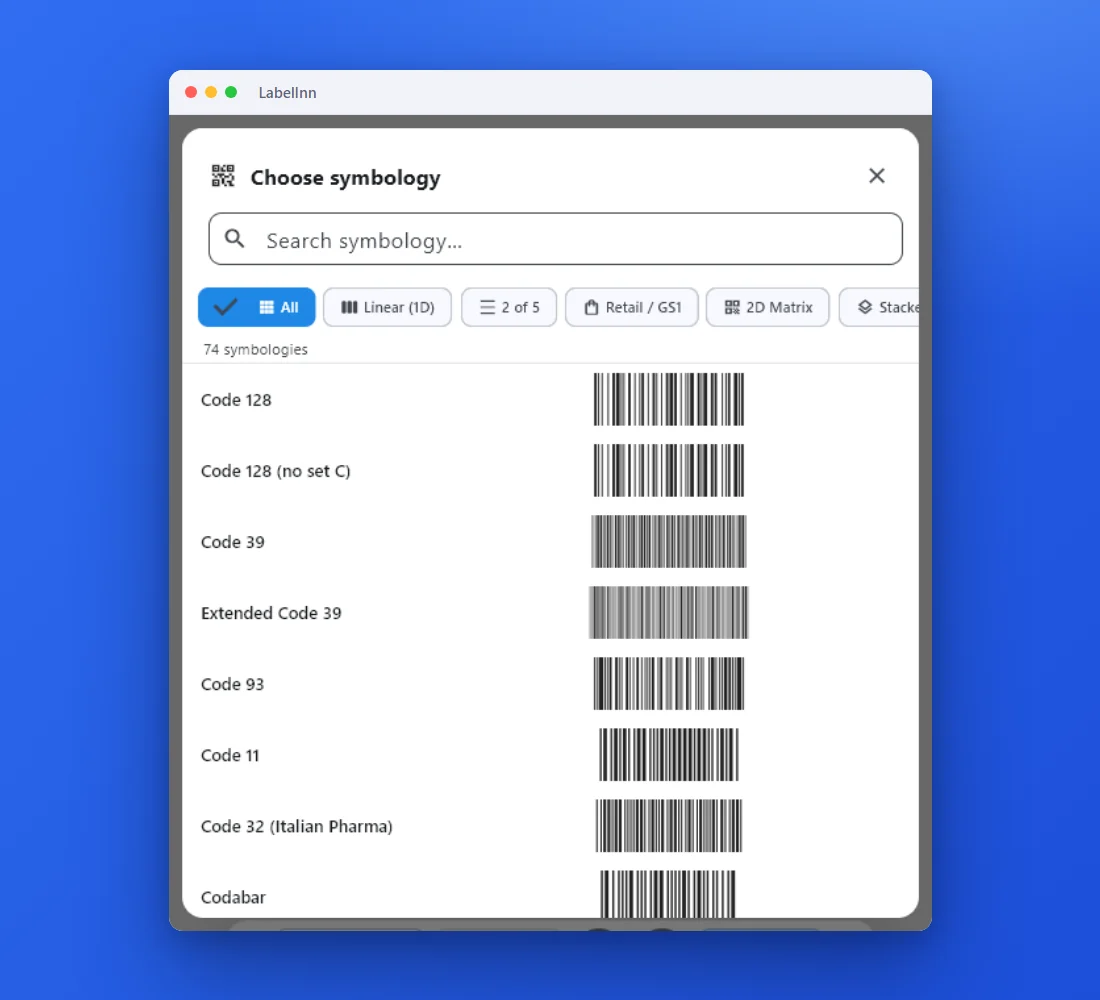 2Choose from 74 symbologiesEvery entry shows a live preview, so you pick the code by sight instead of by name.
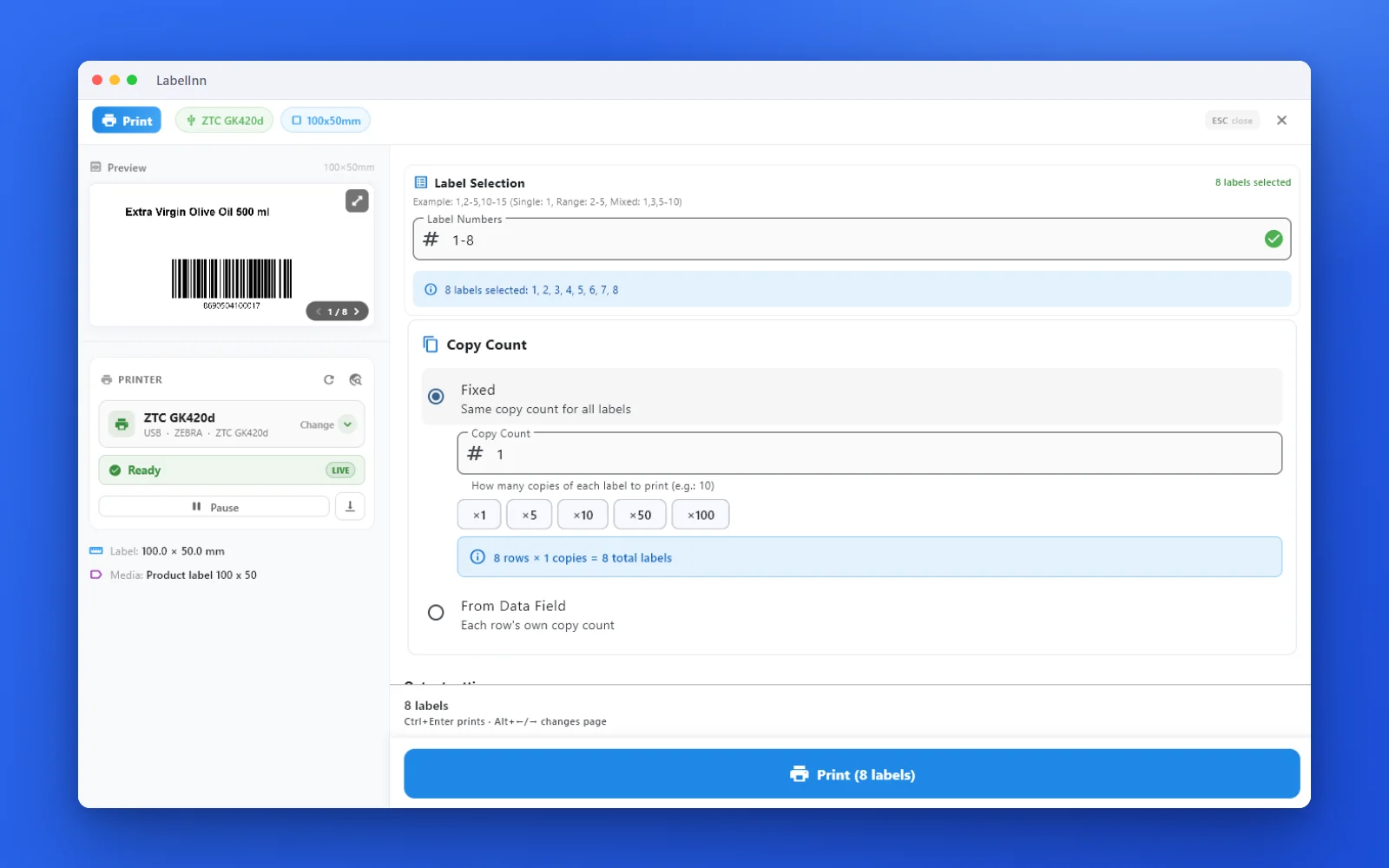 3Preview, then printCheck the real label, choose the printer and the number of copies, and print.
The fixA new label is an element, a code and a print: nothing to configure first.Get LabelInn free
QUESTIONS / FAQ
Frequently asked questions
What is a good alternative to Loftware?
For companies that need automated, multi-site label printing from ERP and WMS systems without an enterprise rollout, LabelInn offers a cloud API, visual workflows, multi-site printer management and an audit trail, with published per-plan pricing. For a global label management system with approval routing and validated document control, stay on Loftware.
Can LabelInn print from SAP or Oracle like Loftware?
Yes, through the REST API, watched database tables and folders: any system that can call an HTTPS endpoint or write a file can print. LabelInn has no certified RFC, IDoc or BAPI connector. The API and watched folders need the Pro plan.
Does LabelInn have an audit trail for regulated labeling?
Every job is in the print history, and the Enterprise plan adds a tamper-evident, hash-chained audit log. A formal validation package is a separate project; check it against your own requirements.
How much does Loftware cost?
Loftware is sold by quote and we found no public price list we could verify, so we quote none. LabelInn publishes its prices: Starter $7.99 a month, Pro $24.90 a month, and Enterprise by quote.
Can I move my NiceLabel files to LabelInn?
Yes. LabelInn opens .nlbl files from NiceLabel and ZebraDesigner and .btw files from BarTender. Text, barcodes, pictures and lines become editable elements; variables, forms and scripts are rebuilt by hand.
KEEP GOING
Related
NEXT STEP / LABELINN
Start with the automation you need
Automate one label flow this week and decide from there. · ERP / WMS / file automation · Multi-site printers · Published pricing