OPERATORS / KIOSK / PRODUCTION
A Label Printing Station Your Operators Cannot Get Wrong
Give production and warehouse operators a locked-down print screen: one design, a scan or a few fields, a print button. No menus, no editing, every print recorded.
THE PROBLEM
On the floor, operators should not be designing labels, choosing templates or digging through menus. Every option they can reach is an option they can get wrong at 03:00. Yet most label software gives them the full designer and trusts them to touch only the print button.
LabelInn can give an operator exactly one screen.
🖥️ Scan, check, print. Nothing else on screen. Start free →
01 / PRINT STATION
Kiosk mode: one design, full screen
Bind an operator account to a single design and LabelInn opens straight into a full-screen print dialog for it. There is no navigation, no canvas and no settings. The operator scans or types, prints, and signs out at the end of the shift. If something is not set up correctly, they see a clear message with a sign-out button, not a blank screen.
02 / KIOSK
Workflow print dialogs: the station, configured
For more than one design, or for data lookups, build the station as a workflow with a Print Dialog:
- Lookup: the operator scans a key and the matching row fills the label. See scan to print.
- Fields: only the values the operator should enter, such as quantity or initials.
- Design swap: the dialog switches to the right design when a value such as a lot number comes in.
- Copies: a default number of copies per row.
- Assigned operators: limit each dialog to the people who run that station.
03 / OPERATORS
Every print is recorded
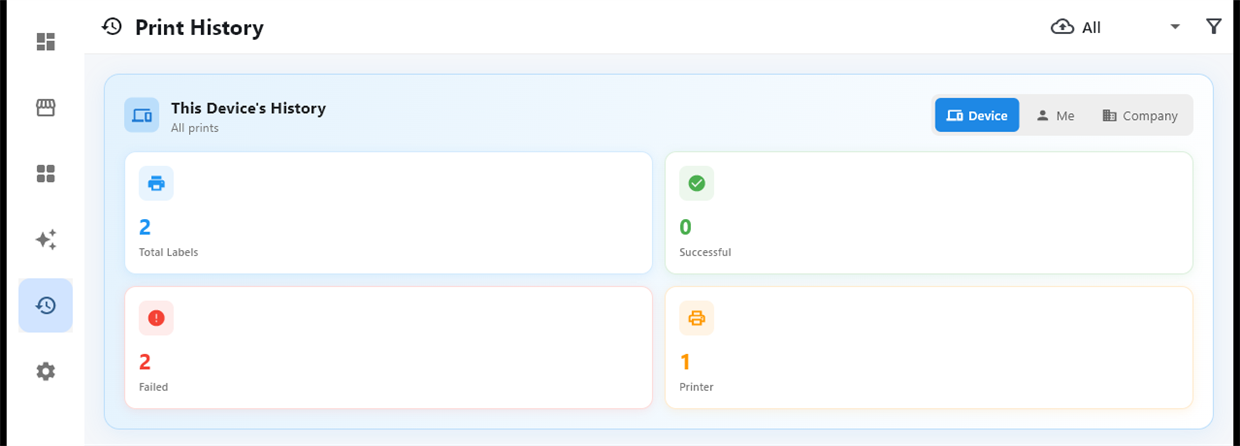
Each submit writes one record: who (user, email, role), which workflow, the values typed, the rows selected and copies, the device and machine, and the result per row. Records are append-only; the app never edits or deletes them. When someone asks "who printed lot 2610 on Tuesday night", the answer is there.
04 / AUDIT
Permissions behind it
Operator accounts can print without being able to create, edit or delete designs, and printers can be restricted to named users. See sharing a printer with your team.
QUESTIONS / FAQ
Frequently asked questions
Can I lock operators to a single print screen?
Yes. Bind an operator account to one design and LabelInn opens a full-screen print dialog for it with no navigation, canvas or settings.
Can operators scan to fill the label?
Yes. A workflow Print Dialog with lookup matches the scanned value against your data and fills the label from the matching row.
Is there a record of what each operator printed?
Yes. Every submit records the operator, workflow, values, rows, copies, device and result, in append-only records.
Can operators change the label design?
Not if you do not allow it. Printing and editing designs are separate permissions.
KEEP GOING
Related
NEXT STEP / LABELINN
Give the floor a station, not a designer
Set up the station once; operators just print. · Full-screen kiosk mode · Scan, fields, print · Every print on record