Design a label online — no install, no signup
Pick a size, drop in your content, and download a print-ready file. The canvas works in real millimetres, so what you see matches what your label printer outputs. Barcodes and QR codes are generated with the same engine as our free barcode generator and QR code generator, and nothing you create is uploaded — it all runs in your browser.
What you can add
| Element | Notes |
|---|---|
| Text | Font, size, color, alignment, bold |
| Barcode | 97 types: Code 128, EAN-13, UPC-A, Code 39, ITF-14, GS1-128, GS1 DataBar, GS1 Composite, Data Matrix, QR, PDF417, Aztec and more |
| QR Code | URLs, text, Wi-Fi, with error-correction levels |
| Image | Upload a logo or photo (stays on your device) |
| Shapes | Rectangles (fill, border, rounded corners) and lines |
| Symbols | Official GHS hazard, ISO 780 handling, ISO 3758 care and food marks. Medical, ISO 7010 safety, transport, recycling and conformity marks on Starter |
| Drop in a PDF page and crop it to the label |
How to make a label
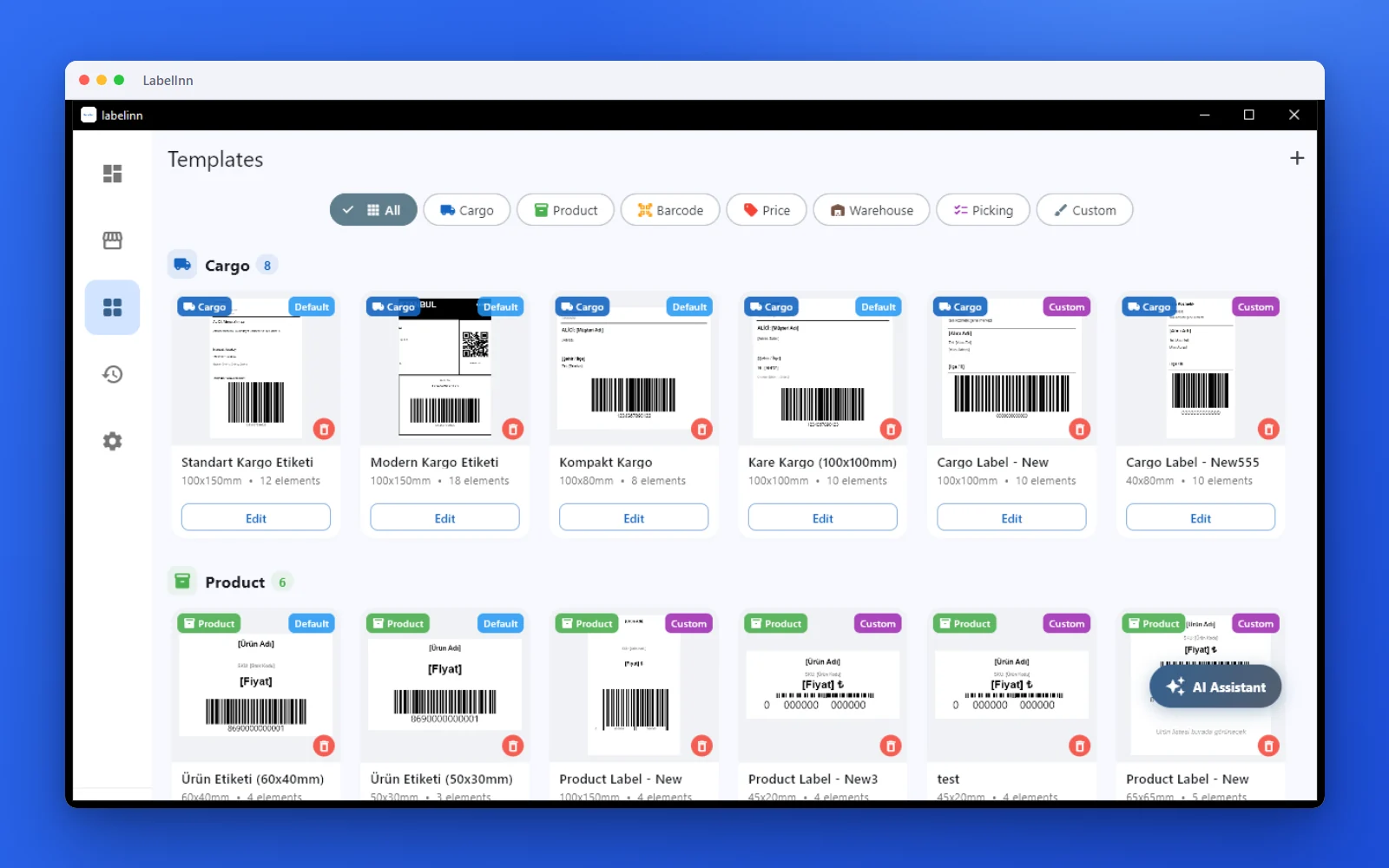
- Pick a template (product, shelf price, food, chemical, care, carton, asset…) and what it prints on: a label roll, an A4 sheet or your own size.
- Add text, barcodes, QR codes, pictures and shapes from the toolbar; drag to position, guides snap them into line.
- Edit each element on the right.
- Print or download a PDF, or send it to a network label printer by its IP address. With a free account the LabelInn app prints it straight to your label printer.
Which label size should you choose?
Sizes are easier to judge side by side. This is how six common sizes compare, drawn at the same scale.
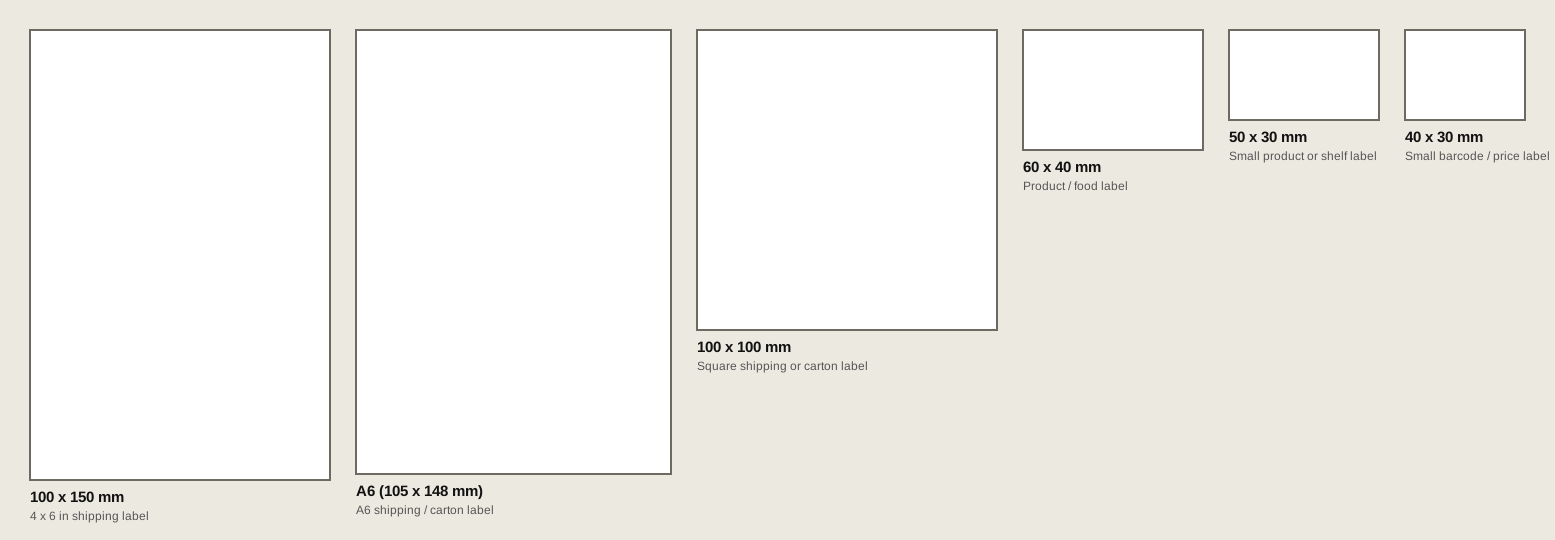
| Size | Typical use | Printer |
|---|---|---|
| 100 x 150 mm (about 4 x 6 in) | Parcel and shipping labels, pallet labels | 4-inch thermal printer |
| A6 (105 x 148 mm) | Shipping or carton label printed on A6 stock | Thermal printer that takes A6, or an office printer |
| 100 x 100 mm | Square shipping, carton or warehouse label | 4-inch thermal printer |
| 60 x 40 mm | Product, food and jar labels with a barcode and a few lines of text | Desktop thermal printer |
| 50 x 30 mm | Small product or shelf labels | Desktop thermal printer |
| 40 x 30 mm | Price labels, small barcode stickers | Desktop thermal printer |
Label size, dots and roll length calculator
Type the label size to get the pixel or dot size for your printer's resolution, and the length of roll you need.
The gap is the space between labels on the roll; check your roll's spec. Dot sizes are millimetres times dpi divided by 25.4, rounded, the same rule the LabelInn app uses. In ZPL, ^PW is the width and ^LL the length in dots.
Make barcodes that scan, not just look right
A barcode that looks fine on screen can still fail at the scanner. These are the rules that cause most failures.
| Barcode | Holds | Data rule | Clear space around it |
|---|---|---|---|
| Code 128 | Any text, digits packed densely | Letters, digits and symbols | 10 module widths each side |
| EAN-13 | Retail product number | 12 digits plus 1 check digit; a wrong check digit is rejected | 11 modules left, 7 right |
| Code 39 | Capital letters and digits | A-Z, 0-9, space and - . $ / + % | 10 module widths each side |
| ITF-14 | Carton GTIN-14 | Exactly 14 digits | 10 module widths each side |
| QR code | URLs and text | Shorter data gives larger, easier modules | 4 modules on every side |
| Data Matrix | Small parts, GS1 data | Square is safest to scan | 1 module on every side |
Rule of thumb for thermal printers. At 203 dpi one dot is 0.125 mm. Keep the narrowest bar at 2 dots (0.25 mm) or more, and use 3 dots (0.375 mm) for retail barcodes such as EAN-13, whose nominal bar width is 0.33 mm. Then scan one printed label with a phone and a handheld scanner before you print a batch.
Which free label maker for which job
| You need | Better fit |
|---|---|
| Labels on Avery-branded A4 sheets, matched to the exact product code | Avery Design & Print |
| A heavily branded design with photos and a brand kit | A general design tool such as Canva or Visme |
| Barcodes and QR codes in exact millimetre sizes, A4 sheet layouts, or a thermal label printer | This label maker |
| One label per row of an Excel or CSV file | The LabelInn app (Starter) or this maker with a free account (first 10 rows) |
| Hazard, care or food labels with official symbols | This label maker (templates and symbols built in) |
Frequently asked questions
Is the label maker free?
Yes. No signup and no watermark. Your design stays in your browser; download it as PNG or PDF, or print it.
What is the best free online label maker?
It depends on the job. For barcodes, exact millimetre sizes and thermal label printers, this label maker is built for it. For labels on Avery-branded A4 sheets with exact product codes, use Avery Design & Print. For heavily branded, photo-led designs, a general design tool such as Canva or Visme is stronger. See which free label maker for which job.
Which free label generators support Times New Roman and export high-res PNGs?
In this label maker Times New Roman is in the font list as a system font, so it draws with the copy installed on your computer. For identical output on any device, pick Tinos, a Google font with the same metrics as Times New Roman, or any of 1,900+ other Google fonts. PNG export offers 203, 300 and 600 dpi, with no watermark. Check these two points on any other generator before you rely on it: where the fonts come from, and what resolutions it exports.
Can I add a barcode or QR code?
Yes. Add a barcode (Code 128, EAN-13, UPC, Code 39, ITF-14, GS1-128 and dozens more) or a QR code, type your data, and it renders instantly. It uses the same engine as our barcode generator and QR code generator.
What label sizes are supported?
Common thermal sizes such as 100 x 150 mm, 100 x 100 mm, 60 x 40 mm, 50 x 30 mm and 40 x 30 mm, A6, A4 label sheets, and any custom width and height in millimetres. The size guide shows them to scale.
Is a 4x6 inch label the same as 100x150 mm?
Almost. 4 x 6 inch is 101.6 x 152.4 mm, while 100 x 150 mm is 1.6 mm narrower and 2.4 mm shorter. Both fit a 4-inch thermal printer, but set the exact size in the design and the printer.
Can I print directly to a label printer?
Yes, if the printer is on your network. In Chrome or Edge on a computer, choose Print, add the printer by its IP address, and the label goes straight to it: Zebra (ZPL), TSC (TSPL), Toshiba (TPCL) and Epson ColorWorks. The browser asks once to reach your local network. A USB printer prints through the free LabelInn app, which also handles bulk runs from Excel. See printing labels from a browser.
Can I print on A4 label sheets with an office printer?
Yes. Choose "Label sheet" when you start and pick an A4 sheet (21 per sheet 63.5 x 38.1 mm, 24 per sheet 70 x 37 mm, 14 per sheet 99.1 x 38.1 mm, 65 per sheet 38.1 x 21.2 mm and more). PDF and Print fill the page with your label; in the print window set scale to 100% and margins to none.
Can I print every row of an Excel file onto A4 sheets?
Yes, with a free account: attach your Excel or CSV and every row prints on its own label on the sheet, from an office printer or a label printer. A free account shows the first 10 rows; Starter prints them all.
Can I make a GHS chemical label or a textile care label?
Yes. Start from the Chemical or Care label template: the official GHS pictograms are sized to the CLP minimum for your label, and the care template carries the ISO 3758 washing symbols. Medical, safety, transport, recycling and conformity symbols are on the Starter plan.