Free Barcode Generator
Create Code 128, QR Code, EAN-13, UPC-A, Data Matrix, GS1 and 68 browser-tested barcode types. Download as PNG, SVG or PDF — free, no signup, no watermark.
Barcode settings
#000000
#FFFFFF
Preview
The free LabelInn app places your barcode on a real label with text, logos and prices, then prints directly to Zebra, TSC, Toshiba and Epson thermal printers — including bulk printing from Excel.
01
A real barcode generator that does what the others don't
Most free online barcode generators hand you a small, watermarked PNG of a single 1D barcode and stop there. This tool exposes a tested 68-format catalog from the bwip-js engine in your browser: 1D and 2D codes, GS1 application-identifier support, automatic check digits, and clean vector (SVG) output you can scale without blurring. Nothing you type is uploaded anywhere.
Just need a QR code? Use the purpose-built QR code generator for URLs, Wi-Fi, vCard and more. Want a full desktop app that prints directly to label printers and bulk-generates from Excel? That's the free barcode generator software below.
CHOOSING A TYPE
Which barcode type should I use?
Start from what the code is stuck on, not from the name of the symbology. Each row is a real render you can load into the generator above.
| What you are labelling | Use this | Example | |
|---|---|---|---|
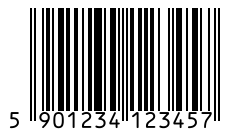
| A product sold through shop tills worldwide | EAN-13 13 digits: 12 of data plus 1 check digit |
 |
|
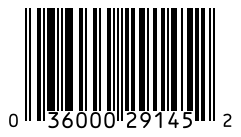
| A product sold in the US or Canada | UPC-A 12 digits. A UPC-A is an EAN-13 with a leading 0, so the same item can carry either |
 |
|
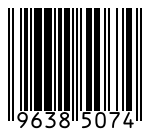
| A pack too small for an EAN-13 | EAN-8 8 digits: 7 of data plus the check digit |
 |
|
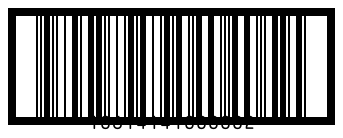
| Outer cartons that no till will scan | ITF-14 14 digits (GTIN-14); the bars are wide so it prints on corrugated board |
 |
|
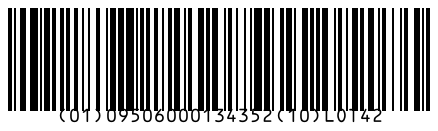
| Lot, expiry or serial on a shipping unit | GS1-128 GS1 application identifiers in brackets, for example (01) GTIN (10) lot |
 |
|
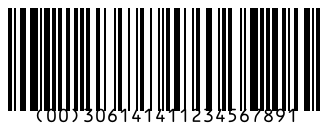
| A pallet or parcel that must be tracked | SSCC-18 18 digits, sent in GS1-128 under identifier (00) |
 |
|
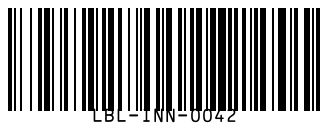
| Internal stock, assets, order and bin numbers | Code 128 Any ASCII text; the most compact general-purpose linear code, no registration needed |
 |
|
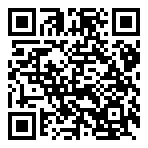
| A link, Wi-Fi login or contact card for a phone | QR Code Up to 7,089 digits; phone cameras read it with no app |
 |
|
| Tiny parts, electronics, direct part marking | Data Matrix Up to 3,116 digits in a small square; a quiet zone of one module is enough |
 |
|
| A serialised medicine pack | GS1 Data Matrix GTIN, lot, expiry and serial in one GS1 symbol |
 |
|
| A form, ID or ticket with a lot of text | PDF417 Up to 2,710 digits in a wide stacked symbol |
 |
|
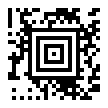
| A transit ticket or small label with no quiet zone | Aztec Up to 3,832 digits; the specification asks for no quiet zone because of its centre bullseye |
 |
|
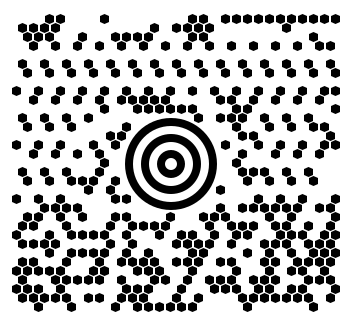
| Parcel carrier sortation | MaxiCode Fixed size, about 1 inch square, up to 93 characters; read at speed at any angle |
 |
Retail numbers are licensed. A generator can draw any number, but a product number that shops and marketplaces accept (a GTIN) comes from GS1 through your company prefix. For tests and internal use, GS1 reserves numbers starting 200 to 299 so they cannot collide with a real product.
02
Supported barcode types
| Type | Best for | Format |
|---|---|---|
| Code 128 | Logistics, shipping, warehouse | 1D |
| GS1-128 | Supply chain, expiry/lot (AI data) | 1D |
| Code 39 / 93 | Industrial, government, healthcare | 1D |
| EAN-13 / EAN-8 | Retail products, supermarkets | 1D |
| UPC-A / UPC-E | North American retail | 1D |
| ITF-14 / I2of5 | Cartons, outer packaging | 1D |
| Codabar / MSI | Libraries, inventory | 1D |
| QR Code | URLs, vCards, Wi-Fi, packaging | 2D |
| Data Matrix / GS1 DM | Small parts, electronics, pharma | 2D |
| PDF417 | IDs, boarding passes, large data | 2D |
| Aztec | Transit tickets, small media | 2D |
| DataBar family | Coupons, produce and compact GS1 labels | 1D / stacked |
| MaxiCode / DotCode / Han Xin | Logistics and specialized matrix workflows | 2D |
| POSTNET / Intelligent Mail / Royal Mail | Postal routing and mail automation | Postal |
| HIBC / Pharmacode / PZN | Healthcare and pharmaceutical identification | 1D / 2D |
03
How to generate a barcode
- Pick a barcode type from the dropdown.
- Type your data — a product code, URL, or GS1
(AI)string. - Adjust size, colors, quiet zone and rotation to taste.
- Download as PNG, SVG or PDF.
For how to choose a symbology, set X-dimension and quiet zones, and keep scans reliable in print, read the barcode printing guide.
WORKED EXAMPLE
From 12 digits to a scannable EAN-13
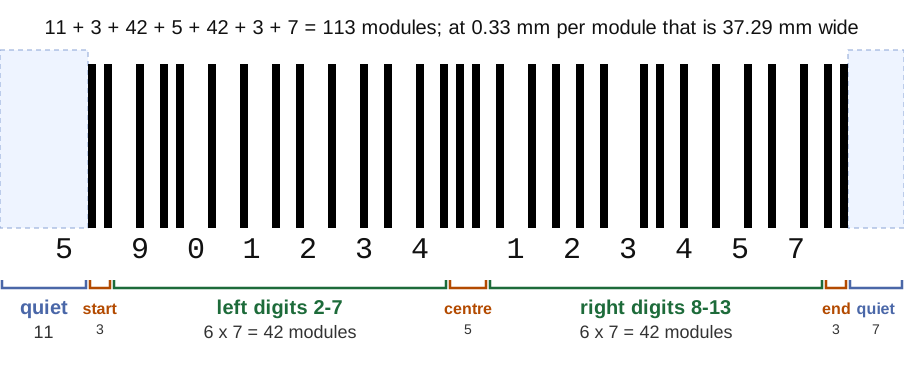
One real number, followed all the way to the bars. The barcodes below are rendered by the same bwip-js engine this generator runs; the annotated figures are drawn over those real modules.
Type 590123412345 with EAN-13 selected. The generator appends the check digit and draws 5901234123457. The last digit is not chosen: it is the number that lifts a weighted sum to the next multiple of ten.
Weights alternate 1 and 3, and the digit next to the check digit always has weight 3:
| Digit position | 1 | 2 | 3 | 4 | 5 | 6 | 7 | 8 | 9 | 10 | 11 | 12 |
|---|---|---|---|---|---|---|---|---|---|---|---|---|
| Digit | 5 | 9 | 0 | 1 | 2 | 3 | 4 | 1 | 2 | 3 | 4 | 5 |
| Weight | 1 | 3 | 1 | 3 | 1 | 3 | 1 | 3 | 1 | 3 | 1 | 3 |
| Digit x weight | 5 | 27 | 0 | 3 | 2 | 9 | 4 | 3 | 2 | 9 | 4 | 15 |
| Sum | 5 + 27 + 0 + 3 + 2 + 9 + 4 + 3 + 2 + 9 + 4 + 15 = 83 | |||||||||||
| Check digit | next multiple of 10 is 90, and 90 - 83 = 7 | |||||||||||
A wrong digit anywhere changes the sum and therefore the check digit, which is why a scanner can reject a misread instead of returning a wrong product. The check digit calculator does the same arithmetic for EAN-8, UPC-A, ITF-14, GLN and SSCC-18.
What the 113 modules are
Need a valid number to test with?
The button below builds a random 13-digit EAN-13 that starts with 200, a range GS1 reserves for internal use, so it is safe for test labels and cannot clash with a real product. The check digit is computed with the arithmetic above.
WHY IT WILL NOT SCAN
Print size, quiet zone and the mistakes that break a good barcode
A barcode that looks perfect on screen fails in print for a short list of reasons. The numbers below are the GS1 figures for EAN-13 and UPC-A; the same logic holds for every linear code.
1. The module is too narrow
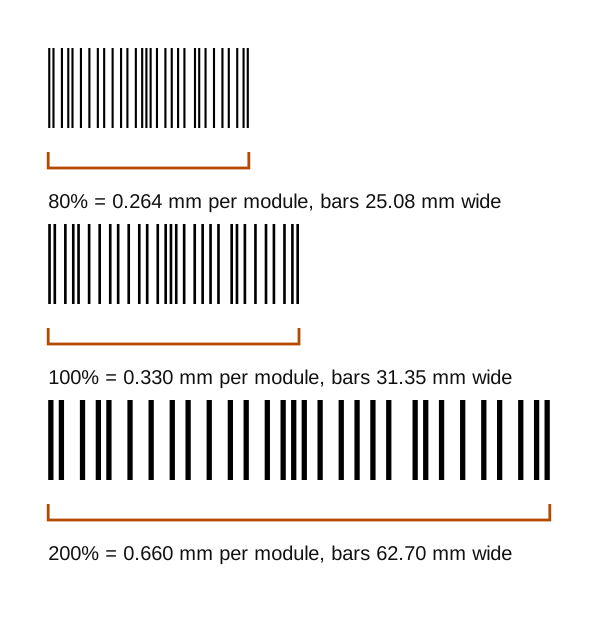
The module (X-dimension) is the width of the thinnest bar. GS1 defines 100% as 0.33 mm for EAN-13 and UPC-A and allows 80% to 200%. Under 0.264 mm the symbol is outside what GS1 allows and ordinary scanners start to fail.
2. The printer cannot make the module you asked for
A thermal printer draws whole dots, so the module is a whole number of dots. That is where a "correct" size quietly drops under the floor:
| Printer | Dot size | Module in dots | Module in mm | Magnification | Result |
|---|---|---|---|---|---|
| 203 dpi | 0.125 mm | 2 | 0.250 | 75.8% | below the 80% floor |
| 203 dpi | 0.125 mm | 3 | 0.375 | 113.7% | use this |
| 300 dpi | 0.085 mm | 3 | 0.254 | 77.0% | below the 80% floor |
| 300 dpi | 0.085 mm | 4 | 0.339 | 102.6% | use this |
| 600 dpi | 0.042 mm | 7 | 0.296 | 89.8% | smallest that passes |
At 3 dots on a 203 dpi printer the EAN-13 bars are 35.66 mm wide, so with its quiet zones the symbol needs 42.4 mm and does not fit a 40 mm wide label: check the width before you print, or use the X-dimension and quiet zone calculator, which snaps to the dots your printer can make. When you download a PNG from this page, print it at 100% scale and pick a size setting that makes one module a whole number of printer dots; scaling it by a fractional percentage blurs the edges, so prefer SVG or PDF for anything that will be resized.
3. The quiet zone is missing
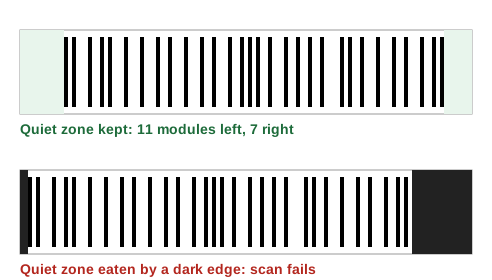
Scanners need blank space before the first bar and after the last one: 11 modules on the left of an EAN-13 and 7 on the right, which is 3.63 mm and 2.31 mm at the nominal size. A border, a fold, a neighbouring text line or a label edge inside that space makes the scanner read the clutter as part of the code. The Quiet zone slider in the generator adds margin around the symbol; keep it generous when the code will sit next to other print.
4. Wrong colours or a transparent background
- Many scanners read with red light, so red, orange or light-yellow bars on white look blank to them. Use black or a dark blue on a light background.
- A transparent PNG over a dark or patterned label loses its contrast. Place it on a white or light area.
- Light bars on a dark background (inverted) are not read by many 1D scanners. Test with the scanner you will actually use before you print a run.
5. Stretched or re-sampled images
Resizing a PNG in a word processor by dragging one handle changes the module width in one direction only, and bilinear scaling turns sharp bars into grey ones. Download the SVG or PDF and size it proportionally, or generate the PNG at the size you need with the size slider.
6. The number is wrong, not the print
If an EAN-13, UPC-A or ITF-14 is rejected by a scanner program rather than failing to read, the check digit is usually the cause. Type the full number into this generator: a wrong last digit shows an error here, and the check digit calculator shows which digit it should be.
QUICK ANSWERS
What people usually come here to do
- Barcode from a link or URL. Use QR Code.
- Text to barcode. Code 128 takes any printable ASCII text.
- A random barcode for testing. See the random EAN-13 button in the worked example above.
- A 2D code. QR Code for phones, Data Matrix for small parts, Aztec for tickets, PDF417 for data-heavy documents. Each has a row in the decision table.
- Print a barcode. Download the SVG or PDF and print at 100% scale, or place the barcode on a full label in the free LabelInn app and print straight to the label printer.
- Many barcodes at once. The Batch / serial panel makes up to 10 from a list or a number range; the app prints one label per spreadsheet row.
04
Embed this barcode generator on your site
Free to embed — just keep the attribution link. Great for help centers, supplier portals and intranets.
Need a QR code instead? Try the dedicated QR code generator. Prefer a full desktop app that prints and bulk-generates from Excel? See our free barcode generator software, or explore all LabelInn features.
THE PROBLEM, THEN THE FIX
This code: it looks right on screen, so why will it not scan?
A code that is slightly too small, too tight or the wrong type is the usual reason a scanner refuses it.
The problemThe code is drawn at a size that suits the screen, not the scanner.
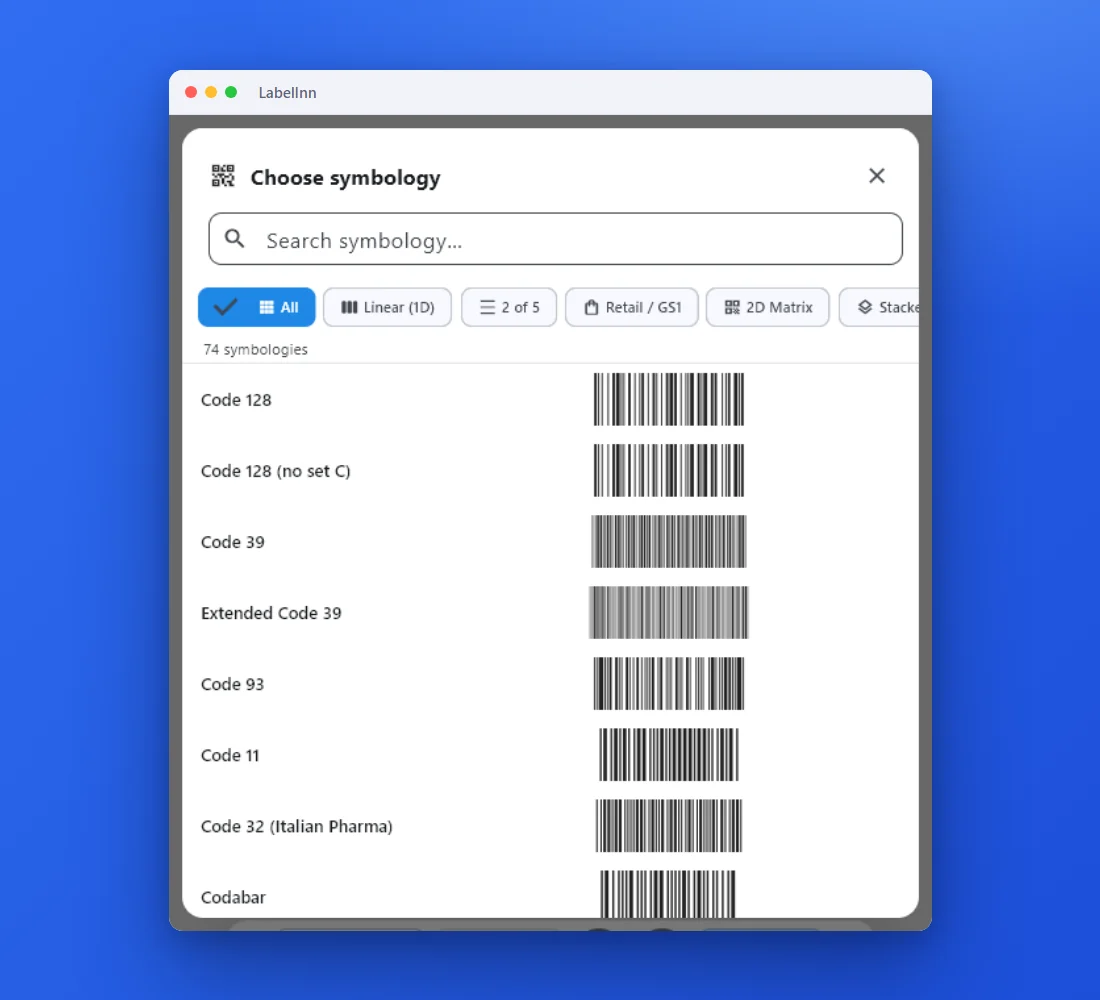 1Choose from 74 symbologiesEvery entry shows a live preview, so you pick the code by sight instead of by name.
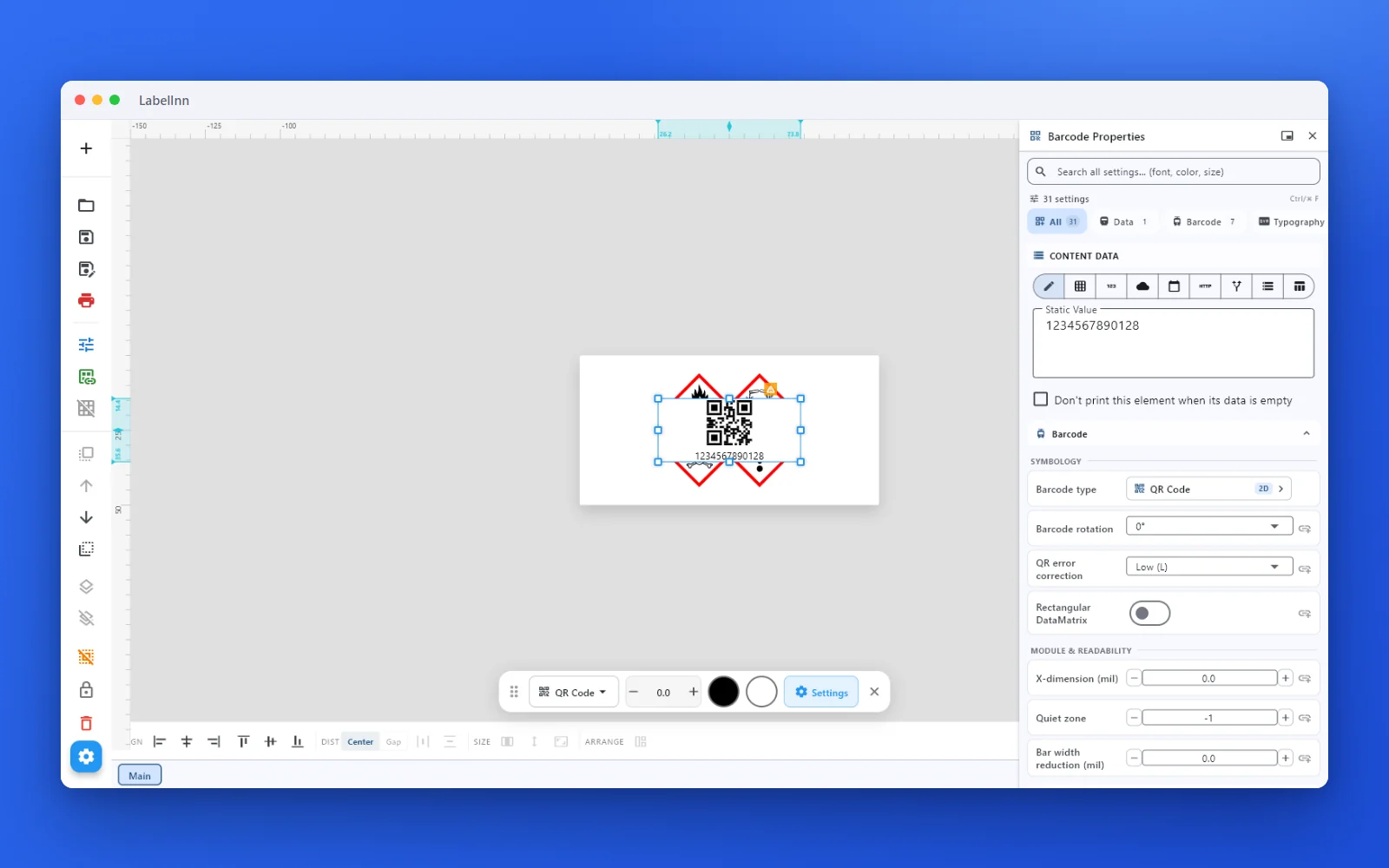 2Set the data and the readability rulesStatic value, spreadsheet column, database field or counter, plus X-dimension and quiet zone.
 3Preview, then printCheck the real label, choose the printer and the number of copies, and print.
The fixPick the symbology from a preview list, set the module width and quiet zone, and check the real label before you print.Get LabelInn free
QUESTIONS / FAQ
Frequently asked questions
Is this barcode generator really free?
Yes — no signup, no watermark, no limit on single barcodes. The batch panel under the generator makes the first 10 rows of a list for free. Everything runs in your browser, so nothing you type is uploaded.
Can I download a vector (SVG)?
Yes. Download as scalable SVG, high-resolution PNG, or a print-ready PDF.
Are EAN/UPC check digits automatic?
Yes. Enter 12 digits for EAN-13, 11 for UPC-A or 7 for EAN-8 and the check digit is added for you. Enter the full number and it is validated: a wrong last digit shows an error instead of a barcode. To see the arithmetic, use the check digit calculator.
Which barcode type should I use?
Retail products: EAN-13 (UPC-A in North America). Cartons that are not scanned at a till: ITF-14 or GS1-128. Pallets: SSCC-18 in GS1-128. Internal stock, assets and order numbers: Code 128. Links, Wi-Fi and contacts: QR Code. Small parts and pharma packs: Data Matrix. IDs and forms with a lot of text: PDF417. The decision table above gives the reason for each.
How do I make a barcode from a link or URL?
Use a QR Code, not a linear barcode. Pick QR Code in the type list, paste the full address including https:// and download it. A URL is too long for a practical EAN or Code 128, and phone cameras read QR directly. The dedicated QR code generator also builds Wi-Fi and vCard payloads.
Can I make a barcode with a transparent background?
Yes: tick Transparent background and download the PNG or SVG. The bars keep their colour and nothing sits behind them, so it only scans if it is placed on a light, plain area. On dark or coloured label stock the contrast is lost and the scanner cannot see the bars.
Can I use a barcode from this page to sell in shops or on Amazon?
The symbol is free, the number is not: retail product numbers (GTINs) are licensed through GS1 and your company prefix is what makes a code unique worldwide. This page draws any number you type, so use it for numbers you own, or for internal numbers that start with 200 to 299, which GS1 reserves for in-company use.
What size should I print an EAN-13?
GS1 defines 100% magnification as 0.33 mm per module, which makes the 95-module symbol 31.35 mm wide before quiet zones. It may be scaled between 80% (0.264 mm) and 200% (0.66 mm), and it needs 11 modules of empty space on the left and 7 on the right. At 203 dpi a 2-dot module is 0.25 mm and falls below the 80% floor, so use 3 dots; at 300 dpi use 4.
Can I generate many barcodes at once?
Yes, up to 10 at a time: open Batch / serial under the generator, paste a list or set a serial range and download a ZIP of PNGs or a PDF. Longer lists come with Starter and above, or the 14-day trial. The free LabelInn app binds an Excel or CSV column to the barcode field and prints one label per row.
How do I print to a Zebra or TSC printer?
Download the image and print it, or use the free LabelInn app to place the barcode on a full label and print directly — including bulk runs from Excel.