GS1 DataMatrix Printer App for Windows, With a Free Generator
Make one scannable GS1 Data Matrix right here in your browser, free, or print them by the thousand from Windows or Mac with LabelInn. GTIN, expiry, lot and serial in a single symbol. Nothing you type here leaves your computer.
GS1 Data Matrix settings
#000000#FFFFFFPreview
This generator makes one symbol. When you need a batch — one label per row from a spreadsheet, a database or your API — LabelInn renders GS1 Data Matrix natively on the printer at its own resolution.
PRINTING FROM WINDOWS
GS1 DataMatrix printer application for Windows
This page makes one symbol. LabelInn makes thousands, each with its own lot, expiry and serial.
Short answer. A GS1 Data Matrix on a label needs three things: the right data string, a symbol printed at a size your scanner can read, and a printer that takes the job. LabelInn is a Windows and Mac app that builds the string from a list of Application Identifiers, draws the symbol on your PC at the printer's own dots, and prints it on Zebra, TSC, Toshiba TEC and Epson printers over USB or the network. It starts free.
Print one now. Install the app, pick GS1 Data Matrix, choose the Application Identifiers and print a test label. Download LabelInn for Windows →
| This free generator | The LabelInn app | |
|---|---|---|
| Data string | You type it, for example (01)...(17)...(10)... | You pick each Application Identifier from a list. The format of each value is checked and the separators are placed for you |
| Lot, expiry, serial | Fixed for one symbol | Bound to a counter, a date rule (today plus an offset) or a spreadsheet column, so each label gets its own |
| Size | Set by the image size you download | Set in printer dots per module, so a module lands on whole dots |
| Output | PNG, SVG or PDF | A job in the printer's own language: ZPL, TSPL, TPCL or ESC/Label |
| Volume | One symbol at a time | A batch, a watched folder, a webhook or an operator at the Print Station |
WORKED EXAMPLE
One symbol, taken apart
A carton label with GTIN, expiry, lot and serial in one symbol.
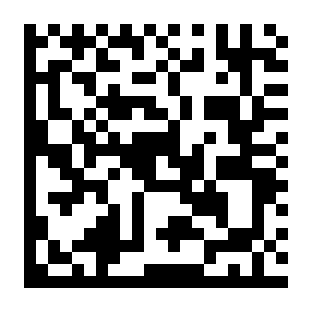
| AI | Meaning | Value | Length rule |
|---|---|---|---|
| (01) | GTIN-14 | 05901234123457 | Fixed, 14 digits |
| (17) | Expiry, YYMMDD | 271031 | Fixed, 6 digits (31 October 2027) |
| (10) | Batch or lot | L2610 | Variable, up to 20 characters; a separator follows it |
| (21) | Serial number | SN000417 | Variable, up to 20 characters; last, so no separator |
Every GS1 Data Matrix starts with an FNC1 character, and a variable-length field that is not last is followed by a separator. That is what lets a scanner tell lot from serial. LabelInn places both for you. If you write ZPL by hand instead, Zebra's rule is that the underscore is the default escape character for quality 200 data and _1 is FNC1, so the data above becomes ^BXN,10,200,,,,_ then ^FD_101059012341234571727103110L2610_121SN000417^FS. Paste it into the ZPL viewer to see the symbol.
How big is a module on paper?
The module is the printed dot square. Printers print whole dots, so the module size in millimetres depends on the printer's resolution. Check the size your scanner and your customer require, then pick the dots to match.
| Printer resolution | Module of 4 dots | Module of 6 dots | Module of 8 dots | Module of 10 dots |
|---|---|---|---|---|
| 203 dpi | 0.50 mm | 0.75 mm | 1.00 mm | 1.25 mm |
| 300 dpi | 0.34 mm | 0.51 mm | 0.68 mm | 0.85 mm |
| 600 dpi | 0.17 mm | 0.25 mm | 0.34 mm | 0.42 mm |
The 22-module symbol above at 10 dots per module on a 203 dpi printer is 220 dots, which is 27.5 mm wide. GS1 publishes sizing guidance in its GS1 DataMatrix user guide.
DECISION
When the app is the right tool, and when it is not
| Your situation | Better choice | Why |
|---|---|---|
| One symbol for a document or a sample | This free generator | No install, no signup, PNG, SVG or PDF. |
| Labels with a changing lot, expiry or serial, on a Zebra, TSC, Toshiba TEC or Epson printer | LabelInn | Serial counters are free. Excel and CSV binding is Starter at $7.99 a month. |
| A validated installation of BarTender, NiceLabel or similar that already prints GS1 symbols | Stay | Switching is a validation project, not a download. |
| Pharmaceutical serialisation with aggregation and reporting to an authority | A serialisation system | LabelInn prints the symbol; it does not manage serial number pools or regulator reporting. See DSCSA label printing for what it does cover. |
| Marking directly on metal or plastic | A laser or inkjet marker | LabelInn drives label printers. |
| You must grade print quality to ISO standards | A barcode verifier | LabelInn encodes and prints; it does not grade. |
More on the data side in GS1 barcode software, on lot and serial lines in manufacturing label printing software, and on printers in thermal printer software, Zebra and Toshiba TEC.
01
GS1 Data Matrix specification
| Type | 2D matrix / stacked code |
|---|---|
| Character set | GS1 Application Identifier data with an FNC1 in the first position |
| Length | variable |
| Check digit | Reed-Solomon error correction, not a check digit |
| Standard | ISO/IEC 16022 with GS1 General Specifications |
| GS1 symbology | Yes |
02
Where GS1 Data Matrix is used
Healthcare unit-of-use marking, carrying GTIN, expiry, batch and serial in a single symbol.
03
Printing GS1 Data Matrix on a thermal printer
A generated image is fine for a one-off. For a production run you want the barcode rendered by the printer at its own resolution, sized in whole dots so the narrow bar lands on an exact dot boundary. LabelInn does that on Zebra, TSC, Toshiba and Epson hardware, and it can drive one label per row straight from your data.
THE PROBLEM, THEN THE FIX
GS1 Data Matrix: it looks right on screen, so why will it not scan?
A code that is slightly too small, too tight or the wrong type is the usual reason a scanner refuses it.
The problemThe code is drawn at a size that suits the screen, not the scanner.
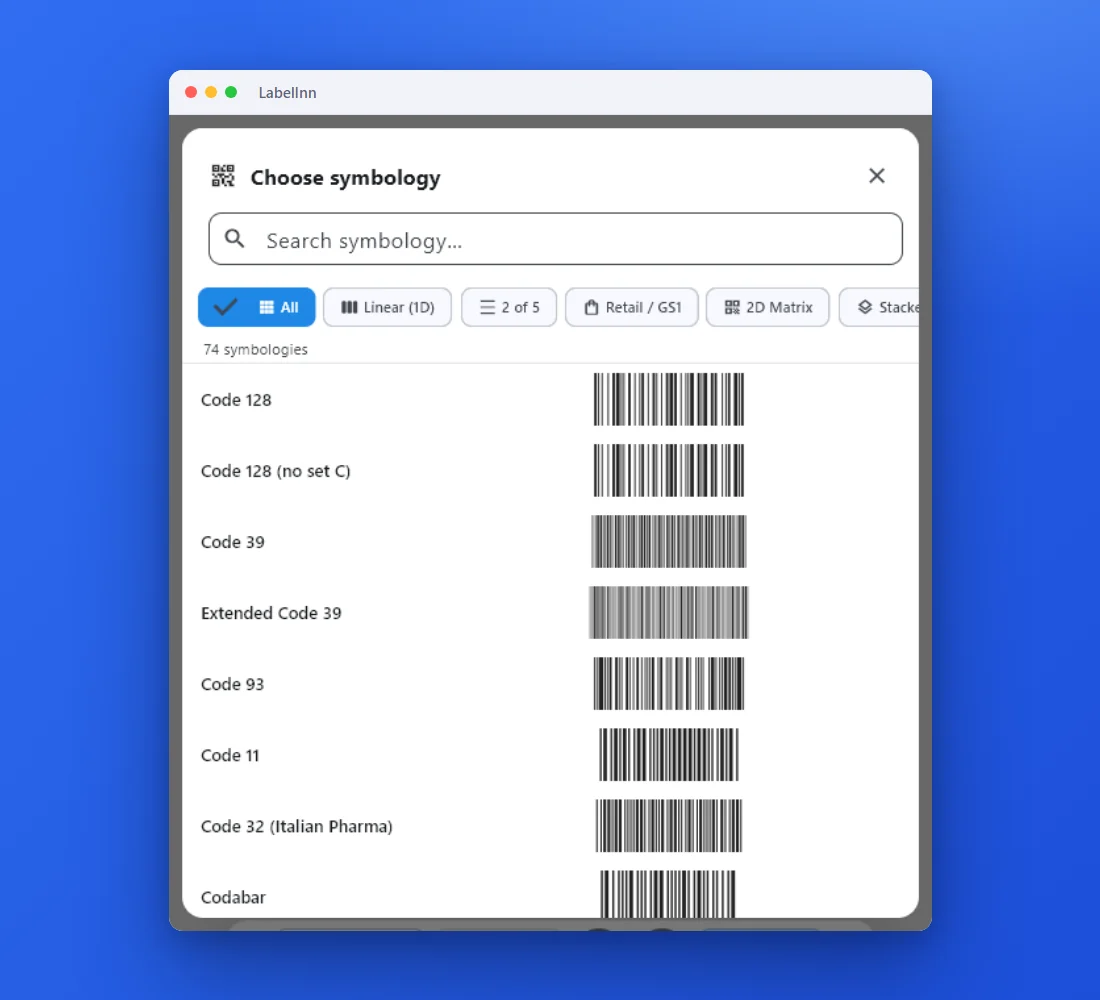 1Choose from 74 symbologiesEvery entry shows a live preview, so you pick the code by sight instead of by name.
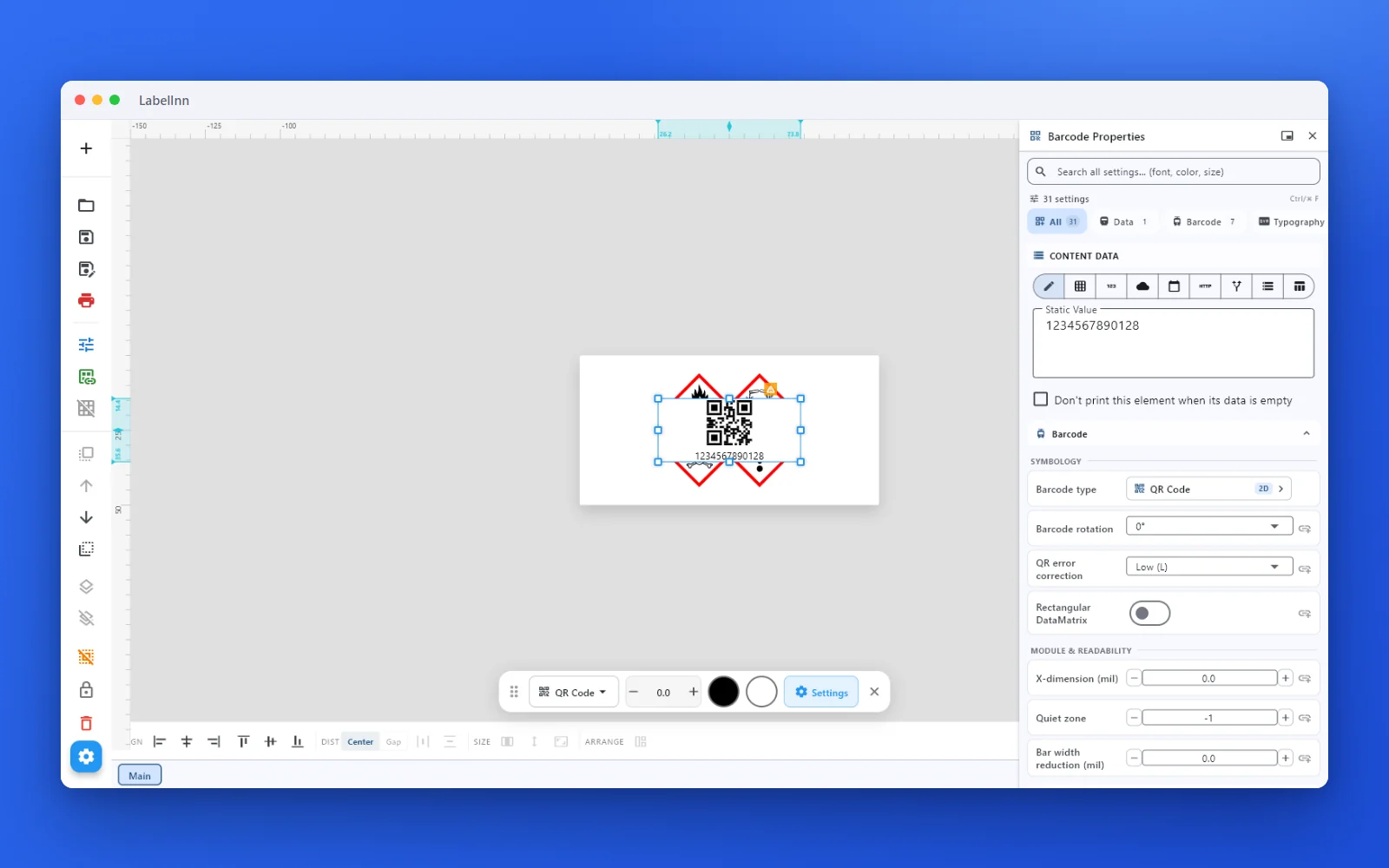 2Set the data and the readability rulesStatic value, spreadsheet column, database field or counter, plus X-dimension and quiet zone.
 3Preview, then printCheck the real label, choose the printer and the number of copies, and print.
The fixPick the symbology from a preview list, set the module width and quiet zone, and check the real label before you print.Get LabelInn free
QUESTIONS / FAQ
Frequently asked questions
Is this GS1 Data Matrix generator really free?
Yes. The generator runs entirely in your browser, there is no signup, and the downloads carry no watermark.
Does my data get uploaded anywhere?
No. The symbol is encoded locally in your browser. Nothing you type is sent to a server.
What can GS1 Data Matrix encode?
GS1 Application Identifier data, such as (01) GTIN, (17) expiry, (10) lot and (21) serial, with an FNC1 character in the first position and a separator after any variable-length field that is not last. Reed-Solomon error correction is built in; it is not a check digit.
Which Windows software prints GS1 Data Matrix on a label printer?
LabelInn is one: a Windows and Mac app where you choose the Application Identifiers from a list, bind the lot, expiry and serial to data, and print on Zebra, TSC, Toshiba TEC or Epson printers over USB or the network. BarTender and NiceLabel also do this. If you already run one that is validated, there is no reason to switch.
Which printers can print a GS1 Data Matrix?
Any printer that LabelInn drives, which means ZPL (Zebra), TSPL (TSC and clones), TPCL (Toshiba TEC) and ESC/Label (Epson). LabelInn draws the symbol on the PC at the printer's resolution and sends it as part of the label picture.
Can each label have a different lot, expiry and serial?
Yes. A serial counter works on the free plan. Binding lot or expiry to an Excel or CSV column is on Starter at $7.99 a month; databases and the API are on Pro at $24.90 a month.
Does LabelInn issue GTINs or certify my barcodes?
No. GTINs and company prefixes come from GS1 in your country, and LabelInn is not a GS1-certified product. It builds and prints correctly encoded symbols. Grading print quality needs a barcode verifier.
How do I check that a printed code scans?
Scan one with the scanner or phone your customer will use, and read the string it returns: the Application Identifiers should appear in order with the lot and serial intact. Do this on the real label stock, because paper and ribbon change what a symbol looks like.
05
Printing GS1 Data Matrix labels in production?
This generator makes one symbol. When you need a batch — one label per row from a spreadsheet, a database or your API — LabelInn renders GS1 Data Matrix natively on the printer at its own resolution.
06