DESIGN / BARCODES
Add a barcode or QR code to a label
Press +, choose Barcode, pick the type from a list that shows each one, and set where the data comes from.
THE PROBLEM
You know the barcode you need but not what it is called
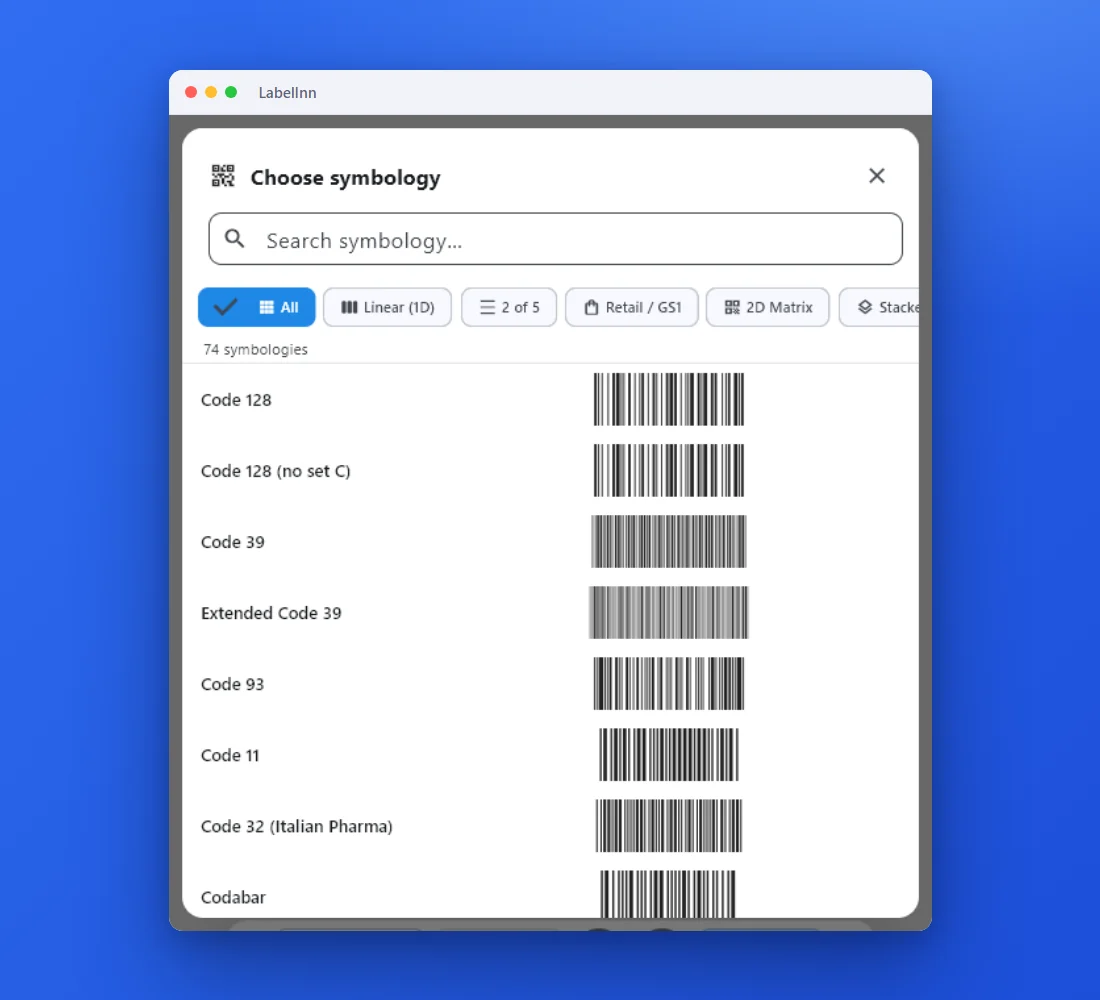
Barcode names are not obvious. A list that shows every type next to its preview lets you choose by looking, then change your mind in one click.
THE FIX
Step by step
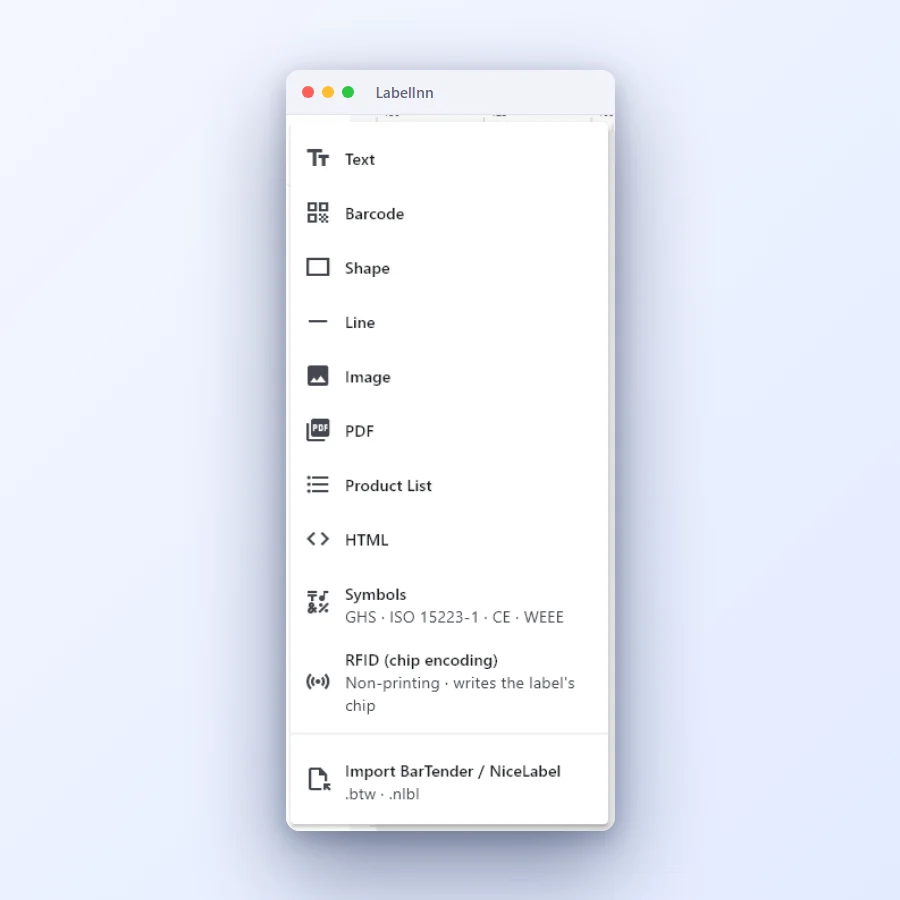
- Open the add menu and choose Barcode The + button opens the element menu: Text, Barcode, Shape, Line, Image, PDF, Product List, HTML, Symbols and RFID.
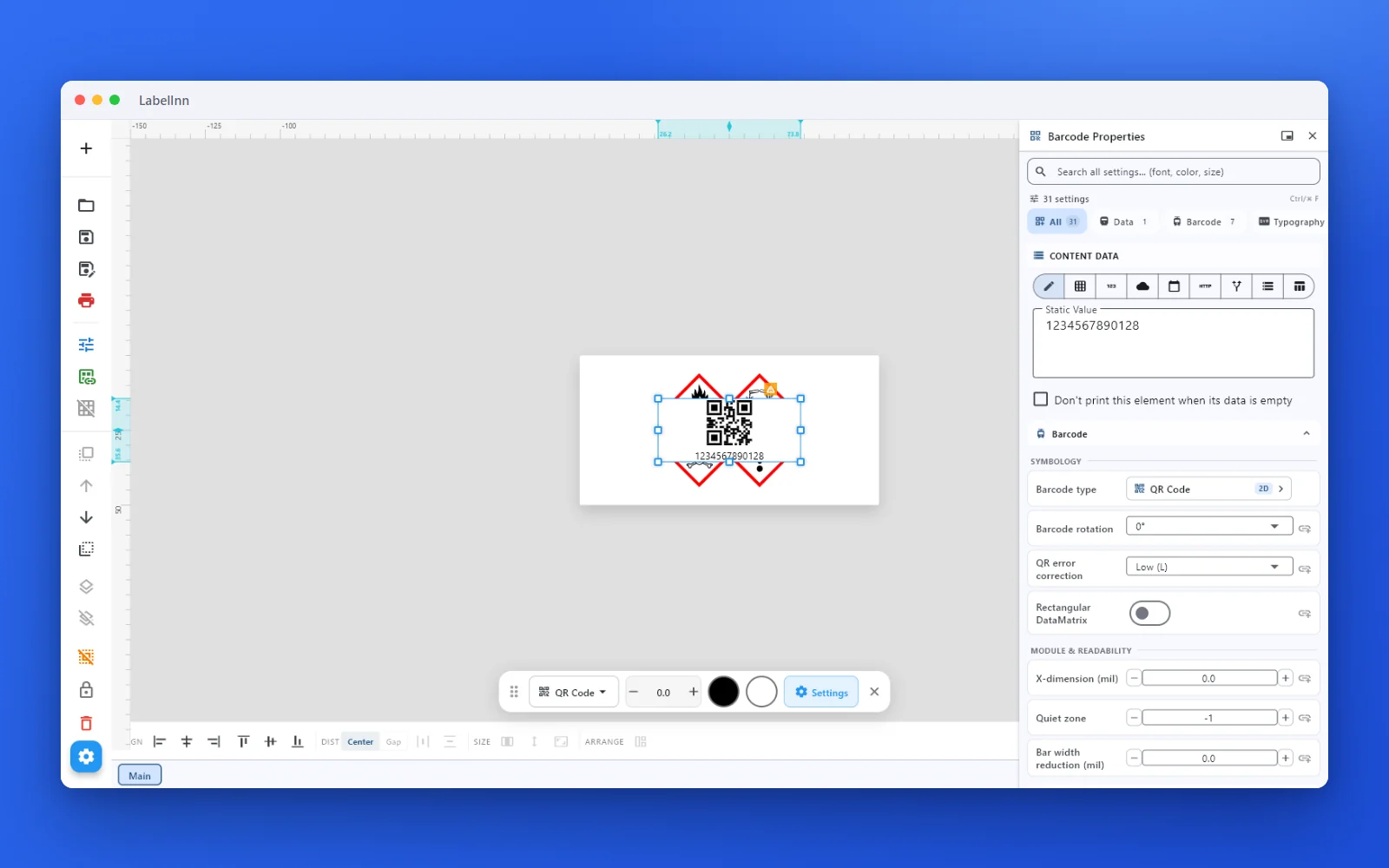
- Pick the barcode type from the list Open the type picker on the barcode’s properties. Choose symbology shows 74 types with a preview of each, and filters for Linear (1D), 2 of 5, Retail / GS1, 2D Matrix and more.
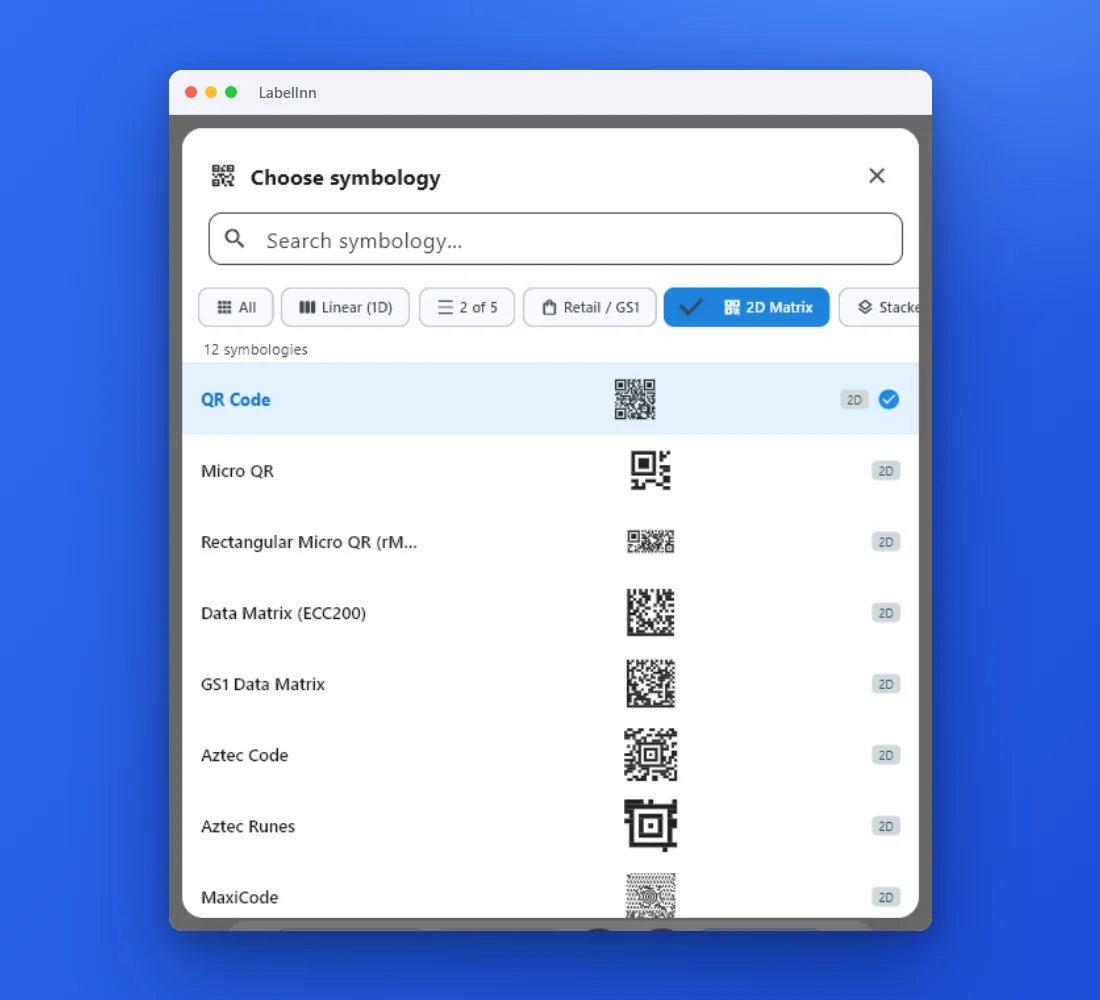
- Filter to 2D codes for QR and Data Matrix The 2D Matrix filter lists QR Code, Micro QR, Data Matrix, GS1 Data Matrix, Aztec Code, MaxiCode and others.
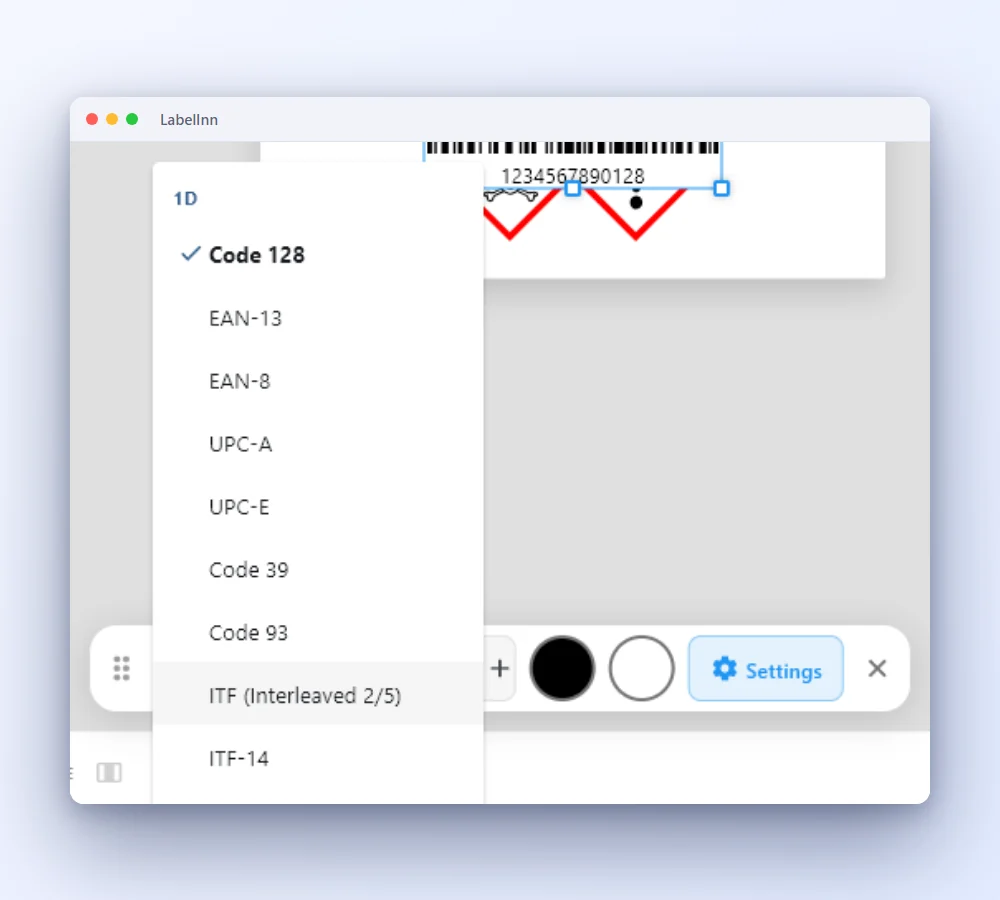
- Switch type from the quick bar With a barcode selected, the bar under it changes the type in one step without opening the full list.
- Set the data and the readability rules Choose where the value comes from, then set the module size (X-dimension), the quiet zone and the error correction for QR codes.
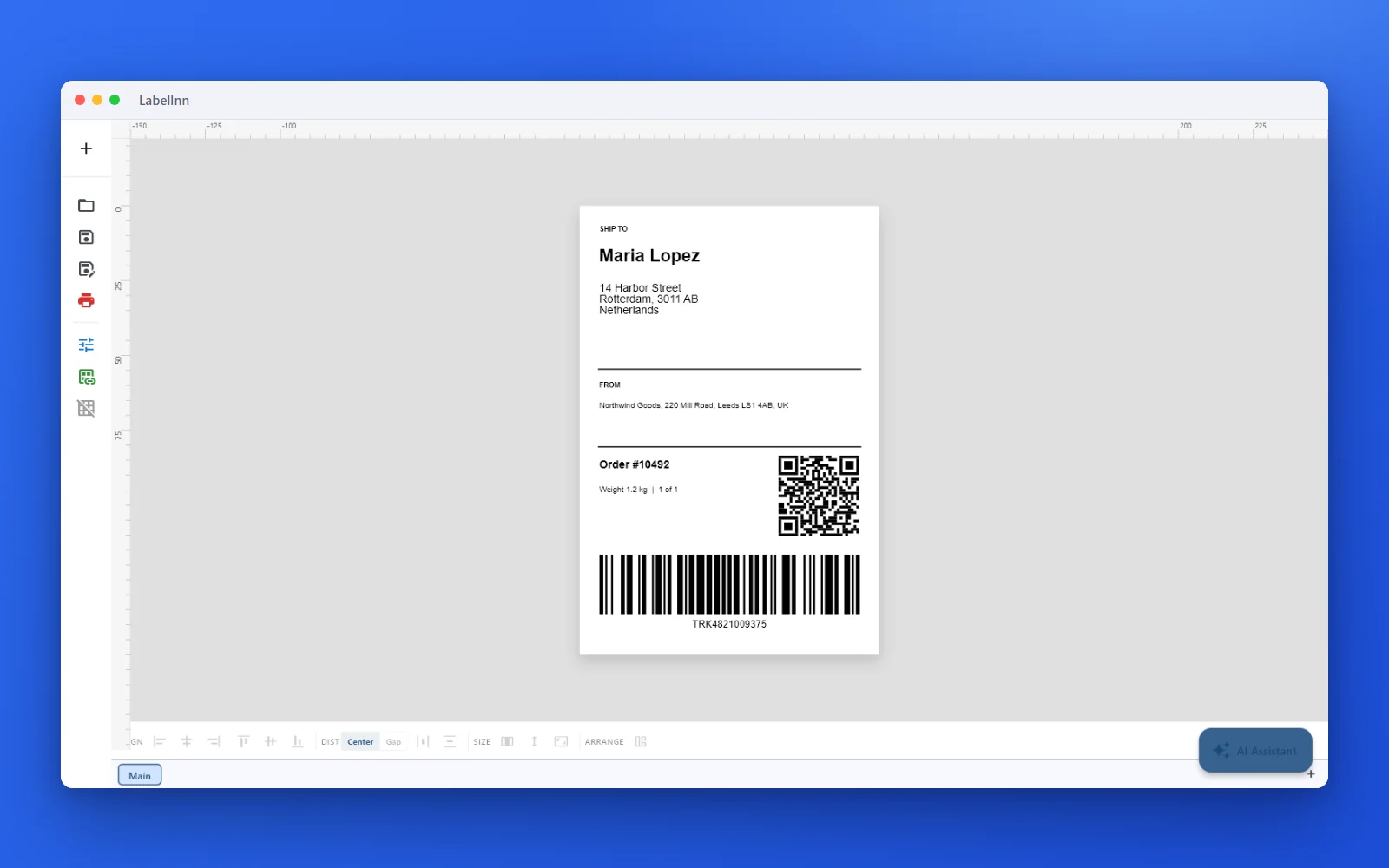
- Check it on a finished label A QR code and a Code 128 barcode on a 100 × 150 mm shipping label.
FAQ
Frequently asked questions
How many barcode types are there?
The picker lists 74 symbologies, including Code 128, Code 39, EAN-13, UPC-A, ITF-14, GS1-128, QR Code, Data Matrix, GS1 Data Matrix, Aztec and PDF417.
Where can the barcode data come from?
A fixed value, a spreadsheet column, a database field, a counter or a date. The row of icons above the value field switches between them.
How do I make a barcode easier to scan?
Use the readability settings on the same panel: X-dimension (the module width), quiet zone and, for QR codes, the error-correction level.
Can I print the barcode’s text under it?
Yes, the human-readable text can be placed below, and it has its own font and alignment settings.
KEEP GOING
Related pages
NEXT STEP / LABELINN
Put the right barcode on your label
Download LabelInn and choose the type by looking at it. · 14-day Pro trial on signup · No credit card required · Windows, macOS, Android, Web