Free MaxiCode barcode generator
Create a scannable MaxiCode (Maxi Code) symbol right here in your browser. The fixed-size hexagon code with the bullseye centre that parcel carriers read at speed and at any angle. Download it as PNG, SVG or PDF — no signup, no watermark, and nothing you type leaves your computer.
MaxiCode settings
#000000#FFFFFFPreview
This generator makes one symbol. When you need a batch — one label per row from a spreadsheet, a database or your API — LabelInn draws MaxiCode with its built-in barcode engine, places it on the label at the size you set and prints it on Zebra, TSC, Toshiba and Epson thermal printers.
01
MaxiCode specification
MaxiCode, also written Maxi Code, was created by UPS for automated parcel sorting and is standardised as ISO/IEC 16023.
| Type | 2D matrix of hexagonal modules around a central bullseye |
|---|---|
| Character set | All 256 ASCII characters |
| Capacity | Up to 93 characters; fewer for mixed text (see the measured table below) |
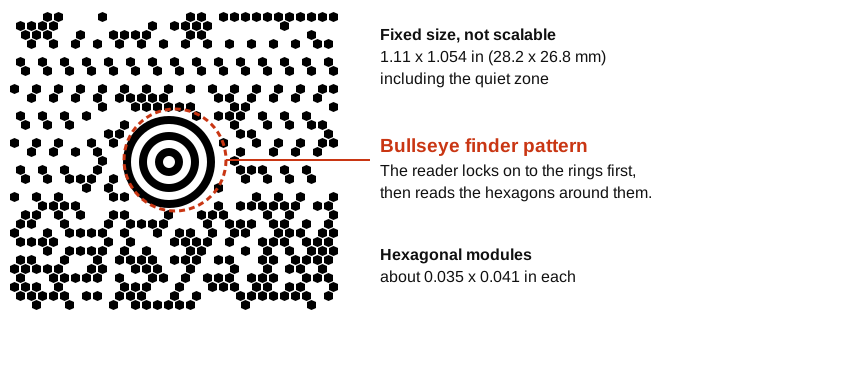
| Symbol size | Fixed: about 1.11 x 1.054 in (28.2 x 26.8 mm) including the quiet zone |
| Module (hexagon) | About 0.035 x 0.041 in |
| Quiet zone | At least one module on every side |
| Error correction | Reed-Solomon (there is no separate check digit) |
| Standard | ISO/IEC 16023 |
| GS1 symbology | No |
02
Where MaxiCode is used
Parcel carrier sortation, where the fixed size and bullseye allow reading at speed and any angle.
A sorting line cannot ask a parcel to turn the label towards the camera. The bullseye in the centre tells the reader where the symbol is and how it is rotated, so it can be found anywhere in the image. Because the symbol is always the same size, the reader also knows how large to look for. That is why it is common on carrier labels and rare almost everywhere else.
Five modes exist, and only the first two carry carrier data:
| Mode | Name | What the data looks like | Used for |
|---|---|---|---|
| 2 | Structured carrier message | Numeric postal code, up to 9 digits, then 3-digit country code and 3-digit service class | Domestic parcels |
| 3 | Structured carrier message | Alphanumeric postal code, up to 6 characters, then country code and service class | International parcels |
| 4 | Standard symbol | None: any text up to the capacity | Free-form data |
| 5 | Full error correction | None; enhanced error correction on both messages, so capacity drops | Free-form data in a rough environment |
| 6 | Reader programming | None | Configuring scanners, not parcels |
WORKED EXAMPLE
Free text versus a structured carrier message
A parcel reference as free text, then as a mode 2 and a mode 3 carrier message.
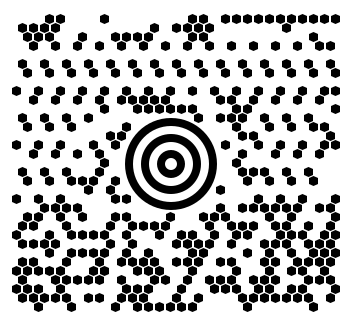
LabelInn parcel 0042.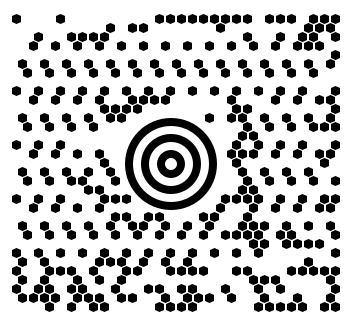
303051234, country 840, class 001, then the secondary text PARCEL 0042 1/1.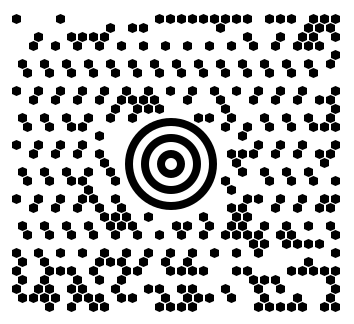
EC1A1B, country 826, class 001, secondary text PARCEL 0042 1/1.In a structured symbol the first part is not free text: it is a postal code, a 3-digit country code and a 3-digit service class, in that order, each separated by the ASCII group separator character, followed by the secondary message. The encoder is strict about it: bwip-js refuses a mode 2 symbol whose postal code is empty, longer than 9 digits or not numeric. Mode 3 accepts an alphanumeric code, so a London postcode such as EC1A 1B works with country code 826 (the third symbol).
These structured symbols show the layout; carriers add their own conventions to the secondary message, so build labels a carrier will sort with the carrier's own specification or software.
HOW MUCH FITS
Capacity depends on what you type
The headline 93 characters is for upper-case text. Measured in this generator, with the engine this page loads:
| Data | Standard symbol (this generator) | Mode 5, full error correction |
|---|---|---|
| Upper-case letters | 93 | 77 |
| Lower-case letters | 92 | 76 |
| Digits only | 138 | 113 |
| Mixed upper, lower, digits and punctuation (Ab1-Ab1-) | 74 | 61 |
Mixed text costs capacity because the symbol has to switch character sets. Keep parcel references short and upper-case, and send long details in a database lookup rather than in the symbol.
Characters typed in the generator above: 0 (93 is the limit for upper-case text, 138 for digits only)
PRINTED SIZE
How many printer dots a MaxiCode covers
The symbol cannot be scaled to fit, so check the label has room. Choose your printer resolution:
Nominal figures from the 1.11 x 1.054 in symbol and 0.035 x 0.041 in hexagon. A 4 x 6 inch shipping label has plenty of room; a 2 x 1 inch label does not, so a MaxiCode is a poor choice for small labels.
DO YOU NEED IT?
MaxiCode, Data Matrix, QR or Code 128
| If | Use | Why |
|---|---|---|
| A carrier or customer specification names MaxiCode | MaxiCode | Their sorters read it; a substitute may not be accepted. |
| Internal parcel or bin tracking | Code 128 | Every scanner reads it and it scales to any label. |
| More data in a small square, or a part that is marked directly | Data Matrix | Scalable, up to 3,116 digits, one module of quiet zone. |
| Anything a customer scans with a phone | QR Code | Phone cameras read it with no app. |
| A lot of text on a ticket or form | PDF417 | Wide stacked symbol with large capacity. |
For the full list see the free barcode generators and the general barcode generator.
03
Printing MaxiCode on a thermal printer
A generated image is fine for a one-off. For a production run, put the symbol on a real label at its fixed size and print one label per record. LabelInn does that on Zebra, TSC, Toshiba and Epson hardware and can drive one label per row straight from your data. The size table above shows how many printer dots the symbol covers at 203, 300 and 600 dpi.
THE PROBLEM, THEN THE FIX
MaxiCode: it looks right on screen, so why will it not scan?
A code that is slightly too small, too tight or the wrong type is the usual reason a scanner refuses it.
The problemThe code is drawn at a size that suits the screen, not the scanner.
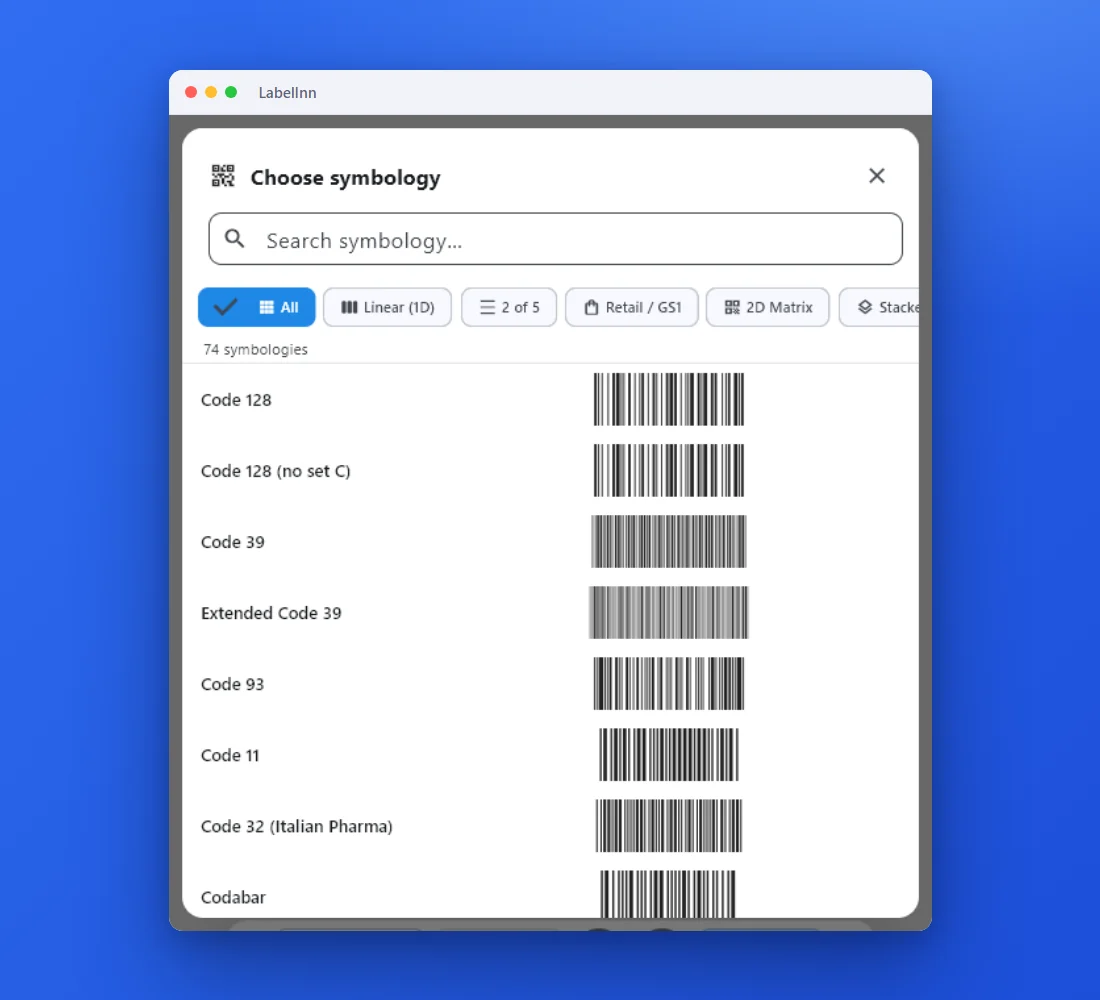 1Choose from 74 symbologiesEvery entry shows a live preview, so you pick the code by sight instead of by name.
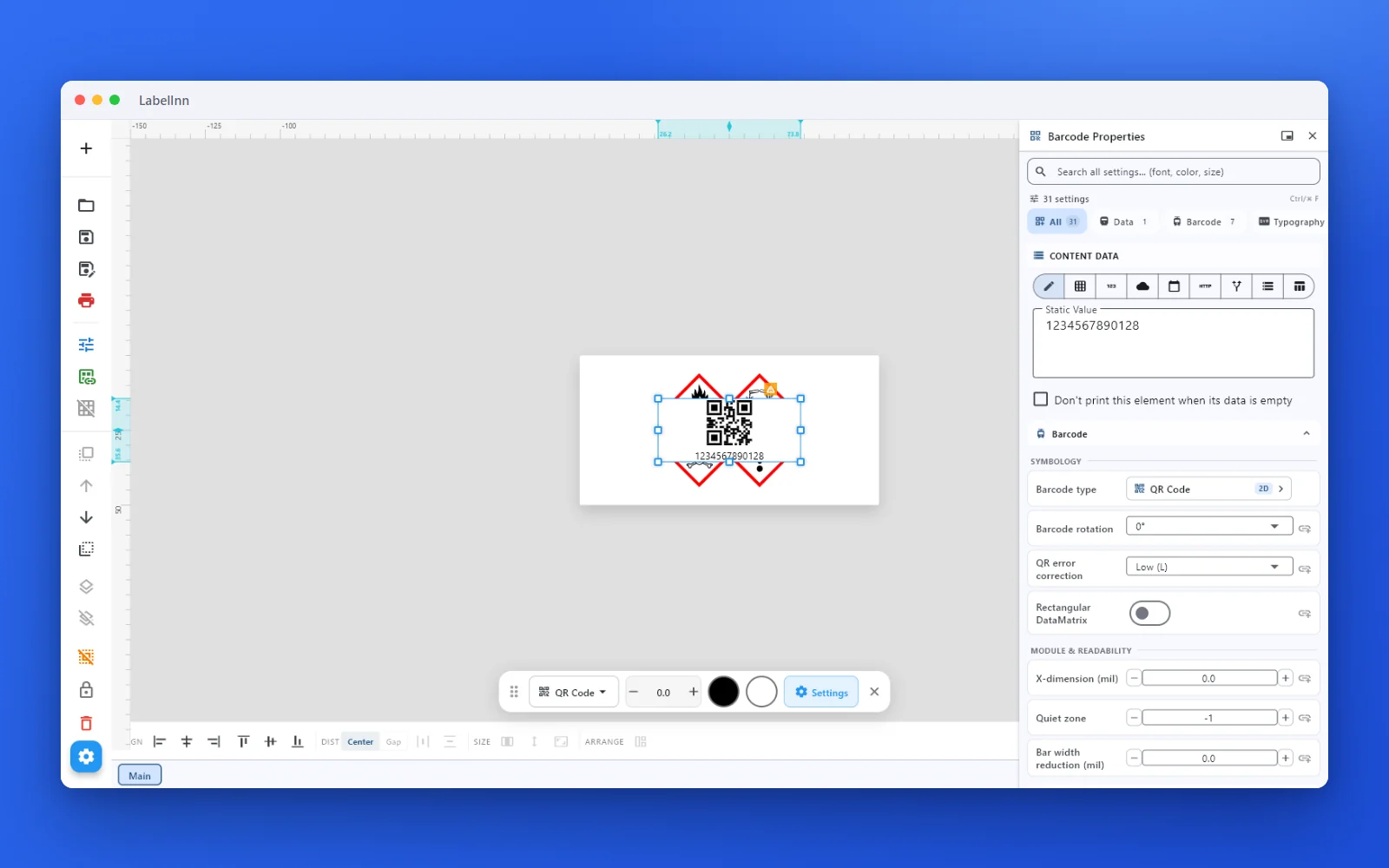 2Set the data and the readability rulesStatic value, spreadsheet column, database field or counter, plus X-dimension and quiet zone.
 3Preview, then printCheck the real label, choose the printer and the number of copies, and print.
The fixPick the symbology from a preview list, set the module width and quiet zone, and check the real label before you print.Get LabelInn free
04
Frequently asked questions
Is this MaxiCode generator really free?
Yes. The generator runs entirely in your browser, there is no signup, and the downloads carry no watermark.
Does my data get uploaded anywhere?
No. The symbol is encoded locally in your browser. Nothing you type is sent to a server.
What can MaxiCode encode?
Up to 93 characters, from the full 256-character ASCII set, in one fixed-size symbol. In this generator we measured 93 upper-case letters, 92 lower-case letters, 138 digits, or 74 characters of a mixed string such as Ab1-Ab1-; beyond that it reports that the message is too long. Modes 2 and 3 are reserved for a structured carrier message (postal code, country, service class) followed by free text.
How big is a MaxiCode symbol?
About 1.11 by 1.054 inches (28.2 by 26.8 mm) including its quiet zone, built from hexagons of roughly 0.035 by 0.041 inch. The size is fixed by the standard, ISO/IEC 16023, so unlike a QR code it must not be scaled to fit.
What are MaxiCode modes 2, 3, 4, 5 and 6?
Mode 2 is a structured carrier message with a numeric postal code of up to 9 digits, used for domestic parcels. Mode 3 is the same structure with an alphanumeric postal code, used for international parcels. Mode 4 is the standard symbol for free text. Mode 5 is free text with enhanced error correction on both messages, at the cost of capacity. Mode 6 programs a scanner and is not used on parcels.
Can this page make a mode 2 or mode 3 carrier symbol?
This generator encodes the text you type. The two structured symbols shown on this page were generated with the mode forced to 2 and 3, because the primary message has to be built in a strict order. For labels that a carrier will sort, produce the symbol in the carrier or shipping software that also builds the carrier-specific secondary message.
Can a phone camera read a MaxiCode?
Do not count on it. MaxiCode is designed for fixed industrial scanners and camera readers on conveyors. Many phone scanning apps do not decode it, so test with the reader your carrier or warehouse uses.
Should I use MaxiCode, Data Matrix or QR?
Use MaxiCode only when a carrier or customer specification asks for it. For your own tracking, Code 128 or Data Matrix are easier to scan and scale freely, and a QR Code suits anything a customer scans with a phone. The comparison table on this page lists the trade-offs.
Can I print MaxiCode labels in bulk from a spreadsheet?
Not from this page — this tool makes one symbol at a time. LabelInn binds a spreadsheet column to the barcode field and prints one label per row on a thermal printer.
05
Printing MaxiCode labels in production?
This generator makes one symbol. When you need a batch — one label per row from a spreadsheet, a database or your API — LabelInn draws MaxiCode with its built-in barcode engine and prints one label per record on Zebra, TSC, Toshiba and Epson thermal printers.
06