WORKFLOW / RELIABILITY / DATABASES
Make Sure Every Label Prints Exactly Once
Stop the same order, row or file from printing twice: row keys LabelInn remembers, rows marked as printed in your database, readiness checks for half-typed rows, and idempotent API calls.
THE PROBLEM
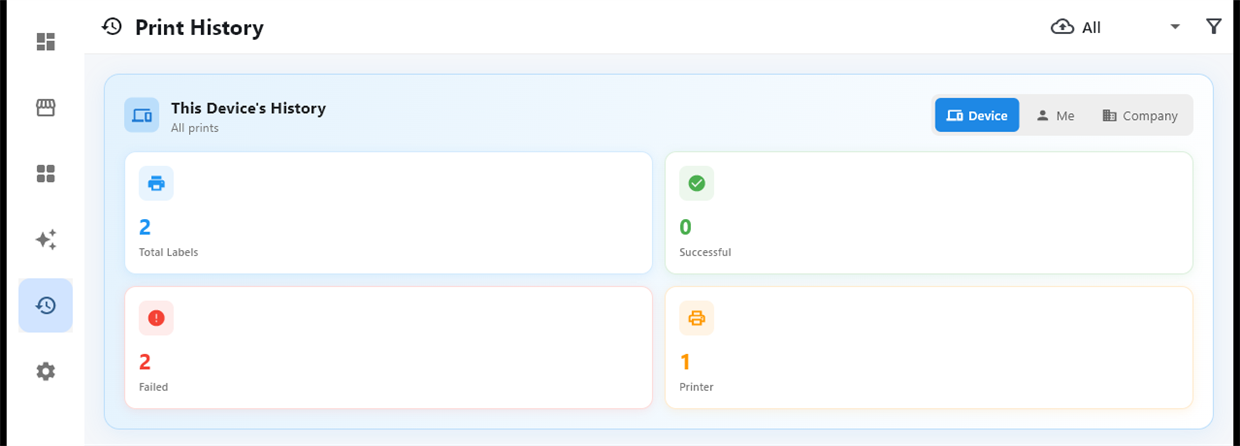
Automated printing has one classic failure: the same label comes out twice. A script polls the orders table and prints everything it sees. A file gets picked up again after a restart. An API call times out, gets retried, and both attempts print. Duplicate shipping labels cost money; duplicate serial labels can be a compliance problem.
LabelInn has a guard at every entry point.
🛡️ Exactly once, by design. Each trigger remembers what it already printed. Start free →
01 / DUPLICATES
Database tables: a key and a mark
- Row key. Tell the Data Source which column identifies a row (an order number, a serial). LabelInn remembers which keys it has handled and never prints the same one twice.
- Mark as printed. After printing, LabelInn can write a value (for example
printed) into a column of that exact row through the local database bridge, so your ERP and your people can see it too. - Only when ready. Name a column that must be filled before a row counts. A row someone is still typing waits, and prints the moment that column is filled.
02 / WRITE-BACK
Files: remembered after printing
A hot folder remembers each file by path, modification time and size. It can also move, rename or delete the file once it has printed, so it is physically out of the way.
03 / RELIABILITY
APIs you poll: a key per item
When an HTTP Fetcher node polls an external API, give it the field that identifies each item, such as order_id. Items already seen are never started again.
04 / AUTOMATION
Any source: write back the result
A Write-back node at the end of the workflow records the outcome where the data lives, for example setting status = printed. Your other systems then stop offering the record for printing at all.
05 / DUPLICATES
Tip: start on a copy
Build and test the workflow against a copy of the table, with a status or readiness column, then point it at production.
QUESTIONS / FAQ
Frequently asked questions
Why do my labels print twice?
Usually because the trigger cannot tell new records from ones it already handled, for example a script that polls a table without remembering what it printed, or a retried API call. Give each trigger a key to remember and mark records as printed.
Can LabelInn mark a database row as printed?
Yes. After printing it can write a value you choose into a column of that row, through the LabelInn database bridge on your network.
What about rows that are still being typed?
Set a readiness column. A row only counts once that column is filled, so half-typed rows wait.
Does the hot folder reprint a file after a restart?
No. Handled files are remembered by path, modification time and size, and can also be moved, renamed or deleted after printing.
KEEP GOING
Related
NEXT STEP / LABELINN
Print once. Only once.
Put the guard at the trigger, not in someone's memory. · Row keys remembered · Rows marked as printed · Readiness checks