AI LABEL MAKER / HOW IT WORKS
AI label maker: type what the label is for, then print it
Four steps, each one a real screen from LabelInn. The words in quotes are exactly what was typed and exactly what the AI answered.
THE PROBLEM
A blank canvas is the slowest part of making a label
Picking the size, placing the text, choosing the barcode type and lining everything up takes longer than printing. With the AI you start from a finished first draft and change only what you want changed.
STEP BY STEP
From a sentence to a printed label
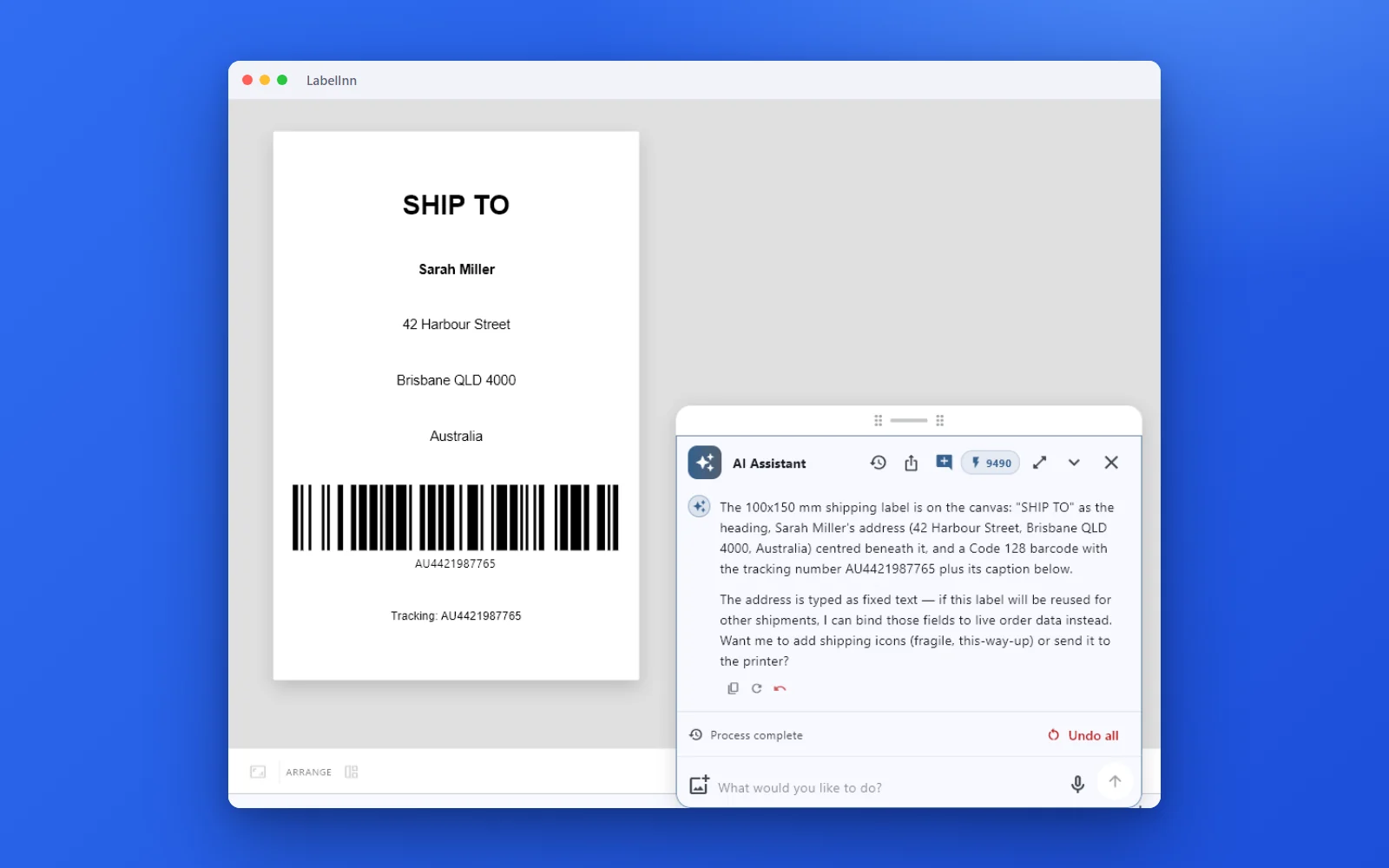
- Describe the label “I need a 100x150 mm shipping label. Ship to: Sarah Miller, 42 Harbour Street, Brisbane QLD 4000, Australia. Tracking number AU4421987765 as a barcode.”
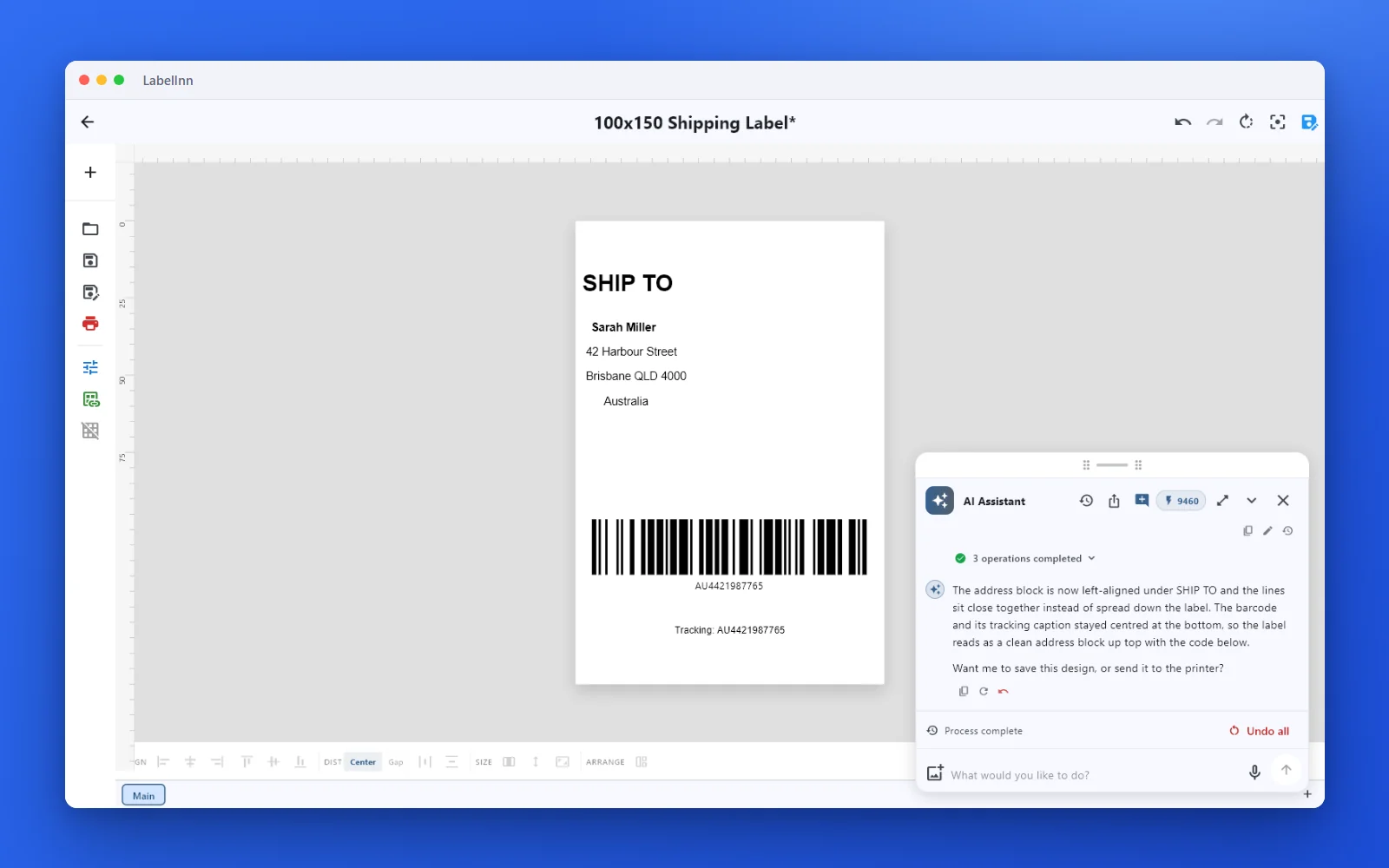
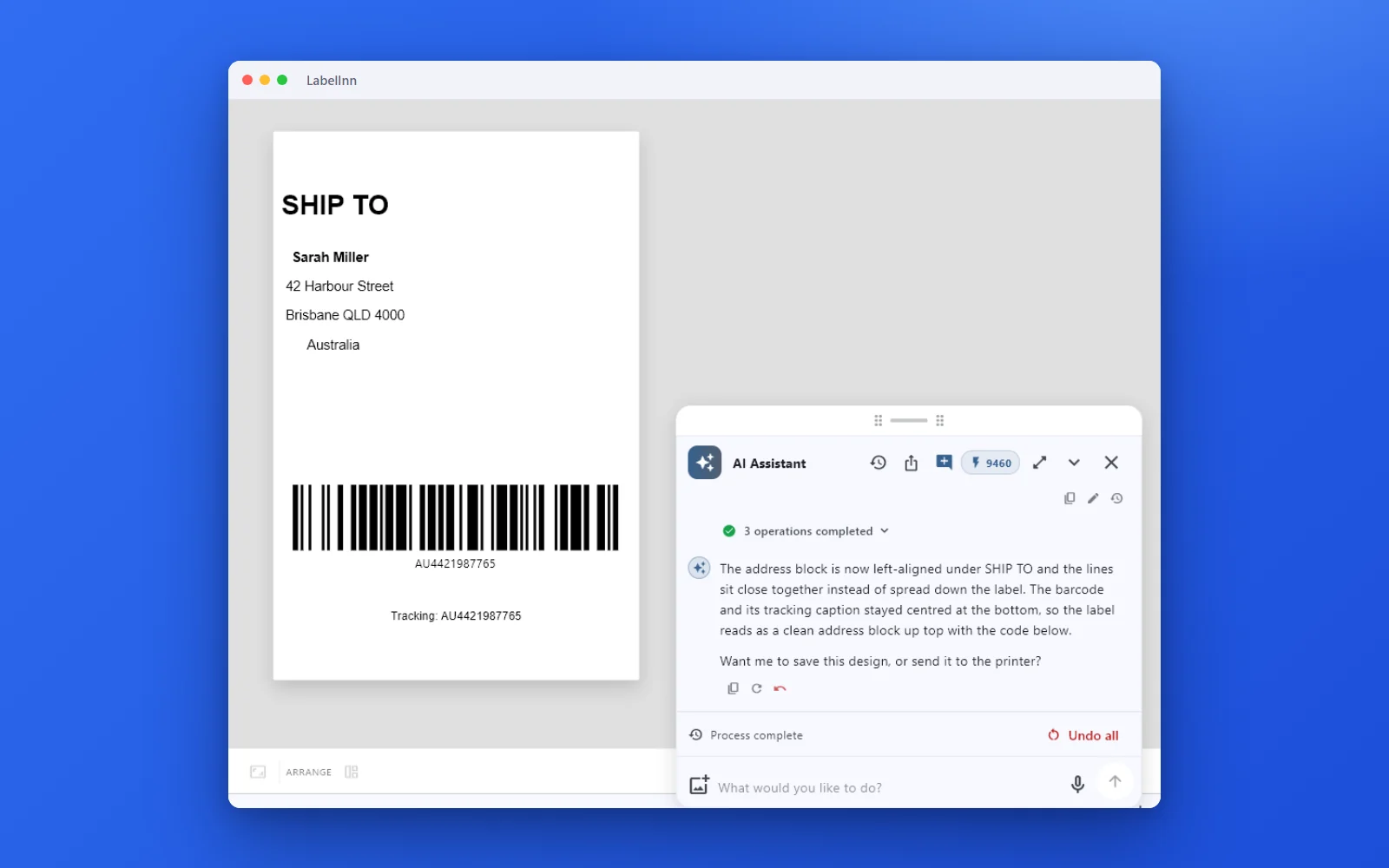
- Ask for a change “Left-align the address under SHIP TO and close up the gaps between the lines.” The same label is edited, not rebuilt.
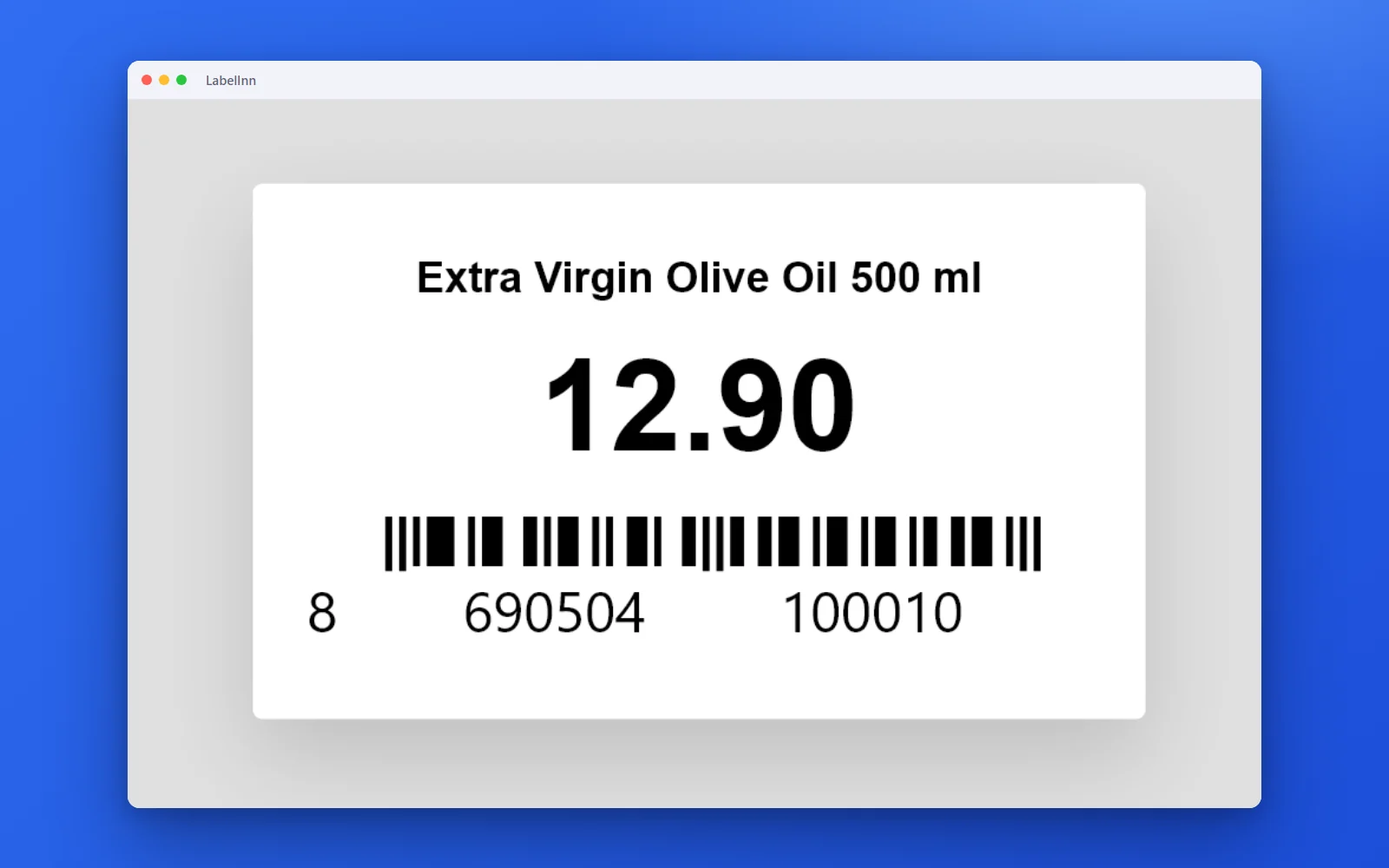
- Fill it from a spreadsheet Attach a CSV and ask for “product name, price and the barcode from each row”. Each row becomes its own label.
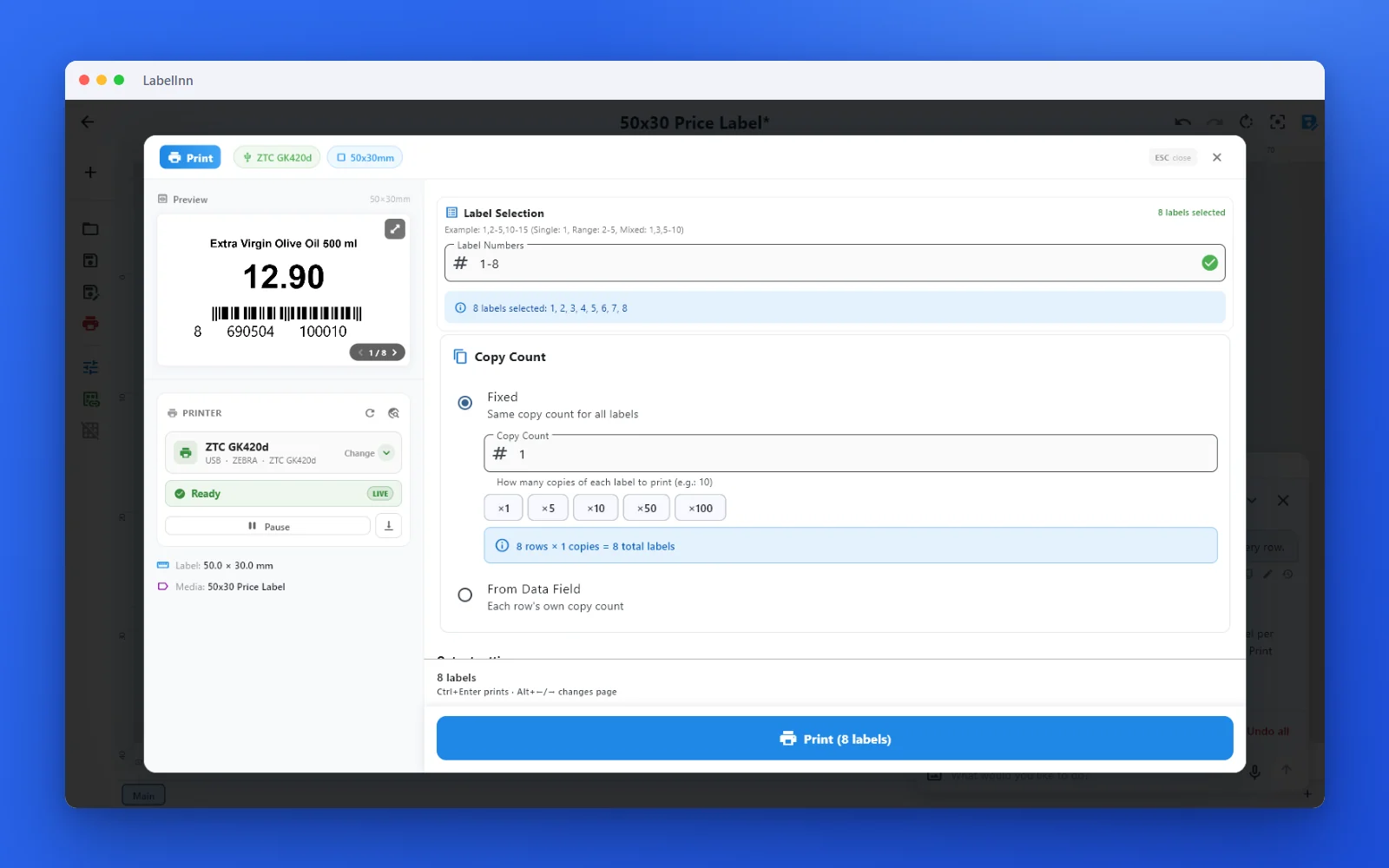
- Print “Print one label for every row.” The print dialog opens with 8 rows × 1 copy; you press Print.
MORE THAN TEXT
What else you can ask for
- Live dates: “baked today, best before 3 days later”.
- Serial numbers that count up on every label, in a QR code and as text.
- A watched folder that prints a label for every row of each new file.
Each of these is shown with the real conversation on the AI assistant page.
PLANS
What it costs
The assistant runs on AI credits included in every plan: 100 a month on Free, 250 on Starter, 500 on Pro and 1,000 on Enterprise, and a new account gets 100 welcome credits once on top. Each step it takes on your label (building it, binding a column, opening the print dialog) uses 10 credits; reading your printers and files is free.
FAQ
Frequently asked questions
Is the AI label maker free?
The Free plan includes 100 AI credits a month, and a new account gets 100 welcome credits once. Each step the AI takes on your label uses 10 credits.
Do I need design skills?
No. Describe what the label is for; correct it in plain words or by hand.
Will it print without asking?
No. It opens the print dialog with everything set; nothing prints until you press Print.
Can it use my Excel file?
Yes. Attach the CSV or Excel file in the chat and name the columns you want on the label.
KEEP GOING
Related pages
NEXT STEP / LABELINN
Make your first label with AI
Download LabelInn, open the AI panel and describe the label. · Free plan · No credit card required · Windows, macOS, Android, Web