Check the GTIN. It must be yours, from GS1, with a valid check digit.
COMPLIANCE / DPP / LABELS
Digital Product Passport Label: What Goes on It and How to Print It
What goes on a digital product passport (DPP) label: the code, the human-readable identifiers and the product data. Layout, sizes, the barcode choice and how to print it.
FREE PLAN · NO CREDIT CARD · WINDOWS / MAC / LINUX / WEB
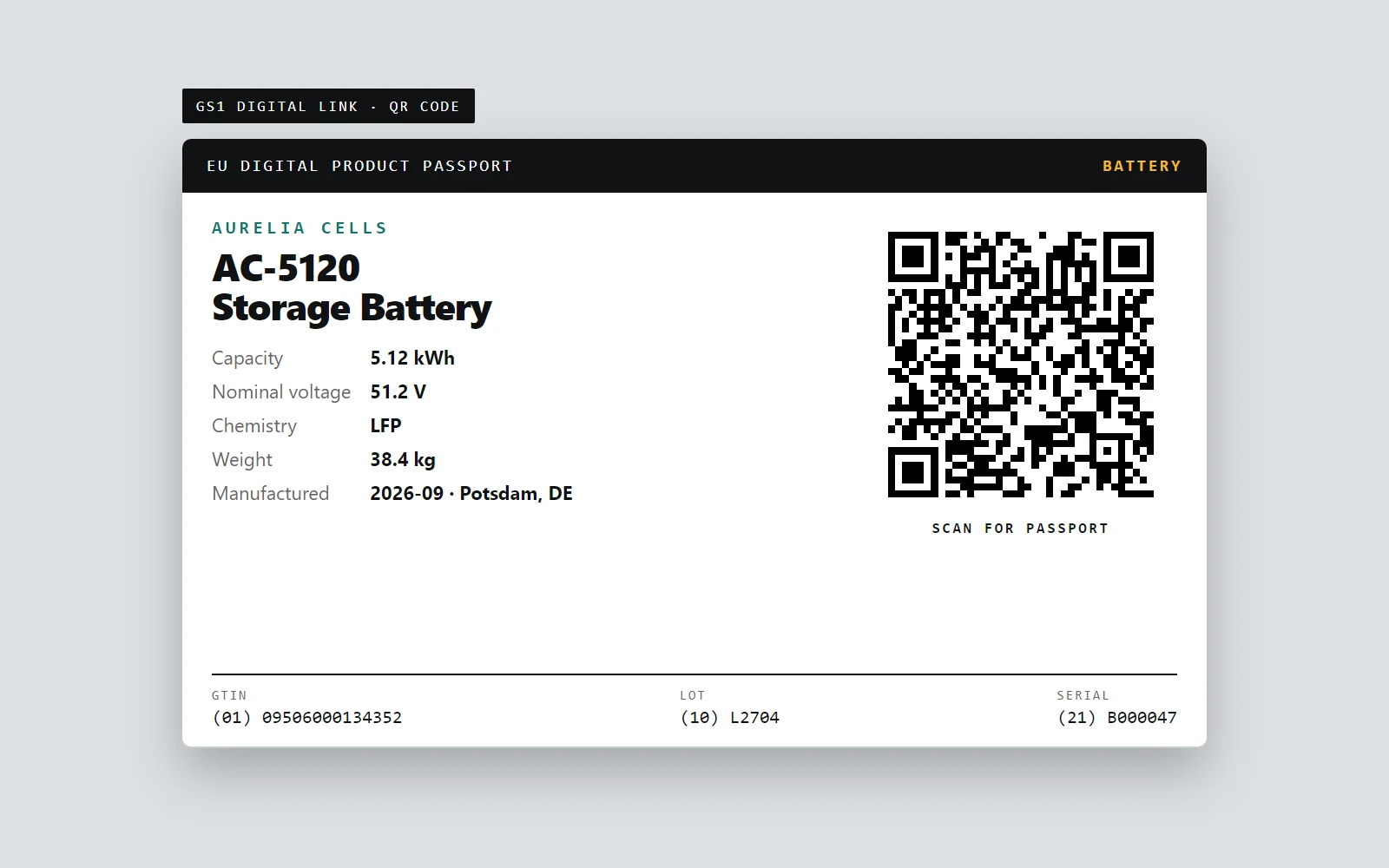
THESE IMAGES ARE REAL
Codes: LabelInn's own Zint engine
Page: LabelInn's passport renderer
Check: decoded back with ZXing
Sample product, fictional maker
A digital product passport label is the part of the passport you can hold: a label on the product that carries a data carrier, a 2D code that opens the passport. The passport data lives online; the label is how a person or a scanner gets to it. For batteries that label is required from 18 February 2027, and the Commission says the code is a QR code (Commission page on the battery passport).
Designing it is mostly three decisions: which code, what text sits beside it, and how every item gets its own.
DESIGN, VARIANT, CHECK
Build the label, then prove it scans.
The workflow around one battery label.
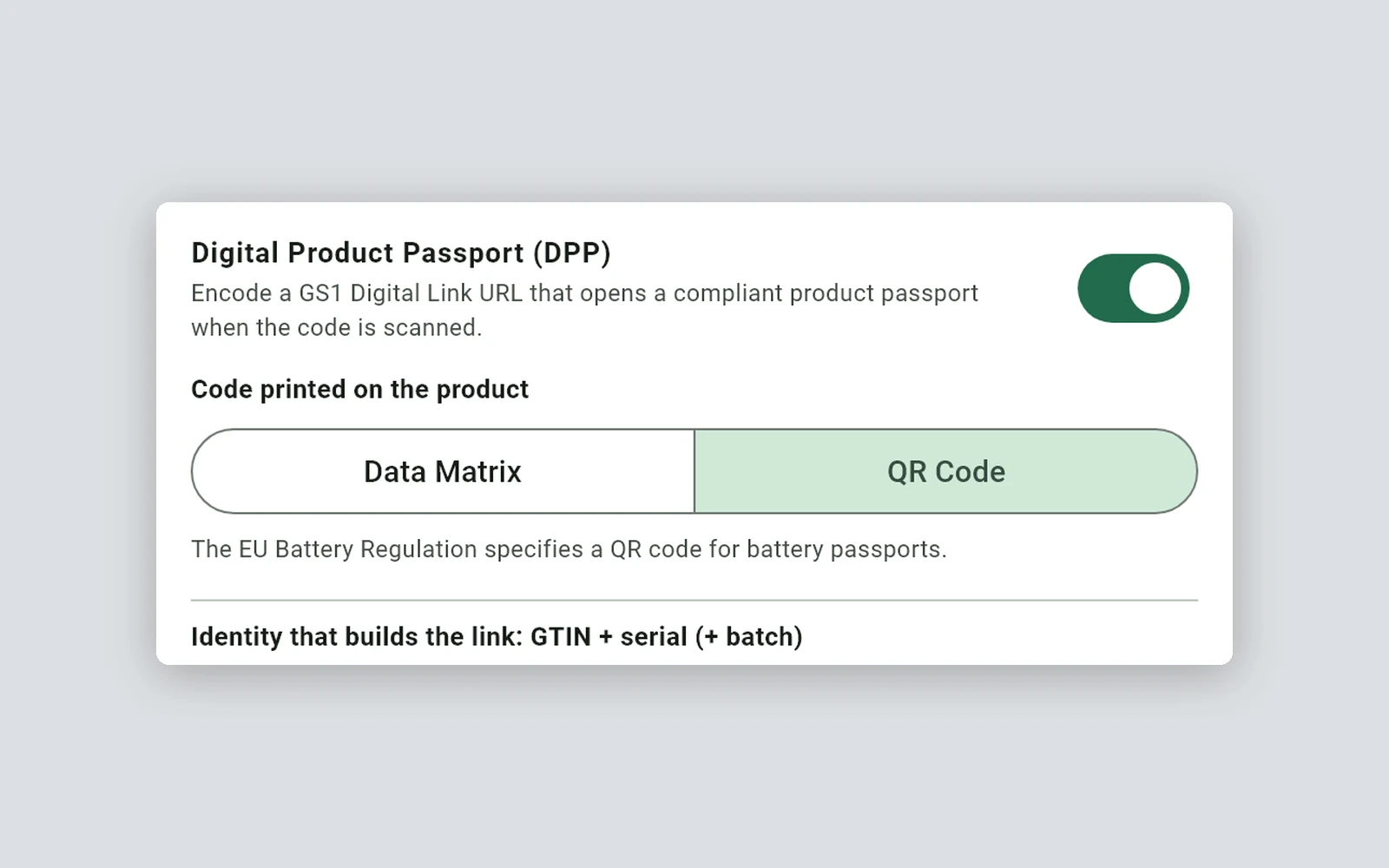
One switch, a carrier choice and the identity rows that build the link.
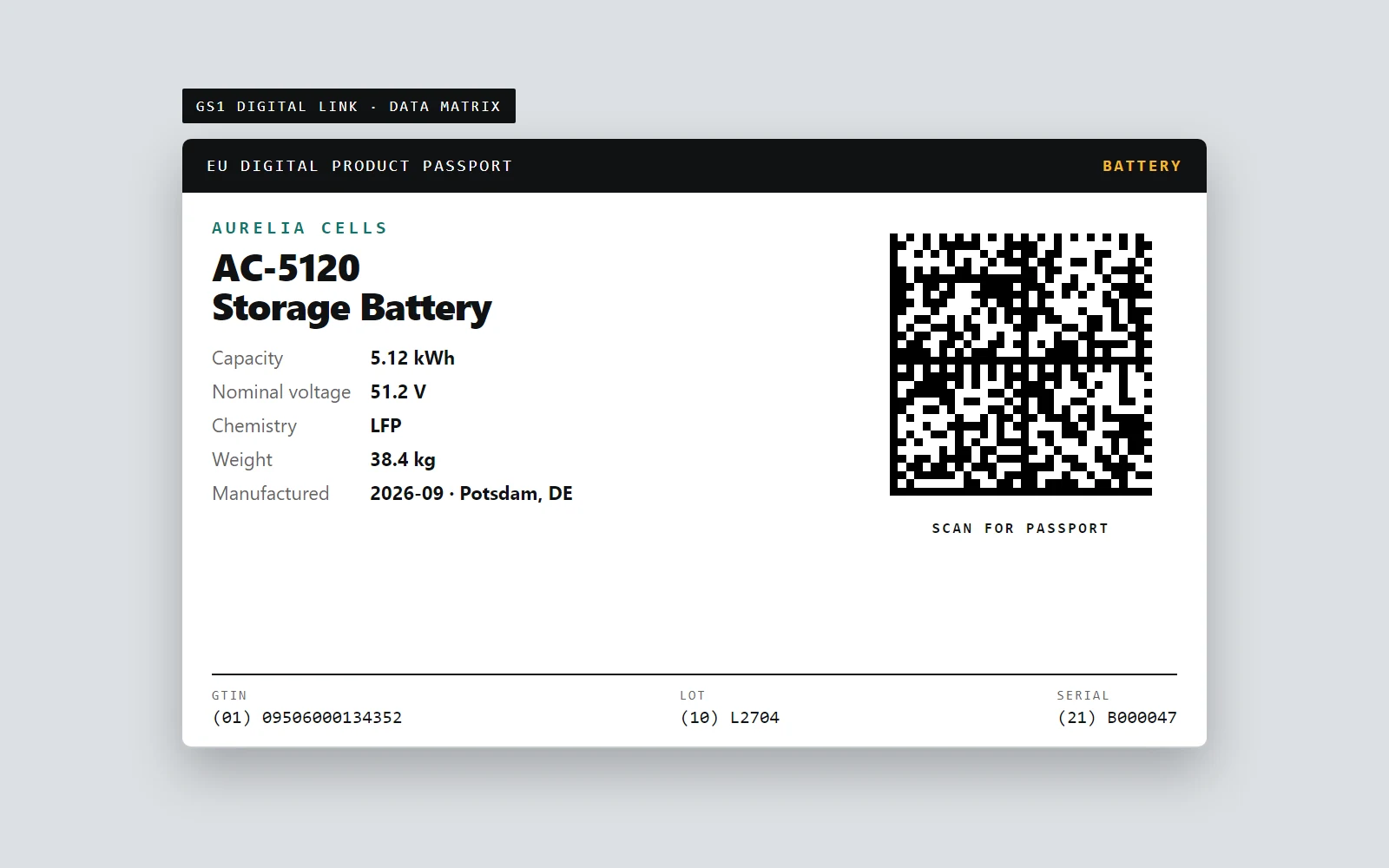
Switch the carrier without redesigning the label.
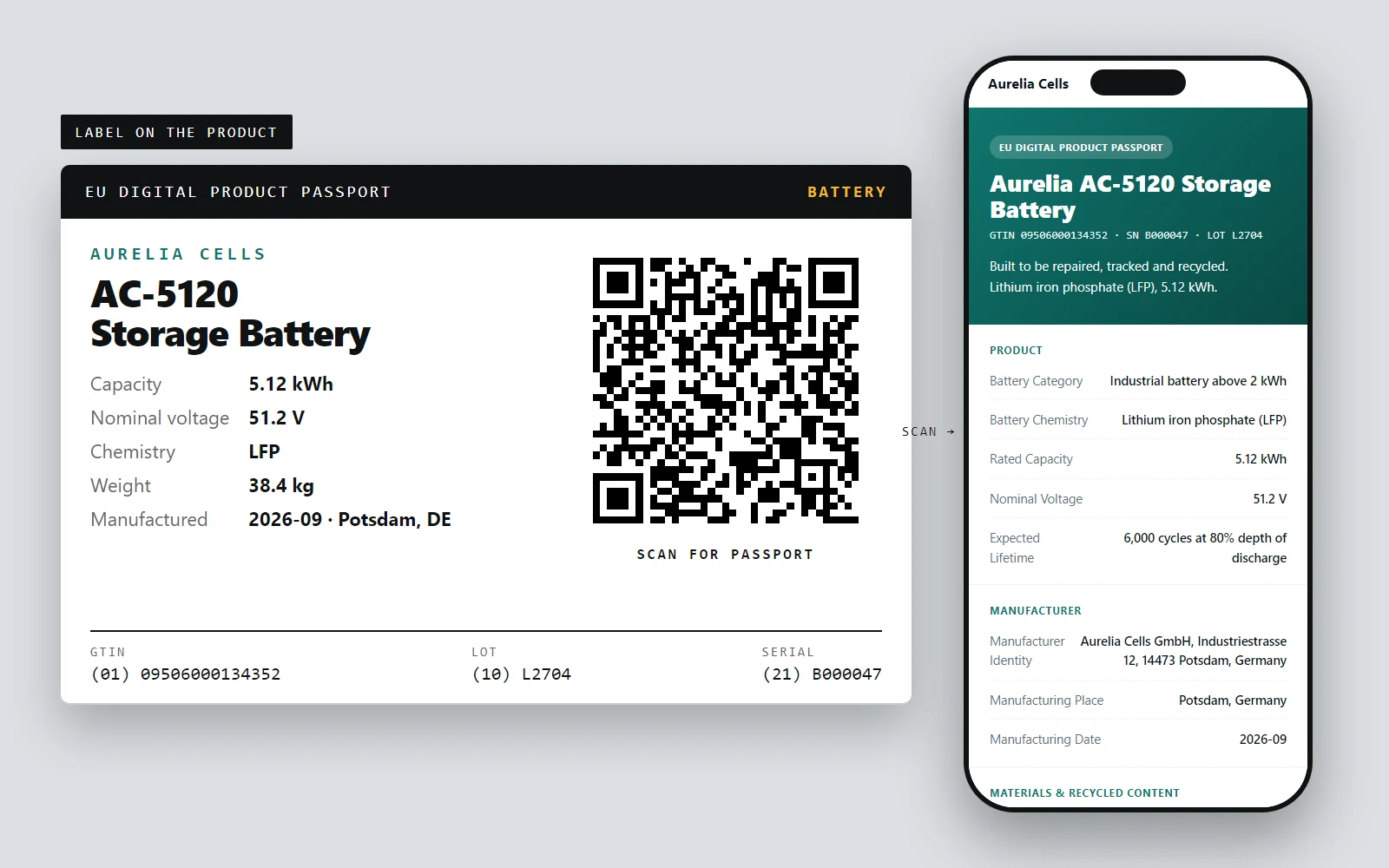
The code opens the passport page for that one item.
01 / DPP LABEL
What goes on the label
| Element | In the sample label | Note |
|---|---|---|
| The data carrier | A 2D code carrying the product's Digital Link | The one element the passport needs on the product. QR code or Data Matrix, as the rules for the product group say |
| Human-readable identifiers | (01) 09506000134352 (10) L2704 (21) B000047 | The same GTIN, lot and serial as text, so a person can type them if the code is damaged |
| Product facts | Capacity, voltage, chemistry, weight, date and place | Taken from the product's own data, so label and passport cannot disagree |
| A prompt | SCAN FOR PASSPORT | Tells a person what the code does |
Marks that come from the product rules themselves (CE marking, battery symbols, safety text) are not part of the passport. Put them on the label as your product requires; the passport does not replace them.
02 / LAYOUT
A DPP barcode is not a 1D barcode
People search for "DPP barcode", and the working answer is a 2D code. A 1D barcode such as GS1-128 cannot hold a web address of this length, so LabelInn does not offer the passport option on it. The passport option exists for 2D GS1 codes only.
03 / BARCODE
One label per item
A passport at item level needs a different serial on every label. LabelInn adds the serial automatically, as a product-scoped prefix plus a counter, so no two printed items share an address. If your plant already issues serials, bind the serial to your own Excel or CSV column or to an API instead.
- Registration runs with the print. One passport per item is registered alongside the job. It never blocks or changes the print.
- A reprint is safe. Registering the same serial again updates the passport instead of creating a duplicate.
- Fixed product data is entered once. Edit it in the dashboard and every issued passport of that GTIN shows the change without reprinting.
04 / PRINTING
Size and printers
The code decides the size. For the sample link, a Data Matrix needs 13.5 mm and a QR code 15.4 mm square including the quiet zone at 3 dots per module on a 203 dpi printer, before you scale up for reading distance. Use a thermal-transfer printer and a durable label stock for anything that must outlive handling; the stock matters more than the software.
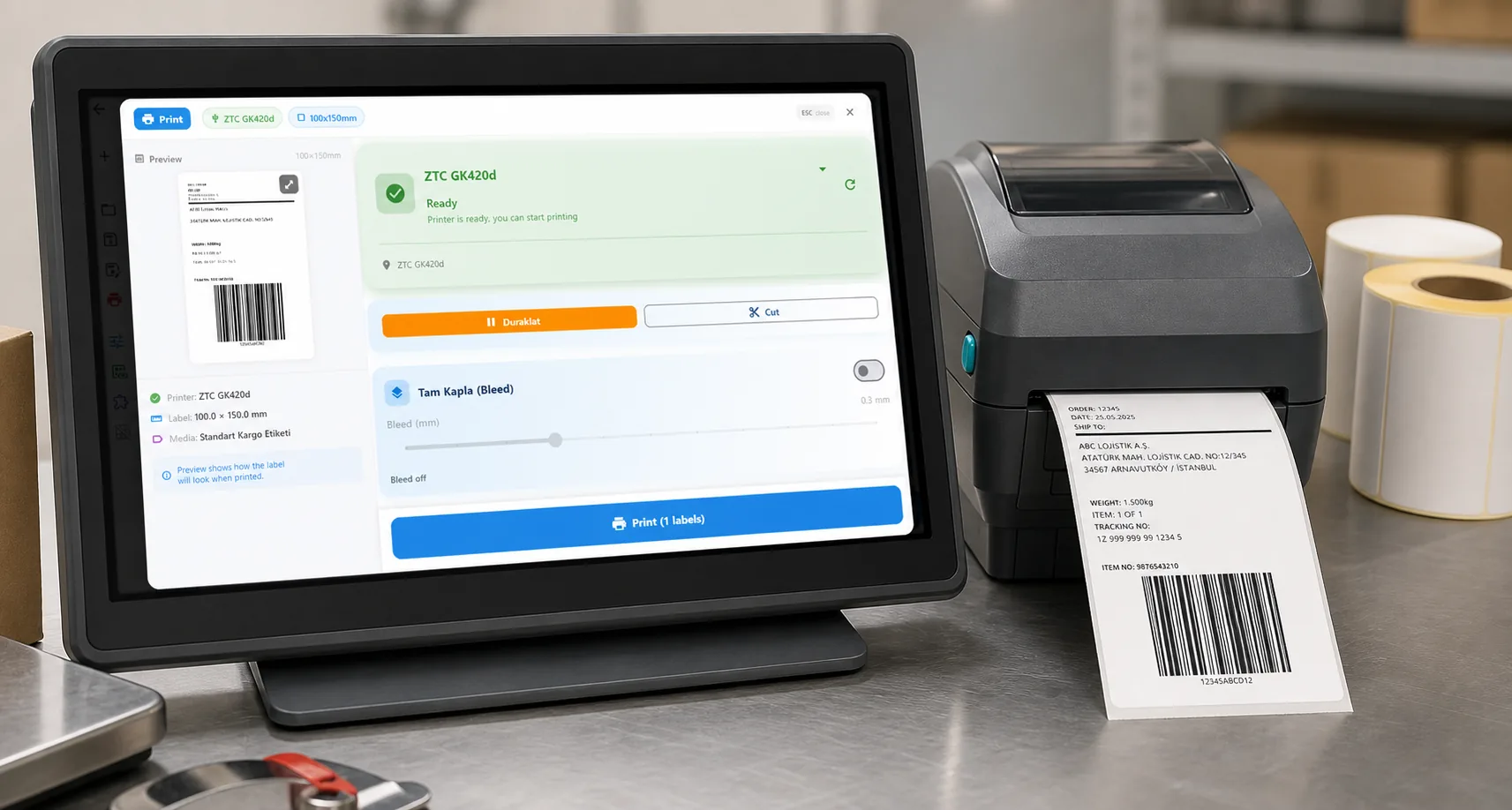
LabelInn prints to the thermal printers most plants already own (Zebra, TSC and others) over USB, network or Bluetooth.
05 / DPP LABEL
A checklist before you print a batch
Open the link. Print one label, scan it and confirm the passport page shows the right item.
Scan with your own hardware. The scanners on your line and the phones your audience uses, at the distance they will use.
Check the serials. Print a short run and confirm every label differs.
06 / LAYOUT
Where it stops
- The registry entry belongs to the operator. The Commission's registry keeps only the passport's identifier and where it is hosted; the full data stays with the economic operator or a service provider it designates (the Commission's registry page). Only a verified economic operator can register, and enrolling means its legal representative signs a declaration with a qualified electronic signature (the registry user guide). LabelInn hosts the passport and gives you the identifier; it does not enrol or register on your behalf.
- No GTINs, no certification, no legal advice. A required-field checklist helps you see what is missing. You are responsible for the content.
ANY PRINTER
Design it, bind your data, print on the printer you already own.
Zebra, TSC, Toshiba, Epson and more — over USB, network or Bluetooth, with no driver to install.
PRICING
Start free. Pay when it earns its keep.
QUESTIONS / FAQ
Frequently asked questions
What is a digital product passport label?
A label on a product that carries the data carrier, usually a QR code or Data Matrix holding a web address, that opens the product's digital passport. The passport data itself is stored online.
What is a DPP barcode?
In practice a 2D code, a QR code or a Data Matrix, that holds the passport link. A 1D barcode such as GS1-128 cannot hold a web address of that length.
What size should a DPP label be?
It depends on the code and the reading distance. For the sample link, a Data Matrix needs 13.5 mm and a QR code 15.4 mm square, including the quiet zone, at 3 dots per module on a 203 dpi printer. Scale up for the way it will be scanned.
Does every item need its own label?
For item-level passports, yes: each item has its own serial and so its own address. LabelInn adds a serial automatically and registers one passport per item when it prints.
Can I print DPP labels from Excel?
Yes. Bind the GTIN, batch or serial to Excel or CSV columns like any other label field, and each row prints its own code.
Does LabelInn make the label compliant?
No. It prints the code and registers the passport, and flags required fields that are missing. Compliance and the content of the passport remain your responsibility.
KEEP GOING
Related
BUILDING A PASSPORT?
Tell us your product and your deadline.
Each product group has its own rules, and the first steps differ for a battery maker and a clothing brand. Send us your product group, how many items you label a year and where your product data lives today. A person replies within 24 hours with what LabelInn covers today and what it does not.