Get Started in 5 Minutes
Getting started with LabelInn is easy. Download the app, connect your printer, print your first label. No driver installation, no complicated settings.
1. Download the App
Download LabelInn to your mobile device (Android/iOS) or computer (Windows/macOS/Linux). Same features, same experience across all platforms.
Go to Download Page2. Sign Up
Sign up with your email address and phone number. No credit card required. Try all features free for 14 days.
- Email address
- Phone number
- No credit card required
3. Connect Your Printer
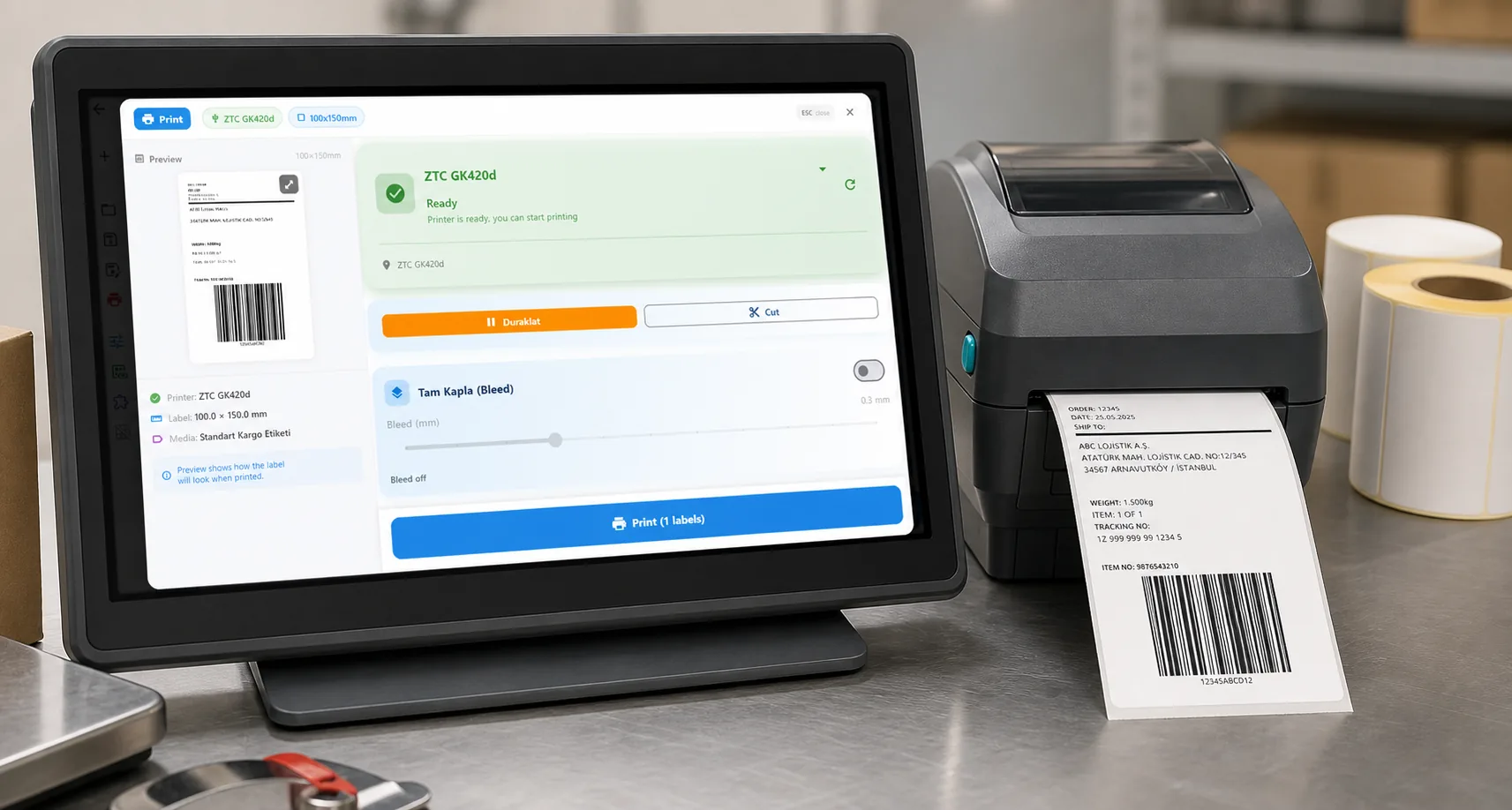
Connect your printer to the same Wi-Fi network as your phone or computer — or plug it in over USB. In the LabelInn app, tap "Add Printer" and LabelInn automatically discovers printers on your network. Pick yours from the list and you're connected. No driver installation needed!
Tip: Printer not detected automatically? You can add it by its IP address or select the printer model manually. LabelInn supports 50+ printer models.
4. Design Your First Label
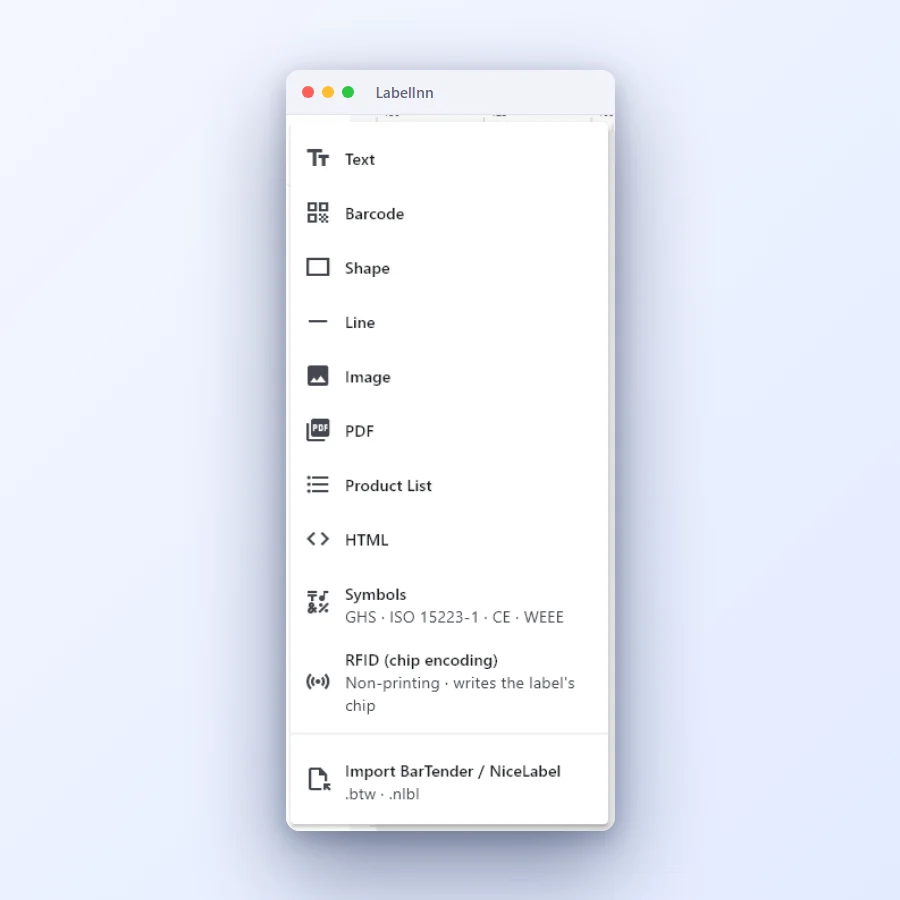
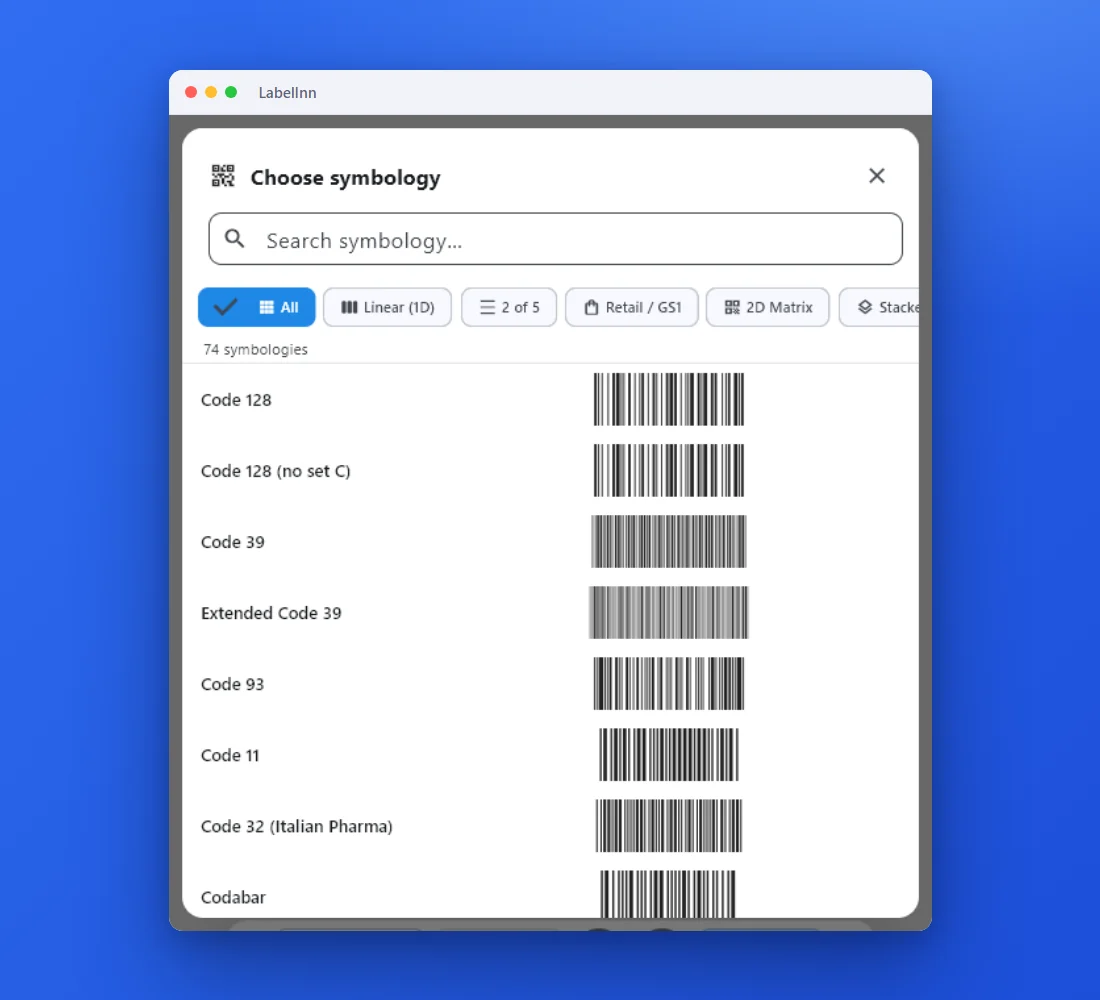
Design your first label with LabelInn's drag-and-drop editor. Or choose from ready-made templates. Text, images, barcodes, QR codes — add everything you need.
- Choose from ready-made templates
- Design from scratch
- Create designs with AI
5. Print and Go
Your label is ready! Click the "Print" button and your label comes out of the printer. You're now up and running with LabelInn. Add integrations, connect your Excel files, explore AI features.
Next Steps: Integrate your e-commerce platforms, connect your ERP system, add your shipping providers. All your orders automatically flow into LabelInn.
Ready to automate?
Once you're printing labels by hand, LabelInn can do it for you. Trigger prints from your own systems, build no-code automations, or let an AI agent design and print on your behalf.
REST API:
Send labels straight from your code — POST /v1/print/jobs with idempotency keys,
scheduling, batching and webhooks.
No-code workflows: Build visual node-graph automations, or connect Make.com and Zapier — no coding required.
AI agents (MCP): Let Claude, GPT, Copilot or Cursor design and physically print labels via the LabelInn MCP server.
FIRST LABEL
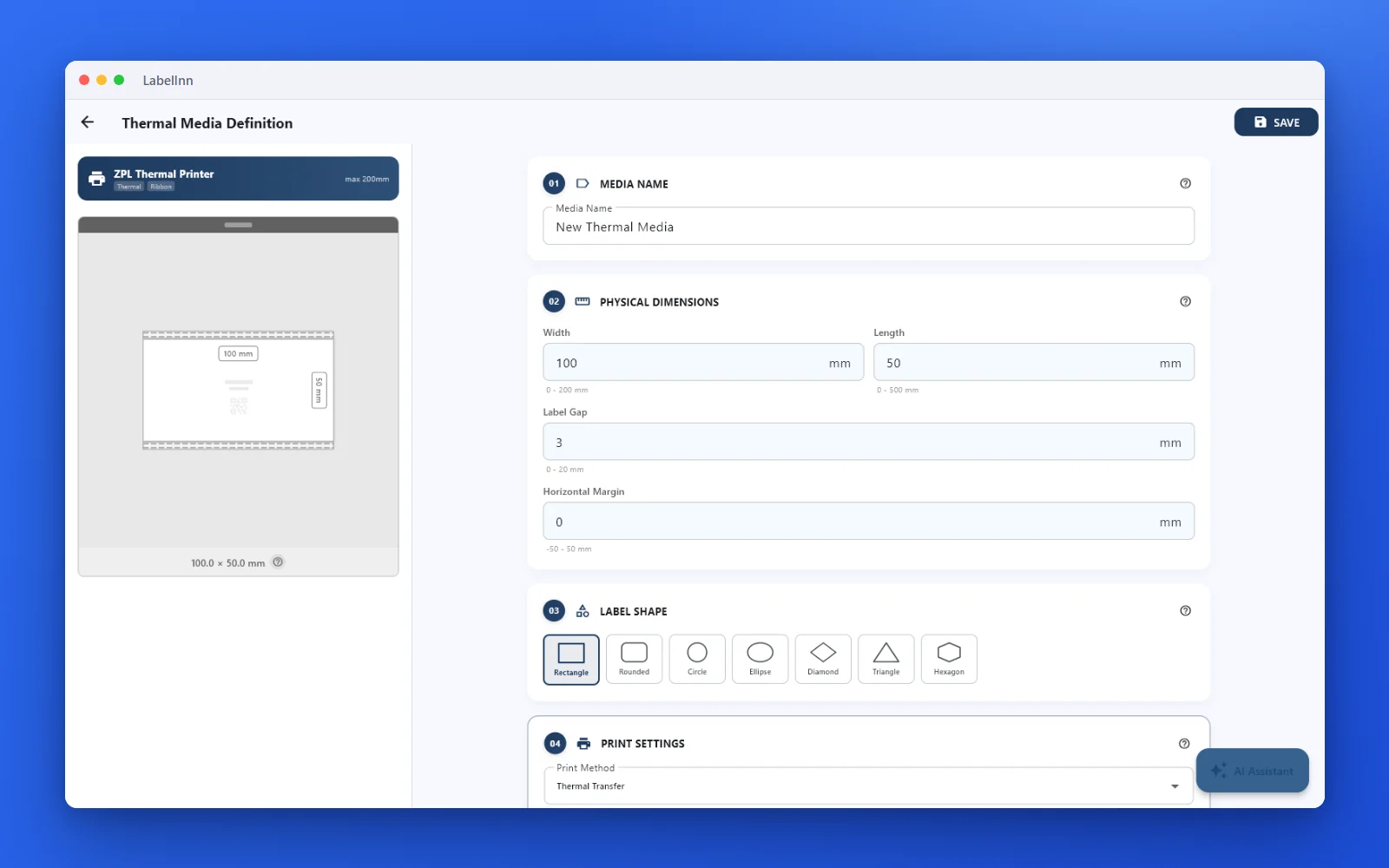
Your first label, step by step
No template needed. Add what you need, set the size, print.

01
How It Works (Video)
Watch our video to see how LabelInn works
Video coming soon
NEXT STEP / LABELINN
Get Started Now
Discover LabelInn with a 14-day free trial. No credit card required, no commitments.