WINDOWS / DRIVER
Print from Chrome, Word or any Windows app to a label printer
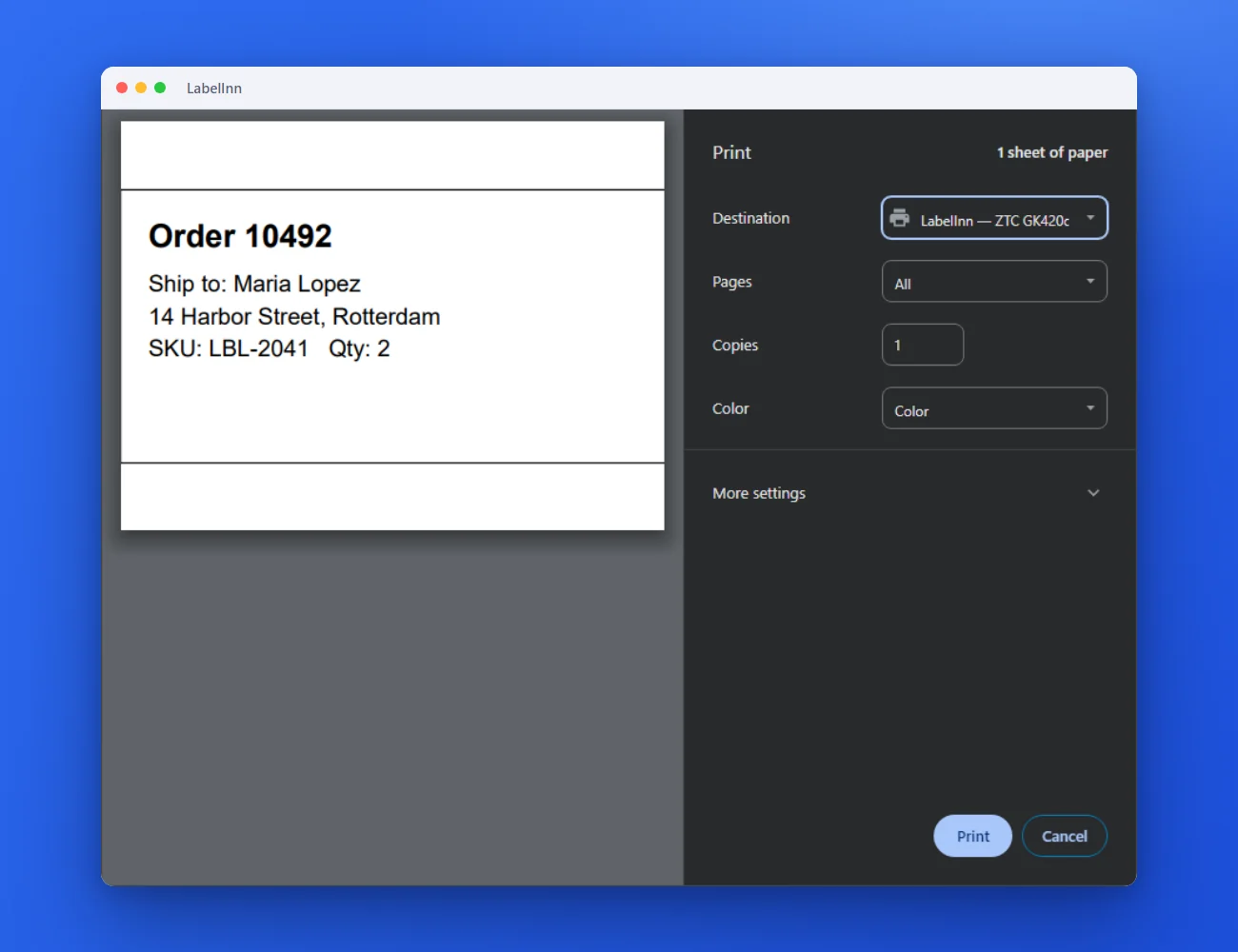
Your label printer appears in every print dialog as a LabelInn printer. Pick it, set the size once in its preferences, print.
THE PROBLEM
Other programs print to the wrong size, or not at all
A normal Windows driver treats a label roll like a page, so every program needs its paper size fixed by hand. A LabelInn printer carries the label size with it.
THE FIX
Step by step
- Pick the LabelInn printer in the print dialog In Chrome, Word or any other app press Print and choose the printer named “LabelInn — ” followed by your printer’s name.
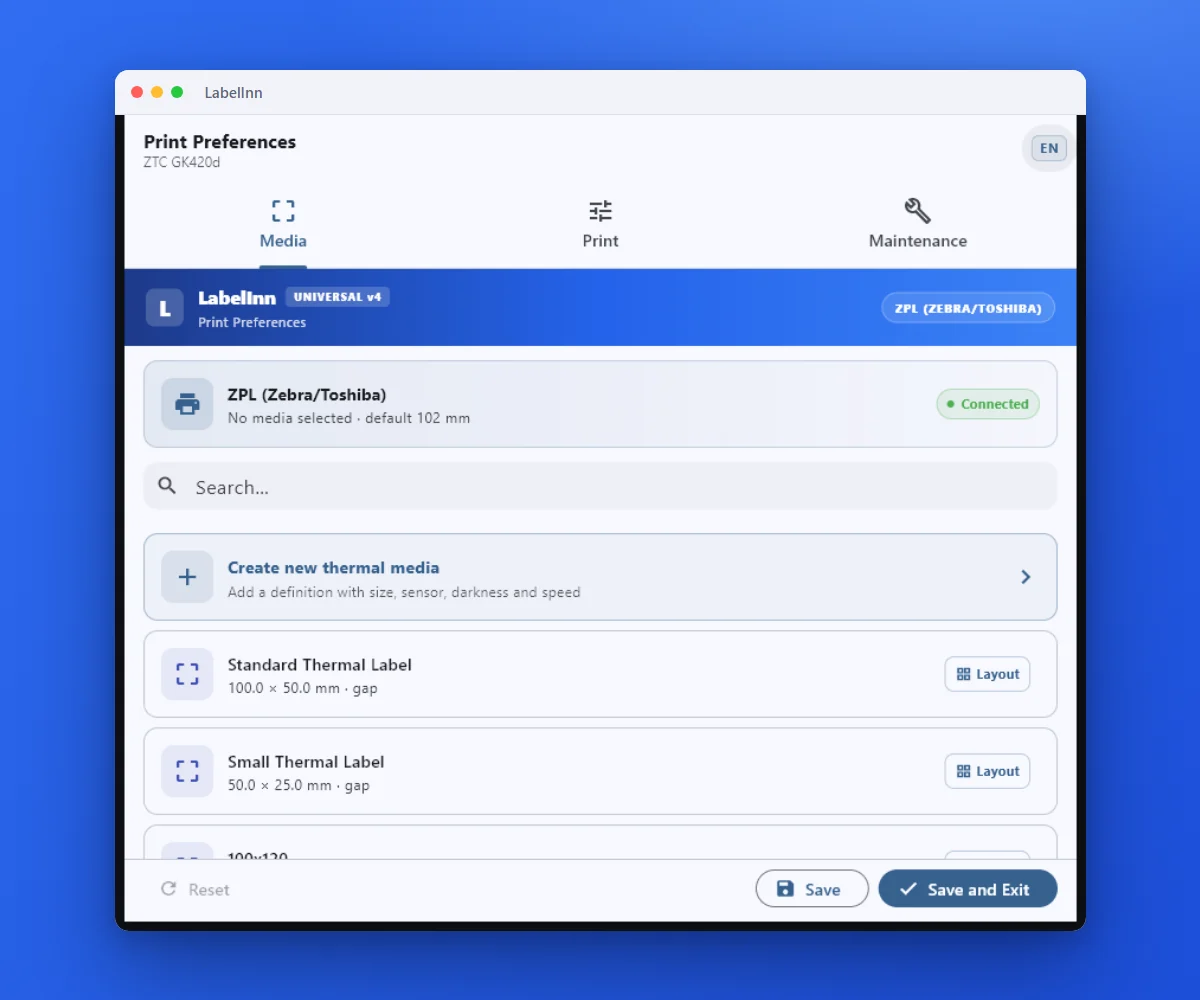
- Open Preferences and choose the label size On the Media tab pick the label size, or create a new thermal media. The dialog shows whether the printer is connected.
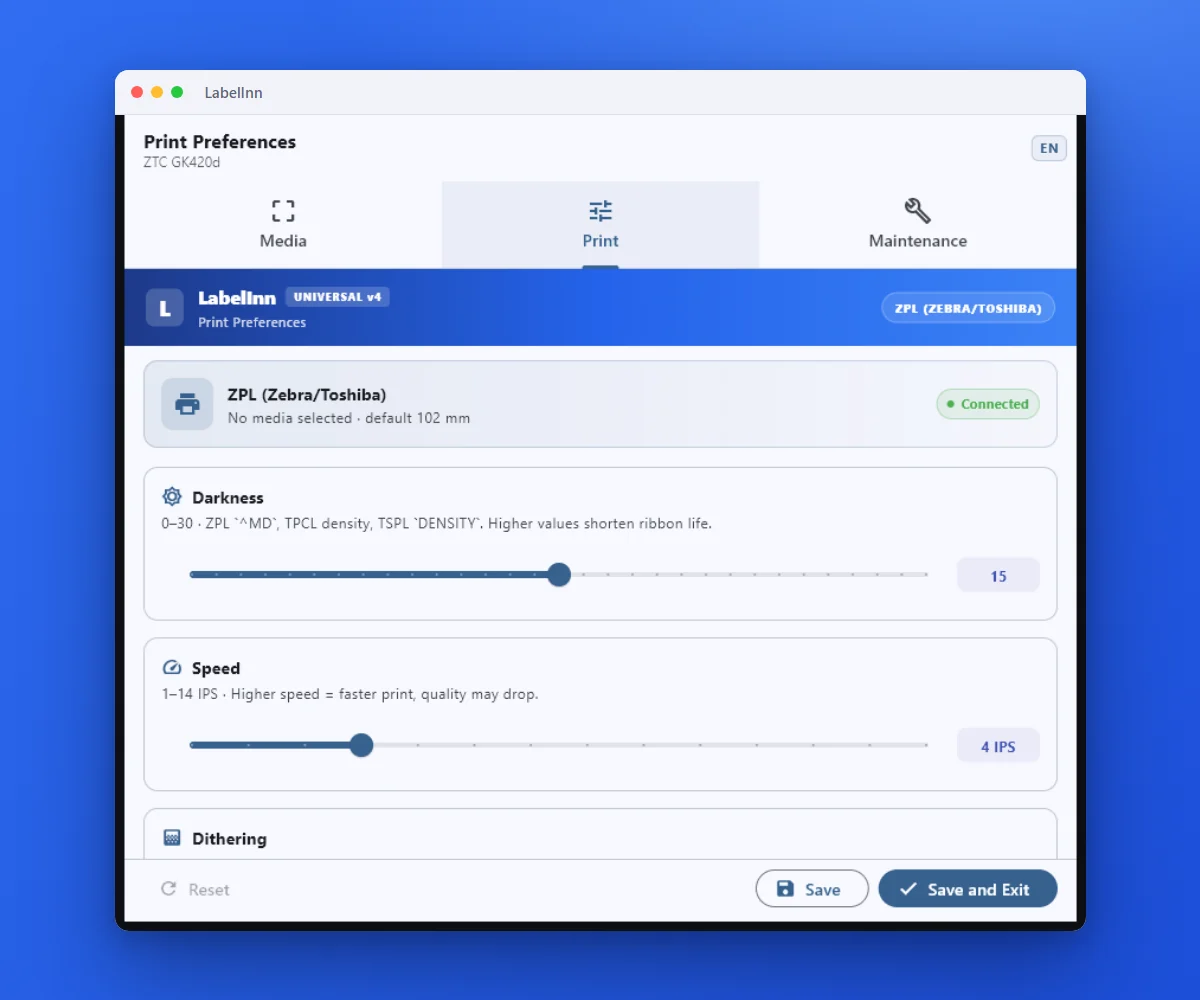
- Set darkness, speed and sensor mode The Print tab holds darkness, speed, copy count, sensor mode and the action after each label.
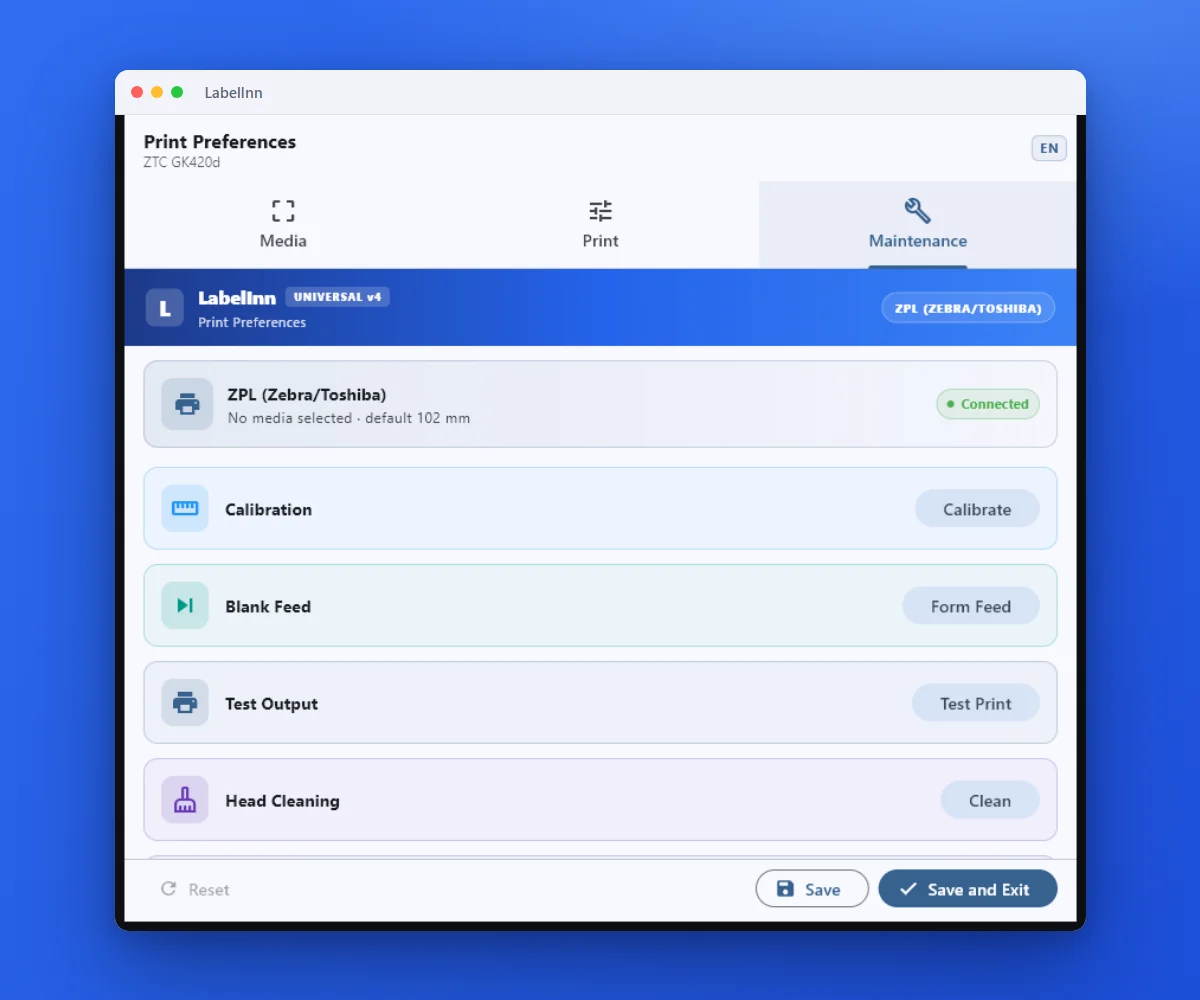
- Maintenance is one tab away Calibrate, form feed, test print and head cleaning, without leaving the dialog.
FAQ
Frequently asked questions
Which applications can print to it?
Any Windows application that has a print dialog: Chrome, Word, Excel, Adobe Reader and so on. The printer shows up next to your other printers.
Where do I change the label size?
In the printer’s Preferences, on the Media tab. The size you pick there is the size the printer uses for every job sent to it.
Do I still need the LabelInn app?
The app is what connects and manages the printer, and it is the easiest way to design and print labels. The Windows printer is for printing from other programs.
Can I print in colour?
A thermal printer prints black and white; Epson ColorWorks printers print in colour.
KEEP GOING
Related pages
NEXT STEP / LABELINN
Print to a label printer from any app
Download LabelInn for Windows and the printer appears in your next print dialog. · 14-day Pro trial on signup · No credit card required · Windows, macOS, Android, Web