BARTENDER / DATABASE / UPDATED 17 OCT 2026
BarTender Alternative for SQL Databases: What Moves and What Does Not
Print labels from SQL Server, MySQL, PostgreSQL, Oracle or SAP HANA without BarTender: five engines, read-only, Windows app, Pro plan, what you rebuild.
SHORT ANSWER
Short answer. BarTender connects to almost any database through ODBC or OLE DB. LabelInn connects to five engines (SQL Server, MySQL and MariaDB, PostgreSQL, Oracle and SAP HANA) with a read-only query, through the Windows app, on the Pro plan. If your label uses one of those five and a SELECT, it moves cleanly. If it relies on another ODBC source, a Mac host or writing to the database from the label, it does not.
BarTender is billed annually: on-premises from $199 (Starter), $299 (Professional) and $575 (Automation) a year, read from Seagull's own page on 17 Oct 2026. Which edition your data source needs depends on your version, so check before you renew. LabelInn: Database sources are on Pro at $24.90 a month ($249.00 a year). Yearly billing is ten months for twelve; signing up starts a 14-day Pro trial. See pricing.
Run one real query and print the rows. Download →
HOW IT WORKS
Three screens from data to printed label.
No copy-paste, no hunting for templates. The same flow repeats for every record.
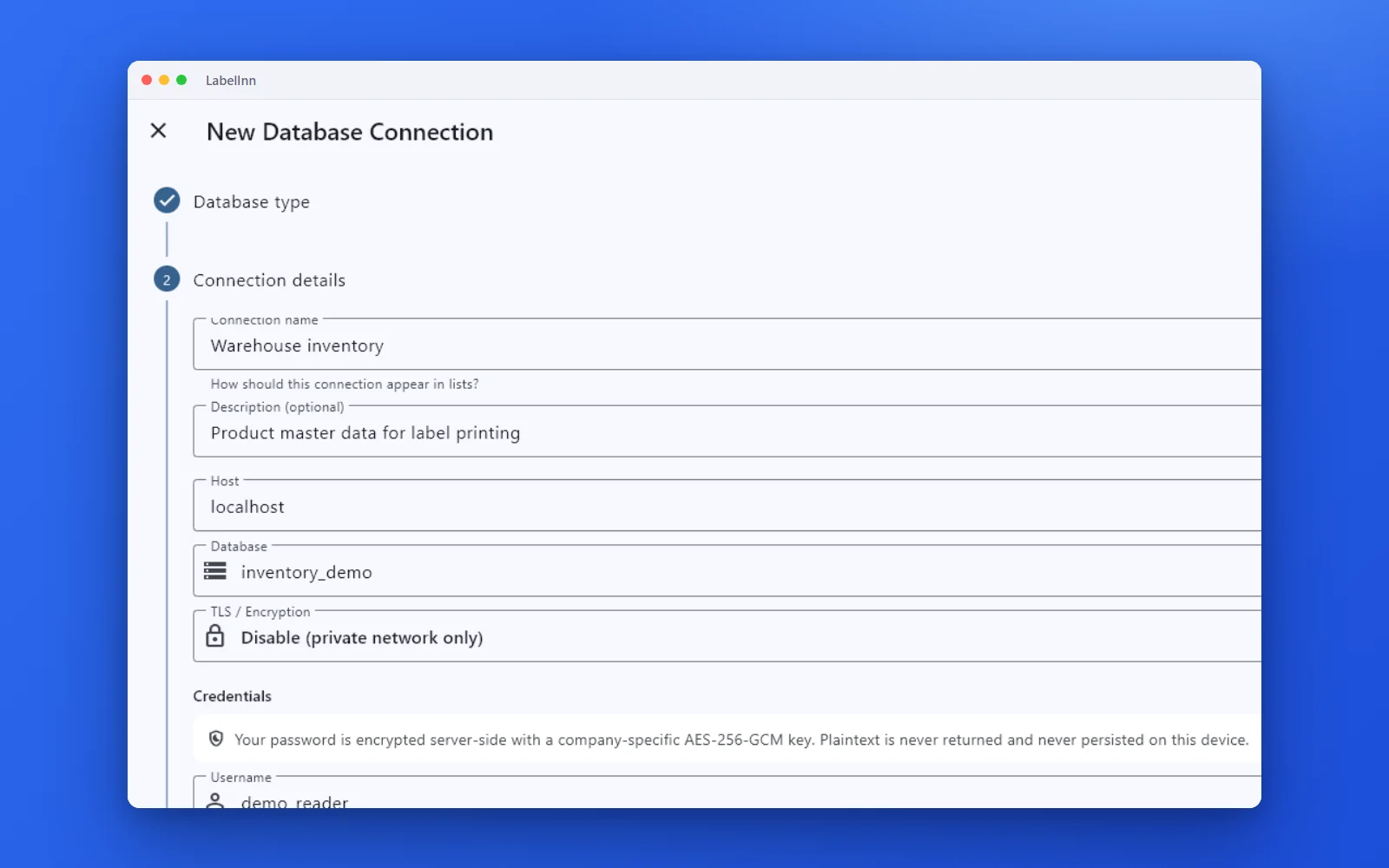
Choose the engine, test the connection and browse the schema.
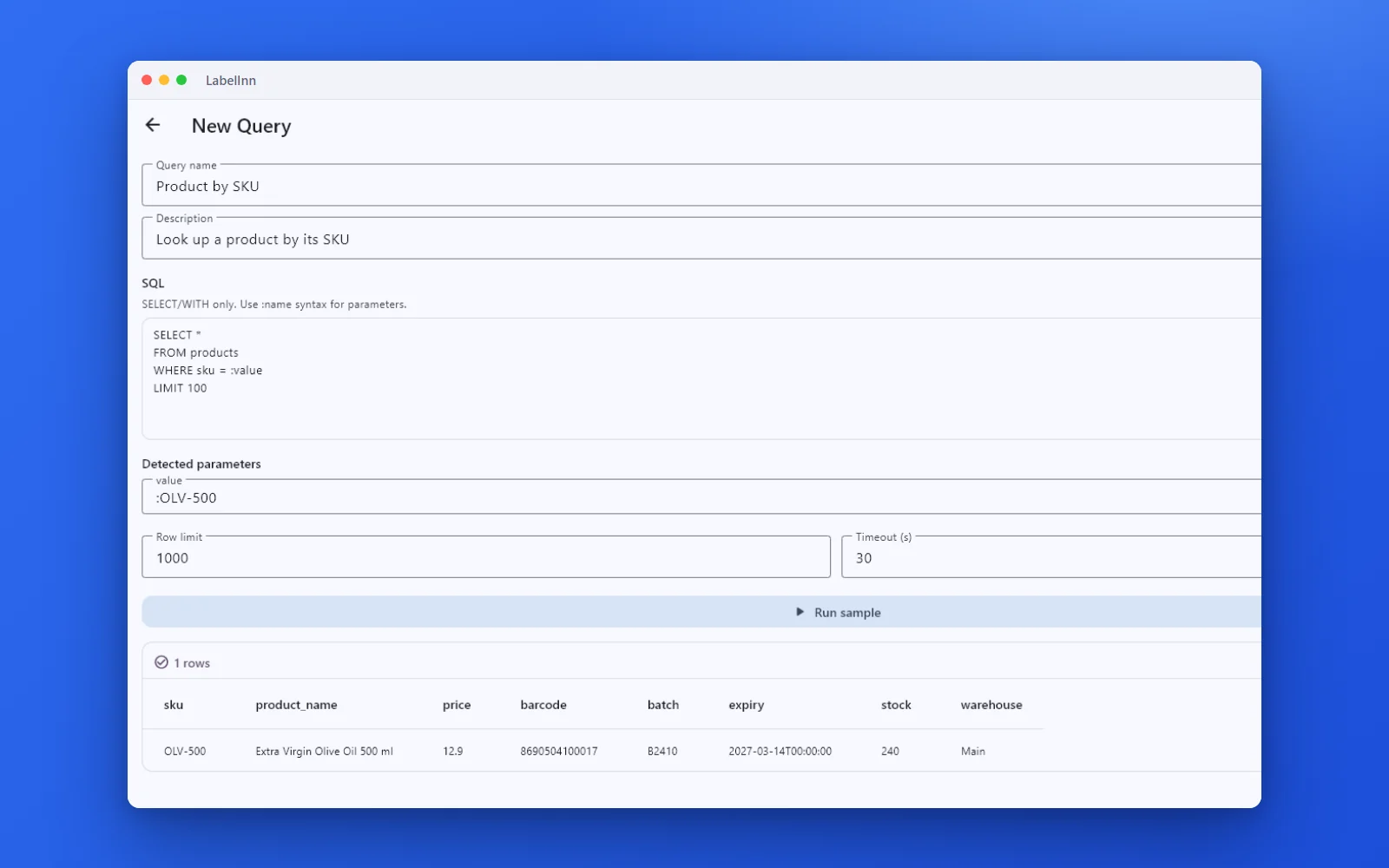
A named, parameterised query returns the rows a label needs.

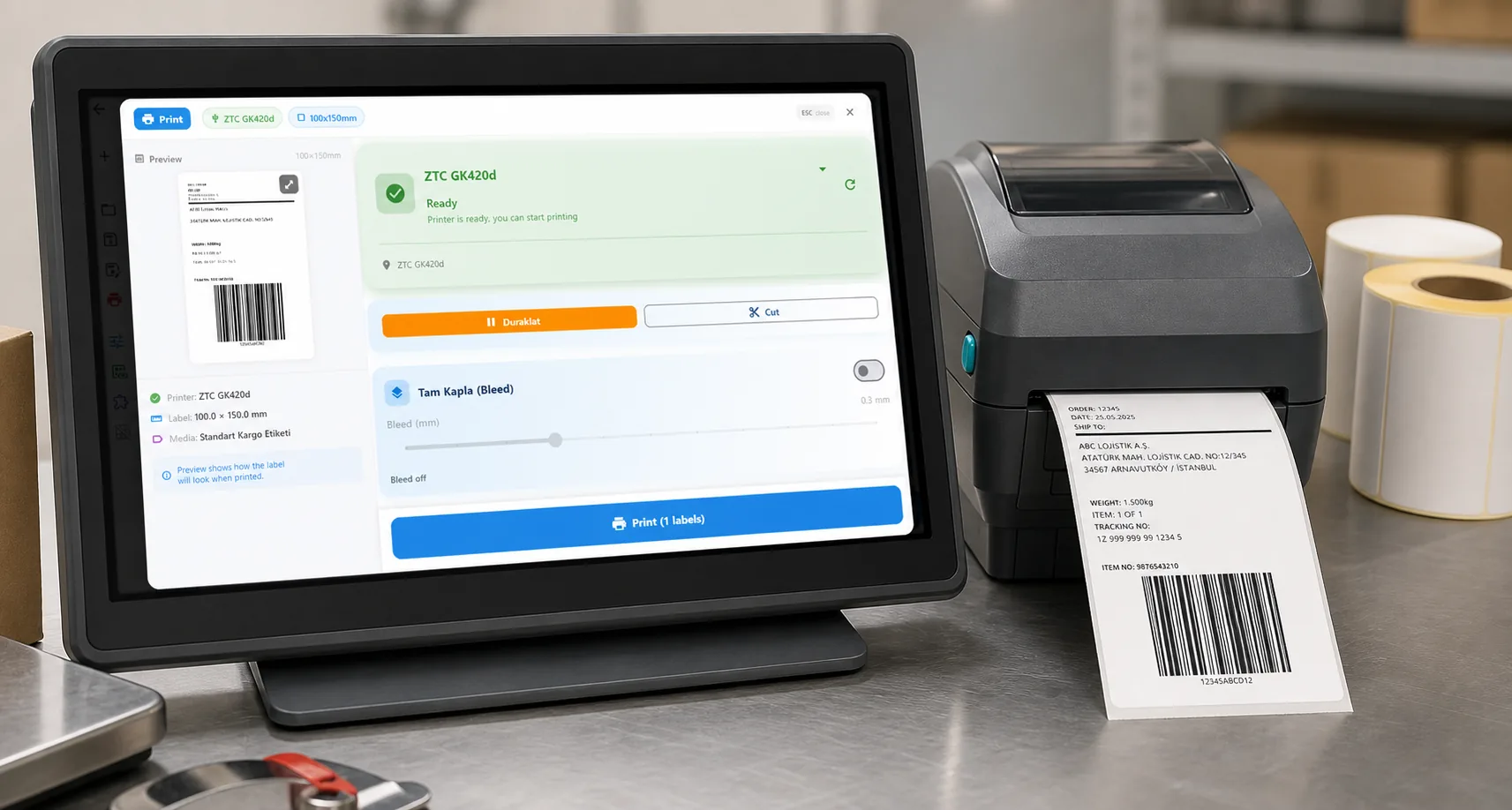
Preview, pick the printer and print the result.
01 / DECISION
Switch or stay for this job
Find your situation in the left column.
| Your situation | Better choice | Why |
|---|---|---|
| Labels from SQL Server, MySQL, MariaDB, PostgreSQL, Oracle or SAP HANA | LabelInn (Pro) | Choose the engine, test the connection, browse the schema and run a named query. Credentials stay on your network. |
| A queue table or view that lists labels waiting to print | LabelInn (Pro) | Watched tables with a row key and a readiness column print new rows once and can mark them as printed. |
| Another ODBC source: Access, DB2, Informix, FoxPro, a vendor driver | Stay on BarTender | LabelInn does not offer a generic ODBC bridge, only the five engines. |
| The database host is a Mac | Neither fully | The direct database connection runs in the Windows app. A Mac can use Excel, CSV or the REST API, or a Windows PC can read the database. |
| The label writes back to the database when it prints | Check first | Label queries are read-only (SELECT only). A workflow write-back step can mark rows; test it on a copy of the table. |
| Security review forbids a new tool opening database ports | Ask your DBA | The query runs from a bridge on your machine and the connection never leaves your network, but it still needs a read-only account. |
02 / MAP
What maps one to one, and what does not
| In BarTender | In LabelInn | Status |
|---|---|---|
| ODBC or OLE DB connection | Database wizard: engine, host, port, credentials, test connection | One to one for five engines |
| SQL query in the label's database setup | Named, parameterised query (SELECT only) | One to one |
| Field bound to a query column | Drop the column on the element | One to one |
| Row limit | Per engine syntax: TOP n, LIMIT n or FETCH FIRST n ROWS ONLY | One to one |
| SQL write-back from the label | Workflow write-back step, not the label | Rebuild by hand |
| Other ODBC data sources | Not available | Not supported |
| Database access from a Mac | Not available in the macOS app | Not supported |
03 / WORKED EXAMPLE
Worked example: a label queue in SQL Server
A warehouse system fills a table when goods are received. Each row is one label to print. The query that BarTender ran as a database setup becomes a named LabelInn query:
SELECT TOP 20 id, item_no, description, lot_no, expiry_date
FROM dbo.v_label_queue
WHERE printed = 0
ORDER BY id
Run it, and the result grid shows the rows that will print. Bind item_no to a Code 128 barcode and description, lot_no and expiry_date to text fields. With a watched table, each new row prints once and can then be marked as printed, instead of a person pressing a button.
04 / STEPS
Moving it across, step by step
- Ask your DBA for a read-only account on the table or view, and note the host and port (SQL Server 1433, MySQL 3306, PostgreSQL 5432, Oracle 1521, SAP HANA 30015 by default).
- In the Windows app, add the database, test the connection and browse the schema.
- Write the query that BarTender used, with the row limit syntax of your engine.
- Import the .btw label and bind its fields to the query columns. Text bound to data comes across as plain text and is rebound by hand.
- Print a few rows next to BarTender, then switch the queue over when both match.
All BarTender comparisons: BarTender alternative. Moving the labels themselves: import .btw and .nlbl files.
ANY PRINTER
Design it, bind your data, print on the printer you already own.
Zebra, TSC, Toshiba, Epson and more — over USB, network or Bluetooth, with no driver to install.
PRICING
Start free. Pay when it earns its keep.
QUESTIONS / FAQ
Frequently asked questions
Which databases does LabelInn connect to?
Microsoft SQL Server, MySQL and MariaDB, PostgreSQL, Oracle and SAP HANA, through a read-only connection run from the Windows app. Other ODBC sources are not offered.
Does database printing work on a Mac?
Not directly. The direct database connection runs in the Windows app. On a Mac use Excel, CSV or the REST API.
Which LabelInn plan do I need for a database?
Pro, at $24.90 a month ($249.00 a year). Signing up starts a 14-day Pro trial, so you can test with your own query first.
Can the label update the database after printing?
Not from the label. Label queries are read-only; a workflow write-back step can mark rows as printed, and you should test it on a copy first.
KEEP GOING
Related
NEXT STEP / LABELINN
Run one query and print the rows
Test the connection with a read-only account during the free trial. · Five database engines · Read-only queries · Pro plan