DYMO / COMPARISON / UPDATED 17 OCT 2026
DYMO Alternative: One Label App Beyond the LabelWriter
Outgrowing DYMO Connect? LabelInn prints to Zebra, TSC, Toshiba and Epson, plus a LabelWriter 450 USB path not yet hardware-verified. Who should switch.
SHORT ANSWER
Short answer. DYMO's own software, DYMO Connect and DYMO Label, is free and is the right tool for a DYMO LabelWriter, especially the 550 series and the 5XL. You look for an alternative when the printer fleet grows past DYMO: a Zebra, TSC, Toshiba or Epson thermal printer for 4 x 6 inch shipping labels, a spreadsheet or shop feeding the labels, or a second computer. LabelInn designs for all of those printers in one app. It also has a native USB path for the LabelWriter 450 family, written from DYMO's technical reference and covered by 132 automated tests, but the LabelInn team has not yet printed on a physical LabelWriter, so print one label first and do not make it your only DYMO tool until you have.
Keep DYMO Connect installed while you test. Download LabelInn, print one label to each printer and compare. Free plan, no credit card. Download →
HOW IT WORKS
Three screens from data to printed label.
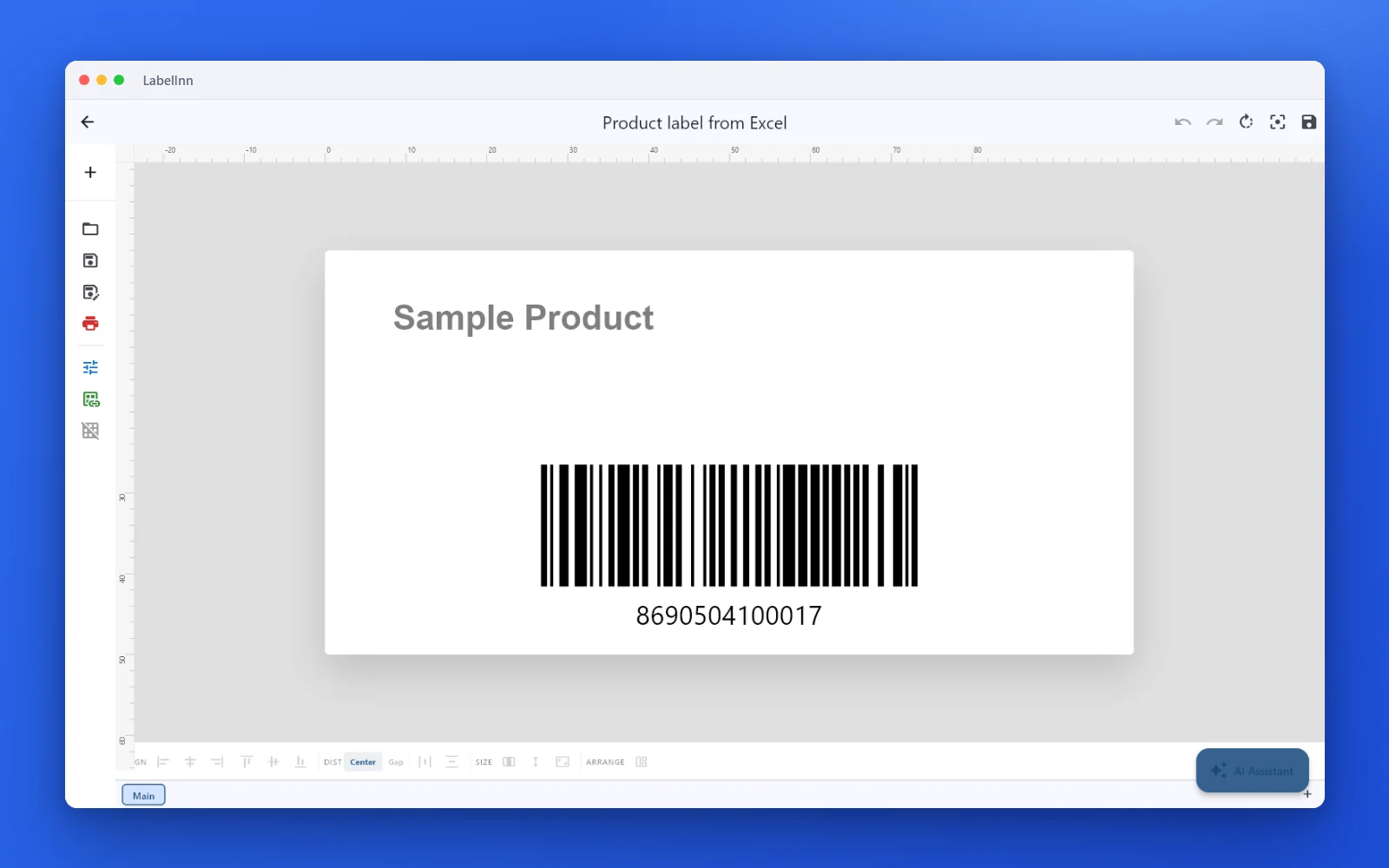
No copy-paste, no hunting for templates. The same flow repeats for every record.
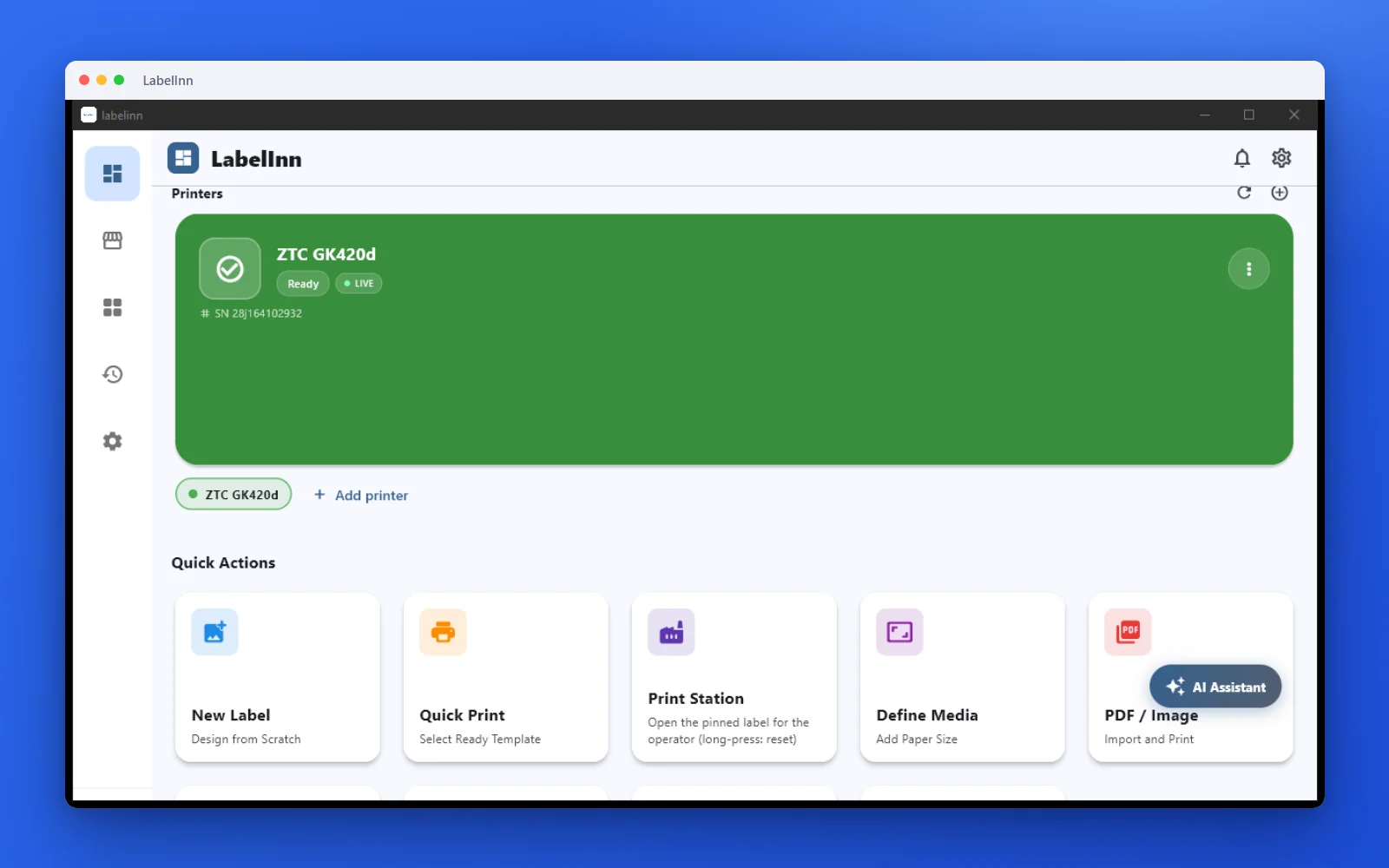
Printer status, quick actions and recent work in one place.
Text, barcodes, QR and images placed on the real media size.

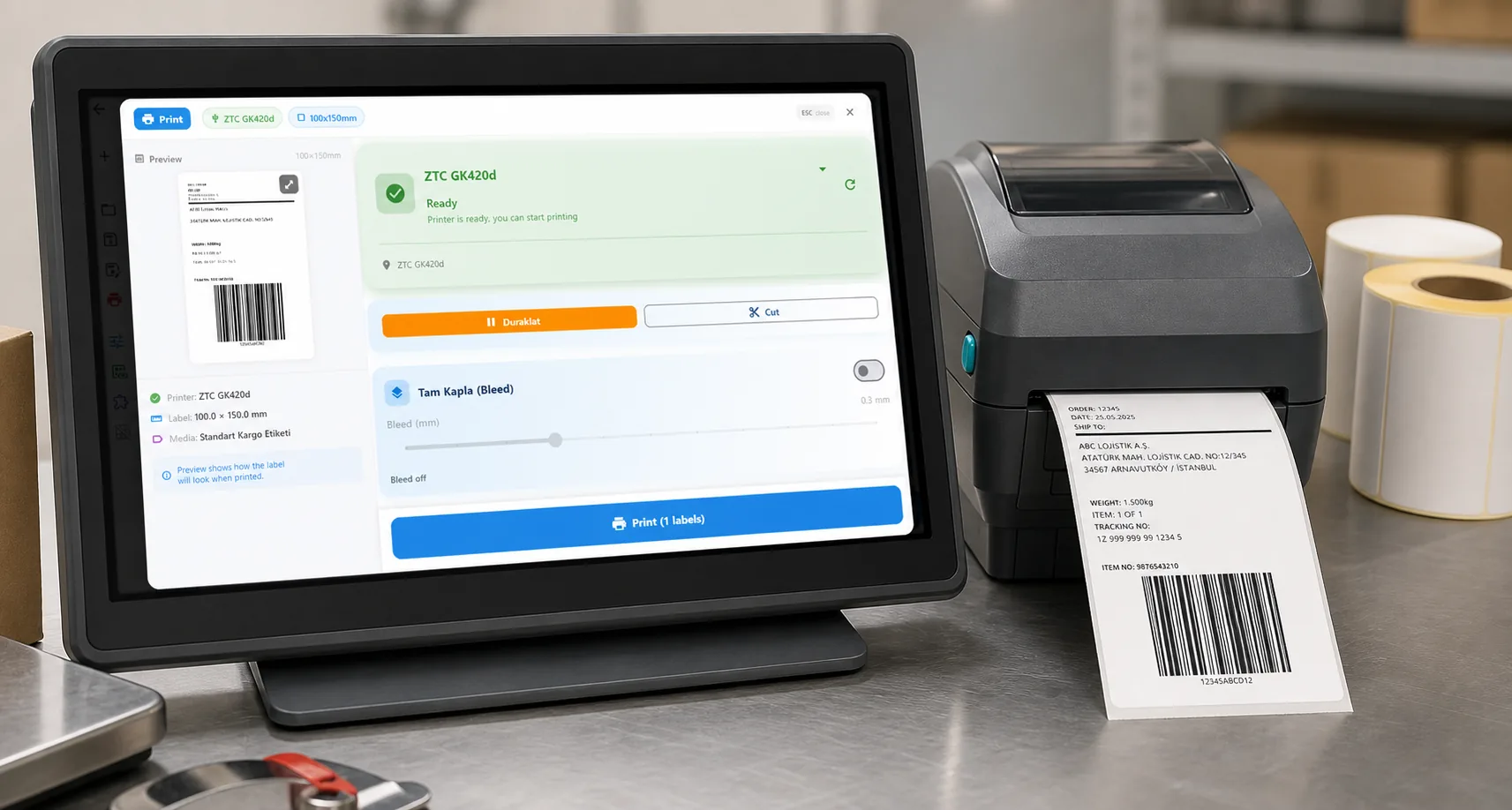
See the label, the printer state and the copy count before it prints.
01 / DECISION
Switch or stay: an honest table
Find your situation in the left column.
| Your situation | Better choice | Why |
|---|---|---|
| You only own DYMO LabelWriters and print address labels, name badges or folder labels | Stay on DYMO Connect | It is free, made by DYMO and tested on its printers. A second tool adds work for no gain. |
| You own a LabelWriter 550, 550 Turbo or 5XL | DYMO's software | They use a different protocol that LabelInn does not speak. LabelInn recognises them by USB ID and refuses to print rather than send a stream they would misread. |
| You need 4 x 6 inch shipping labels | A thermal printer, with LabelInn | The LabelWriter 450 head is 57 mm wide, so a 101.6 mm label does not fit. Use a Zebra, TSC, Toshiba or Epson printer; LabelInn drives all four. |
| You run a LabelWriter 450 and a Zebra or TSC in the same office | LabelInn | One designer, one set of templates and one print dialog for both. Test the LabelWriter side on one label first, because it is not yet hardware-verified. |
| Your labels come from Excel, CSV or a Shopify, WooCommerce, Trendyol, Hepsiburada or ikas shop | LabelInn | Spreadsheet binding is on Starter at $7.99 a month; marketplace print actions are on Pro at $24.90 a month. |
| You want the label design to follow you across a Windows PC and a Mac | LabelInn | Designs sync through the account. The LabelWriter 450 path covers Windows and macOS over USB. |
| You rely on DYMO's ready-made templates and want nothing else | Stay on DYMO Connect | LabelInn does not import DYMO .label or .dymo files, so every design is built again. |
02 / IMPORT
What LabelInn does not take from DYMO
- DYMO label files. LabelInn imports only BarTender .btw and NiceLabel / ZebraDesigner .nlbl files. Rebuild DYMO designs; most are one to five elements, so this takes minutes.
- DYMO ecosystem features, such as DYMO's own stamps, postage or the DYMO Connect SDK for web pages. If you depend on them, keep DYMO's software for that job.
- LabelWriter 550, 550 Turbo, 5XL and 4XL. Not supported.
- The Twin Turbo roll choice. The printer chooses the roll; LabelInn does not expose a left or right selection yet.
03 / WORKED EXAMPLE
Worked example: a DYMO address label that grows into shipping labels
Month one: a LabelWriter 450 prints address labels on 28 x 89 mm stock. Month six: a Zebra ZD220 arrives for 4 x 6 inch shipping labels. In LabelInn the second step is not a second tool.
- Create a media definition of 89 x 28 mm, add three text lines and a QR code, and print one label to the LabelWriter 450 by USB. Compare it with the DYMO Connect printout: size, edge position and orientation. This is the check that has not yet been done on real hardware by us, so treat a mismatch as a bug to report.
- Attach the customer sheet (Starter, $7.99 a month) so every row is a label instead of retyping.
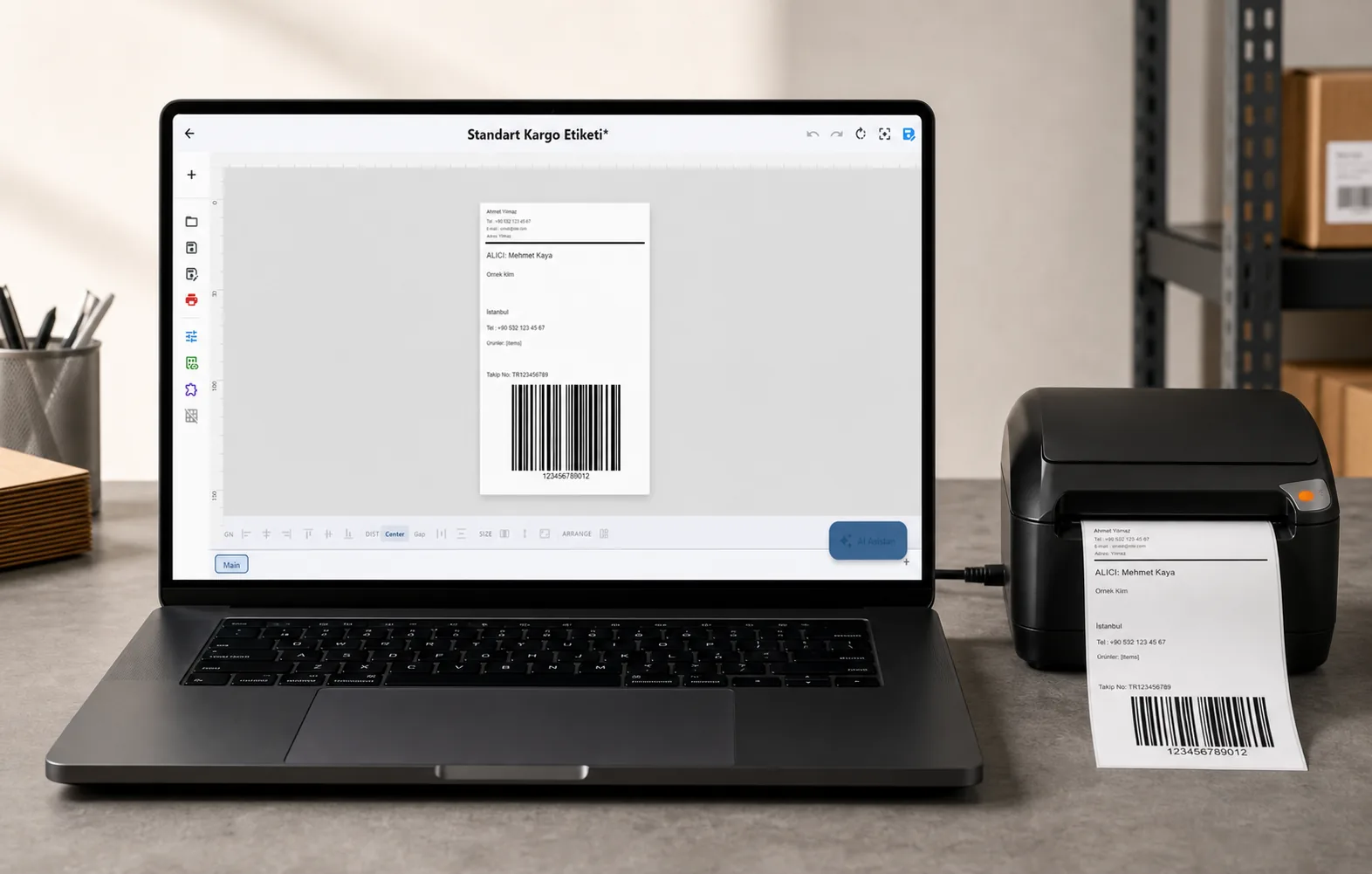
- When the Zebra arrives, add it in the same app, define a 100 x 150 mm media and start from a shipping template. The same print dialog now offers both printers.
- If the orders come from a shop, connect it (marketplace print actions are on Pro, $24.90 a month) and print each order's label without a spreadsheet.
Printer details, supported models and the open verification points are on the LabelWriter 450 page.
04 / LIMITS
What it costs
| DYMO Connect / DYMO Label | LabelInn | |
|---|---|---|
| Software price | Free from dymo.com | Free plan: designer, unlimited printing, serial counters, cloud sync |
| Spreadsheet or CSV batches | Check DYMO's own data features first | Starter $7.99 a month ($79.90 a year) |
| Orders from a shop, API, watched folders | Not offered by DYMO's desktop software | Pro $24.90 a month ($249.00 a year) |
| Printers | DYMO | Zebra, TSC, Toshiba, Epson; LabelWriter 450 family over USB, not yet hardware-verified |
Yearly billing is ten months for twelve. Signing up starts a 14-day Pro trial. See pricing.
ANY PRINTER
Design it, bind your data, print on the printer you already own.
Zebra, TSC, Toshiba, Epson and more — over USB, network or Bluetooth, with no driver to install.
PRICING
Start free. Pay when it earns its keep.
THE PROBLEM, THEN THE FIX
Outgrowing a DYMO should not mean starting over
Add the element, pick the code, print.
The problemThe software that came with the printer only drives that printer, so a second printer or a bigger job means a second tool.
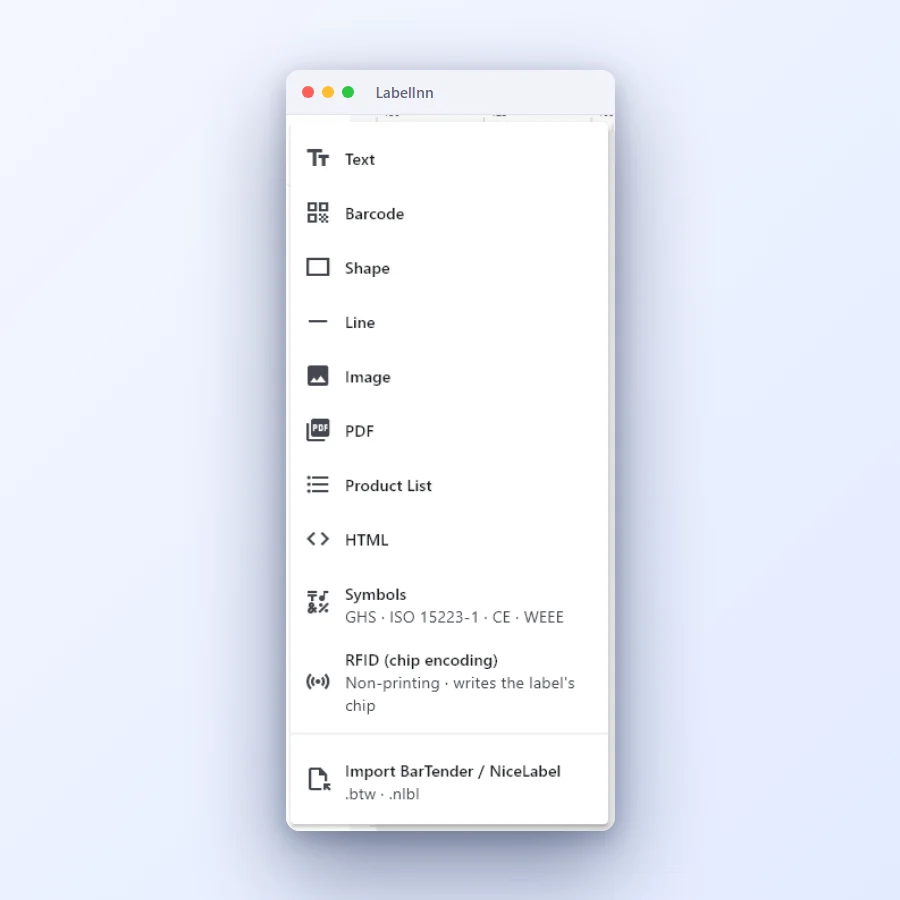 1Add what the label needsText, barcode, shape, line, image, PDF, product list, HTML, symbols and RFID are one click away.
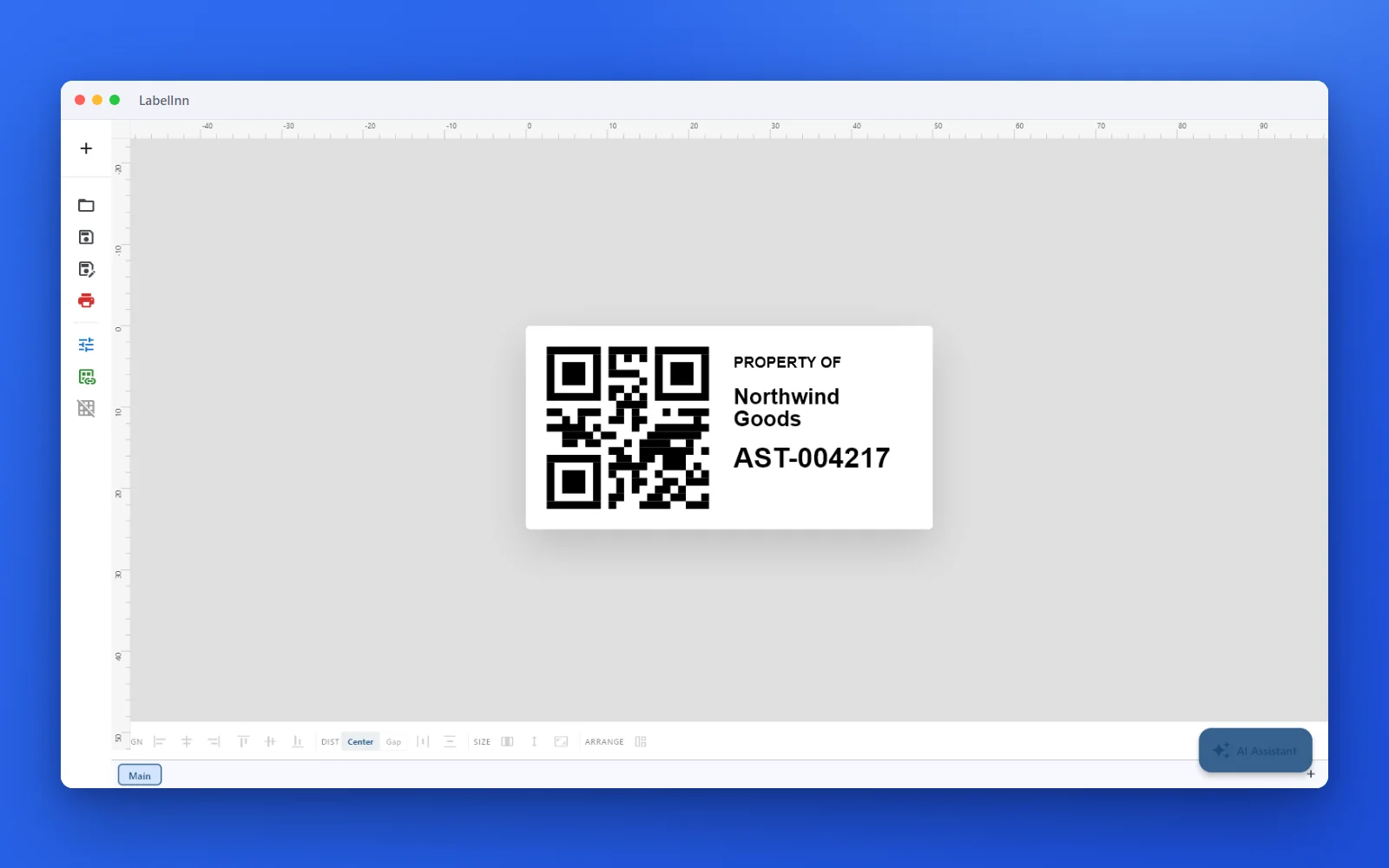 2An asset tag with a QR codeA QR code that carries the asset ID, with the owner and the number printed beside it.
- 3Preview, then printCheck the real label, choose the printer and the number of copies, and print.
The fixA new label is an element, a code and a print: nothing to configure first.Get LabelInn free
QUESTIONS / FAQ
Frequently asked questions
What is the best DYMO software alternative?
If you only have DYMO printers, DYMO Connect is free and the simplest choice. LabelInn is the alternative when you add Zebra, TSC, Toshiba or Epson printers, need spreadsheet or shop data, or want 4 x 6 inch shipping labels, which a LabelWriter 450 cannot print.
Does DYMO Connect work with other printer brands?
DYMO Connect is made for DYMO printers. For Zebra, TSC, Toshiba or Epson thermal printers you need other software, such as LabelInn.
Can LabelInn print to a DYMO LabelWriter?
LabelInn has a native USB path for the LabelWriter 450, 450 Turbo, 450 Twin Turbo and 450 Duo, written from DYMO's technical reference and covered by 132 automated tests. The team has not yet confirmed it on a physical LabelWriter, so print one label first. The 550 series, 5XL and 4XL are not supported.
Is there a DYMO alternative for Mac?
LabelInn has a native macOS app. Its LabelWriter 450 USB path includes macOS but has not been run on a physical LabelWriter by the LabelInn team, so test one label.
Can I print 4 x 6 inch labels on a LabelWriter 450?
No. The print head is 57 mm wide, so a 101.6 mm label does not fit. Use a wider thermal printer such as a Zebra, TSC, Toshiba or Epson model.
Is there a free DYMO Connect alternative?
LabelInn's free plan covers designing labels and printing by hand with no credit card. Binding an Excel or CSV file starts on Starter at $7.99 a month.
KEEP GOING
Related
NEXT STEP / LABELINN
Print one label on each printer you own
Test the printers you have side by side with DYMO Connect before you move anything. · Zebra, TSC, Toshiba, Epson · LabelWriter 450 over USB · Free plan