Hardware: A 4-inch thermal printer that speaks ZPL, TSPL or TPCL (for example a Zebra ZD-series or TSC TE-series) with 100×150mm or 4×6 inch labels
SHIPPING / MARKETPLACES / WINDOWS AND MAC
Shipping Label Software for Thermal Printers
Shipping label software turns an order or shipment record into a carrier-ready label and prints it. LabelInn prints your own carrier label, courier API response or PDF on a Zebra, TSC, Toshiba or Epson thermal printer, from Shopify, WooCommerce, Trendyol, Hepsiburada, ikas, an ERP or an Excel file, without retyping. It does not sell carrier rates; pair it with a rate platform if you need those.
FREE PLAN · NO CREDIT CARD · WINDOWS / MAC / ANDROID / WEB
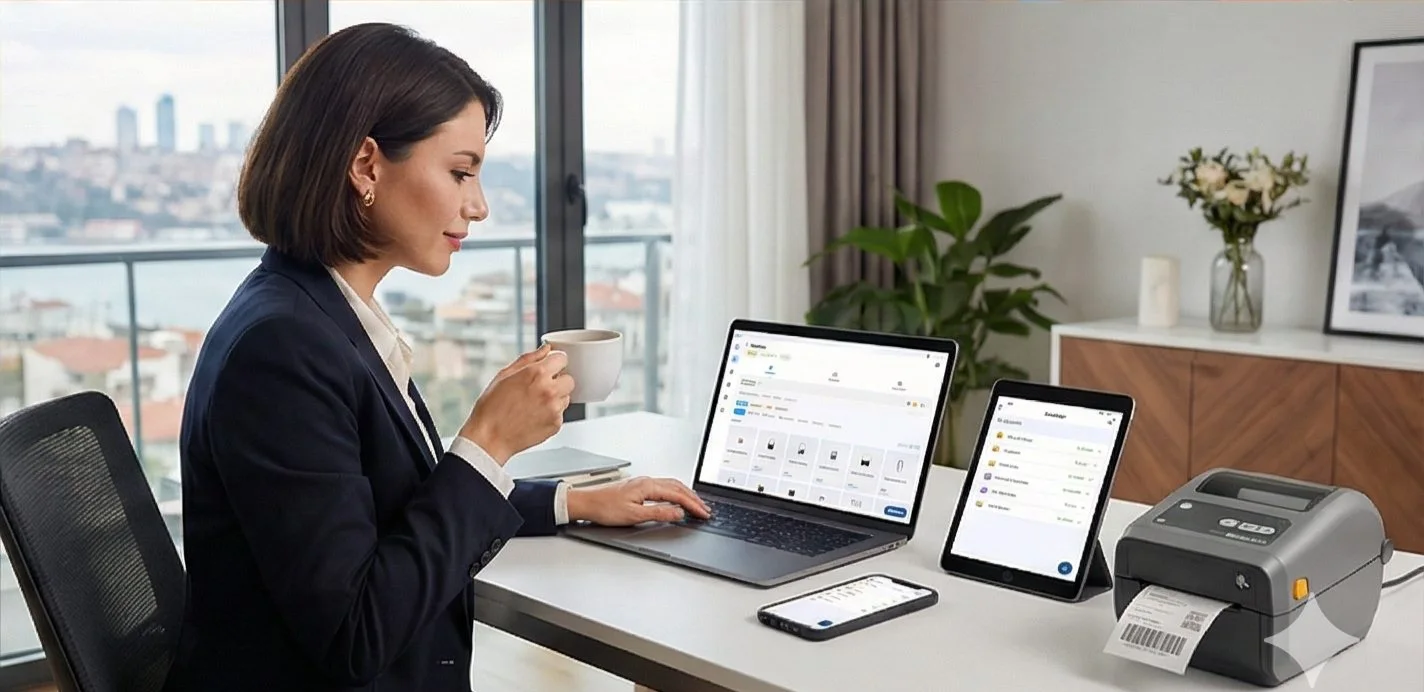
Order sources
Shopify
WooCommerce
Trendyol
Hepsiburada
ikas
+ Your shipping API · PDF · Excel
THE PROBLEM
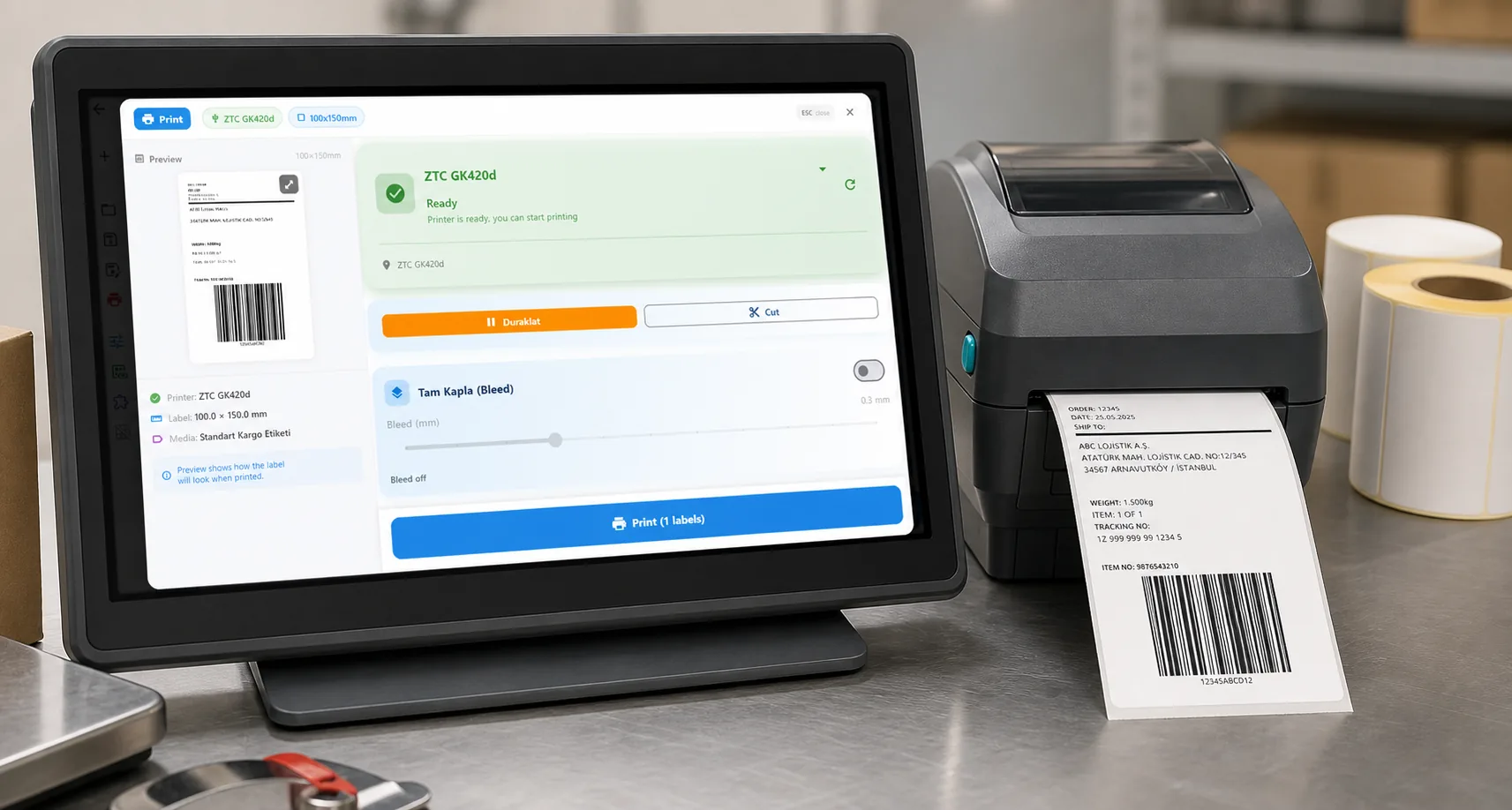
Every e-commerce seller knows the pain: orders come in, you copy address details into label software, find the right format for the carrier, print, and hope it scans at the carrier drop-off. Multiply that by 50 orders a day and it's hours of work.
| Need | How LabelInn handles it |
|---|---|
| Orders from your store | Shopify, WooCommerce, Trendyol, Hepsiburada, ikas: API sync |
| ERP or WMS | REST API with idempotency keys, batch and scheduled jobs, webhooks; Make.com, Zapier or the built-in workflow engine |
| Carrier label | Print what your carrier API returns, or import and crop the carrier's PDF; no built-in carrier account |
| Thermal printer | Zebra ZPL, TSC TSPL, Toshiba TPCL, Epson ESC/Label; no driver; USB, network, Bluetooth |
| Computers | Windows, macOS, Android and the web dashboard |
The right shipping label software eliminates all of that. Orders sync, labels print, done.
Stop copy-pasting addresses. LabelInn auto-syncs orders from Shopify, Trendyol, Hepsiburada, and more. Print shipping labels in one click. Try Free →
DECISION TABLE
Do you need LabelInn, a rate platform, or both?
Shipping label software means two different things. Be clear which one you are buying.
| You want to | Use | Note |
|---|---|---|
| Buy discounted postage and compare carriers | A shipping platform (Shippo, EasyPost, ShipStation and similar) | They hold the carrier accounts. LabelInn does not and does not claim to. |
| Print a carrier label you already have (PDF or API response) on a thermal printer | LabelInn | Import and crop the PDF, or map the API response to a 100 x 150 mm template. |
| Turn marketplace orders (Shopify, WooCommerce, Trendyol, Hepsiburada, ikas) into labels | LabelInn Pro | Order sync and print-from-order. Free and Starter can view orders only. |
| Print from an ERP or WMS with nobody clicking | LabelInn API or workflow | Idempotent print jobs, webhooks, scheduled and watched-folder printing on Pro. |
| Buy rates in a platform, print on your own Zebra or TSC | Both | The platform returns the label PDF; LabelInn prints it at the right size. |
| Ship a handful of parcels a week from a laser printer | The carrier's own website | No software needed. Come back when the retyping starts to hurt. |
WORKED EXAMPLE
One order, one label: where every field comes from
The label in the screenshot below is built from a single order row.
| Label field | Comes from | Example |
|---|---|---|
| Ship-to name and address | The order's shipping address (store sync, ERP or file) | Maria Lopez, 14 Harbor Street, Rotterdam, 3011 AB, Netherlands |
| Sender | A fixed block on the design | Northwind Goods, 220 Mill Road, Leeds LS1 4AB, UK |
| Order number and weight | The order | Order #10492, 1.2 kg |
| Tracking barcode (Code 128) | Your carrier or courier API, never made up by LabelInn | TRK4821009375 |
| Carrier routing code | Your carrier's response | Carrier-defined |
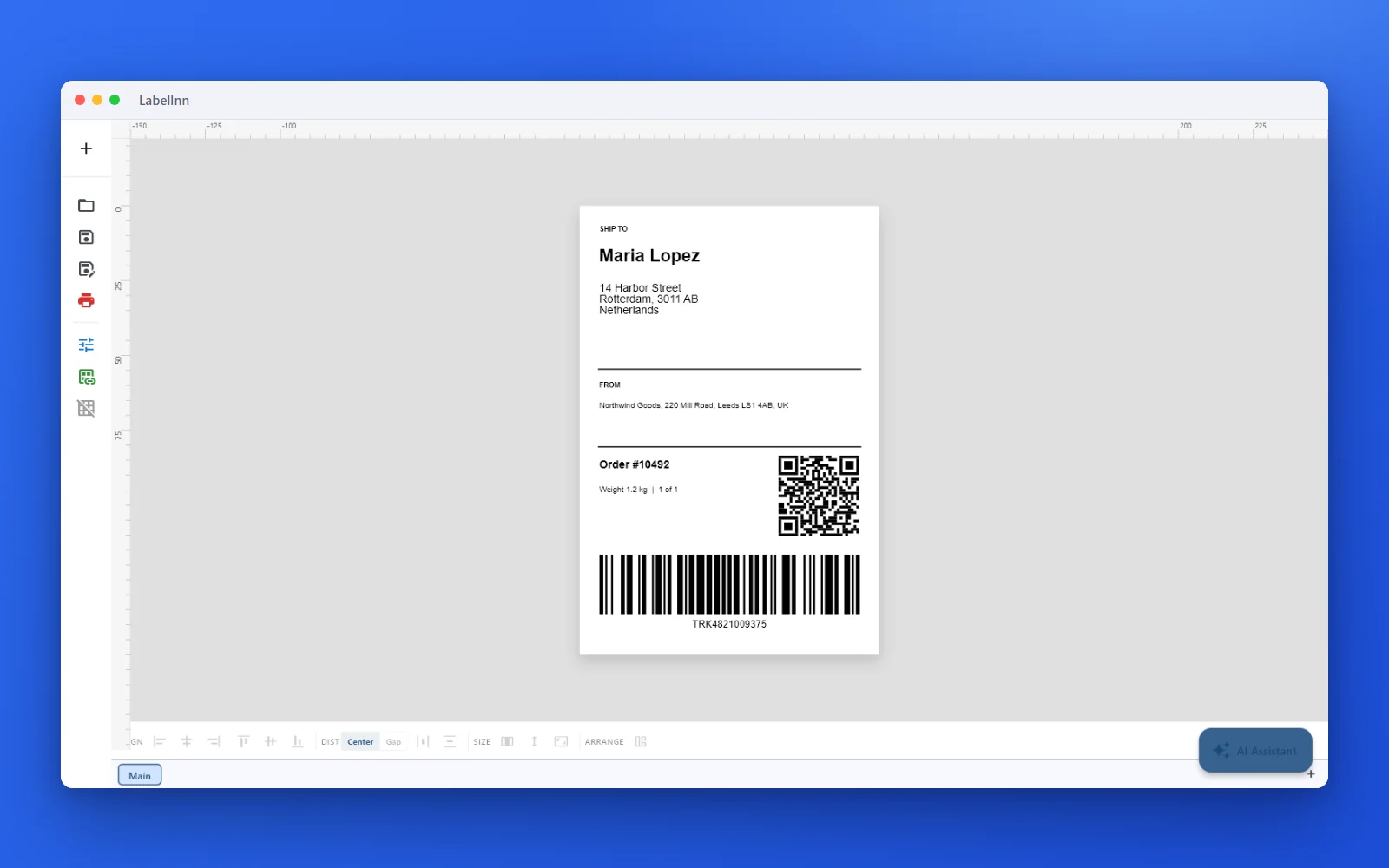
To print the same label from your own system, send the order values to the API. The keys inside data are the variable names on your design.
POST /v1/print/jobs
Authorization: Bearer sk_live_...
X-Idempotency-Key: order-10492

{
  "printer_id": "prt_abc123",
  "payload_type": "template",
  "design_id": "your-shipping-design-id",
  "data": {
    "recipient_name": "Maria Lopez",
    "address": "14 Harbor Street, Rotterdam, 3011 AB, Netherlands",
    "order_no": "10492",
    "tracking": "TRK4821009375"
  }
}
A 201 response means the job is queued, not printed. Poll the job until its status is terminal; the API reference lists the states.
CALCULATOR
How many 4x6 rolls will you use?
Plan label stock from your order volume, plus the exact dot size for your printer.
Labels per roll is printed on the roll's box; it varies by supplier and core size.
RESULT
DOTS FOR THE LABEL
4 x 6 in (101.6 x 152.4 mm): 812 x 1218 dots at 203 dpi, 1200 x 1800 at 300 dpi.
100 x 150 mm: 799 x 1199 dots at 203 dpi, 1181 x 1772 at 300 dpi.
In ZPL these are the ^PW (width) and ^LL (length) values.
HOW IT WORKS
Three screens from data to printed label.
No copy-paste, no hunting for templates. The same flow repeats for every record.
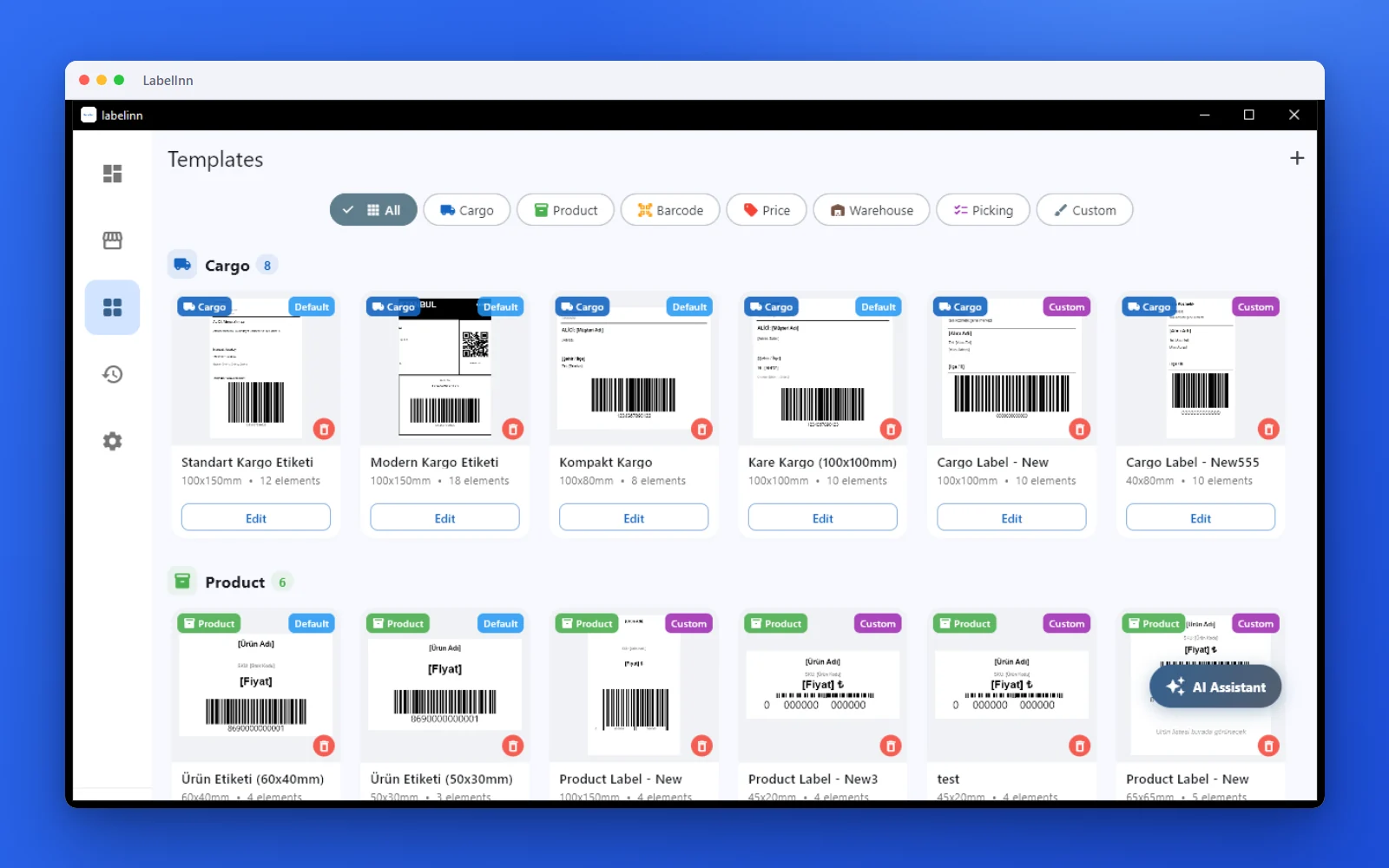
Pick a cargo label from the gallery or design one on a blank canvas.
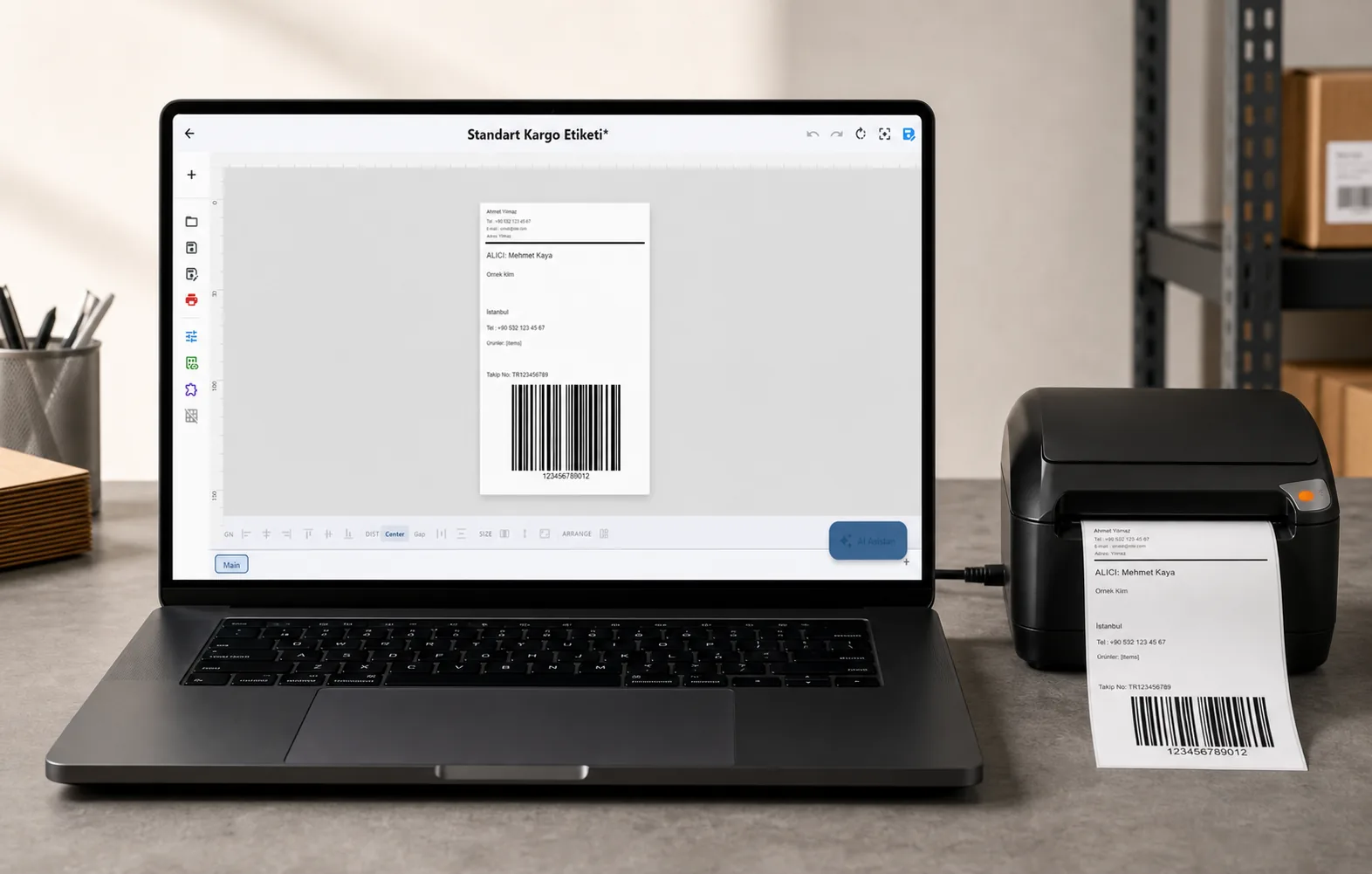
Recipient, address, tracking barcode: map once, every label fills itself.
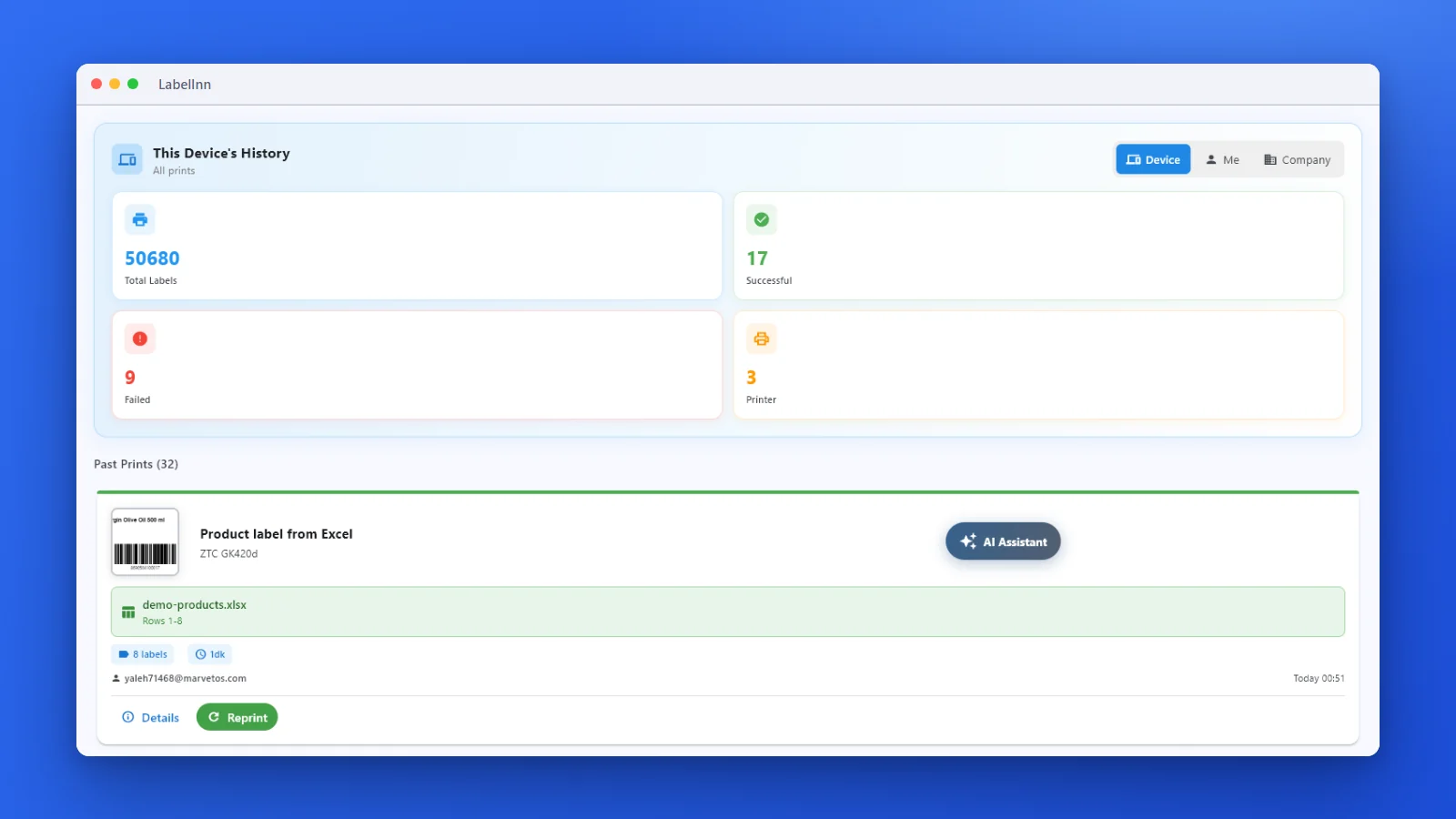
Every job is recorded. See what failed and reprint in one click.
01 / WORKFLOW
The Modern Shipping Label Workflow
Here's what shipping label printing looks like with LabelInn:
| Task | Old Way | With LabelInn |
|---|---|---|
| Get new orders | Log into marketplace, export CSV | Instant auto-sync |
| Enter recipient info | Manual copy-paste | Auto-populated from order |
| Map shipping data | Find the right template, adjust manually | Preview a customer-defined mapping |
| Print labels | One at a time | Batch print all at once |
| Update tracking | Manually enter in marketplace | Write back after an approved test |
02 / SOURCES
Order Sources & Shipping Outputs
Marketplaces (Order Source)
| Platform | Region | Integration Type |
|---|---|---|
| Shopify | Global | API — real-time sync |
| WooCommerce | Global | API — real-time sync |
| Trendyol | Turkey | API — real-time sync |
| Hepsiburada | Turkey | API — real-time sync |
| ikas | Turkey | API — real-time sync |
Shipping Connection Paths
| Connection path | Coverage | Label handling |
|---|---|---|
| Customer shipping API | Any region where your account is authorized | Map the provider response or a normalized 4×6 / 100×150mm template |
| Downloaded shipping PDF | Any provider | Import, crop, preview, and print without claiming an API integration |
| Internal fulfillment system | Any region | Use your own tracking, barcode, and template contract |
03 / AUTOMATION
Auto-Print Straight From Your Store or ERP
Beyond the dashboard, LabelInn can print shipping labels with zero clicks. Auto-print shipping labels from your store, ERP, or WMS via one REST API or a no-code workflow. POST an order to POST /v1/print/jobs (idempotency keys, batch + scheduled jobs, webhooks) and the label drops on your thermal printer — or wire the same thing visually with Make.com, Zapier, or the built-in workflow engine.
One API, every printer. Trigger labels from any system that can make an HTTP request — no manual export, no copy-paste. See the API →
THE PROBLEM, THEN THE FIX
Typing recipient details into a label for every order does not scale
The label is the easy part. Repeating it for every order is where the hours go.
The problemEvery order means opening the label, retyping the address and printing one.
- 1A shipping label, ready to printRecipient, sender, order number, a QR code and a Code 128 tracking barcode on a 100 x 150 mm label.
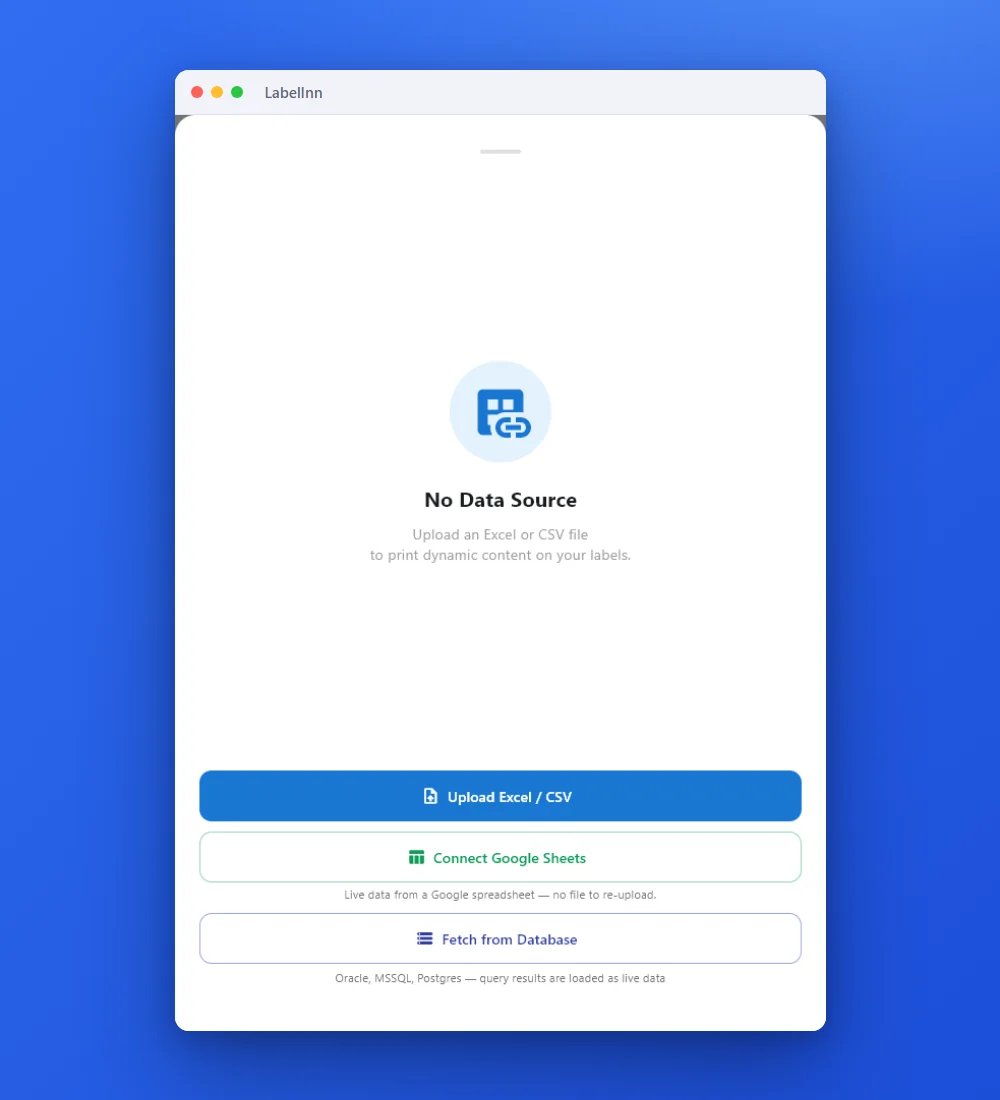 2Point the label at your dataUpload an Excel or CSV file, connect Google Sheets, or fetch from a database.
 3Preview, then printCheck the real label, choose the printer and the number of copies, and print.
The fixDesign the label once; each row of your order data becomes its own label.Get LabelInn free
04 / LABEL BASICS
What Makes a Good Shipping Label?
A compliant shipping label needs:
- Recipient name and full address — clearly readable
- Sender address — for returns
- Tracking barcode — Code 128 or carrier-specific format
- Carrier routing code — so it gets sorted correctly at the hub
- Order/reference number — for your records
- Correct label size — 100×150mm thermal or 4×6 inch
These fields must come from your approved shipping contract or carrier-provided label. LabelInn lets you map and preview them, but it does not invent carrier routing data.
05 / SETUP
Ideal Setup for E-Commerce Shipping
Software: LabelInn (Pro for marketplace print actions; Free and Starter can view marketplace orders)
Connection: Connect an approved order source, import a file, or configure your own API; test with non-production data before enabling writes
Daily workflow: Open LabelInn → see today's orders → select all → print → done
Building on top of LabelInn? API, MCP, workflows and connectors are all part of the platform. Explore the developer platform →
NEW / CARRIERS
Carrier integration: your own Yurtiçi, Aras or MNG account
The order is paid, the shipment is created under your own carrier agreement, the tracking number and carrier barcode print on the label, and tracking is written back to the order.
ANY PRINTER
Design it, bind your data, print on the printer you already own.
Zebra, TSC, Toshiba, Epson and more — over USB, network or Bluetooth, with no driver to install.
PRICING
Start free. Pay when it earns its keep.
QUESTIONS / FAQ
Frequently Asked Questions
What is the best shipping label software for a small business?
It depends on what you need. If you need discounted carrier rates and rate comparison, use a shipping platform such as Shippo, EasyPost or ShipStation. If you already have a carrier label, a store or an ERP and need to print it on a thermal printer without retyping, LabelInn connects Shopify, WooCommerce, Trendyol, Hepsiburada and ikas orders, ERP data and carrier PDFs to Zebra, TSC, Toshiba and Epson printers. Many sellers use both.
Does LabelInn give me discounted carrier rates?
No. LabelInn does not hold a carrier account and does not sell rates. It prints the label your carrier, courier API or fulfillment system returns, mapped to a 100 x 150 mm template, or the carrier's PDF cropped to the label. There is no built-in FedEx, UPS or DHL account.
Which shipping carriers does LabelInn integrate with?
LabelInn connects on the data side. You map the response of your own authorized shipping API, import the PDF your carrier gives you, or use your internal fulfillment system and tracking numbers. It does not invent carrier routing data. See shipping and cargo label automation.
Can I print Trendyol and Hepsiburada shipping labels automatically?
Yes, on the Pro plan, which includes marketplace print actions. Orders sync from the marketplace API and you select them and print in one batch. Tracking write-back is set up per integration and tested before it is switched on. Free and Starter plans can view marketplace orders only.
How can I automate shipping label creation with an API?
Send the order data to the LabelInn REST API: POST /v1/print/jobs with a printer, a design and a data object, plus an X-Idempotency-Key header so a retry never prints twice. Webhooks, scheduled jobs and a visual workflow engine cover the same job without code. Production API access is on Pro; a sandbox key is free to try.
What printer do I need for shipping labels?
A 4-inch thermal label printer. 203 dpi is enough for 4 x 6 inch shipping labels. LabelInn sends ZPL, TSPL, TPCL or ESC/Label directly, so a Zebra ZD-series or a TSC TE-series printer works without a driver. Other thermal brands work if the model can emulate ZPL or TSPL.
Is a 4x6 inch label the same as 100x150 mm?
Almost, but not exactly. 4 x 6 inch is 101.6 x 152.4 mm. 100 x 150 mm is 1.6 mm narrower and 2.4 mm shorter. Both fit the same 4-inch printers, but set the exact media size on your design and in the printer, or the gap sensor and print position drift. The calculator below shows the dot sizes.
Does shipping label software work on Mac?
LabelInn has a native macOS app, plus a web designer, so a Mac can design and print shipping labels. Details are on the Mac label software page.
Can an AI agent print shipping labels?
Yes, through the LabelInn MCP server: an agent such as Claude can design a label and physically print it on your printer. See AI agent label printing.
Can it read shipment data from my ERP or WMS?
Yes: push it through the REST API or webhooks, or read it from a database source (Oracle, Microsoft SQL Server, PostgreSQL or MySQL, read-only, with credentials kept on-prem). Database sources are a Pro feature.
KEEP GOING
Related
NEXT STEP / LABELINN
Stop Wasting Hours on Shipping Labels
Connect your store, plug in your printer, print your first label in under 10 minutes. 14-day free trial. · Auto-sync from all major platforms · Batch print 100 labels in seconds · Custom APIs, PDFs, and mapped formats