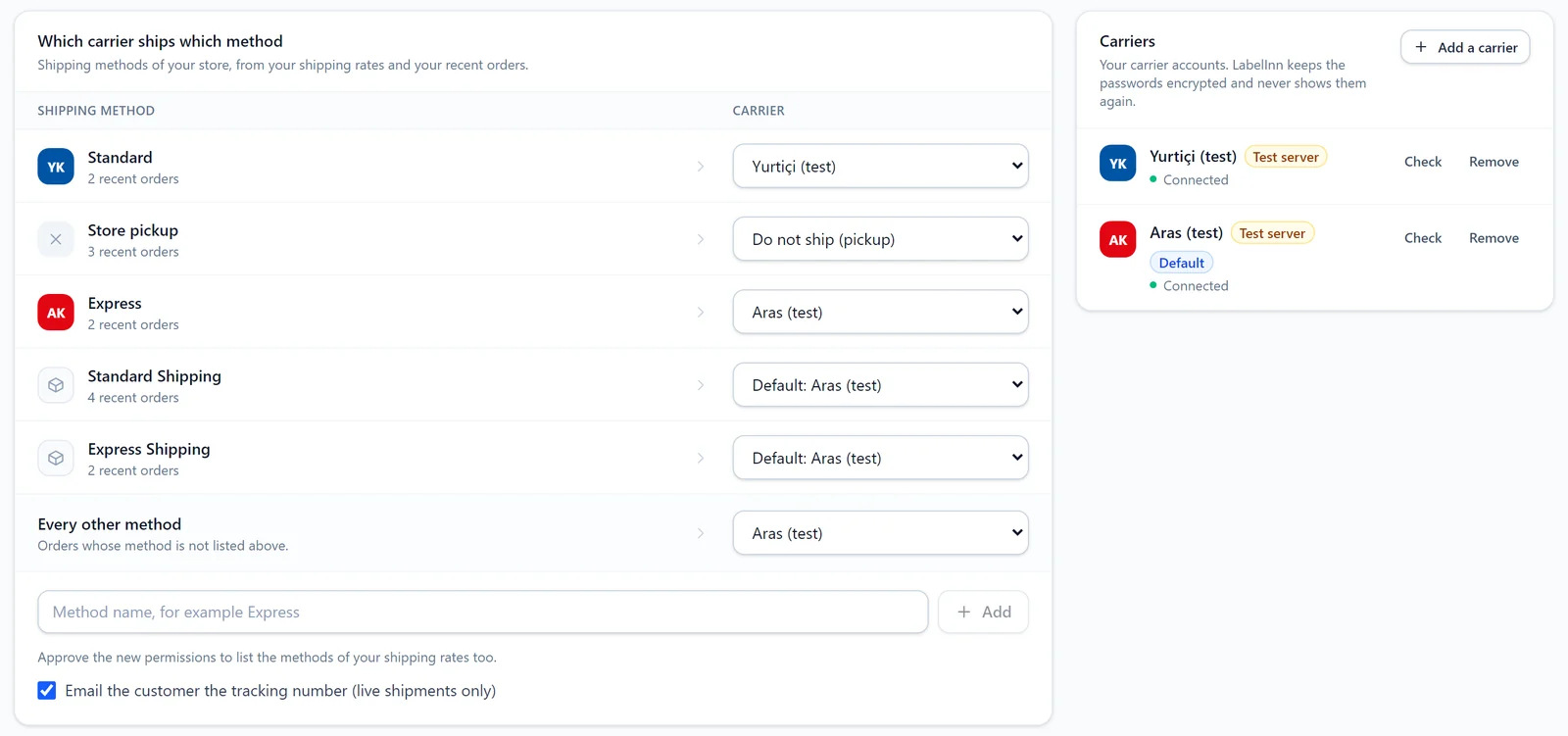
Add your carrier. Shipping > Add a carrier. Enter what the carrier gave you and press "Check". For Yurtiçi and Aras you can pick the test server first and use the carrier's test account.
SHOPIFY APP / SHIPPING TAB / YURTIÇI AND ARAS READY
Shopify Carrier Integration: Every Paid Order Ships With Your Own Carrier
Ship every paid Shopify order with your own carrier account, print the tracking barcode on the label and write tracking back to Shopify. Yurtiçi, Aras, MNG, more.
FREE PLAN · NO CREDIT CARD · WINDOWS / MAC / LINUX / WEB
The Shopify carrier integration is the Shipping tab of the LabelInn Shopify app. You map each shipping method of your store to a carrier; every paid order goes to its carrier, the tracking barcode prints on your shipping label and the tracking number is written to Shopify. Shipments are created under your own carrier agreement; you pay the carrier directly.
Ready: Yurtiçi Kargo and Aras Kargo. Beta: MNG Kargo (DHL eCommerce Türkiye), Sürat Kargo, PTT Kargo, HepsiJet, UPS Kargo (UPS Türkiye), Kolay Gelsin (formerly Sendeo).
On the Shopify App Store. Install LabelInn on your store and open the Shipping tab. apps.shopify.com/labelinn →
01 / SETUP
Setup: three steps and one switch
Map the methods. The list comes from your store's shipping rates and recent orders: "Standard: Yurtiçi", "Express: Aras", "Store pickup: do not ship". Pick a carrier for every other method.
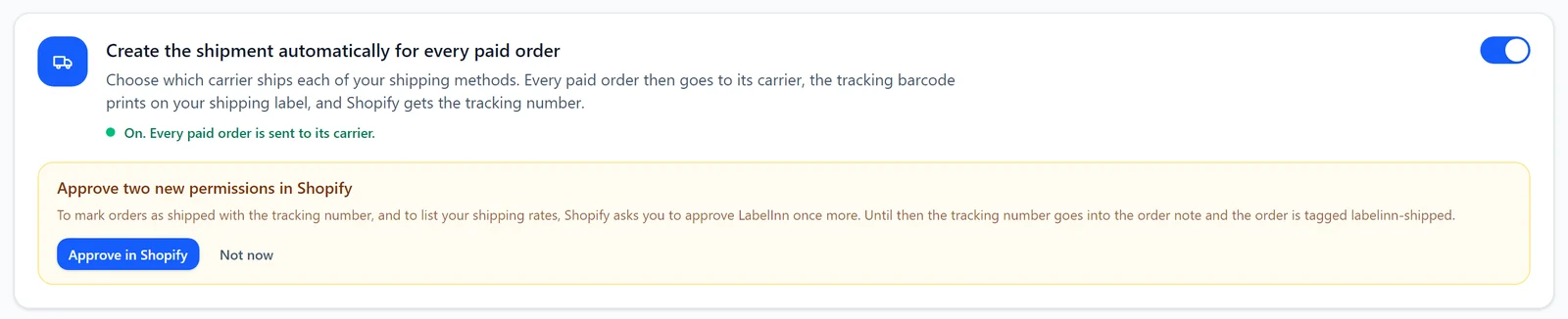
Turn the switch on. "Create the shipment automatically for every paid order". From then on every paid order goes to its carrier.
02 / MAPPING
Which carrier ships which method
Mapping is by the name of the shipping method and ignores case, spacing and the Turkish dotted and dotless i. Methods that are not shipped, such as store pickup, are set to "Do not ship"; their labels still print but no shipment is created. You can add an account for each carrier and make one the default.
03 / LABEL
The Shopify shipping label, with its barcode
Once the shipment exists, the tracking number, the carrier barcode (Code 128) and the carrier name fill in on your shipping label. It prints on 4 × 6 in, 100 × 150 mm, A6 or an A4 sheet, on a thermal or an office printer. With your own design, bind the "Tracking number", "Cargo barcode" and "Carrier" fields.
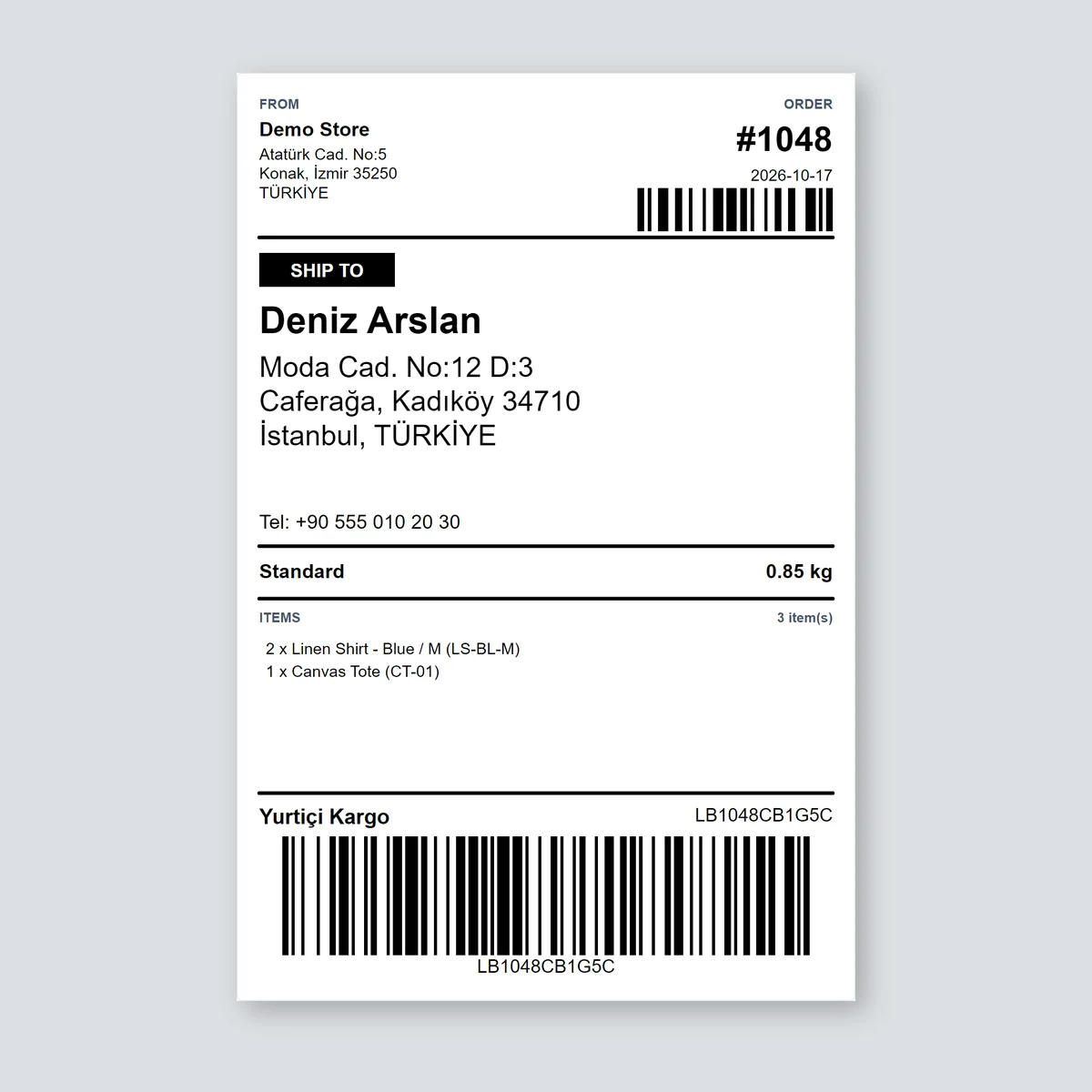
Drawn by LabelInn's Shopify shipping template with a sample order; the customer details are sample data.
04 / TRACKING
Tracking goes back to Shopify
- Marked as fulfilled: to mark orders as shipped with the tracking number and to list your shipping rates, Shopify asks you to approve LabelInn once more ("Approve in Shopify" in the panel).
- Until you approve: the tracking number goes into the order note and the order is tagged
labelinn-shipped. No order is left without tracking. - Customer email: optionally, Shopify's shipping confirmation goes out with the tracking number (live shipments only).
05 / SAFETY
One order never ships twice
- The key sent to the carrier is fixed per order. If a request is cut off, LabelInn first asks whether the shipment was created.
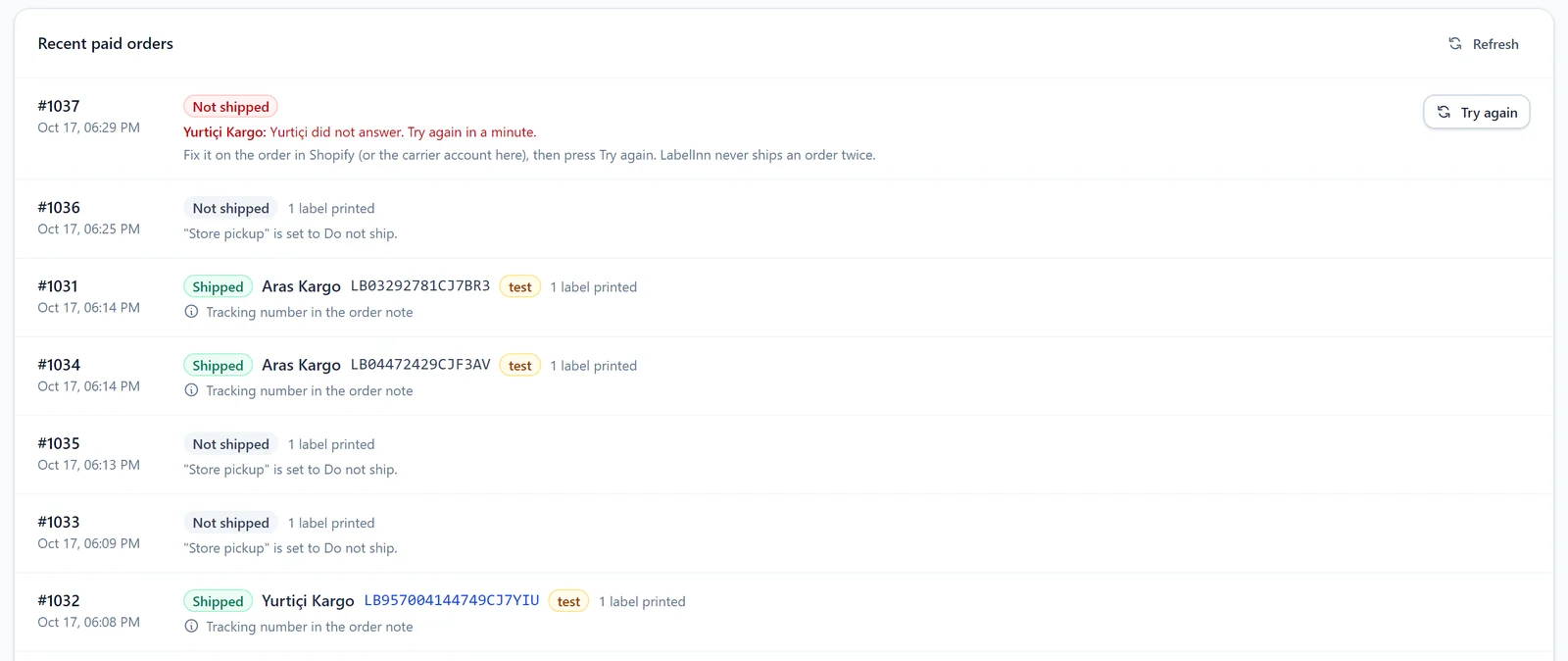
- If the carrier does not answer or refuses the address, the order waits as "Not shipped" with the reason beside it. Fix it in Shopify (or the carrier account) and press "Try again".
- You can cancel a shipment from LabelInn before the carrier picks the parcel up.
- Passwords are stored encrypted and never shown again. If your carrier whitelists an IP address, requests can leave from your own computer with LabelInn open.
06 / CARRIERS
Carriers
| Carrier | Status | Cash on delivery | Cancel | Tracking |
|---|---|---|---|---|
| Yurtiçi Kargo | Ready | yes | yes | yes |
| Aras Kargo | Ready | yes | yes | with customer code |
| MNG Kargo (DHL eCommerce Türkiye) | Beta | yes | yes | yes |
| Sürat Kargo | Beta | yes | yes | yes |
| PTT Kargo | Beta | yes | yes | yes |
| HepsiJet | Beta | no | yes | yes |
| UPS Kargo (UPS Türkiye) | Beta | no | yes | yes |
| Kolay Gelsin (formerly Sendeo) | Beta | yes | yes | yes |
Coming: Trendyol Express, DHL Express, UPS, FedEx, international carriers through Shippo.
QUESTIONS / FAQ
Frequently asked questions
How do I connect Yurtiçi Kargo to Shopify?
Install LabelInn, add Yurtiçi Kargo in the Shipping tab with your web service user name and password, choose the shipping method Yurtiçi ships and turn on automatic shipments.
Does the Shopify shipping label print automatically?
Yes. When the paid order is shipped, the tracking number and carrier barcode fill in on the label and it prints on the printer you choose.
Is the tracking number written to the Shopify order?
Yes. Once you approve the new permission, the order is marked fulfilled with the tracking number. Until then the number goes into the order note and the order is tagged labelinn-shipped.
What happens to store pickup orders?
Methods mapped to "Do not ship" create no shipment; the label can still print.
Can different methods go to different carriers?
Yes. Each shipping method maps to its own carrier, for example Standard to Yurtiçi and Express to Aras. Methods not in the list go to the default carrier.
Who do I pay for postage?
The carrier, directly, under your own agreement. LabelInn does not resell postage.
Which carriers are ready?
Yurtiçi Kargo and Aras Kargo are ready. MNG Kargo (DHL eCommerce Türkiye), Sürat Kargo, PTT Kargo, HepsiJet, UPS Kargo (UPS Türkiye), Kolay Gelsin (formerly Sendeo) are in beta.
KEEP GOING
Related
NEXT STEP / LABELINN
Ship your Shopify orders with your own carrier
Install LabelInn, add your carrier, map your shipping methods. · Every paid order · Barcode shipping label · Tracking back to Shopify