SHOPIFY APP STORE / UPDATED OCTOBER 2026
Shopify Label Printer: Send Order and Product Labels to a Thermal Printer
Install the LabelInn app from the Shopify App Store and the label prints on your own thermal printer the moment an order is paid. Add rules, print at a set time, ship with Yurtiçi or Aras, and see every step in a log.
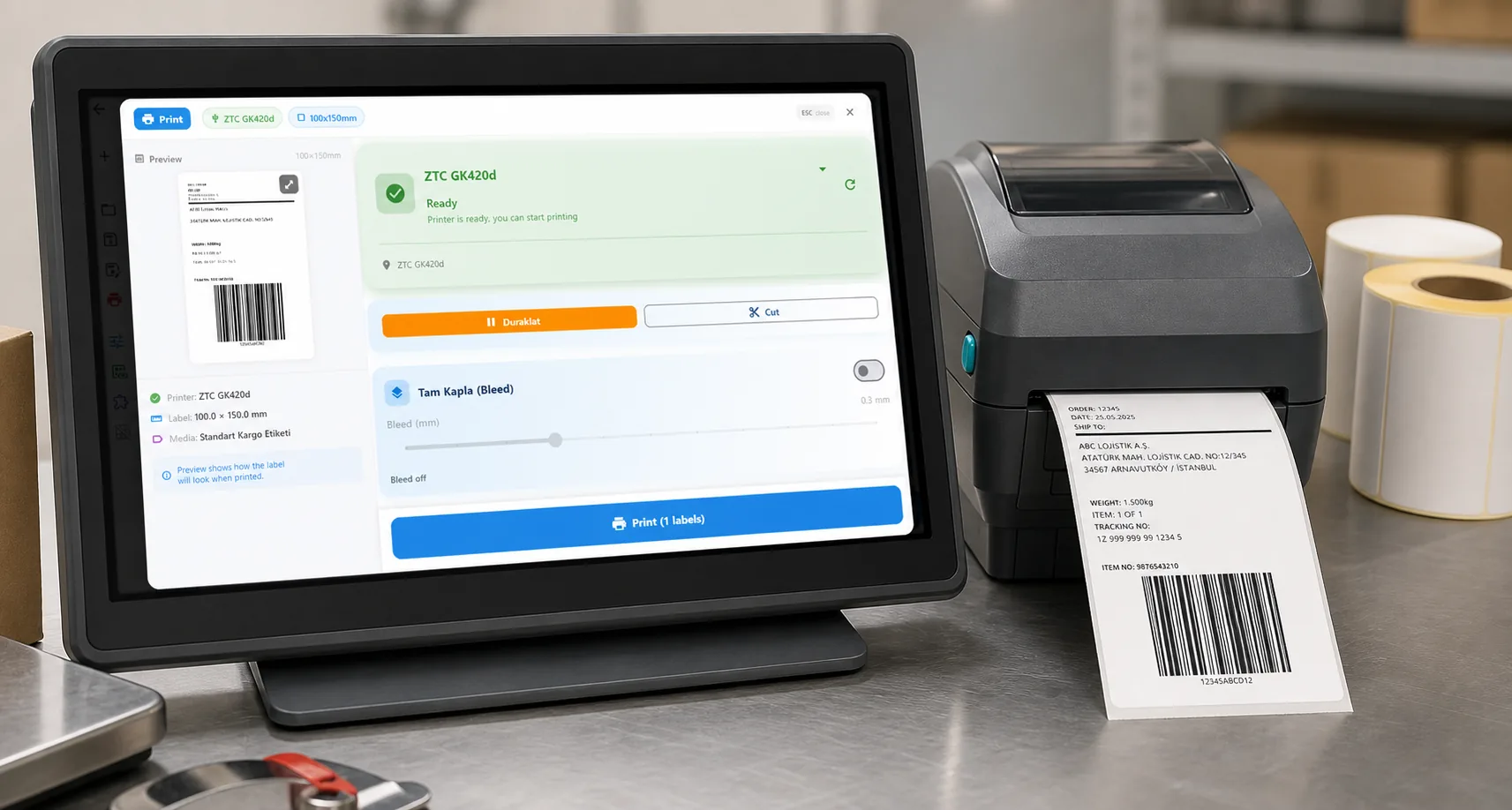
Video / 1:43
Watch: Print Shopify labels automatically
1:43 walkthrough in the real app. Step-by-step page →
THE SHORT ANSWER
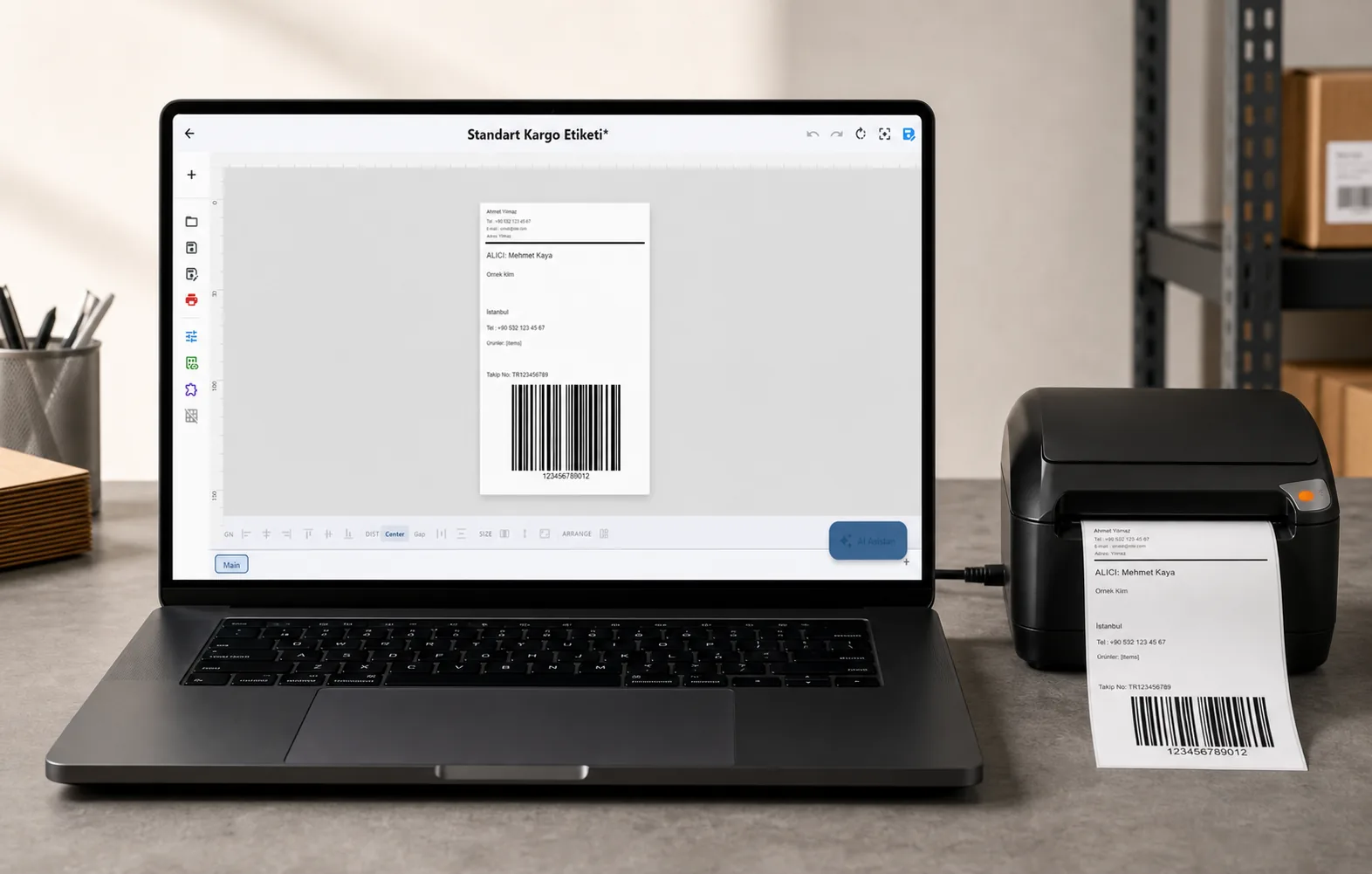
Order labels are filled from the order (recipient, address, order number, and tracking number, link and carrier once Shopify has a fulfillment). The built-in templates are shipping, compact address, packing slip, product, product barcode and price tag; you can also use your own designs or ask the AI to draw one.
NEW / AUTOMATIC PRINTING
Paid order in, label out
Turn on a ready rule and the label prints on your own printer the moment Shopify says the order is paid. No PDF, no clicks, and nothing to keep open in Shopify.
- Ready rules: a shipping label for every paid order, a label and packing slip, a barcode for every unit sold, an extra label for big orders, express orders on their own printer, or a different label for international orders. Or describe what you want and the AI drafts the rule.
- Rules you set: choose the label, the printer and the time by order total, country, shipping method, order tag, product name or SKU.
- Set times: collect new orders and print them together at 12:00, or print one picking list every morning that adds up every product across the new orders.
- Backup printer: if the printer is off or out of labels, the label prints on another printer and you get an email.
- Carrier shipments: map each shipping method to Yurtiçi or Aras; the tracking barcode prints on the label and the tracking number goes back to Shopify.
- A log of every step: what printed, what is waiting, and why something did not print, with a plain line on what to do.
- Any thermal printer, or paper: ZPL, TSPL, TPCL and ESC/Label printers over USB or the network through the LabelInn app; A4 and Letter label sheets as a PDF or from the browser print dialog.
The free LabelInn app has to be running on the PC that has the printer (Windows or Mac). Automatic printing is a paid-plan feature: one basic print-on-paid automation on Starter; rules, set times, backup printers and carrier shipments on Pro. New accounts get a 14-day trial.
01
Shopify's own labels or LabelInn?
They do different jobs. Pick by what you need to print.
| You need to | Use | Note |
|---|---|---|
| Buy postage and print a carrier label with a US, UK or EU rate | Shopify Shipping | LabelInn does not sell postage. Choose a 4 x 6 label format and print it on your thermal printer. |
| Print your own address, packing slip or order-number label | LabelInn | Templates are filled from the Shopify order. Pro plan for marketplace and shipping actions on the desktop app; the free plan prints from typed values. |
| Print a product barcode or price label from the Shopify catalog | LabelInn | Product barcode and price tag templates are built in. |
| Print labels by themselves when an order is paid | LabelInn Shopify app | Rules choose the label, the printer and the time by order total, country, shipping method, tag, product or SKU. Needs a paid LabelInn plan; there is a 14-day trial. |
| Create shipments with Yurtiçi or Aras under your own agreement | LabelInn carrier integration | Map each shipping method to a carrier. See the Shopify carrier page. |
02
From a Shopify order to a printed label
The jobEvery order needs a label on the pack bench, and downloading a PDF for each one does not scale.
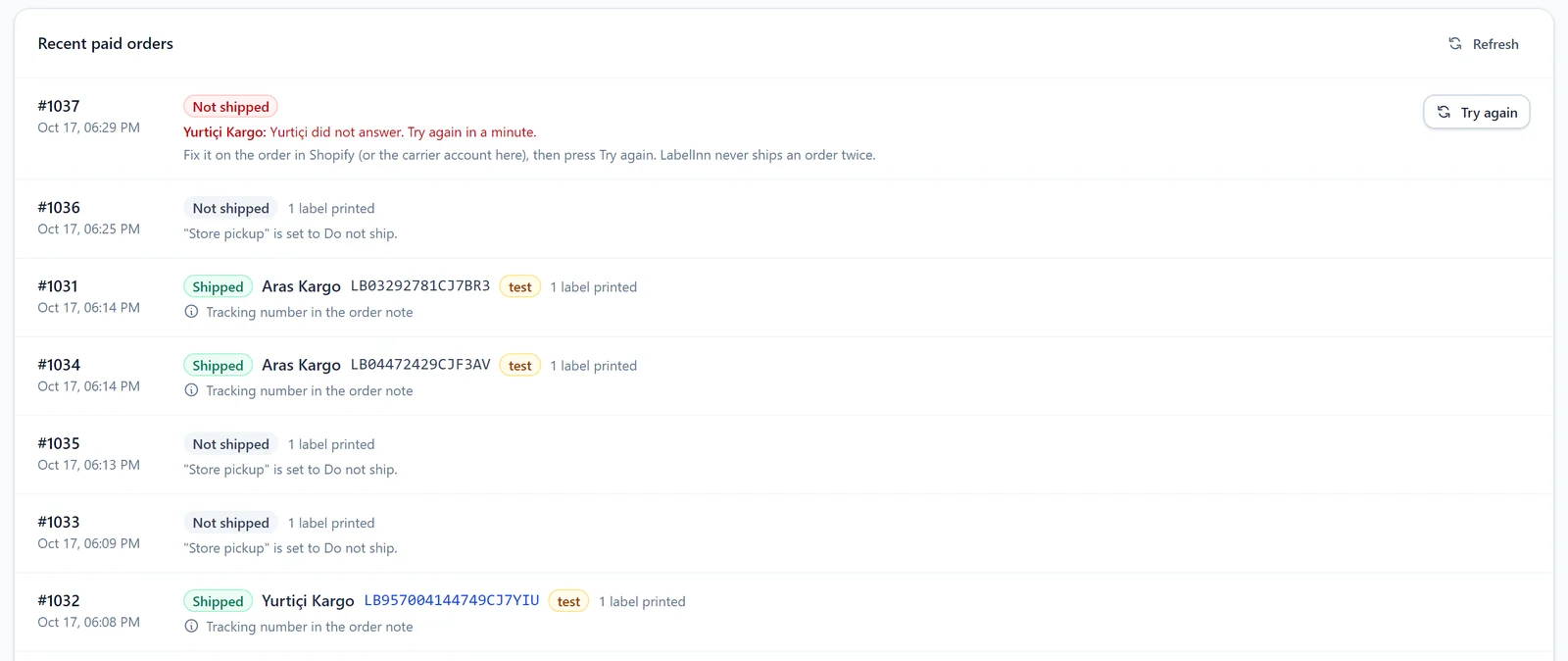 1Paid orders in the Shopify panelThe LabelInn app inside Shopify lists recent paid orders with their shipping state and how many labels have printed (a dev store using carrier test accounts).
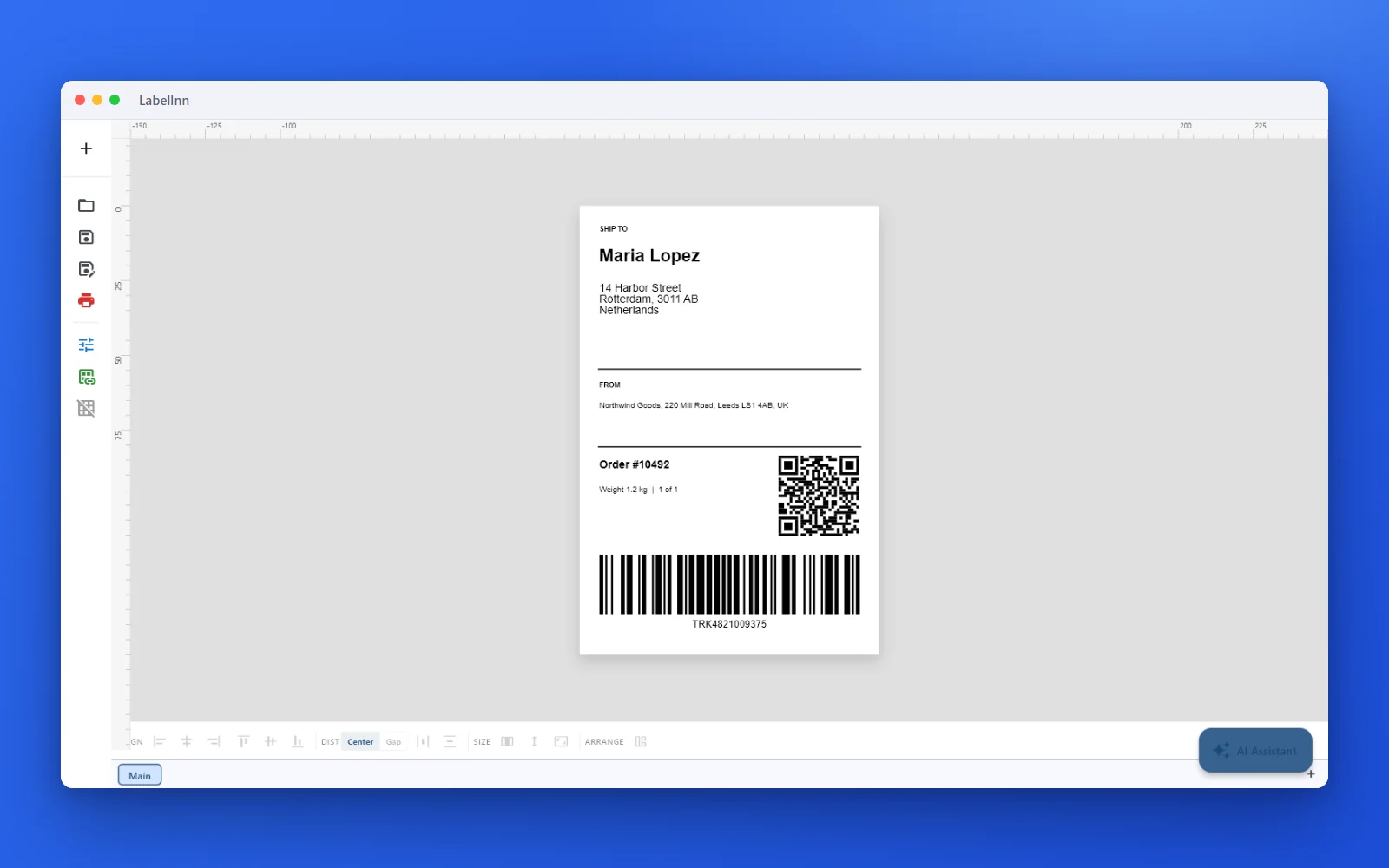 2A shipping template to start fromA 100 x 150 mm label with recipient, order number and a Code 128 barcode, editable in the designer.
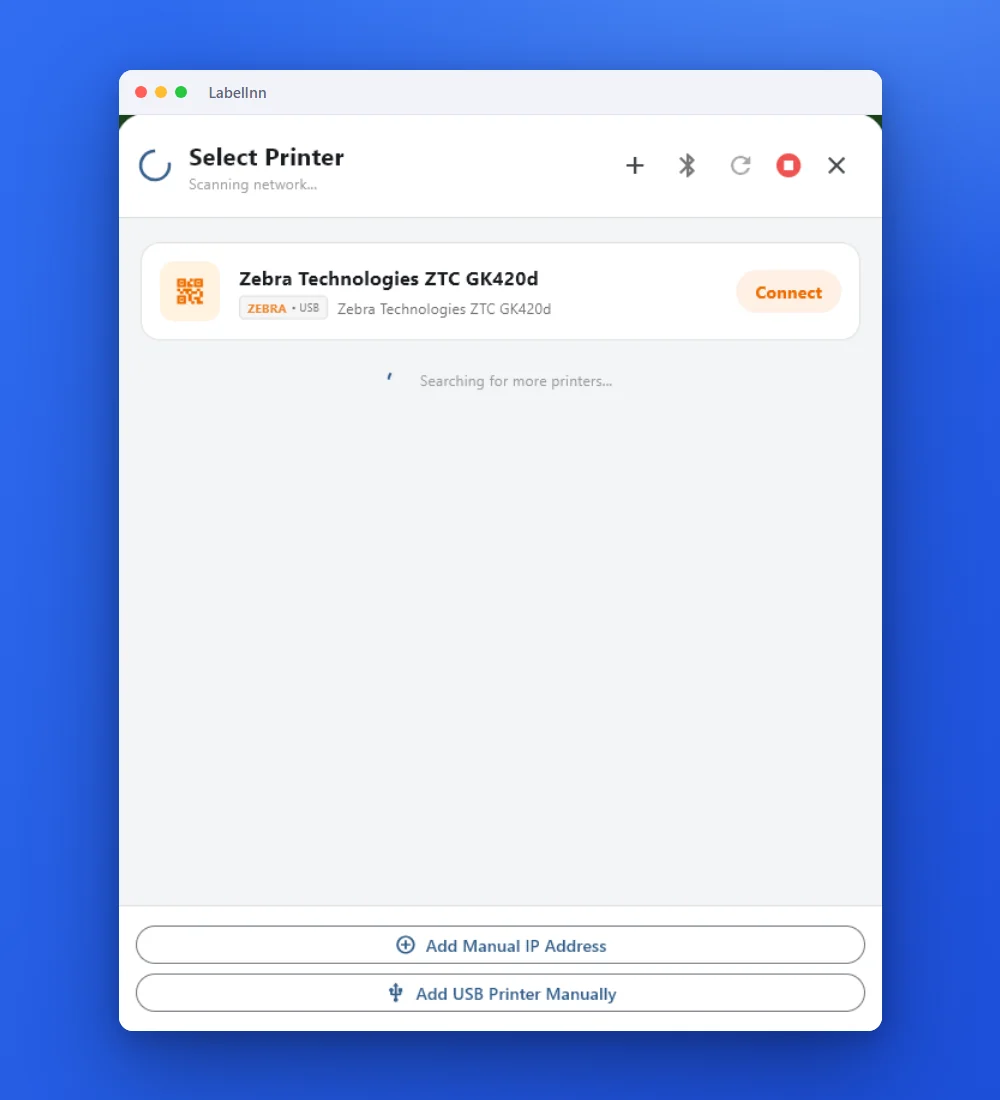 3The printerOn the PC where the thermal printer is plugged in, LabelInn finds it over USB or the network.
 4Preview and printCheck the label and the number of copies, then print.
The resultOrders become labels at the printer without a PDF in between. The desktop and printer screens are from the Windows build of the same app.Shopify App Store
03
Desktop and automation routes
- Desktop app: add Shopify under integrations with your store domain and an Admin API access token to list and print orders on a Windows or Mac PC (printing and shipping actions from marketplace orders are a Pro feature).
- Automation by API or webhook (Pro): send an order to
POST /v1/print/jobswith an idempotency key, or connect through Make.com or Zapier. See the API reference. - Limits to know: Shopify gives the app the last 60 days of orders; the web panel draws text, barcodes, shapes, lines, images and the product list, while other element types, such as PDF pages, stay in the desktop app.
NEW / CARRIERS
Ship every paid order with your own carrier
Map each shipping method to a carrier: Yurtiçi, Aras, MNG (DHL eCommerce) and more. The tracking barcode prints on the label and tracking goes back to Shopify.
ANY PRINTER
Design it, bind your data, print on the printer you already own.
Zebra, TSC, Toshiba, Epson and more — over USB, network or Bluetooth, with no driver to install.
PRICING
Start free. Pay when it earns its keep.
QUESTIONS / FAQ
Frequently Asked Questions
How do I print Shopify shipping labels to a thermal printer?
Install the LabelInn app from the Shopify App Store, sign in to LabelInn, pick the orders and a label template (a 100 x 150 mm shipping template is built in), and send them to a printer connected to LabelInn. To skip the clicking, turn on an automation and every paid order prints its label by itself. On the desktop app you can also connect the store with its domain and an Admin API access token.
Does LabelInn buy shipping postage for Shopify orders?
No. LabelInn prints labels; it does not sell postage from Shopify Shipping, UPS or FedEx. If you buy postage in Shopify, print that label as usual (a 4 x 6 format suits a thermal printer). LabelInn adds your own address, packing, product and barcode labels, and carrier shipments under your own agreement with Yurtiçi or Aras (ready; MNG, Sürat, PTT, HepsiJet, UPS Türkiye and Kolay Gelsin are in beta).
Which thermal printer works with Shopify and LabelInn?
Any label printer that speaks ZPL, TSPL, TPCL or ESC/Label over USB or the network, for example Zebra ZD or GK models and TSC TE or TDP models. The printer evidence pages show which exact models have been seen working.
Can I print Shopify labels on a Mac?
Yes. LabelInn has a native macOS app (macOS 11 or later) that prints over USB or network. See label printing software for Mac for what differs from Windows.
How far back can LabelInn see Shopify orders?
The Shopify app requests the standard order permission, which Shopify limits to the last 60 days of orders.
What can the automatic printing do?
When an order is paid it prints the labels you choose on the printer you choose. Rules pick the label, printer and time by order total, country, shipping method, tag, product name or SKU. Orders can be collected and printed at a set time or as one picking list, a backup printer takes over if the first one fails, and a carrier shipment can be created with its tracking number printed on the label. A4 and Letter label sheets print from the panel as a PDF or from the browser print dialog.
What does it cost?
Printing by hand from the app is free. Automatic printing needs a paid plan: Starter ($7.99 a month) includes one basic automation that prints on every paid order; Pro ($24.90 a month or $249 a year) adds rules, set times, backup printers, carrier shipments, marketplace actions, webhooks and the API. New accounts get a 14-day trial.
Does LabelInn work with other stores besides Shopify?
Yes: WooCommerce, Trendyol, Hepsiburada, ikas, eBay and AliExpress are available as connections in the app, and any system can post orders to the REST API or a webhook (Pro).
KEEP GOING
Related
NEXT STEP / LABELINN
Print your Shopify labels without the PDF step
Free plan, no credit card. 14-day trial of the paid features. Works on Windows and Mac.