COMPLIANCE / DPP / GUIDE
How to Create a Digital Product Passport, Step by Step
How to create a digital product passport: find out if you need one, get GTINs, collect the data, build the link, host the page, print the code and register it.
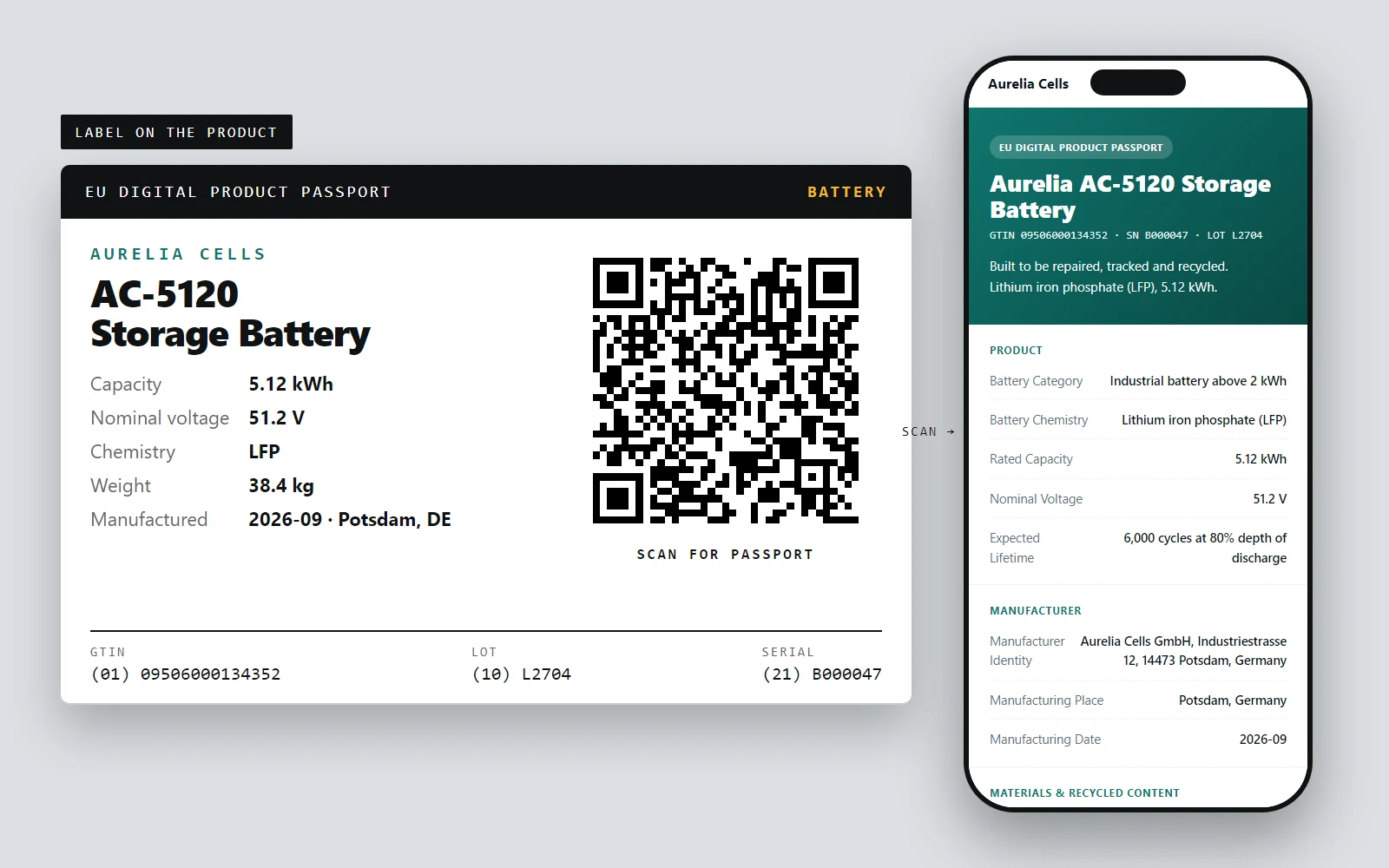
A digital product passport is three things that have to agree: an identifier on the product, data behind it, and a page that serves the data. Creating one is a sequence of decisions, most of them before any software. The steps below follow that order, and say where LabelInn does the work and where it does not.
WHAT YOU END UP WITH
A label, a link and a page.
The three things the steps below produce.
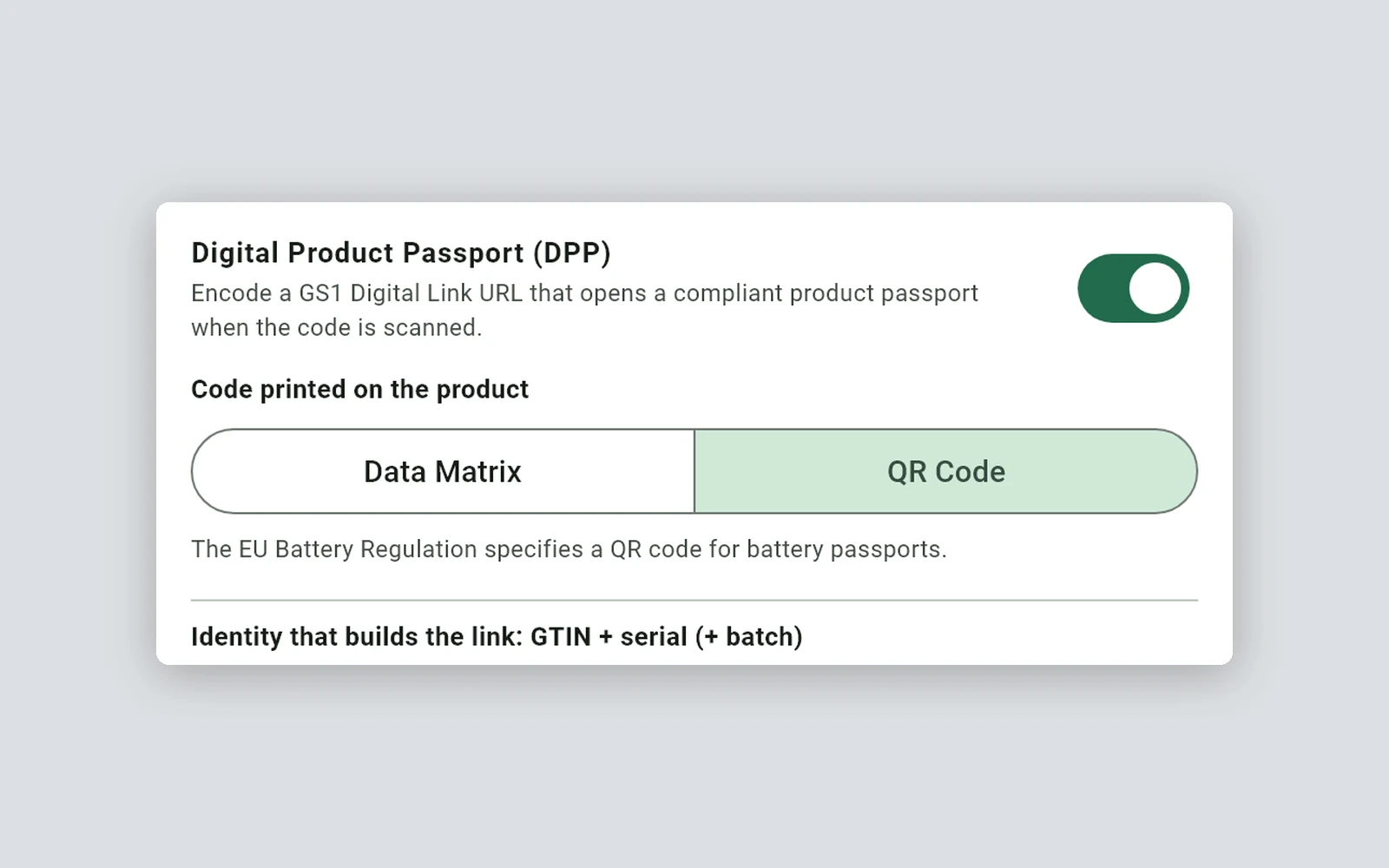
The passport switch, the carrier and the identity that builds the link.
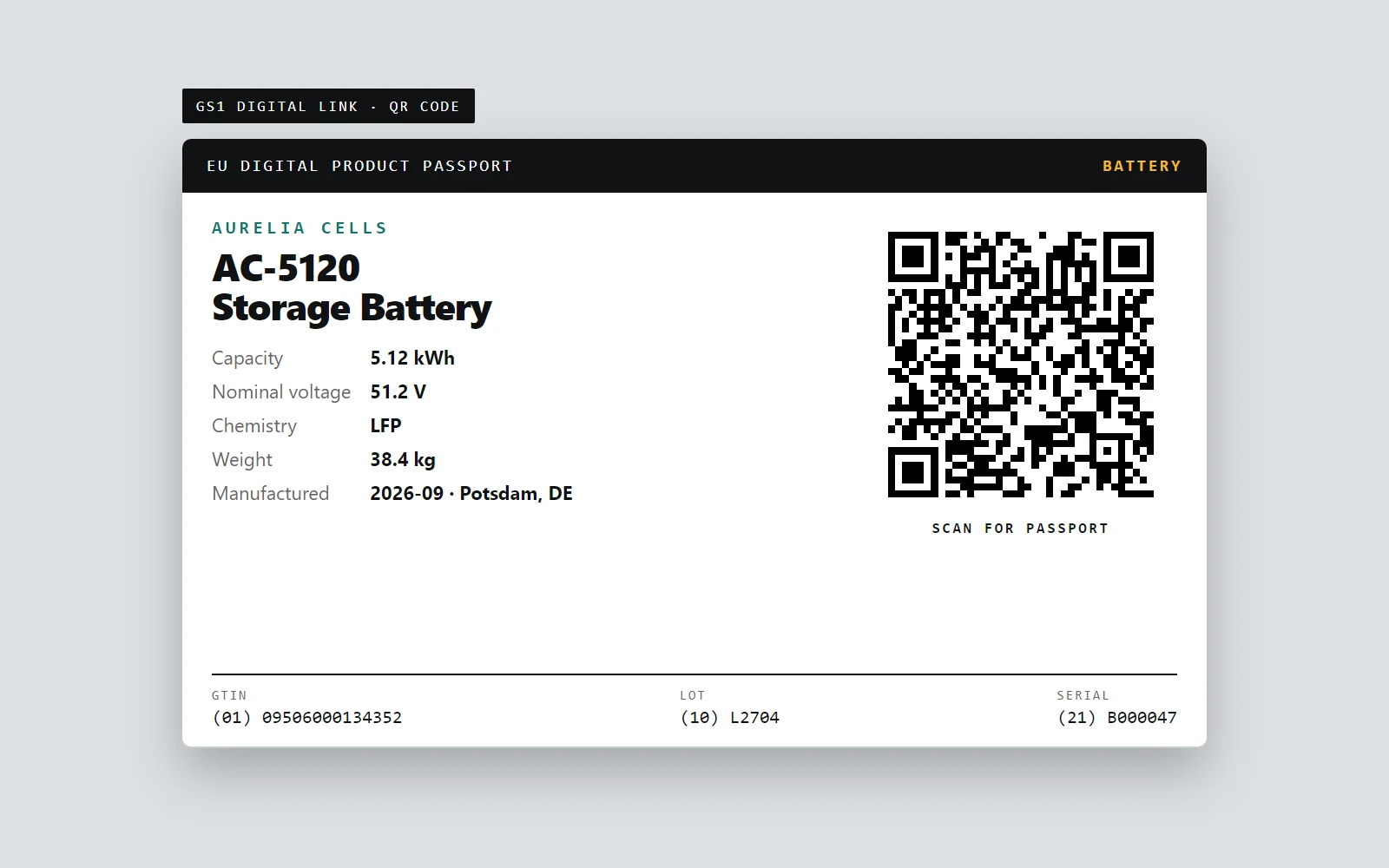
Per-item serial, human-readable identifiers and the code.
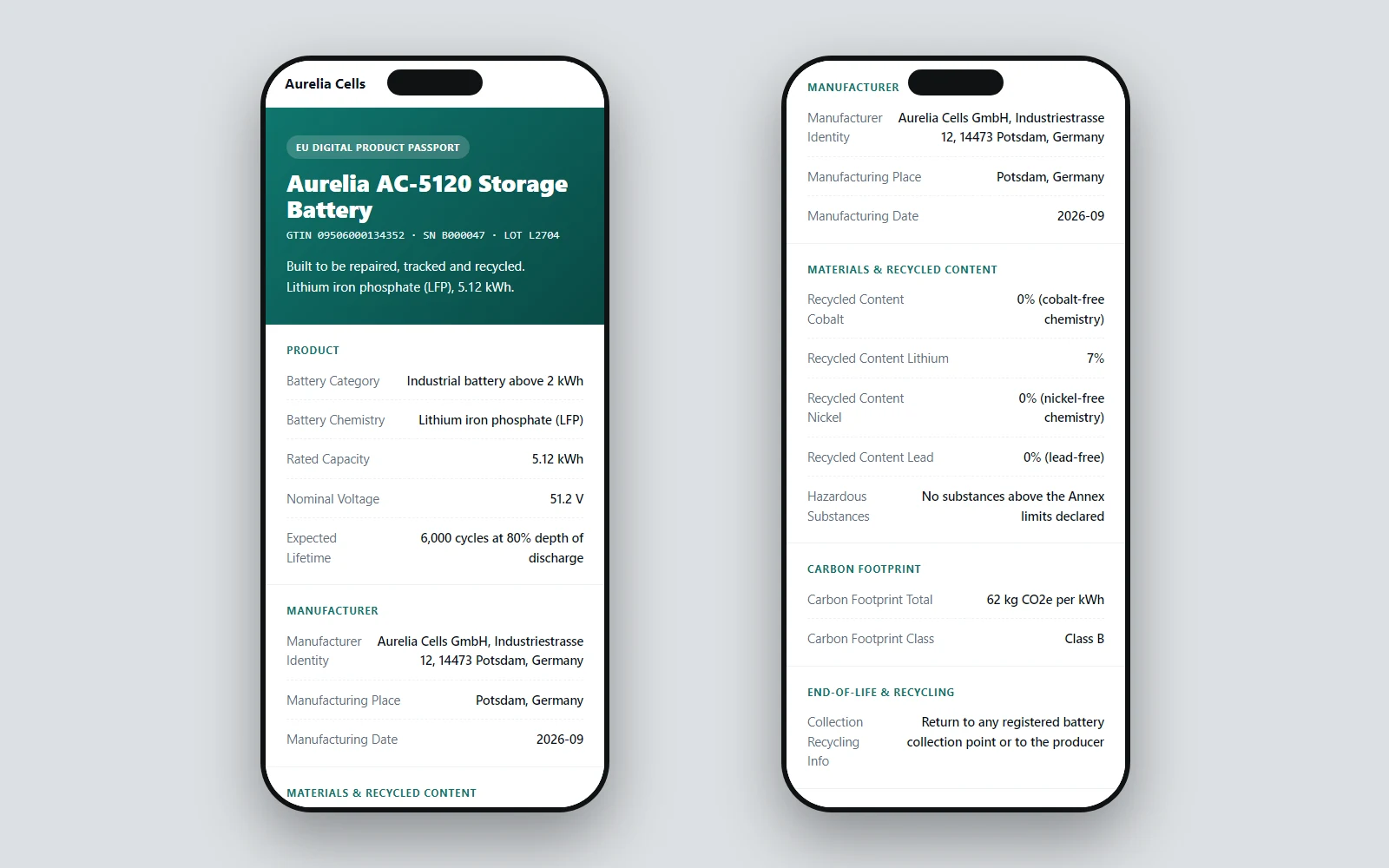
Public fields for people; the same address answers software with JSON-LD.
01 / SCOPE
The steps
- Find out whether and when your product needs one. The Ecodesign Regulation (Regulation (EU) 2024/1781) sets the framework, and each product group gets its own rules. Batteries come first: the battery passport applies from 18 February 2027 to light means of transport batteries, electric vehicle batteries and industrial batteries above 2 kWh. See European Commission: Digital Product Passport.
- Get your GTINs. They come from GS1 in your country. A passport at model, batch or item level is built on the GTIN, so this cannot be skipped. LabelInn does not issue them.
- Decide the identifier level. One passport per model, per batch or per item. Item level means a different serial on every product, and so a different code on every label.
- Collect the data. For batteries the required list is long: manufacturer, category and chemistry, rated capacity, carbon footprint and class, recycled content, due diligence, dismantling and collection information, 20 fields in LabelInn's checklist. Decide for each field who may see it: public, restricted or private.
- Choose the carrier and build the link. A QR code for batteries. The link is a GS1 Digital Link:
https://labelinn.com/dl/{handle}/01/{gtin}/10/{lot}/21/{serial}. The free generator builds one for testing. - Host the passport page. It must open from the link, show the public data to people and return structured data to software. LabelInn hosts the page and the JSON-LD from the same address.
- Print the code on the product. One label per item with the code and the identifiers as text. In LabelInn you switch the passport on in the barcode panel, and each printed item is registered.
- Register it in the EU registry. The registry has been live since 20 July 2026 (the Commission's registry announcement). Your organisation enrols once: an EU Login, an organisation profile and a declaration that your legal representative signs with a qualified electronic signature. Then you register each passport's identifier, one at a time or in files of up to 100, at model, batch or item level (item level for batteries). The registry returns a registration identifier for each. LabelInn does not do this step for you; it provides the identifier and hosts the passport it points to (the registry user guide).
- Test the whole chain. Scan a printed label with your scanners and phones, open the page, request the JSON-LD, and confirm the required-field checklist shows complete.
02 / IDENTIFIER
Steps 4 to 7 in LabelInn
Three people usually share the work, and LabelInn keeps it in three places:
- The product or compliance owner enters the fixed product data once per GTIN in Passport Studio in the web dashboard, sets a public, restricted or private tier on each field, and designs the page a scan opens.
- The label designer builds the label in the app, switches the passport on, picks the carrier and binds the lot and date to Excel, CSV or a database query.
- The operator prints. The serial is added automatically and each printed item is registered.
Without the label designer, the same registration is one API call:
curl https://labelinn.com/v1/passport \
  -H "Authorization: Bearer sk_live_..." \
  -H "Content-Type: application/json" \
  -d '{
    "gtin": "09506000134352",
    "batch": "L2704",
    "serial": "B000047",
    "category": "battery",
    "fields": [
      { "key": "battery_chemistry", "value": "Lithium iron phosphate (LFP)", "tier": "public" },
      { "key": "rated_capacity", "value": "5.12 kWh", "tier": "public" },
      { "key": "supply_chain_due_diligence", "value": "Policy and audit report on file", "tier": "restricted" }
    ]
  }'
The response carries the passport's link and a completeness verdict: complete, incomplete with the missing fields, or unregulated. Anything that the regulation places in a restricted tier stays off the public page, whatever tier the call sends.
03 / DATA
What you can check right now
The page a scan opens shows public fields grouped for a person, and the same address answers software with JSON-LD. The DPP QR code guide shows the real response for the sample battery, and the label guide shows the label.
04 / PAGE
Where it stops
- Not legal advice or certification. The checklist shows what is missing; the content and the compliance remain yours.
- The registry (step 8) is the operator's own task, and the enrolment needs your legal representative.
- The page of restricted data for authorities is not built: restricted and private fields are kept off the public channel, and no authenticated channel for authorities exists yet.
ANY PRINTER
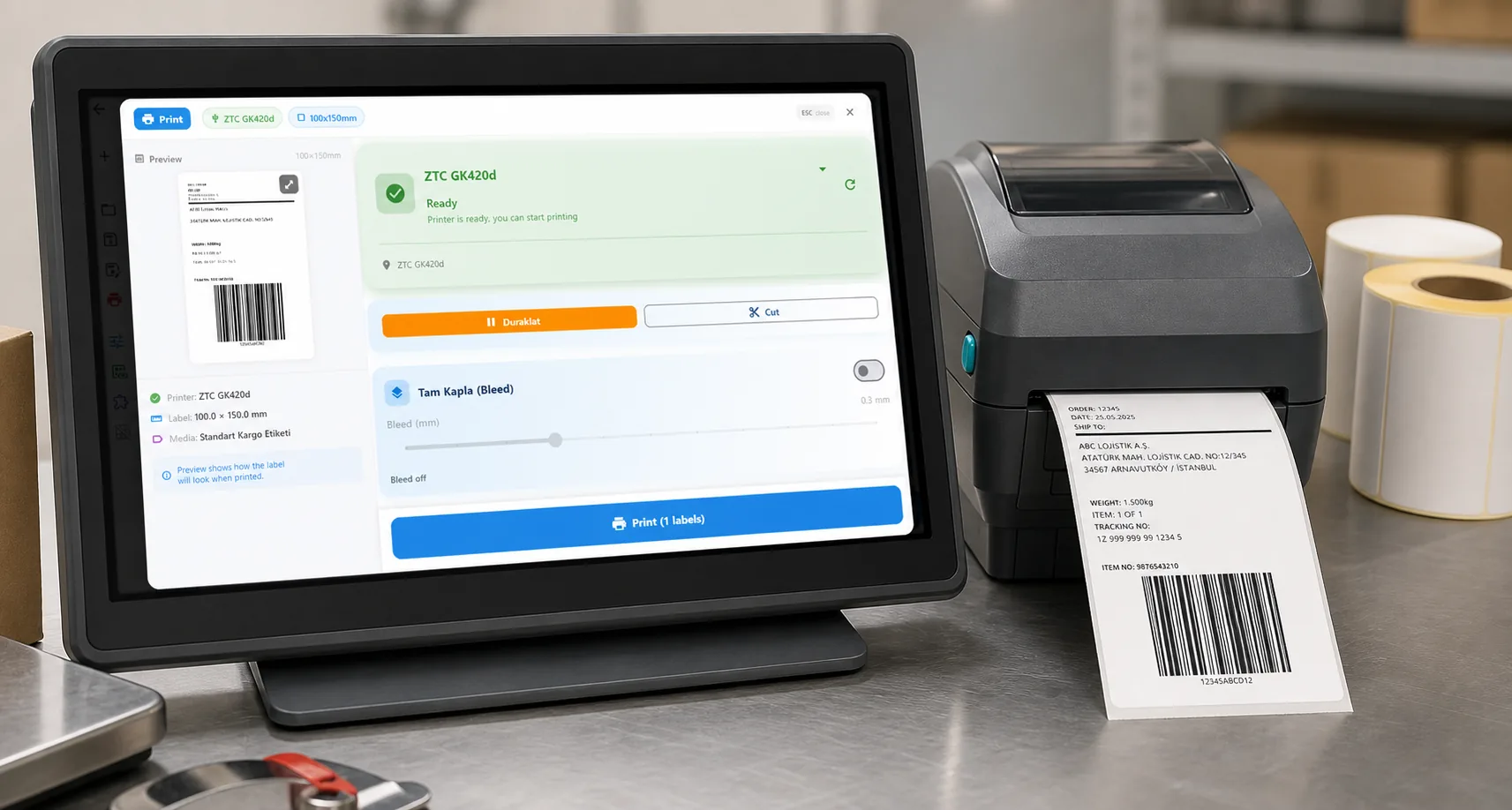
Design it, bind your data, print on the printer you already own.
Zebra, TSC, Toshiba, Epson and more — over USB, network or Bluetooth, with no driver to install.
PRICING
Start free. Pay when it earns its keep.
QUESTIONS / FAQ
Frequently asked questions
How do I create a digital product passport?
Find out whether your product group needs one, get GTINs from GS1, choose the identifier level, collect the required data and decide who may see each field, build a GS1 Digital Link, host the passport page, print the code on every item, and register the passport in the EU registry.
Do I need software to create one?
You need something to host the page, serve JSON-LD, check required fields and put a unique code on every item. That can be your own system, or a platform such as LabelInn that registers a passport when you print.
How long does it take?
The data collection takes the longest, because it comes from design, procurement and sustainability teams. The technical steps, building the link, hosting the page and printing the label, can be done in a day for a first product.
What does a battery passport have to contain?
LabelInn's battery checklist has 20 required fields, such as manufacturer, category and chemistry, capacity, carbon footprint, recycled content, due diligence and dismantling information. It follows our reading of Annex XIII of Regulation (EU) 2023/1542 and is a completeness check, not a legal opinion.
Does LabelInn register the passport in the EU registry?
No. LabelInn registers the passport on its own platform when you print and hosts the page. Registering the identifier in the Commission's registry is done by your verified organisation, after its legal representative enrols it.
Can I try it before paying?
Designing and printing are free. Build the link and the QR code in the free generator, then design a label in the app.
KEEP GOING
Related
BUILDING A PASSPORT?
Tell us your product and your deadline.
Each product group has its own rules, and the first steps differ for a battery maker and a clothing brand. Send us your product group, how many items you label a year and where your product data lives today. A person replies within 24 hours with what LabelInn covers today and what it does not.